
1. Introduction
The Aokeo AK-M1 is a professional XLR Bluetooth audio receiver designed to wirelessly transmit high-fidelity audio from your Bluetooth-enabled devices to active PA speakers, DJ equipment, and mixers. This manual provides comprehensive instructions for the safe and efficient use of your AK-M1 receiver, ensuring optimal performance and longevity.
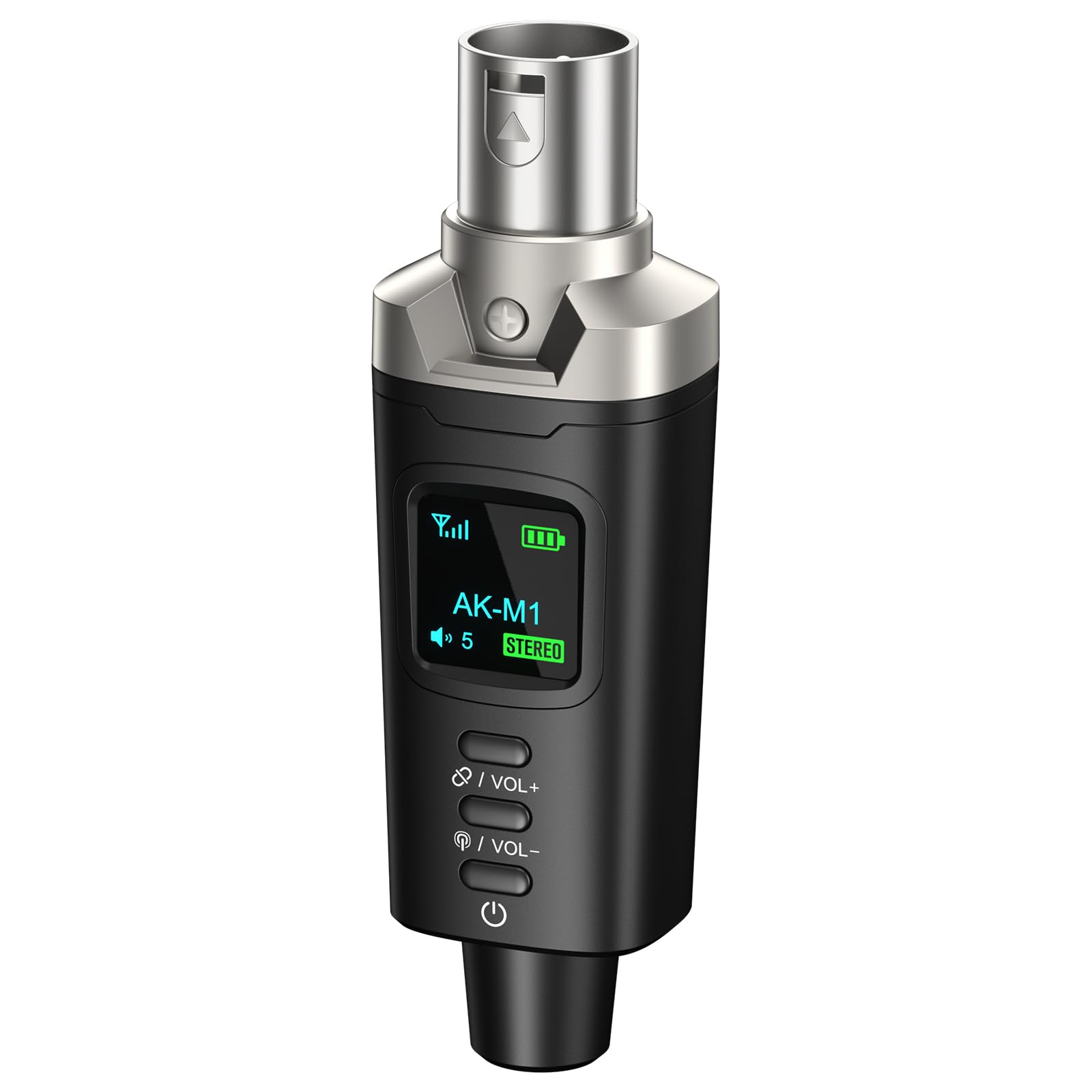
Image 1.1: Aokeo AK-M1 XLR Bluetooth Receiver.
2. Product Features
- Wireless XLR Connectivity: Equipped with an XLR output for direct connection to mixers, PA speakers, and DJ equipment, enabling cable-free audio transmission.
- High-Fidelity Audio: Features a DAC resolution of 16-bit/48kHz for clear, distortion-free sound quality, comparable to wired connections.
- Extended Range & Stability: Utilizes Bluetooth 5.1, A2DP, and AVRCP technology for stable connectivity over a range of up to 100 feet (30 meters).
- Mono/Stereo Functionality: Supports mono audio with a single receiver. For stereo sound, two AK-M1 units (P3D dual) can be paired together.
- Long Battery Life: Built-in rechargeable battery provides up to 8 hours of operation on a full charge.
- Quick Charging: USB Type-C port allows for a full charge in approximately 2 hours using any 5V USB power source.
- Wide Compatibility: Universally compatible with Bluetooth-enabled devices such as smartphones, tablets, and laptops, and audio equipment featuring XLR interfaces.
3. Package Contents
Please check the package for the following items:
- AK-M1 Receiver x1
- USB Type-C Charging Cable x1
- User Manual x1

Image 3.1: Contents of the AK-M1 package, including the receiver, charging cable, and manual.
4. Setup Guide
4.1 Charging the Device
- Connect the provided USB Type-C charging cable to the charging port on the AK-M1 receiver.
- Plug the other end of the cable into a 5V USB power source (e.g., wall adapter, computer USB port).
- The LED display will indicate charging status. A full charge takes approximately 2 hours.

Image 4.1: The AK-M1 receiver connected to a USB-C charging cable, illustrating its charging process and battery life.
4.2 Connecting to Audio Equipment
- Ensure your audio equipment (mixer, PA speaker, DJ equipment) is powered off or its input gain is set to minimum.
- Insert the XLR connector of the AK-M1 receiver into an available XLR input on your audio equipment.
- Power on your audio equipment and adjust the input gain as needed after establishing a Bluetooth connection.

Image 4.2: The AK-M1 receiver connected to a mixer, demonstrating its compatibility with various audio devices.
5. Operating Instructions
5.1 Powering On/Off
- To power on, press and hold the power button (usually located at the bottom) until the LED display illuminates.
- To power off, press and hold the power button until the LED display turns off.
5.2 Bluetooth Pairing (Mono Mode)
- Ensure the AK-M1 receiver is powered on and within range of your Bluetooth audio source (smartphone, tablet, laptop).
- The AK-M1 will automatically enter pairing mode, indicated by a flashing Bluetooth icon on the LED display.
- On your audio source device, open Bluetooth settings and search for available devices.
- Select "AK-M1" from the list of devices to connect. Once connected, the Bluetooth icon on the AK-M1's display will become solid.
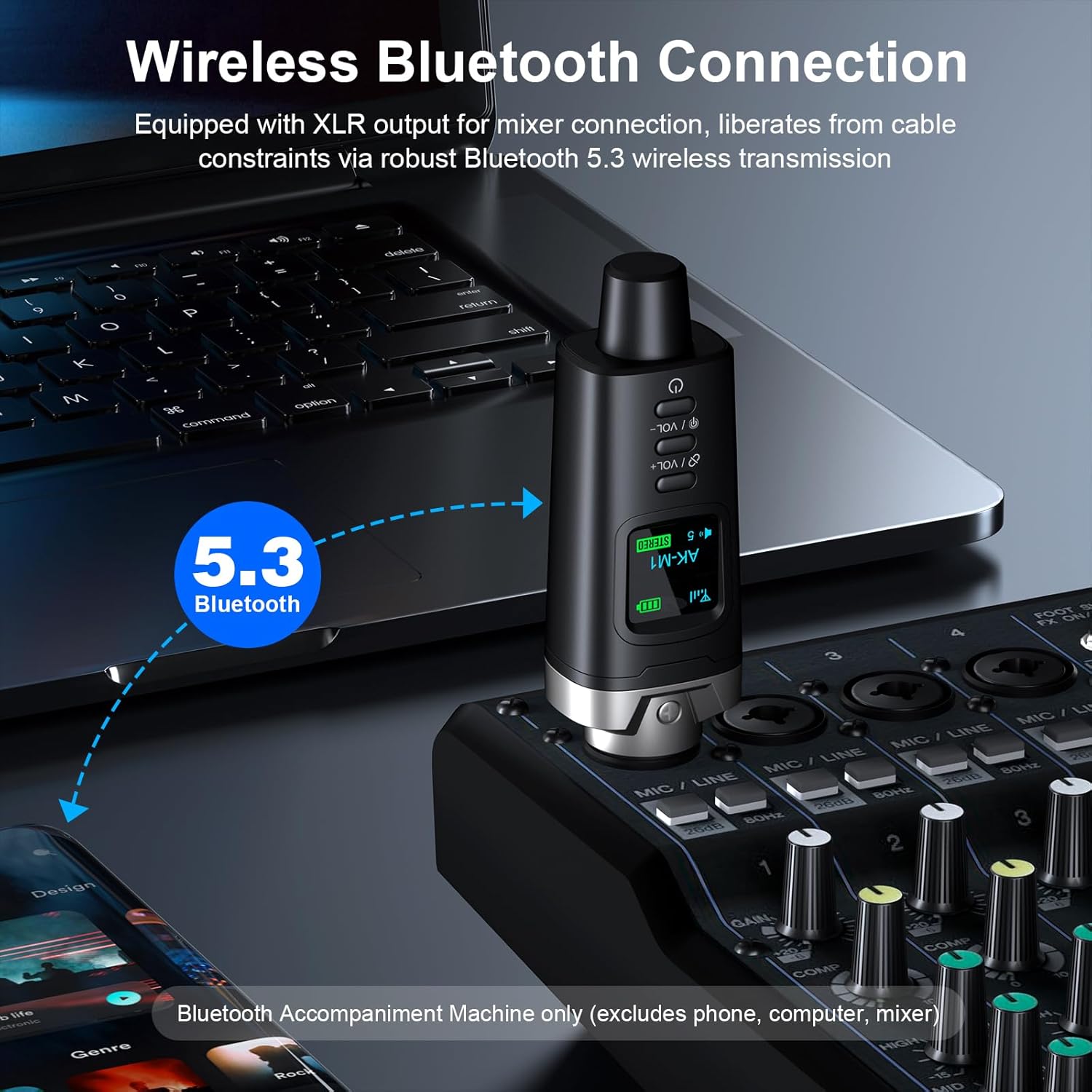
Image 5.1: The AK-M1 receiver establishing a wireless Bluetooth connection with source devices.
5.3 Stereo Pairing (with two AK-M1 units)
If you have two AK-M1 units (P3D dual), you can pair them for stereo audio output:
- Power on both AK-M1 receivers.
- Simultaneously press the "Stereo-Link" button on both units. The LED display will show "STEREO" and indicate Left/Right channel assignment.
- Once linked, proceed with Bluetooth pairing as described in Section 5.2 with your audio source device. The two AK-M1 units will appear as a single Bluetooth device.
5.4 Volume Control
Use the VOL+ and VOL- buttons on the AK-M1 receiver to adjust the output volume. The current volume level will be displayed on the LED screen.
5.5 LED Display Functions
The LED display provides visual feedback on the device's status:
- Signal Icon: Indicates Bluetooth signal strength.
- Battery Level: Shows the remaining battery charge.
- Volume Level: Displays the current output volume.
- STEREO (Green): Indicates Left or Right channel in stereo pairing mode.
- STEREO (Red): Indicates disconnected status in stereo pairing mode.
- Bluetooth Icon: Flashing when in pairing mode, solid when connected.
- Power Icon: Indicates power status.

Image 5.2: Explanation of the icons and indicators on the AK-M1's LED display.
6. Maintenance
- Cleaning: Use a soft, dry cloth to clean the exterior of the device. Do not use liquid cleaners or solvents.
- Storage: Store the device in a cool, dry place away from direct sunlight and extreme temperatures.
- Battery Care: To prolong battery life, avoid fully discharging the battery frequently. Charge the device regularly, even if not in use for extended periods.
- Handling: Avoid dropping the device or subjecting it to strong impacts.
7. Troubleshooting
| Problem | Possible Cause | Solution |
|---|---|---|
| No power | Battery is discharged. | Charge the device using the provided USB Type-C cable. |
| Cannot pair via Bluetooth | Bluetooth is off on the source device; device is out of range; device is already paired with another unit. | Ensure Bluetooth is enabled on your source device. Move the devices closer. Disconnect from other devices and try again. |
| No audio output | Volume is too low; AK-M1 not properly connected to audio equipment; audio equipment input gain is too low. | Increase volume on AK-M1 and source device. Ensure AK-M1 is securely connected to the XLR input. Adjust input gain on your mixer/speaker. |
| Poor sound quality/Interference | Too far from source device; obstacles blocking signal; interference from other wireless devices. | Move closer to the source device. Ensure a clear line of sight. Move away from other wireless devices. |
8. Specifications
| Feature | Detail |
|---|---|
| Model | AK-M1 |
| Bluetooth Version | 5.1 (A2DP, AVRCP) |
| Wireless Range | Up to 100 feet (30 meters) |
| DAC Resolution | 16-bit/48kHz |
| Latency | Less than 5ms |
| Battery Life | Up to 8 hours |
| Charging Time | Approximately 2 hours |
| Charging Port | USB Type-C (5V) |
| Output Interface | 3-Pin XLR Male |
| Dimensions | 105mm (4.13in) Length, 33mm (1.30in) Width (approximate) |
| Item Weight | 5.6 ounces (approximate) |

Image 8.1: Visual representation of AK-M1's stable transmission capabilities and key specifications.

Image 8.2: Detailed view of the AK-M1's design, including its dimensions and interface.
9. Warranty and Support
Aokeo products are designed for reliability and performance. For warranty information, technical support, or service inquiries, please refer to the contact information provided with your purchase or visit the official Aokeo website. Please retain your proof of purchase for warranty claims.