
Introduction
This manual provides essential information for setting up, operating, maintaining, and troubleshooting your new RCA 8-inch Tablet. Please read this guide thoroughly to ensure optimal performance and longevity of your device. This tablet features a MediaTek MT8781/G99 Octa-Core processor, 4GB RAM, 64GB storage, and runs on Android 14.
1. Setup
1.1 Package Contents
- RCA 8-inch Tablet
- USB Charging Cable
- Power Adapter
- Quick Start Guide
1.2 Charging the Tablet
Before first use, fully charge your tablet. Connect the USB charging cable to the tablet's charging port and the power adapter, then plug the adapter into a wall outlet. The battery indicator on the screen will show charging status.
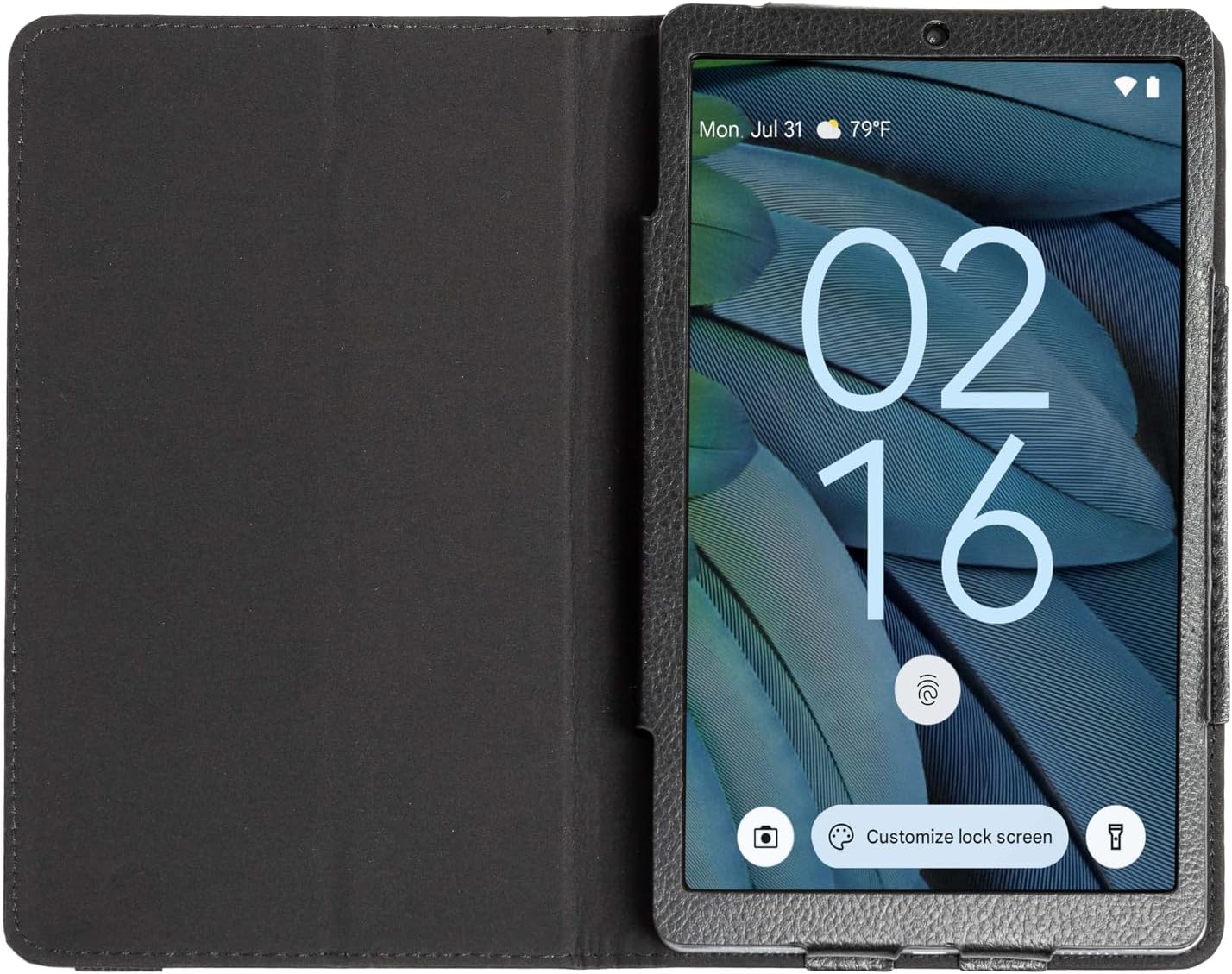
Image: The RCA 8-inch Tablet shown within its black folio case, displaying the lock screen. This illustrates the device's appearance during initial setup or general use.
1.3 Powering On/Off
- To Power On: Press and hold the Power button until the RCA logo appears.
- To Power Off: Press and hold the Power button, then select 'Power off' from the options on the screen.
1.4 Initial Setup Wizard
Upon first power-on, the tablet will guide you through an initial setup process. This includes:
- Language Selection: Choose your preferred language.
- Wi-Fi Connection: Select your Wi-Fi network and enter the password to connect to the internet.
- Google Account: Sign in with your Google account or create a new one. This is necessary for downloading apps from the Google Play Store and accessing Google services.
- Date & Time: Set the correct date and time, or allow the network to set it automatically.
- Security: Set up a screen lock (PIN, pattern, or password) for device security.
1.5 Inserting a MicroSD Card (Optional)
The tablet supports storage expansion up to 512GB via a microSD card. Locate the microSD card slot on the side of the tablet. Gently insert the card with the gold contacts facing down until it clicks into place.
2. Operating the Tablet
2.1 Basic Navigation
The RCA 8-inch Tablet uses a capacitive touchscreen for navigation:
- Tap: To open an app, select an item, or press a button.
- Touch & Hold: To access contextual menus or move items.
- Swipe: To scroll through lists, switch between home screens, or navigate within apps.
- Pinch: To zoom in or out on images and web pages.

Image: A user interacting with the RCA 8-inch Tablet, demonstrating typical handheld use and touchscreen interaction.
2.2 Using the Cameras
Your tablet is equipped with a 5 MP rear camera and a 2 MP front camera for photos and video calls.
- Open the Camera app from the home screen or app drawer.
- Tap the camera icon to switch between front and rear cameras.
- Tap the shutter button to take a photo or start/stop video recording.
- Access settings within the app to adjust modes, filters, and other camera options.

Image: A detailed view of the tablet's rear camera, highlighting its placement and design.
2.3 Android 14 Features
The tablet runs on Android 14, offering enhanced features:
- Privacy Dashboard: Monitor and manage app permissions for your data.
- Notification Controls: Customize how and when you receive notifications.
- AI-Driven Optimizations: The system intelligently manages background processes and battery usage for improved performance.
2.4 Google Assistant Integration
Your tablet seamlessly integrates with Google Assistant. Say "Hey Google" or "Ok Google" to activate the assistant and use voice commands for tasks such as:
- Getting information (weather, news).
- Setting alarms and reminders.
- Controlling smart home devices.
- Making calls or sending messages.
3. Maintenance
3.1 Cleaning the Tablet
To clean your tablet, power it off and use a soft, lint-free cloth. For stubborn smudges, slightly dampen the cloth with water or a screen cleaner specifically designed for electronics. Avoid harsh chemicals or abrasive materials.
3.2 Battery Care
- Avoid extreme temperatures, which can degrade battery life.
- Do not leave the tablet fully discharged for extended periods.
- Use only the provided charger or a certified compatible charger.
3.3 Software Updates
Periodically check for system updates to ensure your tablet has the latest features and security patches. Go to Settings > System > System update to check for and install available updates.
3.4 Data Backup
Regularly back up important data to a cloud service (like Google Drive) or a computer to prevent data loss.
4. Troubleshooting
4.1 Device Not Turning On
- Ensure the battery is charged. Connect the tablet to its charger for at least 30 minutes.
- Press and hold the Power button for 10-15 seconds to perform a forced restart.
4.2 Wi-Fi Connection Issues
- Restart your Wi-Fi router and the tablet.
- Forget the network in Wi-Fi settings and reconnect.
- Ensure you are within range of the Wi-Fi signal.
4.3 Slow Performance
- Close unused applications running in the background.
- Clear cache data for frequently used apps (Settings > Apps > [App Name] > Storage > Clear cache).
- Ensure sufficient storage space is available. Delete unnecessary files or move them to a microSD card.
- Restart the tablet periodically.
4.4 Factory Reset (Last Resort)
If issues persist, a factory reset can resolve many software-related problems. Warning: This will erase all data on your tablet. Back up important data before proceeding.
- Go to Settings > System > Reset options > Erase all data (factory reset).
- Follow the on-screen prompts to confirm the reset.
5. Specifications
Below are the key technical specifications for the RCA 8-inch Tablet:

Image: An infographic summarizing the main technical specifications and features of the RCA 8-inch Tablet.
| Feature | Specification |
|---|---|
| Processor | MediaTek MT8781/G99 Octa-Core |
| Operating System | Android 14 |
| Display Size | 8 Inches |
| Max Screen Resolution | 800x1340 Pixels |
| RAM | 4GB |
| Internal Storage | 64GB |
| Expandable Storage | Up to 512GB via MicroSD (card not included) |
| Rear Camera | 5 MP |
| Front Camera | 2 MP |
| Average Battery Life | 10 Hours |
| Item Weight | 1.71 pounds |
| Product Dimensions | 8.68 x 5 x 0.39 inches |
| Color | Gray |
6. Warranty and Support
6.1 Warranty Information
Your RCA 8-inch Tablet is covered by a limited manufacturer's warranty. Please refer to the warranty card included in your product packaging for specific terms and conditions. Keep your proof of purchase for warranty claims.
6.2 Customer Support
For technical assistance, troubleshooting beyond this manual, or warranty inquiries, please visit the official RCA support website or contact their customer service. Contact details can typically be found on the RCA brand website or in your product documentation.


