
Introduction
This manual provides instructions for the proper use and care of your Lacoste LC33 Analog-Digital Multifunction Watch. This timepiece features a hybrid movement combining traditional analog hands with digital displays for various functions, including alarm, chronograph, and calendar. It is designed for daily wear and is water-resistant up to 10 ATM.
Watch Components
Familiarize yourself with the main components of your watch:
- Crown: Used for setting analog time.
- Buttons:
- LIGHT Button (Top Left): Activates the backlight for the digital display.
- MODE Button (Bottom Left): Cycles through digital display modes (Time, Alarm, Chronograph, Date).
- START Button (Top Right): Starts/stops the chronograph, adjusts settings in various modes.
- RESET Button (Bottom Right): Resets the chronograph, confirms settings in various modes.
- Analog Display: Hour, minute, and second hands.
- Digital Display: Shows time, date, alarm, and chronograph functions.
- Day Indicator Sub-dial: Displays the current day of the week.

Front view of the Lacoste LC33 watch, showcasing the navy blue case and strap, analog hands, digital display, and four control buttons.
Setup Instructions
Setting Analog Time
- Pull the crown out to the first position.
- Turn the crown to adjust the hour and minute hands to the desired time.
- Push the crown back in to its normal position to start the analog timekeeping.
Setting Digital Time and Date
- Press the MODE button repeatedly until the digital time display starts flashing (indicating setting mode).
- Press the START button to cycle through the settings (hours, minutes, 12/24-hour format, year, month, day).
- Use the RESET button to adjust the flashing value.
- Once all settings are correct, press the MODE button to exit the setting mode.

Side view of the watch, highlighting the crown and the four control buttons used for setting and operating functions.
Operating Instructions
Using the Backlight
Press the LIGHT button (top left) to illuminate the digital display for a few seconds in low-light conditions.
Using the Alarm Function
- Press the MODE button until "AL" (Alarm) appears on the digital display.
- Press the START button to enter alarm setting mode (hours will flash).
- Use the RESET button to adjust the alarm hour.
- Press START to move to minutes, then use RESET to adjust.
- Press MODE to exit alarm setting.
- To activate/deactivate the alarm, press the START and RESET buttons simultaneously while in "AL" mode. An alarm icon will appear/disappear.
Using the Chronograph (Stopwatch)
- Press the MODE button until "ST" (Stopwatch) appears on the digital display.
- Press the START button to begin timing.
- Press START again to pause timing.
- Press START to resume timing from the paused point.
- To reset the chronograph, press the RESET button while the chronograph is stopped.
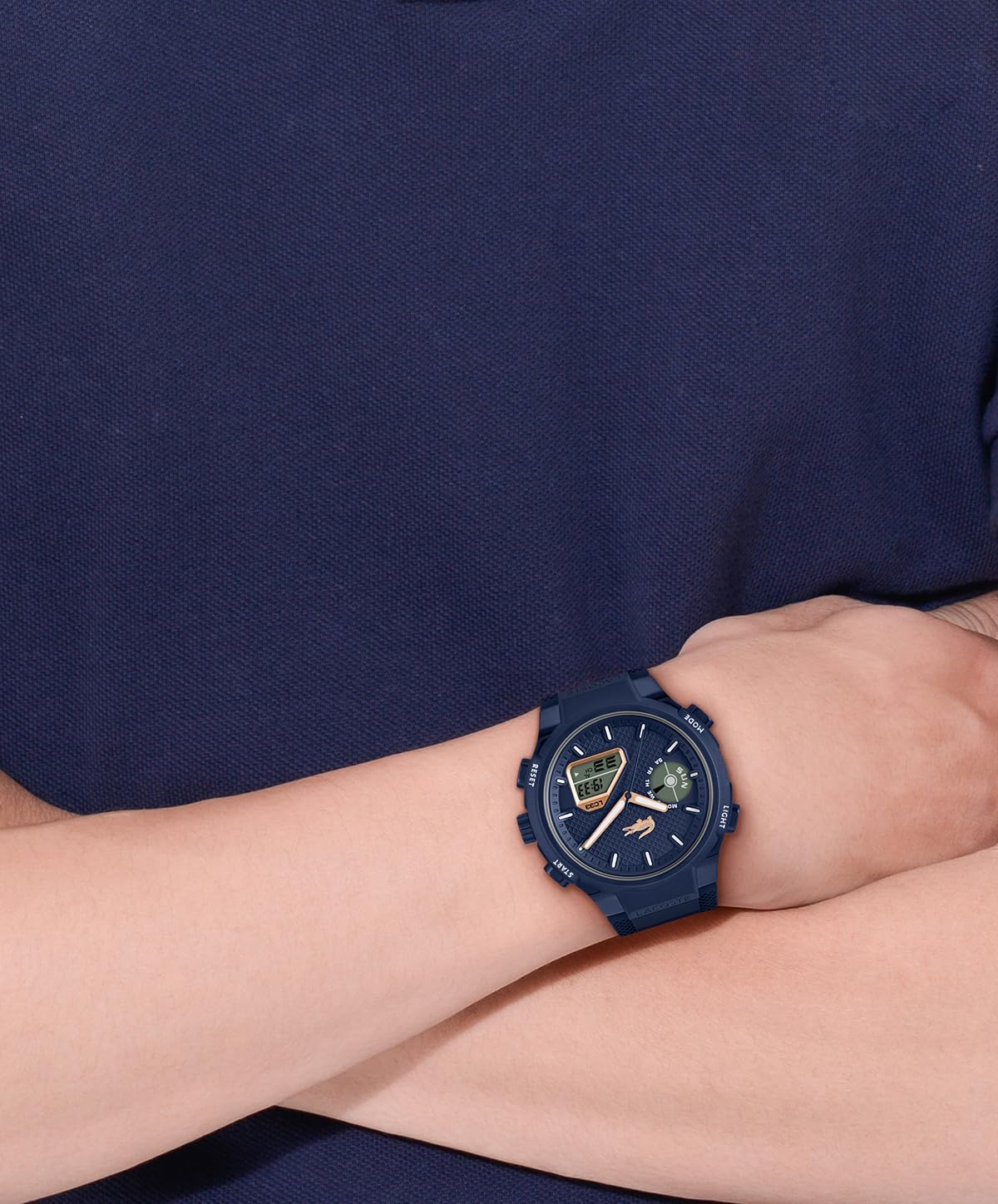
The Lacoste LC33 watch displayed on a wrist, showing its fit and appearance during wear.
Maintenance
Cleaning Your Watch
Wipe the watch case and strap regularly with a soft, dry cloth. For silicone straps, a mild soap solution and water can be used, followed by thorough rinsing and drying. Avoid using harsh chemicals or abrasive materials, as these can damage the watch's finish.
Water Resistance
This watch is water-resistant to 10 ATM (100 meters), making it suitable for swimming, snorkeling, and water sports. It is not suitable for diving. Ensure the crown is fully pushed in before any contact with water. Do not operate the buttons while the watch is submerged or wet, as this can compromise the water resistance.
Battery Replacement
The watch is powered by a quartz battery. When the battery runs low, the digital display may dim or the watch may stop functioning. Battery replacement should be performed by a qualified watch technician to ensure proper sealing and maintain water resistance.
Troubleshooting
| Problem | Possible Cause | Solution |
|---|---|---|
| Analog hands not moving | Low battery; Crown pulled out. | Push the crown in. If the problem persists, replace the battery. |
| Digital display is blank or dim | Low battery; Extreme temperatures. | Replace the battery. Ensure the watch is within operating temperature range. |
| Incorrect digital time/date | Incorrect setting. | Refer to "Setting Digital Time and Date" section to re-adjust. |
| Water inside the watch | Crown not fully pushed in; Buttons operated underwater; Seal damage. | Immediately take the watch to a qualified technician for inspection and repair to prevent further damage. |
Specifications
| Model Number | 2011434 |
| Movement Type | Quartz Analog-Digital Hybrid |
| Case Material | TR90 (Case), Stainless Steel (Case Back) |
| Case Diameter | 44.8 mm |
| Case Thickness | 14.9 mm |
| Strap Material | Silicone |
| Band Width | 26 mm |
| Dial Window Material | Mineral Glass |
| Water Resistance | 10 ATM (100 Meters) |
| Clasp Type | Buckle Tang |
| Item Weight | 61 Grams |
| Manufacturer | Movado Group Sàrl |
| Country of Origin | China |

Rear view of the watch, displaying the stainless steel case back with engravings including water resistance and model details.
Warranty Information
Your Lacoste LC33 watch is covered by a manufacturer's warranty against defects in materials and workmanship. The specific terms and duration of the warranty may vary by region. Please refer to the warranty card included with your purchase or visit the official Lacoste website for detailed information. Keep your proof of purchase for warranty claims.
Customer Support
For further assistance, technical support, or service inquiries regarding your Lacoste LC33 watch, please contact Lacoste customer service or the authorized retailer from whom you purchased the product. Contact details can typically be found on the official Lacoste website or in your product packaging.


