
Introduction
The xdobo X8 III is a versatile portable Bluetooth speaker designed to deliver high-quality audio with enhanced durability and dynamic lighting. Featuring dual drivers for powerful sound, IPX7 waterproofing for outdoor use, and Bluetooth 5.3 for stable connectivity, this speaker is suitable for various environments. It also includes a built-in microphone for hands-free calls and an AUX port for wired connections.

Image: The xdobo X8 III speaker positioned by a swimming pool, demonstrating its waterproof capability during a social gathering.
Package Contents
- 1 x xdobo X8 III Portable Bluetooth Speaker
- 1 x Type-C Charging Cable
- 1 x Quick Start Guide
Setup
1. Charging the Speaker
Before first use, fully charge the speaker. Connect the provided Type-C charging cable to the speaker's charging port and a compatible USB power adapter (not included). The battery provides up to 12 hours of playback, depending on volume level and audio content.
Image: The rear panel of the xdobo X8 III speaker, revealing the Type-C, TF card, AUX, and USB-A ports, protected by a rubber flap.
2. Bluetooth Pairing
- Press and hold the power button on the speaker to turn it on. The Bluetooth indicator light will flash, indicating it is in pairing mode.
- On your device (smartphone, tablet, computer), enable Bluetooth and search for 'XDOBO X8 III' in the list of available devices.
- Select 'XDOBO X8 III' to connect. Once connected, the Bluetooth indicator light will become solid.
3. True Wireless Stereo (TWS) Pairing
To achieve an immersive stereo experience, you can pair two xdobo X8 III speakers together:
- Ensure both speakers are powered on and not connected to any other Bluetooth device.
- On one of the speakers, short press the TWS pairing button (often indicated by a chain-link icon). A prompt tone will sound, and the yellow light of the main speaker will be steady, while the auxiliary speaker's yellow light will flash.
- Once TWS pairing is successful, both speakers will be connected and paired automatically when turned on subsequently.
- To disconnect TWS, short press the TWS button again.
Operating the Speaker
1. Controls Overview
The top panel of the speaker features intuitive buttons for easy control:
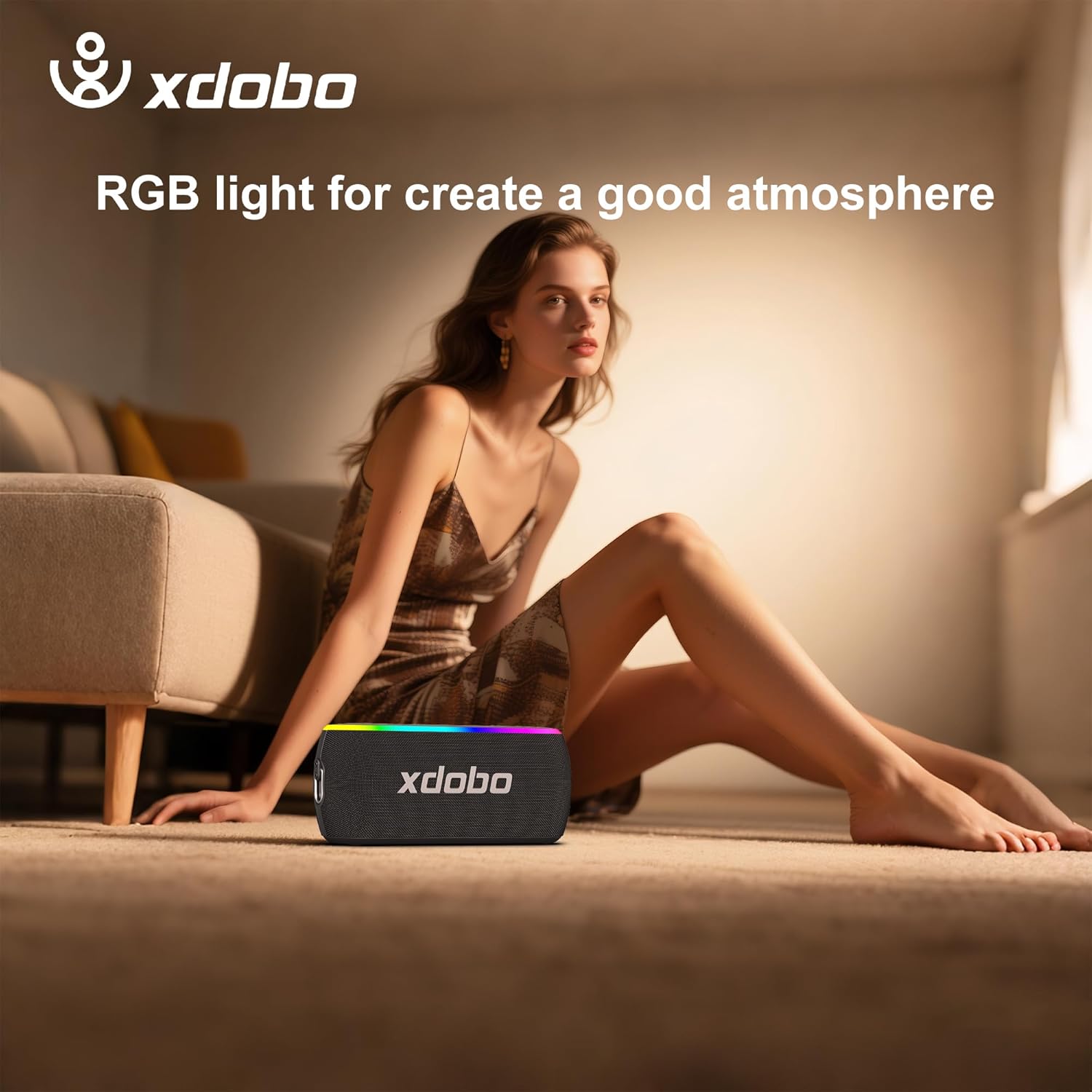
Image: A close-up of the speaker's top panel, detailing the power, EQ, light mode, volume, play/pause, and TWS buttons.
- Power Button: Long press to turn on/off. Short press to check battery status.
- EQ Button: Short press to cycle through sound modes (e.g., Bass, Vocal, Full).
- Light Button: Short press to change RGB light modes. Long press to turn off RGB lights.
- Volume Down (-): Short press to decrease volume.
- Play/Pause Button: Short press to play or pause music. Long press to answer/end calls.
- Volume Up (+): Short press to increase volume.
- TWS Button: Short press to enter/exit TWS pairing mode. Long press to restore factory settings.
2. RGB Lighting Effects
The speaker features dynamic RGB lights that can pulse to the beat of your music, enhancing the atmosphere. You can customize the lighting effects by short pressing the Light Button. To conserve battery or if lights are not desired, long press the Light Button to turn them off.

Image: The xdobo X8 III speaker displaying its colorful RGB lighting, suitable for enhancing party or home environments.
3. Hands-Free Calling
With its built-in microphone, the speaker allows for hands-free calls when connected to your smartphone. Use the Play/Pause button to answer or end calls.
4. AUX Input
For devices without Bluetooth, connect an audio cable (not included) to the AUX port on the speaker to play music.
5. Power Bank Function
The speaker can double as a portable power bank. Use the USB-A port on the rear panel to charge other devices like your smartphone.
Maintenance
1. Waterproof Design (IPX7)
The xdobo X8 III is IPX7 waterproof, meaning it can be submerged in up to 1 meter of water for 30 minutes. This makes it ideal for use near pools, at the beach, or in rainy conditions. Ensure the rubber flap covering the ports is securely closed before exposing the speaker to water.

Image: The xdobo X8 III speaker with water splashing on it, illustrating its IPX7 waterproof feature.
2. Cleaning and Storage
Wipe the speaker with a soft, damp cloth. Avoid using harsh chemicals or abrasive materials. Store the speaker in a cool, dry place away from direct sunlight and extreme temperatures.
Troubleshooting
- No Power: Ensure the speaker is charged. Connect it to a power source using the Type-C cable.
- No Sound: Check the volume levels on both the speaker and your connected device. Ensure the device is properly paired via Bluetooth or connected via AUX.
- Bluetooth Pairing Issues: Make sure the speaker is in pairing mode (flashing Bluetooth indicator). Turn off and on your device's Bluetooth, or restart both the speaker and your device.
- TWS Pairing Failure: Ensure both speakers are xdobo X8 III models and are not connected to any other device before attempting TWS pairing.
- Distorted Sound: Reduce the volume on both the speaker and your device. Ensure there are no obstructions between the speaker and the connected device.
Specifications
| Feature | Specification |
|---|---|
| Model Name | XD-WOW |
| Item Model Number | XDOBO X8 III |
| Brand | xdobo |
| Connectivity Technology | Bluetooth 5.3 |
| Speaker Maximum Output Power | 60 Watts |
| Water Resistance Level | IPX7 Waterproof |
| Battery Life | Up to 12 hours (varies by volume) |
| Product Dimensions | 3.7"D x 8.87"W x 3"H |
| Item Weight | 2.2 pounds (1 Kilogram) |
| Audio Output Mode | Stereo |
| Special Feature | RGB Lights, Power Bank Function, Hands-Free Calls |
| Compatible Devices | Smartphone |
| Control Method | Touch |
Warranty & Support
The xdobo X8 III Portable Bluetooth Speaker comes with a limited warranty. For detailed warranty information, please refer to the documentation included with your product or visit the official xdobo website. For technical support, troubleshooting assistance, or any product-related inquiries, please contact xdobo customer service through their official channels.


