
1. Introduction
Thank you for choosing the Sovboi E30Max 4K Projector. This manual provides essential information for setting up, operating, and maintaining your projector to ensure optimal performance and longevity. The E30Max is designed to deliver a bright, sharp native 1080P image with 4K support, integrated Google TV, and advanced features like auto-focus and 4D keystone correction, making it ideal for home theater, gaming, and various entertainment needs.
2. Product Overview and Key Features
The Sovboi E30Max projector combines high-performance visuals with smart functionality for a seamless user experience.
- Smart Projector with Google TV: Enjoy a full smart-TV experience with thousands of apps from Google Play and shortcut buttons on the remote for popular streaming services.
- 1500 ANSI Lumens, Native 1080P & 4K Support: Delivers a bright, detailed 80–150" image with HDR10 and 98% NTSC color gamut for rich contrast and vivid colors.
- Auto Focus & 4D Keystone: The built-in auto-focus locks onto a sharp image in approximately 3 seconds, while auto vertical and 4D keystone correction adjust for both vertical and horizontal distortion, allowing flexible placement.
- Wi-Fi 6 Streaming & Casting: Dual-band Wi-Fi 6 ensures smooth streaming for Google TV apps. Built-in Chromecast allows one-tap casting from compatible Google devices, and other Android/iOS phones can mirror using supported third-party apps.
- 20W Hi-Fi Speakers & Bluetooth 5.2 Audio: Integrated stereo speakers provide clear dialogue and full-bodied sound. Bluetooth 5.2 allows connection to wireless speakers or headphones for audio upgrades.
- HDMI ARC & CEC: Simplifies wiring and reduces remote clutter by sending audio directly to compatible soundbars and controlling power/volume with a single remote.
- Auto Lens Cover & Dust-Reduction Design: A motorized lens cover protects against scratches and dust. The user-accessible dust-removal structure allows for easy self-cleaning.
- Compact & Portable: Weighing approximately 1.13 kg, this projector is easy to move between rooms or for outdoor use.

Image: Sovboi E30Max Projector highlighting its core features and connectivity options.
3. Setup
- Placement: Place the projector on a stable, flat surface or mount it to the ceiling/table. Ensure the lens is facing the desired projection surface (wall or screen).
- Power Connection: Connect the power cord to the projector and then to a power outlet. The projector will typically power on automatically or can be turned on using the power button.
- Initial Boot & Language Selection: Upon first power-on, the projector will boot up. Follow the on-screen prompts to select your preferred language.
- Wi-Fi Connection: Navigate to the Network Settings and connect to your Wi-Fi network. This is essential for Google TV functionality and online streaming.
- Google Account Login: Log in with your Google account to access Google Play, personalized recommendations, and sync your apps.
- Automatic Image Adjustment: The E30Max features automatic focus and keystone correction. The projector will automatically adjust the image for clarity and shape. If needed, you can manually fine-tune these settings in the Projection Settings menu.
Video: This video demonstrates the unboxing and initial power-on sequence of a similar projector, showing the connection of the power cable and the initial menu display.
4. Operating Instructions
4.1 Google TV Interface
The E30Max comes with Google TV built-in, providing a user-friendly interface for accessing content. The home screen displays personalized recommendations, installed apps, and various content categories.

Image: Google TV interface with a wide selection of applications and content.
4.2 Remote Control
Use the included remote control to navigate the Google TV interface. It features dedicated shortcut buttons for popular streaming services like Netflix, Prime Video, Disney+, and YouTube. The remote also supports Google Voice Assistant for hands-free control.

Image: Remote control with dedicated buttons for streaming services and voice commands.
4.3 Casting and Screen Mirroring
The projector supports built-in Chromecast for compatible Google devices. For other Android/iOS phones, screen mirroring can be achieved using supported third-party applications. Refer to the projector's settings for specific instructions on enabling screen mirroring.
4.4 Adjusting Projection Settings
The E30Max features automatic focus and 4D keystone correction. These functions ensure a clear and rectangular image even when the projector is placed at an angle. You can access and fine-tune these settings through the projector's menu if manual adjustments are preferred.
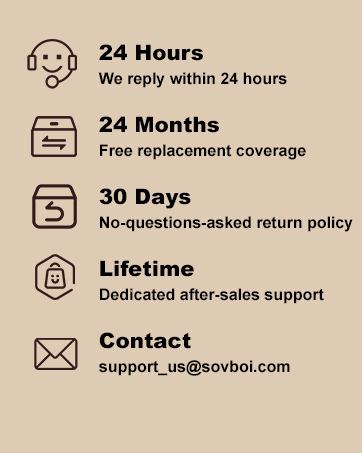
Image: Visual representation of Auto Focus and 4D Keystone correction.
5. Connectivity
- HDMI ARC & CEC: Connect compatible devices like soundbars or gaming consoles via HDMI. ARC (Audio Return Channel) allows audio to be sent back to a soundbar, while CEC (Consumer Electronics Control) enables control of multiple devices with a single remote.
- Bluetooth 5.2: Pair wireless speakers or headphones for an enhanced audio experience.
- Wi-Fi 6: Ensures high-speed and stable internet connectivity for streaming and online features.
- USB Ports: Multiple USB ports are available for connecting external storage devices, TV sticks, or other peripherals.
- Compatible Devices: The projector is compatible with gaming consoles (e.g., PS5), laptops, smartphones, speakers, and tablets.

Image: Wi-Fi 6 and Bluetooth connectivity for seamless entertainment.

Image: The projector connected to multiple external devices.
6. Maintenance
- Auto Lens Cover: The motorized lens cover automatically opens when the projector is powered on and closes when powered off, protecting the lens from dust and scratches.
- Dust-Reduction Design: The E30Max features a user-accessible dust-removal structure. This allows you to clean out any accumulated particles yourself, maintaining optimal image quality and extending the projector's lifespan.
- Cleaning: Use a soft, dry cloth to clean the exterior of the projector. For the lens, use a specialized lens cleaning cloth and solution. For internal dust, follow the instructions for the dust-removal structure.
Video: This video demonstrates how to access and clean the internal filter of the projector to remove dust.
Video: This video provides a detailed guide on how to clean the filter and lens interior of the projector.
7. Troubleshooting
- Skewed or Fuzzy Image: The E30Max features Auto Focus and 4D Keystone correction. These functions automatically sharpen your picture and correct distortion. If the image remains skewed or fuzzy, check the Projection Settings in the menu to ensure these features are enabled or perform a manual adjustment.
- Remote Control Not Working:
- Ensure two AAA batteries are correctly installed in the remote control.
- Avoid mixing new batteries with old ones, as this can lead to insufficient power supply and operational issues.
- Cannot Cast Content from Streaming Apps (e.g., Hulu, Netflix, Disney+): Due to copyright restrictions, some content cannot be cast directly from your phone to the projector. However, the projector comes with pre-installed licensed streaming apps. Simply go to the homepage, select "Apps," search for the desired app, and log in to play your content directly on the projector.
- Projector Not Accessing Google Store: The projector supports Google Store access. Ensure you are connected to Wi-Fi and logged into your Google account. You should be able to freely download apps supported by the Google Store.
8. Specifications
| Feature | Detail |
|---|---|
| Brand | Sovboi |
| Model | E30Max |
| Display Resolution | 1920 x 1080 (Native 1080P) |
| 4K Support | Yes |
| Image Brightness | 1500 lm (ANSI) |
| Image Contrast Ratio | 3000 Pixels |
| Aspect Ratio | 16:9, 4:3 |
| Connectivity Technology | 3.5mm Jack, Bluetooth 5.2, HDMI, USB 2.0, Wi-Fi 6 |
| Special Features | 4D Keystone, Auto Lens Cover, Compatible with Google TV, Auto Focus, Built-In Speaker, Dust-Proof |
| Built-in Speakers | 20W Hi-Fi Stereo Speakers |
| Product Dimensions | 20.3 x 20 x 12 cm; 1.13 kg |
| Mounting Type | Ceiling Mount/Table Mount |
| Model Year | 2025 |
9. Warranty and Support
The Sovboi E30Max projector comes with a 3-year warranty, ensuring long-term reliability and peace of mind. Responsive technical support is available to assist with any queries or issues you may encounter.
The projector also benefits from OTA (Over-The-Air) firmware updates, which keep your Google TV experience and applications up to date, ensuring continuous improvement and access to the latest features.
- 24 Hours: We reply within 24 hours.
- 24 Months: Free replacement coverage.
- 30 Days: No-questions-asked return policy.
- Lifetime: Dedicated after-sales support.
- Contact: For support, please email support_us@sovboi.com.

Image: Sovboi Customer Support and Warranty Information.
