
1. Introduction
This instruction manual provides essential information for the safe and efficient use of your OSRAM Lunetta LED Night Light with USB Output. Please read this manual thoroughly before installation and operation, and retain it for future reference. This device is designed to provide ambient lighting and convenient USB charging in indoor environments.
2. Safety Instructions
- The device is not a toy and must not be left unattended in the hands of children or operated by children.
- Not suitable for outdoor use or in damp environments. For interior lighting only.
- Ensure the power outlet is easily accessible and not overloaded.
- Do not attempt to open or modify the device. There are no user-serviceable parts inside.
- Disconnect from power before cleaning.
- Avoid direct exposure to water or other liquids.
3. Product Overview
The OSRAM Lunetta LED Night Light combines a warm white LED light with practical USB charging ports and an integrated mobile phone tray. It features a day/night sensor for automatic operation.
Key Features:
- Energy-saving LED night light.
- Integrated USB charging function (Micro USB Female).
- Built-in mobile phone storage option/tray.
- Automatic on/off thanks to the day/night sensor.
- Easy plug and play application with EU plug-in system.
Components:
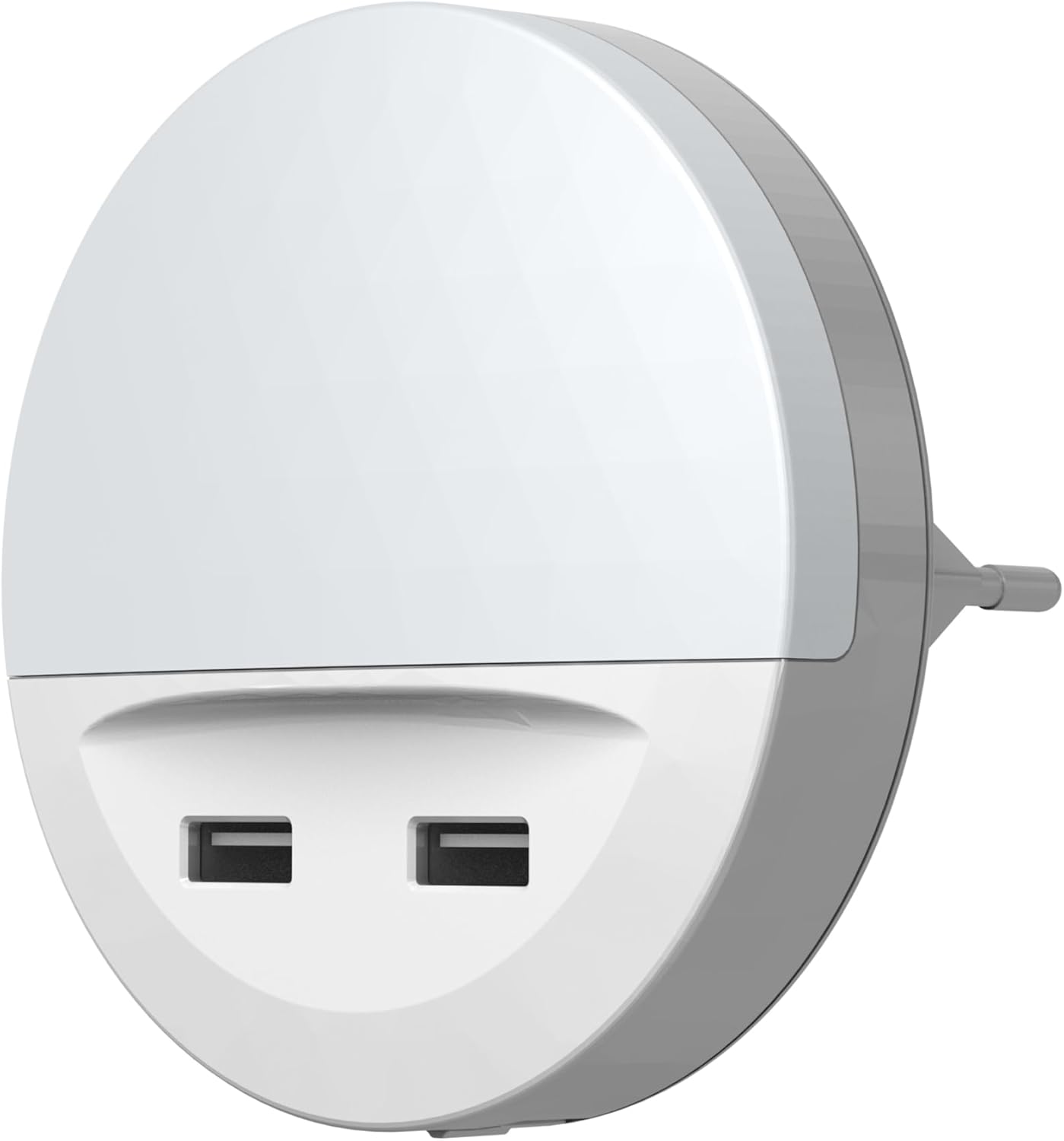
Figure 1: Front view of the Lunetta night light, showing the two USB charging ports at the bottom.

Figure 2: Back view of the Lunetta night light, illustrating the EU plug and the three-position switch (ON/OFF/AUTO).
4. Setup
- Unpack: Carefully remove the night light from its packaging.
- Placement: Choose a suitable indoor wall outlet. Ensure the location allows for the mobile phone tray to be used if desired, and that the day/night sensor is not obstructed or exposed to direct light sources that could interfere with its function.
- Plug In: Insert the night light directly into a standard EU wall socket. The device is designed for plug-and-play operation.
- Switch Setting: Locate the switch on the back of the device (refer to Figure 2). Select your desired mode:
- ON: The light will remain continuously on.
- OFF: The light will remain continuously off.
- AUTO: The light will automatically turn on when ambient light levels are low (e.g., at night) and turn off when ambient light levels are sufficient (e.g., during the day). This mode utilizes the integrated day/night sensor.
- Mobile Phone Tray: If using the mobile phone tray, ensure the device is securely plugged into the wall and the tray is stable before placing a mobile device on it.

Figure 3: The Lunetta night light in use, demonstrating its placement in a wall socket and the mobile phone tray functionality.
5. Operating
Night Light Function:
Once plugged in and the switch is set to 'AUTO', the integrated day/night sensor will detect ambient light levels. The LED light will automatically illuminate in dark conditions and switch off when sufficient light is present. In 'ON' mode, the light will stay on continuously, regardless of ambient light.
USB Charging Function:
The two USB ports provide power for charging compatible mobile devices. Simply connect your device's USB charging cable to one of the ports on the night light. The USB output is 5V, 2.1A (10.5W total). Ensure your device is compatible with these charging specifications.
6. Maintenance
- Cleaning: Disconnect the device from the power outlet before cleaning. Use a soft, dry cloth to wipe the surface. Do not use abrasive cleaners, solvents, or excessive moisture.
- Storage: If storing the device, ensure it is clean and dry. Store in a cool, dry place away from direct sunlight.
7. Troubleshooting
- Light does not turn on:
- Check if the device is securely plugged into a working power outlet.
- Ensure the switch on the back is set to 'ON' or 'AUTO'.
- If in 'AUTO' mode, verify that the ambient light is sufficiently dark for the sensor to activate.
- USB charging is not working:
- Ensure the night light is plugged into a live power outlet.
- Check the USB cable for damage and ensure it is properly connected to both the night light and your mobile device.
- Verify that your mobile device is compatible with 5V, 2.1A charging.
- Try a different USB port or cable.
- Light flickers or is dim:
- Ensure the power supply is stable.
- If the issue persists, discontinue use and contact support.
8. Specifications
| Attribute | Value |
|---|---|
| Brand | OSRAM |
| Model Number | 4099854530753 |
| Manufacturer | LEDVANCE GmbH |
| Colour | White |
| Material | Polycarbonate (PC), Acrylonitrile Butadiene Styrene (ABS) |
| Power Source Type | AC |
| Voltage | 220 Volts |
| Wattage | 13 watts |
| Light Source Type | LED |
| Luminous Flux | 3 Lumen |
| Switch Style | Motion sensor (Day/Night Sensor) |
| Special Features | Energy Efficient, USB Charging, Mobile Phone Tray |
| Product Dimensions (L x W x H) | 9 x 9 x 8 cm |
| Item Weight | 86 Grams |
9. Warranty and Support
For warranty information and technical support, please contact LEDVANCE GmbH, the manufacturer of OSRAM products. You can find more information and contact details on their official website:
Please have your model number (4099854530753) available when contacting support.


