
OSRAM 4099854531439
OSRAM Door LED with Motion Sensor Instruction Manual
Model: 4099854531439
1. Introduction
The OSRAM Door LED is a versatile, battery-operated luminaire designed for both indoor and outdoor use. It features an integrated light and motion sensor for automatic illumination, providing targeted downward lighting. Its robust, weather-resistant design and easy installation make it suitable for various applications.
Key Features:
- Light Output: 40 lm, 4000K cool white light, downward emission.
- Flexibility: Cordless operation with 3 AA batteries (included).
- Durability: High-quality polycarbonate housing with IP54 protection rating, resistant to weather and impact.
- Sensor: Integrated passive infrared (PIR) motion and light sensor for automatic activation in darkness upon motion detection.
- Installation: Easy and quick mounting with included accessories (screws or adhesive).
2. Safety Information
Please read all safety instructions carefully before using the product. Keep this manual for future reference.
- This product is not a toy. Do not leave it unattended with children or allow children to use it.
- Not designed to replace conventional lighting in a private household.
- Battery Warning: Keep batteries out of reach of children. Ingestion can lead to chemical burns, perforation of soft tissues, and death. Severe burns can occur within 2 hours of ingestion. Seek immediate medical attention.
- If the battery compartment (if applicable) does not close securely, stop using the product and keep it away from children.
- If you suspect batteries may have been swallowed or placed inside any part of the body, seek immediate medical attention.
- Avoid:
- Maximum ambient temperature exceeding +35 °C.
- Replacing a battery with an incorrect type that may defeat a safeguard (e.g., in the case of some lithium battery types).
- Operating at altitudes above 2000 m.
- Disposing of a battery into fire or a hot oven, or mechanically crushing or cutting a battery, which can result in an explosion.
3. Package Contents
Ensure all components are present before installation:
- 1x OSRAM Door LED Down Sensor 4000K White Luminaire
- 3x AA Batteries
- Mounting accessories (screws, adhesive)
4. Specifications
| Feature | Specification |
|---|---|
| Model Number | 4099854531439 |
| Dimensions (L x W x H) | 10.3 cm x 9.2 cm x 3.7 cm |
| Weight | 154 Grams |
| Light Color | Cool White (4000K) |
| Luminous Flux | 40 lm |
| Power Consumption | 0.95W |
| Power Source | 3x AA Batteries (DC) |
| Protection Rating | IP54 (Waterproof) |
| Material | Polycarbonate (PC) |
| Switch Type | Motion Detector |
| Connectivity Protocol | Infrared |
| Operating Temperature | Max +35 °C |
| Operating Altitude | Max 2000 m |
| Applications | Indoor/Outdoor, Entrances, Hallways, Patios, Balconies |
For detailed technical information, please refer to the official product page or contact OSRAM support.
5. Setup and Installation
The OSRAM Door LED is designed for quick and flexible installation. It can be mounted using screws or adhesive.
5.1. Battery Installation
- Locate the battery compartment on the back of the luminaire.
- Open the battery compartment cover.
- Insert 3 AA batteries, ensuring correct polarity (+/-).
- Securely close the battery compartment cover. Ensure it clicks into place to maintain IP54 rating.

Figure 1: Technical diagram illustrating battery insertion and product dimensions.
5.2. Mounting Options
Choose a mounting location that provides optimal coverage for the motion sensor and desired illumination area. Consider entrances, hallways, patios, or balconies.
Option A: Screw Mounting
- Hold the luminaire against the desired mounting surface and mark the screw holes.
- Drill pilot holes if necessary, suitable for the provided screws.
- Secure the luminaire to the surface using the provided screws.
Option B: Adhesive Mounting
- Clean the mounting surface thoroughly to ensure it is free of dust, grease, and moisture.
- Apply the provided adhesive to the back of the luminaire.
- Press the luminaire firmly against the desired surface for the recommended duration (refer to adhesive instructions if separate).

Figure 2: Product dimensions for mounting reference.

Figure 3: Example of the Door LED installed above an entrance, providing downward illumination.

Figure 4: The Door LED installed on an outdoor ceiling, demonstrating its discreet profile.
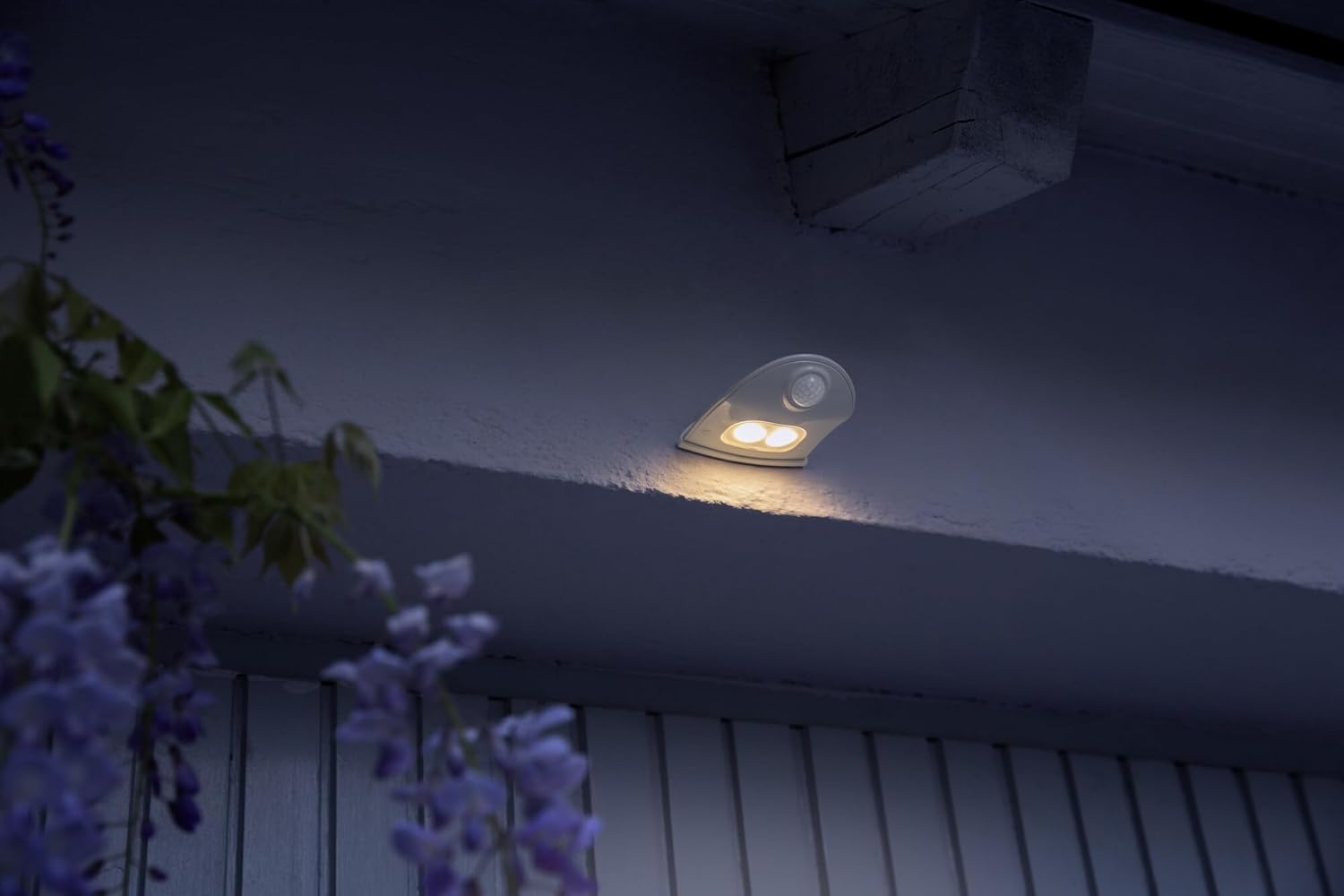
Figure 5: Close-up side view of the Door LED on a wall, highlighting the integrated motion sensor.
6. Operating Instructions
The OSRAM Door LED operates automatically using its integrated motion and light sensors.
- Automatic Activation: The luminaire will automatically turn on when motion is detected in its sensing range and the ambient light level is low (darkness).
- Sensor Range: The passive infrared (PIR) sensor detects movement within its field of view. Ensure the sensor is not obstructed.
- Deactivation: The light will turn off automatically after a short delay once no motion is detected and sufficient ambient light is present, or after a preset duration if in darkness.

Figure 6: The Door LED providing illumination on a staircase upon detecting movement.

Figure 7: The Door LED used as a night light in a child's room, demonstrating its versatility.
7. Maintenance
7.1. Battery Replacement
When the light output diminishes or the device stops responding, it is time to replace the batteries.
- Open the battery compartment as described in Section 5.1.
- Remove the old batteries and dispose of them responsibly according to local regulations.
- Insert 3 new AA batteries, observing correct polarity.
- Close the battery compartment cover securely.
Note: Always use high-quality AA batteries for optimal performance and longevity.
7.2. Cleaning
To maintain the appearance and functionality of your luminaire:
- Wipe the exterior with a soft, damp cloth.
- Do not use abrasive cleaners or solvents, as these can damage the polycarbonate housing.
- Ensure the motion sensor lens is clean and free of obstructions for proper operation.
8. Troubleshooting
| Problem | Possible Cause | Solution |
|---|---|---|
| Light does not turn on. | Dead or incorrectly installed batteries. | Check battery polarity and replace batteries if necessary. |
| Light turns on during daylight. | Light sensor obstructed or faulty. | Ensure the light sensor is clean and not covered. Relocate if ambient light is insufficient. |
| Motion sensor not detecting movement. | Sensor obstructed or out of range. | Clear any obstructions from the sensor. Adjust mounting position for optimal coverage. |
| Light flickers or is dim. | Low battery power. | Replace batteries. |
If the problem persists after attempting these solutions, please contact customer support.
9. Warranty and Support
For warranty information and customer support, please refer to the official OSRAM website or contact your retailer.
Online Resources:
- OSRAM Official Website: www.osram.com
- LEDVANCE Product Page (Manufacturer): ledvance.com/docs/4099854531439
When contacting support, please have your product model number (4099854531439) and purchase details ready.
Related documents4099854531439


Ask a question about this manual
Ask about setup, troubleshooting, compatibility, parts, safety, or missing instructions. Manuals+ will review the question and use this page’s manual context to help answer it.