
1. Introduction
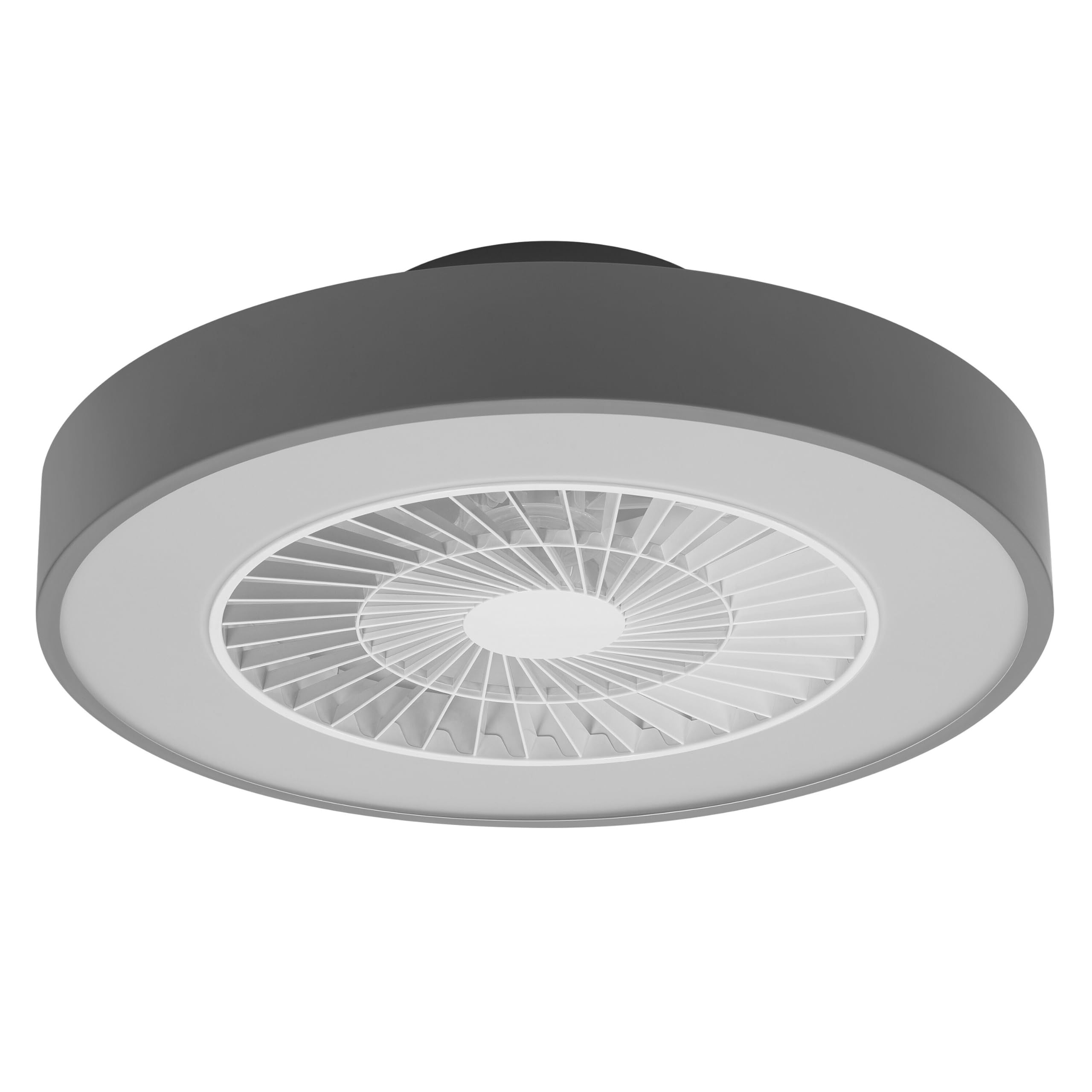
This manual provides detailed instructions for the installation, operation, and maintenance of your Osram SMART+ WiFi LED Ceiling Fan, Cylinder 550mm model. This innovative device combines an LED light fixture with an integrated fan, designed to provide both illumination and air circulation in various indoor environments.
The fan features adjustable speed settings, while the integrated LED light offers a customizable color temperature range from warm white (3000 K) to daylight white (6500 K) and is fully dimmable. Control options include a dedicated remote control, a smartphone application, and voice assistants for a seamless user experience.
2. Safety Information
Please read all safety instructions carefully before installation and use. Failure to follow these instructions may result in electric shock, fire, or personal injury.
- All electrical connections must be performed by a qualified electrician.
- Always disconnect power at the circuit breaker before beginning any installation, maintenance, or cleaning procedures.
- Verify the suitability and structural integrity of the ceiling and wall before mounting the fan. If in doubt, consult a professional.
- This product is designed for indoor use only.
- Ensure all components are securely fastened before restoring power.

3. Package Contents
Carefully unpack the box and ensure all items are present and undamaged. If any parts are missing or damaged, contact customer support.
- 1x Osram SMART+ WiFi LED Ceiling Fan Cylinder 550mm
- 1x Remote Control
- Mounting accessories (screws, dowels, bracket)
- Instruction Manual
4. Setup and Installation
The Osram SMART+ WiFi LED Ceiling Fan is designed for simple assembly. Complete accessories are included for installation. The fan has dimensions of 60 x 60 cm, making it suitable for standard ceiling covers.
Installation Steps:
- Cut the Power: Before starting any work, ensure the main power supply to the installation area is switched off at the circuit breaker.
- Prepare Mounting: Mark and drill holes for the mounting bracket on the ceiling. Ensure the holes are correctly spaced and sized for the provided dowels and screws.
- Fix the Support: Securely attach the mounting bracket to the ceiling using the provided dowels and screws.
- Connect the Cables: Connect the electrical cables according to the wiring diagram provided in the manual. Ensure all connections are tight and secure.
- Install the Fan: Attach the ceiling fan unit to the mounted bracket, ensuring it is securely locked in place.
- Restore Power: Once the installation is complete and all connections are secure, restore power at the circuit breaker.


5. Operating Instructions
Your Osram SMART+ WiFi LED Ceiling Fan can be operated using the included remote control, the SMART+ app, or voice commands.
5.1. Remote Control Operation
The remote control allows for direct adjustment of fan speed, light brightness, and color temperature without needing a network connection.

- Power Button: Turns the fan and light on/off.
- Fan Speed Buttons: Adjusts the fan speed (typically 3 levels).
- Light On/Off: Controls the light independently.
- Brightness Adjustment: Dims or brightens the light.
- Color Temperature Adjustment: Changes the light color from warm white to daylight white.
- Summer/Winter Mode: Switches between airflow directions for cooling (summer) or circulating warm air (winter).


6. Smart Features (WiFi, App, Voice Control)
The Osram SMART+ WiFi LED Ceiling Fan integrates seamlessly into your smart home ecosystem, offering advanced control options via WiFi.
6.1. SMART+ App Control
Control your fan and light settings from anywhere using the SMART+ app on your smartphone or tablet. The app allows for precise adjustments of fan speed, light brightness, and color temperature, as well as scheduling and scene creation.
- Download the App: Search for "SMART+ App" in the App Store (iOS 14.0 or higher) or Google Play Store (Android 8.0 or higher). You can also scan the QR code or visit l.ead.me/SmartPlusWifi.
- Pairing: Follow the in-app instructions to pair your ceiling fan with the SMART+ app via your home WiFi network (2.4 GHz).
- Features: Once paired, you can control individual fan and light functions, group multiple devices, create automated routines, and manage settings remotely.


6.2. Voice Control
Integrate your Osram SMART+ Ceiling Fan with compatible voice assistants like Google Home and Amazon Alexa for hands-free control.
- Setup: Link your SMART+ account with your preferred voice assistant app (e.g., Google Home, Amazon Alexa).
- Commands: Use simple voice commands to turn the fan or light on/off, adjust speed, brightness, or color temperature. For example, "Alexa, turn on the ceiling fan" or "Hey Google, set fan speed to medium."

7. Maintenance
Regular maintenance ensures optimal performance and longevity of your ceiling fan.
- Cleaning: Before cleaning, ensure the power is disconnected. Wipe the fan and light surfaces with a soft, dry, or slightly damp cloth. Do not use abrasive cleaners or solvents.
- Inspection: Periodically check all mounting screws and connections to ensure they remain tight.
- Light Source: The integrated LED light source is designed for a long lifespan (30,000 hours) and is not user-replaceable.
8. Troubleshooting
If you encounter issues with your Osram SMART+ WiFi LED Ceiling Fan, refer to the following common problems and solutions:
| Problem | Possible Cause | Solution |
|---|---|---|
| Fan/Light does not turn on | No power supply; Loose wiring; Remote control battery low. | Check circuit breaker; Verify electrical connections (consult electrician); Replace remote control batteries. |
| Remote control not responding | Batteries depleted; Obstruction between remote and fan; Remote out of range. | Replace batteries; Ensure clear line of sight; Operate within closer range. |
| WiFi disconnection or app control issues | Weak WiFi signal; Router issues; Incorrect app pairing. | Ensure strong 2.4 GHz WiFi signal; Restart router; Re-pair device in SMART+ app. |
| Fan is noisy | Loose mounting; Obstruction in fan blades; Motor issue. | Check mounting screws; Ensure no obstructions; If noise persists, contact support. |
If the problem persists after attempting these solutions, please contact Osram customer support.
9. Specifications
| Feature | Specification |
|---|---|
| Brand | Osram |
| Model Name | SMART+ Wifi Ceiling Fan LED Cylinder 550mm + RC |
| Model Number | 4099854472800 |
| Color | Grey |
| Style | Cylinder |
| Dimensions | 60 x 60 cm |
| Weight | 4000 Grams |
| Material | Acrylonitrile Butadiene Styrene (ABS) |
| Power Source | AC (Alternating Current) |
| Power Consumption | 78 Watts |
| Voltage | 6 Volts (Note: This may refer to a control circuit voltage; the main power supply is AC.) |
| Light Type | LED |
| Light Output | 2500 Lumens |
| Color Temperature | 3000 K (Warm White) to 6500 K (Daylight White) |
| Dimmable | Yes |
| Lifespan | 30,000 hours |
| Fan Speed Levels | 3 |
| Motor Type | Brushless Motor |
| Control Method | App, Remote Control, Voice |
| Smart Home Compatibility | Yes (via SMART+ App, Google Home, Amazon Alexa) |
| Network Protocol | WiFi (2.4 GHz) |
| Wireless Operation | No (Refers to main power supply, not control via WiFi) |
| Energy Efficiency Class | E |
| Installation Type | Self-installation |
| Usage Environment | Indoor |
10. Warranty and Support
Osram products are manufactured to high-quality standards. This product comes with a standard manufacturer's warranty. Please refer to the warranty card included in your package or visit the official Osram website for detailed warranty terms and conditions.
For technical support, troubleshooting assistance, or warranty claims, please contact Osram customer service through their official website or the contact information provided in your product documentation.
Osram Official Website: www.osram.com


