
1. Important Safety Information
WARNING: To reduce the risk of fire or burns, do not disassemble, crush, puncture, or short external contacts.
- Use only in dry locations.
- May explode if disposed of in fire.
- For safe operation, carefully read the user's manual of your robot vacuum cleaner.
- Do not allow metal objects to contact battery terminals.
- Use only with a special charger at room temperature 50-104°F (10-40°C).

The reverse side of the battery is shown, displaying a caution label with important safety instructions regarding dry location use, disposal, and handling of battery terminals.
2. Product Overview and Specifications
This replacement Li-ion battery is designed to provide reliable power for your compatible robot vacuum cleaner.

The image displays the RDSJ replacement Li-ion battery, designed for robot vacuum cleaners. It is shown alongside a small screwdriver and a cleaning brush, indicating the tools provided for installation.
Key Specifications:
- Battery Type: Li-ion
- Voltage: 14.4V / 14.8V
- Capacity: 3400mAh / 48.96Wh
- Cells: 4-Cell
- Model Number: CMICR18650F8M7-4S1P
- Item Weight: 7.4 ounces
- Dimensions: 5.59 x 2.36 x 1.73 inches

This image highlights the key electrical specifications of the battery: Voltage 14.4V/14.8V and Capacity 3400mAh/48.96Wh.
Protection Features:
The battery is built with multiple protection circuits to ensure safe and reliable operation:
- Over-temperature protection
- Overheating protection
- Anti-overcharge protection
- Over-discharge protection
- Over-voltage protection
- Over-current protection
- Short-circuit protection
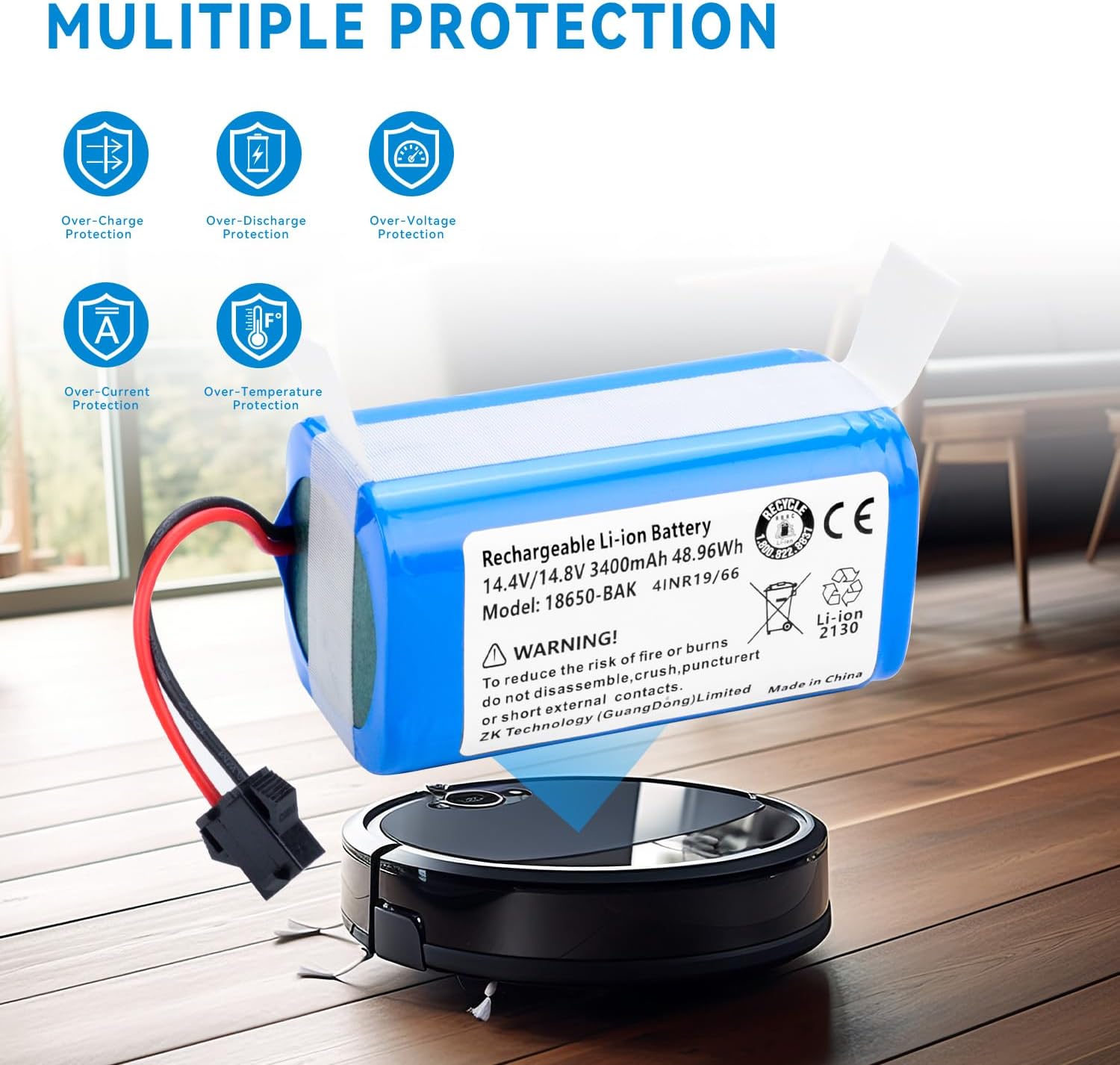
This graphic illustrates the advanced safety features built into the battery, including protection against over-charging, over-discharging, over-voltage, over-current, and over-temperature, ensuring safe operation.
3. Compatibility
This replacement battery is compatible with the following robot vacuum cleaner models:
- Ionvac SmartClean 2000 Robovac 7687
- Ionvac SmartClean 2000 Robovac 7688
- Ionvac SmartClean V4 7997 Robot Vacuum Cleaner
- Ionvac Optimax UltraClean UV Robotic
- Ionvac Optimax UV 8063 Robot Vacuum Cleaner
- Ionvac Optimax UV 9048 Robot Vacuum Cleaner
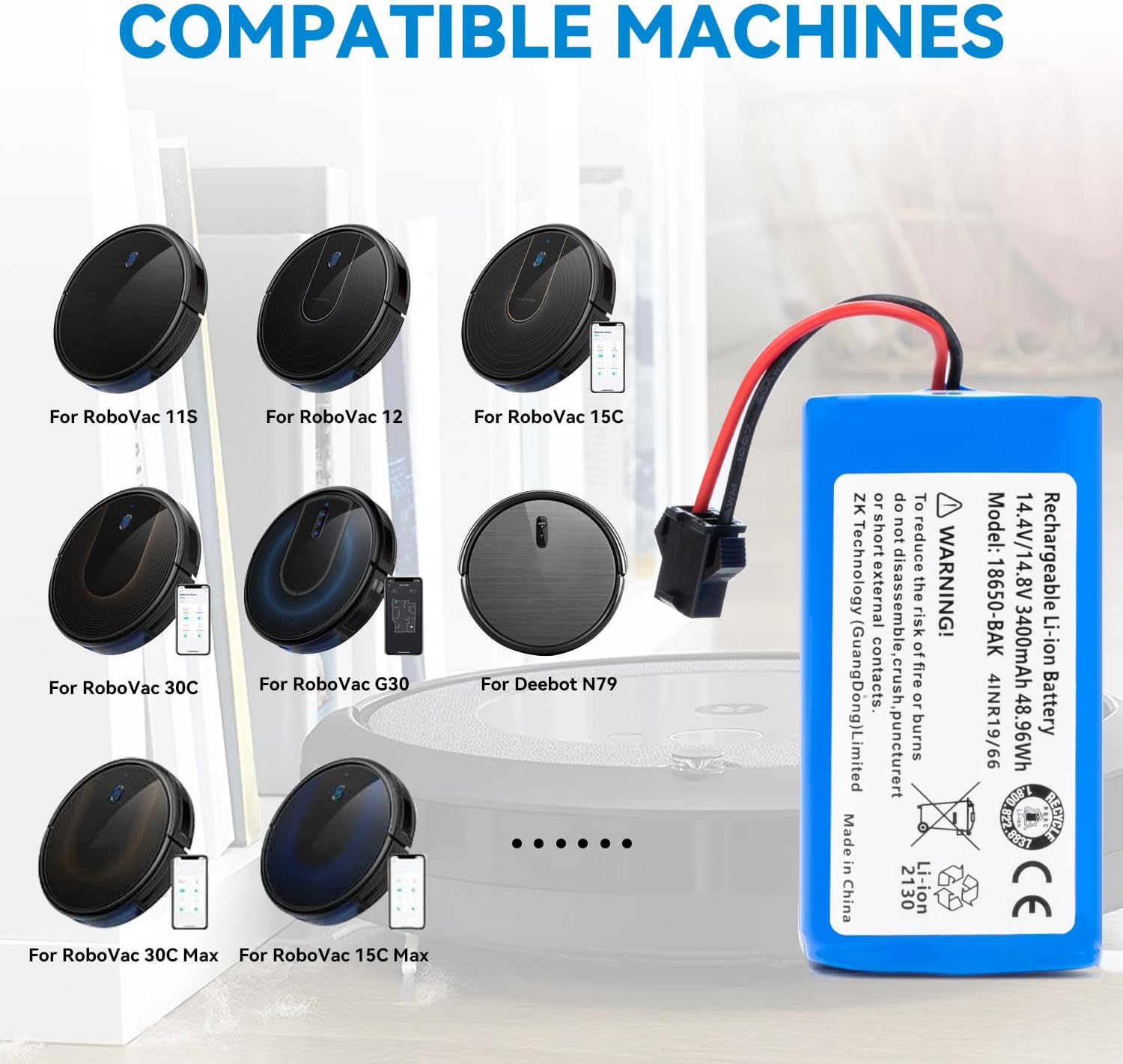
This visual guide shows several robot vacuum cleaner models, including various RoboVac and Deebot N79 models, confirming their compatibility with this replacement battery.
4. Installation Guide
Replacing the battery is a straightforward process. Please follow these steps carefully:
- Power Off: Ensure your robot vacuum cleaner is completely powered off and disconnected from its charging base or power adapter.
- Locate Battery Compartment: Turn the robot vacuum cleaner upside down. Locate the battery compartment cover, usually secured by screws.
- Remove Screws: Use the provided screwdriver (if applicable) or an appropriate tool to remove the screws securing the battery compartment cover.
- Remove Cover: Carefully lift and remove the battery compartment cover.
- Disconnect Old Battery: Gently disconnect the old battery from its connector. Note the orientation of the connector.
- Insert New Battery: Align the new RDSJ replacement battery with the connector in the compartment. Ensure the connector is properly seated. The battery is designed to fit perfectly, just like the original.
- Secure Cover: Place the battery compartment cover back into position and secure it with the screws.
- Initial Charge: Place your robot vacuum cleaner back on its charging base to allow the new battery to fully charge before its first use.

The image provides a detailed view of the battery's electrical connector, emphasizing the importance of matching it with the original battery's connector for proper installation. The battery label with warnings is also visible.
5. Operation and Charging
Once installed, the battery operates seamlessly with your robot vacuum cleaner. Lithium batteries offer fast charging capabilities, reducing waiting time and improving efficiency.
- First Use: It is recommended to fully charge the battery before its first use after installation.
- Regular Charging: Always use the original charging base or power adapter provided with your robot vacuum cleaner.
- Charging Indicators: Refer to your robot vacuum cleaner's manual for specific charging indicator lights and behaviors.
- Optimal Performance: For best performance, allow the robot vacuum to complete its cleaning cycle and return to the charging base as designed.
6. Maintenance and Storage
Proper care and storage can extend the lifespan of your battery:
- Regular Use: Use your robot vacuum cleaner regularly to keep the battery active.
- Avoid Extreme Temperatures: Do not expose the battery or the robot vacuum to extreme heat or cold. Store and operate within the recommended temperature range (50-104°F / 10-40°C).
- Long-Term Storage: If storing the robot vacuum for an extended period, charge the battery to about 50-60% before storage. Recharge every 3-6 months to prevent deep discharge.
- Clean Contacts: Periodically clean the charging contacts on both the robot vacuum and the charging base to ensure efficient charging.
- Disposal: Dispose of old or damaged batteries responsibly according to local regulations. Do not dispose of in household waste or fire.
7. Troubleshooting
If you encounter issues with your new battery, refer to the table below for common problems and solutions:
| Problem | Possible Cause | Solution |
|---|---|---|
| Robot vacuum not turning on after battery replacement. | Battery not properly connected; Battery not charged. | Ensure the battery connector is fully seated. Place the robot on the charging base for at least 6 hours. |
| Battery not holding a charge. | Charging contacts are dirty; Faulty charging base/adapter; Battery defect. | Clean charging contacts. Test with another charging base/adapter if possible. Contact support if issues persist. |
| Robot vacuum runs for a short period. | Battery not fully charged; Battery capacity degradation. | Ensure battery is fully charged. If the battery is old, it might be reaching the end of its lifespan. |
| Error message related to battery. | Battery issue; Robot vacuum internal fault. | Refer to your robot vacuum's original manual for specific error codes. Reinstall the battery. If the problem persists, contact support. |
8. Warranty and Support
For any questions, concerns, or technical assistance regarding your RDSJ replacement battery, please contact the seller or manufacturer directly through your purchase platform.
Please retain your proof of purchase for any warranty claims. Specific warranty terms may vary; refer to the product listing or contact the seller for details.