
1. Introduction
The Wurkkos HD03 is a versatile and compact rechargeable flashlight designed for everyday carry (EDC), outdoor activities, and emergency situations. It features a triple light source design, including a powerful spotlight, a wide floodlight, and an RGB light with multiple effects. Its robust construction, magnetic base, and clip-on design offer hands-free convenience and durability.
2. Safety Instructions
- Do not shine the light directly into eyes. The high intensity beam can cause temporary vision impairment.
- Keep out of reach of children.
- Do not disassemble the flashlight. This may damage the device and void the warranty.
- Use only the provided charging cable or a compatible USB Type-C cable.
- Avoid exposing the flashlight to extreme temperatures or direct sunlight for prolonged periods.
- Ensure the charging port cover is securely closed to maintain IPX6 water resistance.
3. Package Contents
Verify that all items are present in your package:
- Wurkkos HD03 Flashlight
- USB Type-C Charging Cable
- Lanyard
- User Manual (this document)
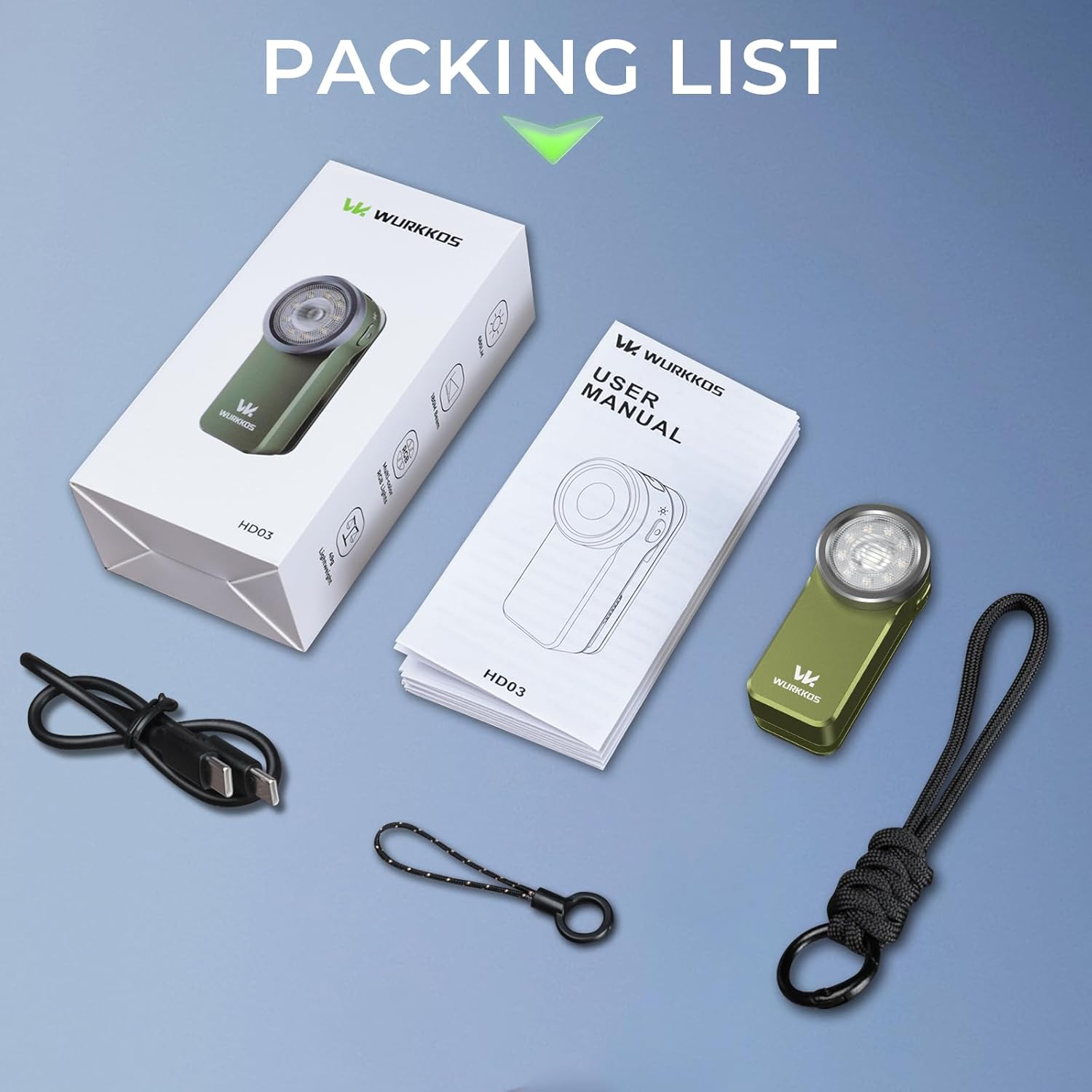
Image: The Wurkkos HD03 flashlight, charging cable, lanyard, and user manual are included in the package.
4. Product Overview
The Wurkkos HD03 is designed for portability and versatility. It features a compact body, dual switches for intuitive control, and multiple carrying options.

Image: The Wurkkos HD03 features a spotlight (680 lumens), floodlight (320 lumens), and RGB light (20+ effects).
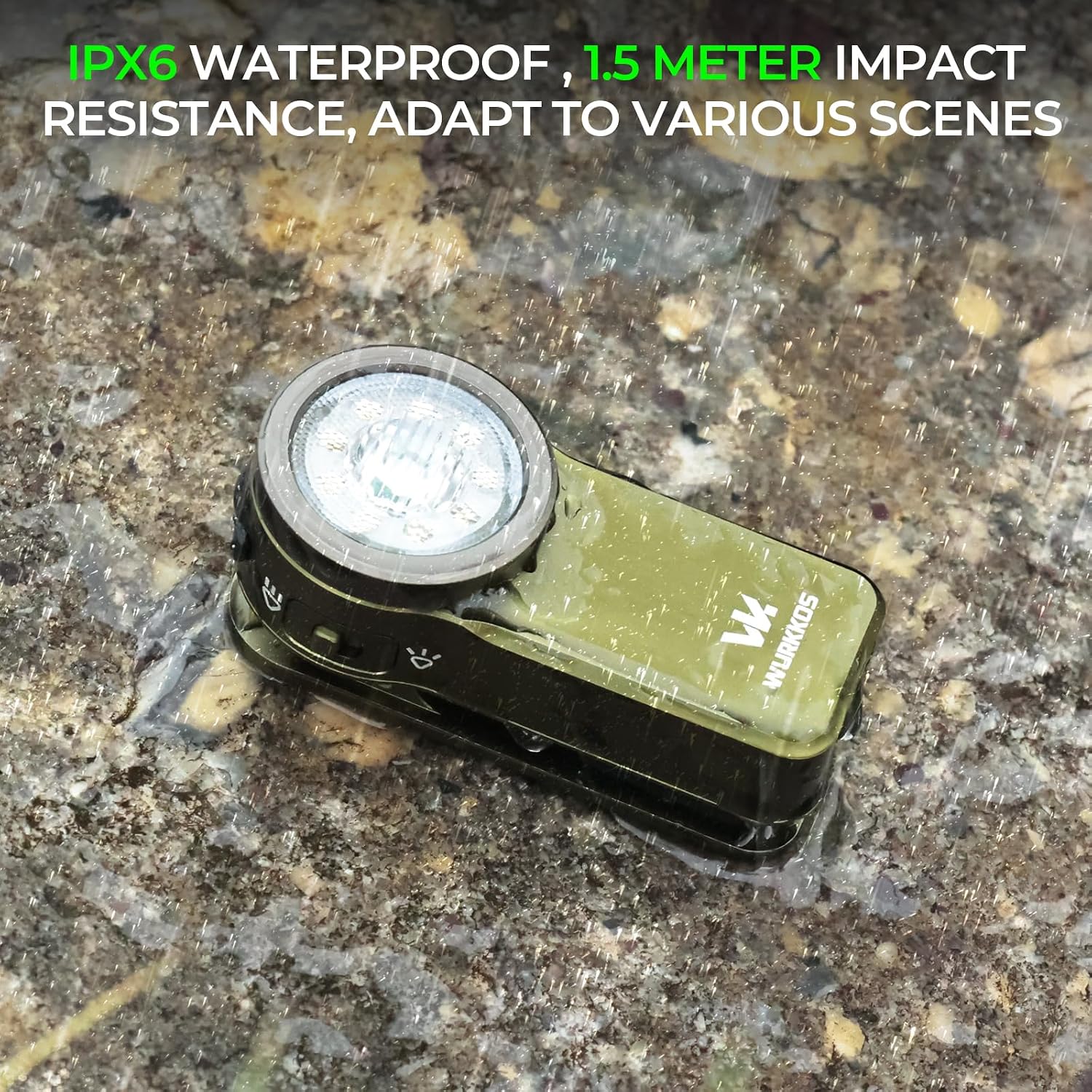
Image: The flashlight is IPX6 waterproof and 1.5 meter impact resistant, suitable for various environments.

Image: The HD03 is pocket-sized, weighing only 49g (with battery) and measuring 60mm x 28mm x 25.2mm.
Carrying Options
The HD03 offers multiple ways to carry and use it hands-free:
- Clip: Attach to clothing, pockets, or gear.
- Magnetic: Securely attach to metal surfaces for hands-free illumination.
- Hang: Use the lanyard loop to hang it from a hook or backpack.
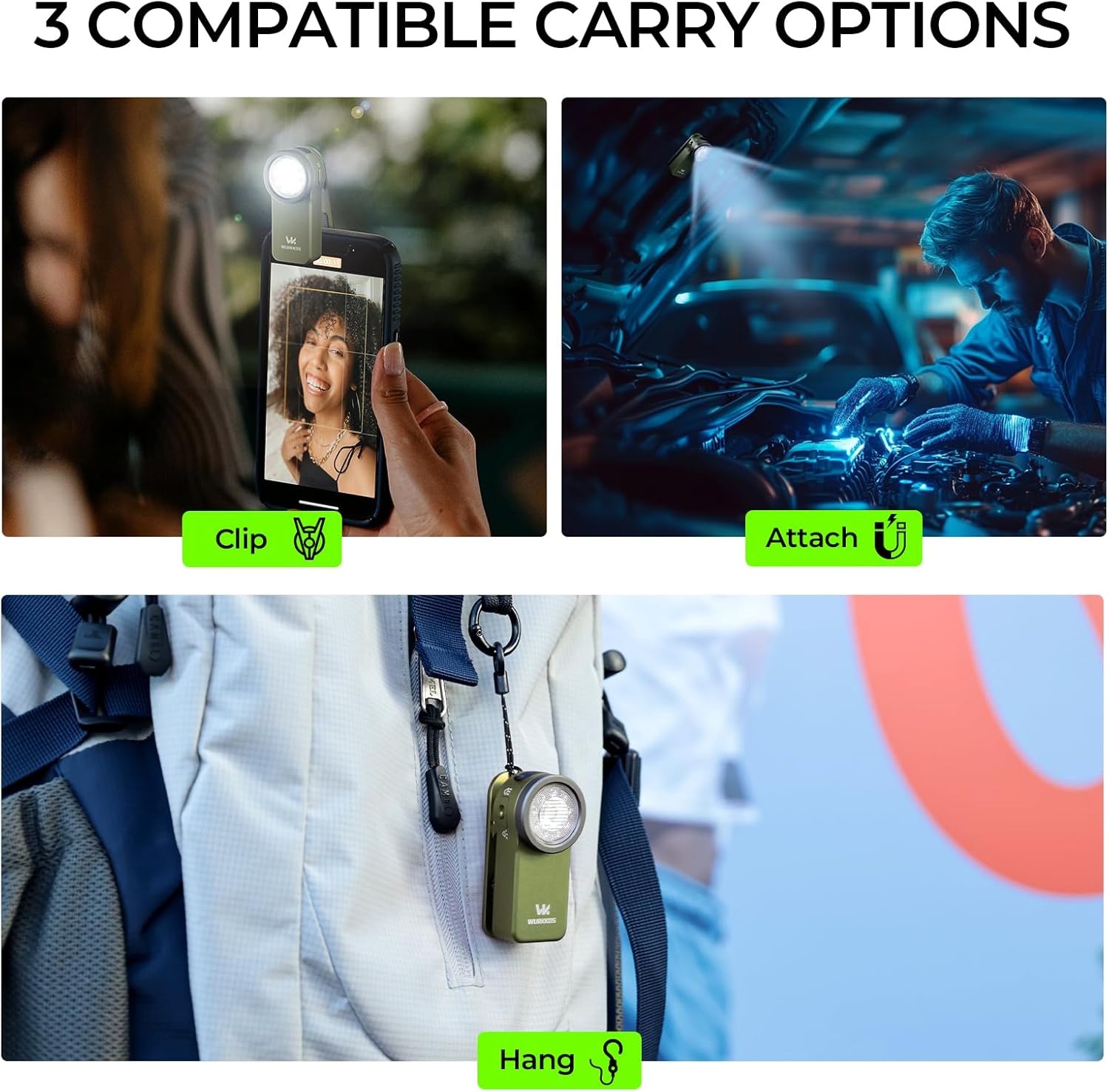
Image: The flashlight can be clipped, magnetically attached, or hung for versatile use.
5. Charging
The Wurkkos HD03 features a built-in 600 mAh lithium-ion battery and supports fast USB Type-C charging.
Charging Procedure:
- Locate the USB Type-C charging port on the side of the flashlight.
- Open the protective rubber cover of the charging port.
- Connect the provided USB Type-C cable to the flashlight and to a power source (e.g., USB wall adapter, computer USB port).
- The power indicator will show the charging status. A full charge takes approximately 1 hour and 20 minutes.
- Once charging is complete, disconnect the cable and securely close the rubber cover to maintain water resistance.
Power Indicator:
The flashlight includes a 3-color power indicator to show the battery level at a glance.
- Green: High battery level
- Orange: Medium battery level
- Red: Low battery level, recharge soon
6. Operation
The Wurkkos HD03 features intuitive dual-switch control for easy access to its various lighting modes.
Basic Operation:
- Power On/Off: Press the right switch once to turn the flashlight on or off. It will remember the last used brightness level for the main light (spotlight/floodlight).
- Switch Main Light Source: When the main light is on, press the left switch once to toggle between spotlight and floodlight modes.
- Adjust Brightness (Main Light): When the main light is on, press and hold the right switch to cycle through Moon, Low, Medium, and High brightness levels. Release the switch at your desired level.
- Turbo Mode (Main Light): From any main light mode, double-press the right switch to activate Turbo mode. Double-press again to return to the previous mode.
- Strobe/SOS/Beacon: From any main light mode, triple-press the right switch to activate Strobe. Double-press again to cycle through SOS and Beacon modes. Single press to turn off.
RGB Light Operation:
- Activate RGB: From off, press and hold the left switch to turn on the RGB light.
- Cycle RGB Modes: While the RGB light is on, double-press the left switch to cycle through the various RGB lighting effects.
- Turn Off RGB: Press the left switch once to turn off the RGB light.
Lockout Function:
The lockout function prevents accidental activation of the flashlight, which is useful when carrying it in a pocket or bag.
- Activate Lockout: From off, triple-press the right switch. The light will flash briefly to indicate it is locked.
- Deactivate Lockout: Triple-press the right switch again. The light will flash briefly and then turn on to the last used mode, indicating it is unlocked.
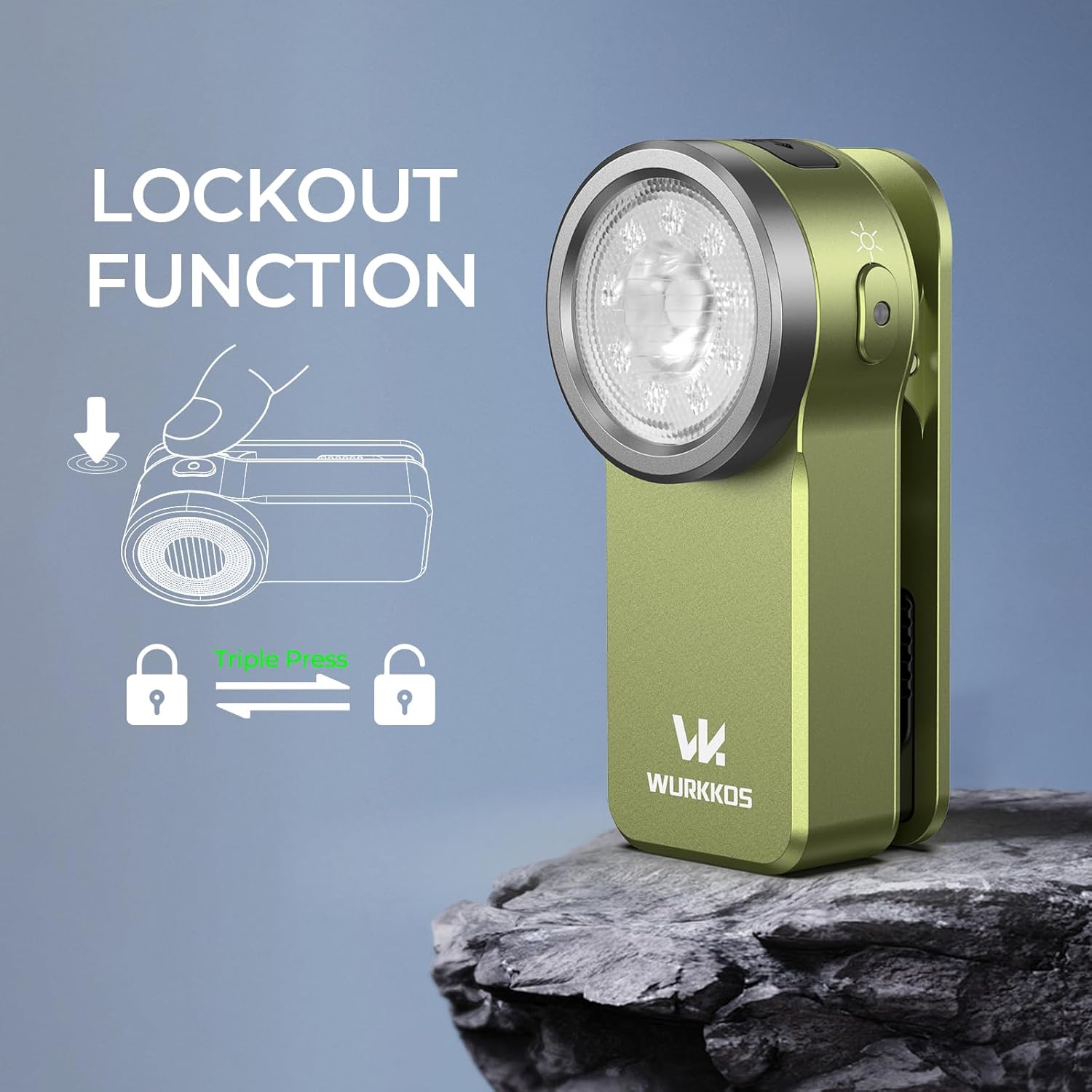
Image: Triple pressing the right switch activates or deactivates the lockout function.
7. Maintenance
- Cleaning: Wipe the flashlight with a soft, damp cloth. Do not use abrasive cleaners or solvents.
- Charging Port: Keep the USB Type-C charging port clean and free of debris. Ensure the rubber cover is properly sealed when not charging.
- Storage: Store the flashlight in a cool, dry place when not in use for extended periods. Recharge the battery every 3-6 months to maintain its lifespan.
8. Troubleshooting
| Problem | Possible Cause | Solution |
|---|---|---|
| Flashlight does not turn on. | Low battery; Lockout function active. | Recharge the battery; Deactivate lockout by triple-pressing the right switch. |
| Light output is dim. | Low battery. | Recharge the battery. |
| Flashlight does not charge. | Charging cable or power source issue; Dirty charging port. | Try a different USB Type-C cable or power source; Clean the charging port. |
| Water ingress after exposure to water. | Charging port cover not properly sealed. | Ensure the rubber cover is always securely closed before exposing to water. |
9. Specifications
| Feature | Specification |
|---|---|
| Brand | Wurkkos |
| Model Number | HD03 |
| Light Source Type | LED (Triple light source: Spotlight, Floodlight, RGB) |
| Maximum Light Output | 680 Lumens (Spotlight) |
| Floodlight Output | 320 Lumens |
| Special Features | Adjustable lighting modes, Rechargeable, Magnetic attachment, Waterproof |
| Color | Olive-green |
| Material | Aluminum |
| Power Source | Battery Powered (Built-in Lithium-ion) |
| Battery Capacity | 600 mAh |
| Charging Time | Approx. 1 hour 20 minutes |
| Waterproof Level | IPX6 (Water-resistant against heavy rain) |
| Impact Resistance | 1.5 meters |
| Product Dimensions (L x W x H) | 30mm x 30mm x 30mm (Note: This seems to be a generic placeholder, actual dimensions are 60mm x 28mm x 25.2mm from image) |
| Weight (with battery) | 49g |
| Mounting Type | Clip mount |
| Included Components | Charging cable |
10. Warranty and Support
Wurkkos products are manufactured to high quality standards. For warranty information or technical support, please refer to the official Wurkkos website or contact your retailer. Keep your purchase receipt as proof of purchase.


