
Kendir G6
Kendir Bluetooth Headset V5.4 Model G6 User Manual
Model: G6 | Brand: Kendir
Introduction
This manual provides detailed instructions for the Kendir Bluetooth Headset V5.4 Model G6. Please read this manual carefully before using the product to ensure proper operation and to maximize its performance and lifespan. This headset features Bluetooth 5.4 connectivity, CVC8.0 dual-mic noise cancellation, and an ergonomic design for extended wear.
Package Contents
Verify that all items are present in the package:
- Kendir Bluetooth Headset V5.4 (Model G6)
- Charging Cable (Type-C)
- Eartips (Multiple Sizes)
- User Manual (This document)
- Warranty Card

Image: Kendir Bluetooth Headset V5.4 with three additional eartips. This image shows the main headset unit and the various eartip sizes provided for a comfortable fit.
Product Features
- Advanced Bluetooth 5.4: Ensures a fast, stable, and seamless connection up to 33 feet (10 meters) without signal loss.
- CVC8.0 Dual-Mic Noise Cancellation: Effectively suppresses up to 90% of disruptive background noise, providing clear audio for calls.
- Long Battery Life: Up to 110 hours of music playback, 100 hours of talk time, and 90 days of standby time on a 3-hour charge.
- Dual Device Connectivity: Connects to two devices simultaneously, allowing for effortless switching between a phone and a computer.
- Comfortable and Adjustable Design: Small, flexible, and designed to fit either ear. The ear hook, boom mic, and earpiece can be rotated and adjusted for a secure and comfortable fit. Includes multiple eartip sizes.
- User-Friendly Controls: Separate buttons for power, play/pause, answer/reject calls, mute, volume adjustment, track control, and Siri voice assistant activation.
- IPX6 Water Resistance: Provides protection against splashes and sweat.
- Dynamic Drivers: Features 14.2mm dynamic drivers for a rich and stable listening experience.

Image: Visual representation of the headset's long battery life, showing 90 days standby, 110 hours music playback, 100 hours talk time, and 3 hours charging time via Type-C.

Image: Illustration demonstrating DSP Electronic Noise Cancellation. The 'Before' side shows a busy road with traffic noise, while the 'After' side shows a clear sound wave, indicating effective noise reduction by the dual microphone ENC technology.
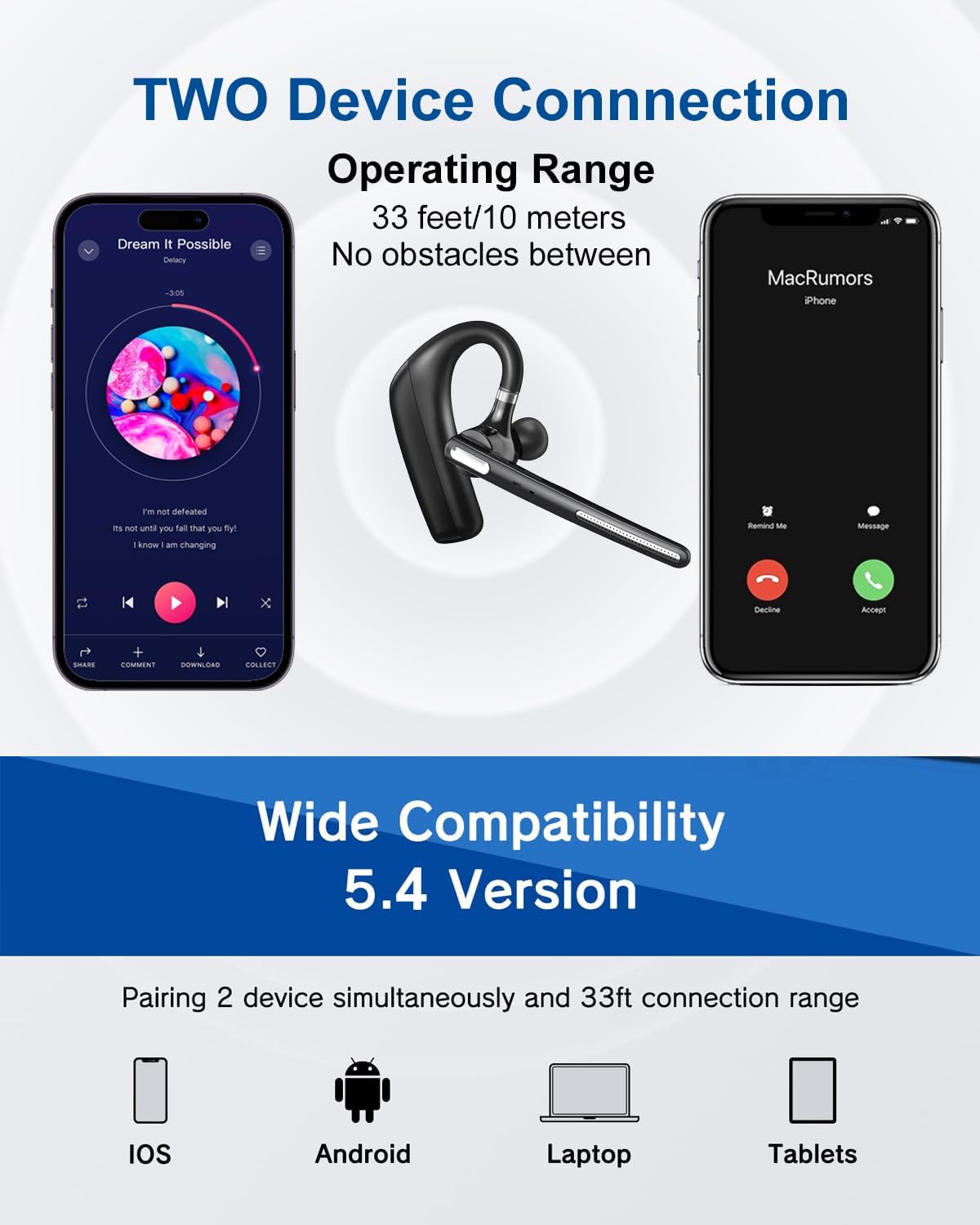
Image: Diagram showing the headset's ability to connect to two devices simultaneously, such as a smartphone playing music and another receiving a call, within a 33 feet (10 meters) operating range.

Image: Cross-section diagram illustrating the 14.2mm dynamic drivers responsible for the headset's excellent sound quality.
Setup Instructions
1. Charging the Headset
Before first use, fully charge the headset. Connect the provided Type-C charging cable to the charging port on the headset and to a USB power source (e.g., computer, wall adapter). The LED indicator will show charging status and turn off when fully charged.
- Charging Time: Approximately 3 hours for a full charge.
- Battery Life: Up to 110 hours music playback, 100 hours talk time.
2. Wearing the Headset
The headset is designed for comfortable wear on either the left or right ear. Adjust the ear hook and microphone boom for optimal fit and sound clarity.
- Adjust Ear Hook: The ear hook can be rotated 180 degrees to switch between left and right ear wear.
- Adjust Microphone Boom: The microphone boom can also be rotated 180 degrees to position it correctly towards your mouth.
- Extend Ear Hook: The ear hook is 3mm extensible and can be adjusted 120 degrees for a tailored fit around your ear.
- Select Eartip: Choose the eartip size that provides the most comfortable and secure fit for your ear canal.
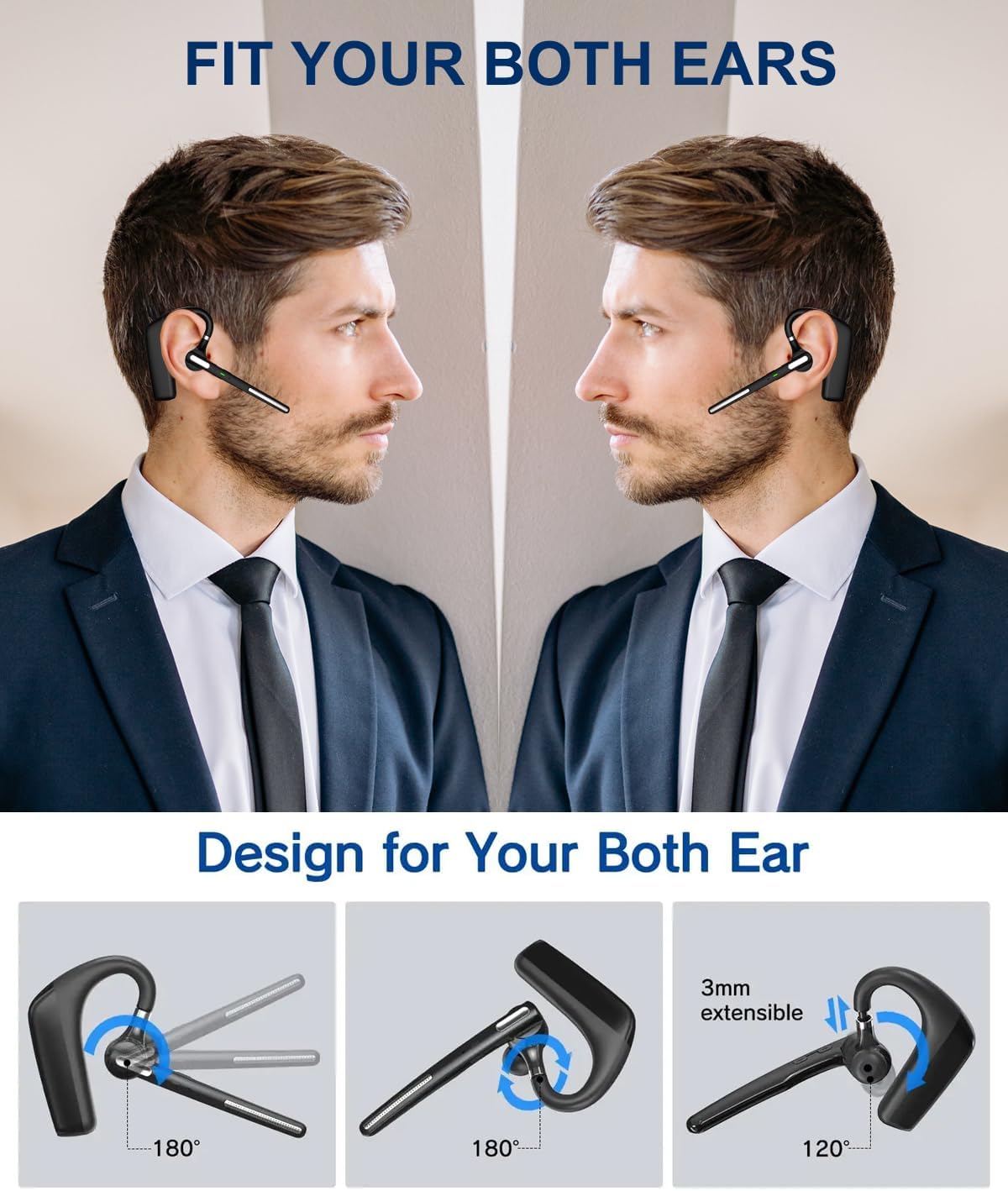
Image: Illustrations showing the headset's adjustability, including 180-degree rotation of the ear hook and microphone boom, and 3mm extensibility with 120-degree adjustment for a custom fit on either ear.
3. Pairing with a Bluetooth Device
Follow these steps to pair your headset with a smartphone, tablet, or computer:
- Power On: Press and hold the Multi-Function Button (MFB) until the LED indicator flashes blue and red, indicating pairing mode.
- Activate Bluetooth: On your device, go to Bluetooth settings and ensure Bluetooth is enabled.
- Select Device: Look for "G6" or "Kendir Headset" in the list of available devices and select it to connect.
- Confirmation: Once connected, the LED indicator on the headset will flash blue slowly, and you will hear an audible confirmation.
The headset supports connecting to two devices simultaneously. After pairing with the first device, disable Bluetooth on that device, pair with the second device, then re-enable Bluetooth on the first device. The headset should automatically connect to both.
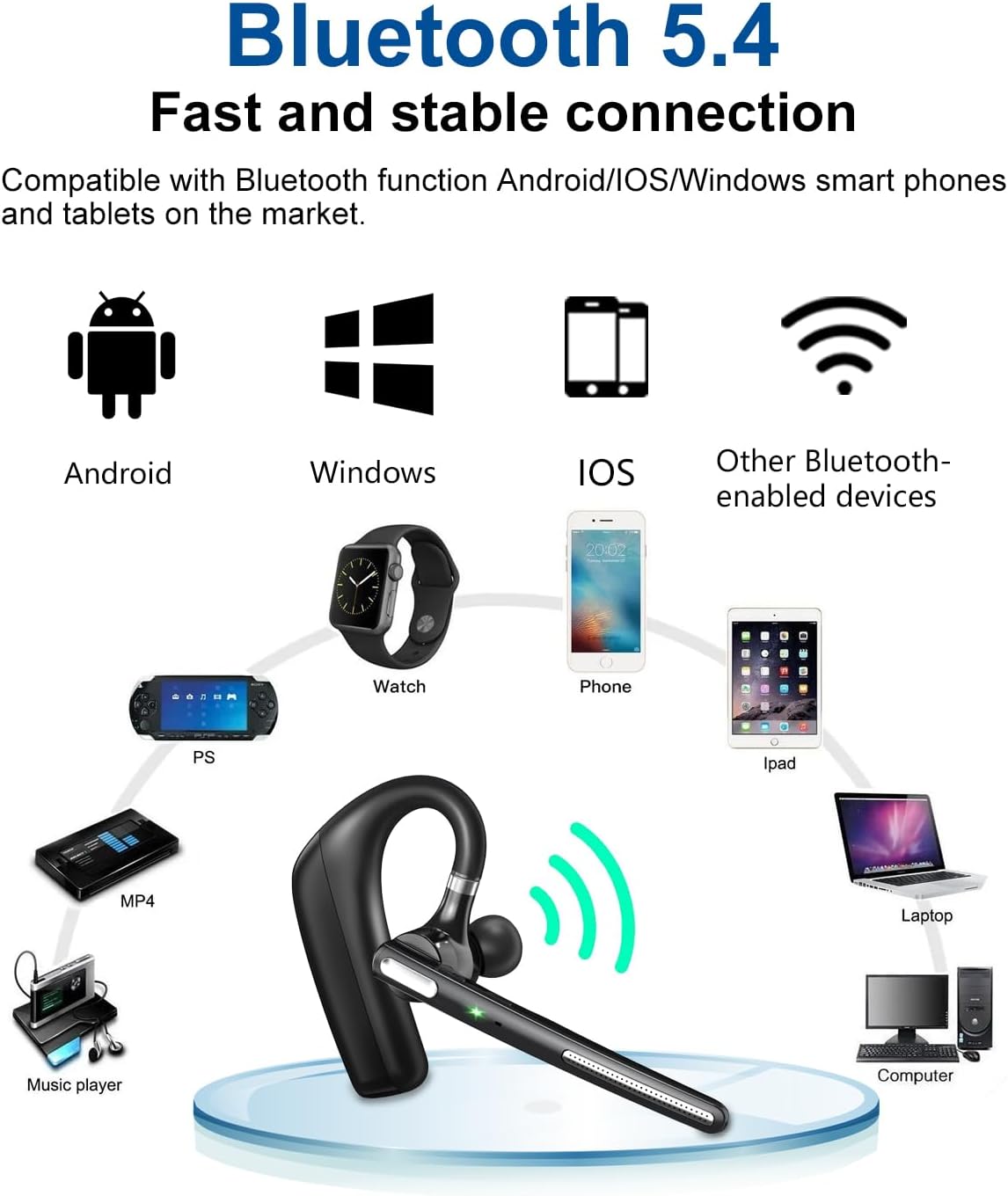
Image: Diagram illustrating the wide compatibility of the Bluetooth 5.4 headset with various devices including Android, iOS, Windows smartphones, tablets, laptops, and other Bluetooth-enabled devices.
Operating Instructions
The Kendir G6 headset features intuitive controls for managing calls and media playback.

Image: Detailed diagram of the headset's buttons and their functions, including Power On/Off, Play/Pause, Answer/End Call, Activate Siri (MFB), Mute/Unmute, LED Indicator, Volume Up/Next Song, Volume Down/Previous Song, Noise Canceling Mic, and Main Mic.
Button Functions:
- Multi-Function Button (MFB):
- Press and hold: Power On/Off
- Single press: Play/Pause music, Answer/End call
- Double press: Activate Siri/Voice Assistant
- Long press during incoming call: Reject call
- Volume Up (+) Button:
- Single press: Increase volume
- Long press: Next song
- Volume Down (-) Button:
- Single press: Decrease volume
- Long press: Previous song
- Mute Button:
- Single press during a call: Mute/Unmute microphone (Note: Mute function only works for cellphone calls).
- LED Indicator: Displays pairing status, connection status, and charging status.
Maintenance and Care
To ensure the longevity and optimal performance of your Kendir G6 headset, follow these maintenance guidelines:
- Cleaning: Use a soft, dry cloth to clean the headset. Do not use abrasive cleaners, solvents, or harsh chemicals.
- Eartips: Regularly remove and clean the eartips with a damp cloth. Ensure they are completely dry before reattaching.
- Storage: Store the headset in a cool, dry place away from direct sunlight and extreme temperatures.
- Charging: Use only the provided charging cable or a certified Type-C cable. Avoid overcharging the battery.
- Water Resistance: The headset is IPX6 water-resistant, meaning it can withstand splashes and sweat. Do not submerge it in water or expose it to heavy rain.
- Avoid Impact: Protect the headset from drops and impacts, which can damage internal components.
Troubleshooting
If you encounter issues with your Kendir G6 headset, refer to the following common problems and solutions:
| Problem | Solution |
|---|---|
| Headset does not power on. | Ensure the headset is fully charged. Connect it to a power source using the Type-C cable and allow it to charge for at least 30 minutes before attempting to power on again. |
| Cannot pair with device. |
|
| No sound or low volume. |
|
| Call quality is poor. |
|
| Mute function not working. | The mute function on the headset is designed to work specifically for cellphone calls. It may not function with certain third-party applications or computer-based communication platforms. |
Specifications
| Feature | Detail |
|---|---|
| Model Name | G6 |
| Connectivity Technology | Bluetooth V5.4, Wireless |
| Wireless Communication Technology | Bluetooth V5.4 |
| Noise Control | Environmental Noise Cancellation (ENC) |
| Battery Life | Up to 105-110 Hours (Music Playback), 100 Hours (Talk Time) |
| Charging Time | Approximately 3 Hours |
| Standby Time | 90 Days (2160 Hours) |
| Bluetooth Range | Up to 33 feet (10 meters) |
| Water Resistance Level | IPX6 (Water Resistant) |
| Control Method | Push Button |
| Earpiece Shape | Hook |
| Material | Plastic |
| Item Weight | 0.08 Kilograms (2.89 ounces) |
| Compatible Devices | Bluetooth-enabled devices (smartphones, tablets, laptops, smart speakers, car audio systems, etc.) |
| Recommended Uses | Calling, Driving, Office Meetings, Business, Travel, Trucking |
| Audio Driver Type | Dynamic Driver |
Warranty and Support
The Kendir Bluetooth Headset V5.4 Model G6 comes with a warranty as detailed on the included Warranty Card. Please refer to the card for specific terms and conditions.
For technical support, troubleshooting assistance, or warranty claims, please contact Kendir customer service through the contact information provided on your Warranty Card or visit the official Kendir website.
Ask a question about this manual
Ask about setup, troubleshooting, compatibility, parts, safety, or missing instructions. Manuals+ will review the question and use this page’s manual context to help answer it.