
MGSTN The Snap Cam SZFG 1080P POV Camera User Manual
Model: SZFG (1080P White)
1. Introduction
Thank you for choosing the MGSTN The Snap Cam SZFG 1080P POV Camera. This ultra-compact, hands-free wearable camera is designed to capture your adventures and daily moments with ease. This manual provides essential information on setting up, operating, and maintaining your camera to ensure optimal performance.
2. What's in the Box
Please check the package contents to ensure all items are present:
- The Snap Cam (1080P White)
- Waterproof Case (for 30M depth)
- Magnetic Pendant
- Easy Clip
- Safety Cord
- USB Charging Cable
- Various Mounting Accessories (e.g., helmet mounts, handlebar mounts)
- User Manual

The image displays the Snap Cam camera along with its included accessories, such as the magnetic pendant, easy clip, safety cord, and various mounting options, illustrating the complete package contents.
3. Product Overview
The Snap Cam features a compact design with a wide-angle lens, a multi-function button, and indicator lights for status feedback. It is designed for discreet and versatile recording.

This diagram illustrates the compact dimensions of the Snap Cam, measuring approximately 64.5mm (2.54in) in length, 28mm (1.1in) in width, and 20mm (0.787in) in thickness.
4. Setup
4.1 Initial Charge
Before first use, fully charge the camera using the provided USB cable. The LED indicator will turn off once charging is complete.
4.2 Power On/Off
- To power on: Press and hold the main button.
- To power off: Press and hold the main button again.
4.3 Wi-Fi Connectivity
The camera features built-in Wi-Fi for easy transfer of footage to your smartphone.
- Power on the camera.
- Double-click the main button to enter Wi-Fi mode (Blue-green lights will flash).
- On your smartphone, go to Wi-Fi settings and connect to the camera's hotspot.
- Open the dedicated app (refer to your camera's packaging for app name) and enter the password to watch live footage or download files.

This quick guide illustrates the four main steps for initial setup: Powering on, activating Wi-Fi mode, connecting to the camera's hotspot via phone settings, and accessing live view through the app.
5. Operating Instructions
5.1 Recording
- After powering on, press the main button once to start recording.
- Press the button again to stop recording.
5.2 Loop Recording
The camera supports loop recording, automatically overwriting the oldest files when the memory card is full. This ensures continuous recording without manual management. The camera supports up to 128GB memory cards.
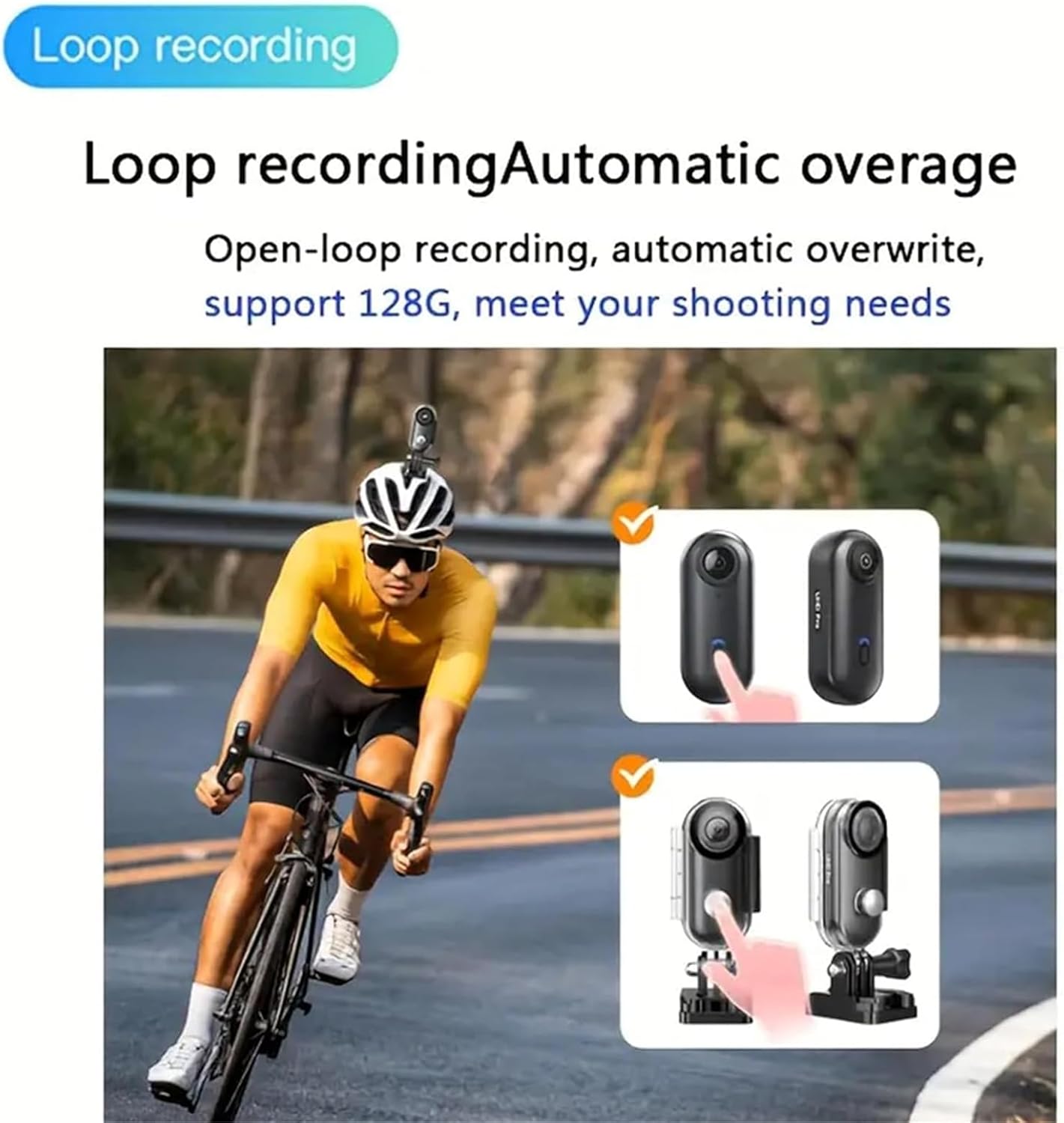
This image demonstrates the loop recording function, showing how the camera automatically overwrites older footage to continue recording, suitable for extended use like cycling.
5.3 Photo, Video, and Audio Modes
The Snap Cam can capture photos, videos, and audio recordings. Specific mode selection may be available through the companion app or by specific button presses (refer to the app for detailed instructions).

The image displays icons representing the camera's capabilities: Photo, Video, and Audio Recording, indicating its versatility in capturing different types of media.
6. Mounting Options
The Snap Cam offers flexible mounting solutions for various activities:
- Magnetic Pendant: Snap on for easy POV shots, ideal for wearing around the neck.
- Easy Clip: Clip to your pocket, belt, cap, or even a pet's collar for diverse angles.
- Safety Cord: Use with the included safety cord for added security during active use.
- Helmet & Handlebar Mounts: Utilize the provided accessories to mount the camera on helmets (top or side) or handlebars for cycling and motorcycling.

This image demonstrates various mounting possibilities for the Snap Cam, including attachment to the top of a helmet, the side of a helmet, and a bicycle handlebar, highlighting its adaptability for different activities.
This video demonstrates the hands-free POV capabilities of the MGSTN camera, showing how it can be worn to capture personal perspectives during activities like fishing.
7. Waterproof Usage
The Snap Cam is not waterproof without its dedicated case. With the included waterproof case, the camera can be submerged up to 30 meters (98 feet), making it suitable for swimming, diving, surfing, and other water-based activities.

This image shows a person using the Snap Cam underwater with its waterproof case, highlighting its suitability for diving and other aquatic adventures.
8. Video Quality and Battery Life
The Snap Cam records in 1080P Full HD, capturing clear and vibrant footage. It offers up to 150 minutes of recording time in 1080P on a single charge. The camera supports recording while charging, ideal for extended use.

This image visually compares different video resolutions (720p, 1080p, 2K, 4K), demonstrating the clarity and detail offered by higher resolutions, with 1080P being the standard for this model.
8.1 Low-Light/Nighttime Recording
The camera is designed to ensure clear and detailed video capture even in low-light or nighttime conditions, making it reliable for various environments.
This video showcases the camera's ability to record clear and detailed footage in various lighting conditions, including low-light and nighttime scenarios, emphasizing its reliability for capturing every moment.
9. Maintenance
- Cleaning: Use a soft, dry cloth to clean the camera body. For the lens, use a specialized lens cleaning cloth and solution.
- Storage: Store the camera in a cool, dry place away from direct sunlight and extreme temperatures.
- Battery Care: For long-term storage, charge the battery to about 50% every few months to prolong its lifespan.
10. Troubleshooting
- Camera not turning on: Ensure the battery is charged. Connect to a power source and try again.
- Recording issues: Check if the memory card is inserted correctly and has sufficient free space. Format the card if necessary (this will erase all data).
- Wi-Fi connection problems: Ensure the camera is in Wi-Fi mode. Restart both the camera and your smartphone. Verify the app is up to date.
- Poor video quality: Ensure the lens is clean. Check recording settings in the app to confirm desired resolution.
11. Specifications
| Feature | Detail |
|---|---|
| Brand | MGSTN |
| Model Number | SZFG |
| Video Capture Resolution | 1080p (also supports 4K variant) |
| Photo Sensor Technology | Other |
| Flash Memory Type | SD (up to 128GB supported) |
| Video Capture Format | MP4 |
| Supported Audio Format | AAC, MP3 |
| Screen Size | 1 inch (implied, based on data) |
| Color | White |
| Special Features | 360 Degree Capture, Time Lapse, Built-in Wi-Fi & Bluetooth |
| Camcorder Type | Action Camera |
12. Warranty and Support
For warranty information and customer support, please refer to the documentation included with your purchase or visit the official MGSTN website. Keep your proof of purchase for any warranty claims.