
Introduction
The Meatender A10-W WiFi PID Grill Controller is designed to enhance your pellet grilling experience with precise temperature control and smart connectivity. This manual provides essential information for the proper installation, operation, and maintenance of your controller.
Compatibility
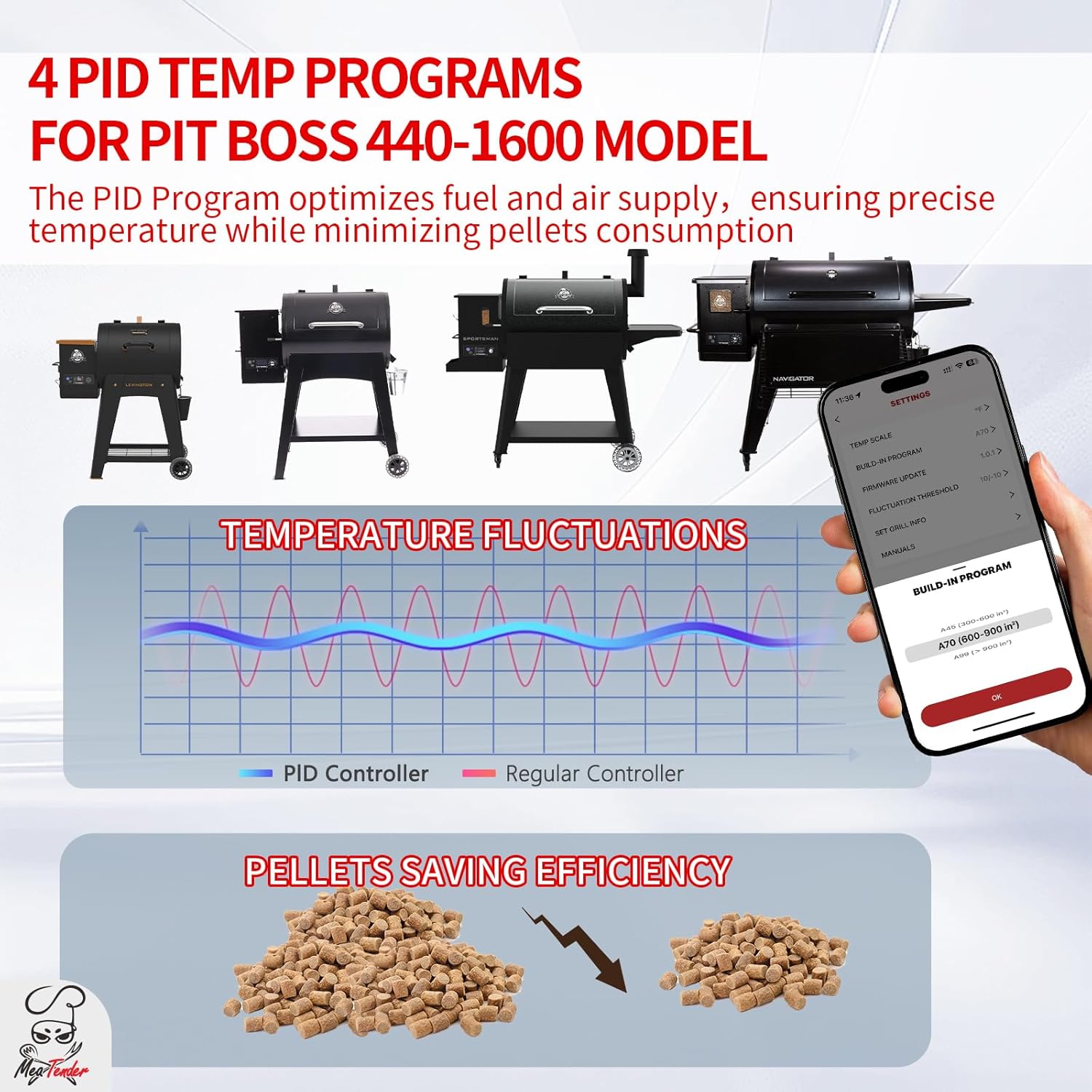
This controller is specifically designed for Pit Boss grills with rectangular circuit boards, ranging from 440 to 1600 capacity. Compatible series include:
- Navigator: PB550G, PB850G, PB1150G
- Sportsman: PB500SP, PB0820SP, PB1100SP, PB0820SPW, PB1100SPW, PB1600SPW
- Pro Series: PB600PS1, PB820PS1, PB1100PS1
- NC Series: PB700NC1, PB1000NC1
- Mahogany: PB440D2, PB440D3 /PB456D, PB440TGN1
- COMPETITION Series: PB850CS1, PB1250CS, PB1600CS
- Onyx Edition: LEXINGTON PB500NX, CLASSIC PB700NX, AUSTIN XL PB1000NX, SAVANNAH PB1500NX
- Other Wood Pellet Grills: PB700FB1, PB820FB1, PB820XL, PB820D2 / PB820D3 / PB1000D3, PB820XL / PB820ME, PB1000XL, PB1000SC2 / PB1000SC3, PB1000T3 / PB1000T4
Note: The controller's circuit board is approximately 1.9 inches thick. Ensure your grill's installation hole has sufficient depth. Some grill models, such as the Pit Boss PB820D2, may require modifications for proper fit.

Installation
- Power Disconnection: Before beginning installation, ensure your grill is completely powered off and unplugged from the electrical outlet.
- Access Existing Controller: Locate and carefully remove the existing grill controller. This typically involves unscrewing it from the grill's control panel.
- Wiring Disconnection: Disconnect all wires from the old controller. Note the position and connection of each wire for correct re-connection to the new controller. Taking photos can be helpful.
- New Controller Placement: Insert the Meatender A10-W controller into the control panel opening. Ensure it fits securely. If the opening is not deep enough, minor modifications to the grill's casing may be necessary (refer to compatibility notes).
- Wiring Connection: Connect the wires from the grill to the corresponding ports on the new Meatender A10-W controller. Double-check all connections to ensure they are secure and correctly matched.
- Secure Controller: Fasten the new controller in place using the appropriate screws.
- Power Reconnection: Once the controller is securely installed and all wires are connected, plug your grill back into the electrical outlet.
App Setup and Connectivity
The Meatender A10-W controller features smart WiFi app control, allowing remote monitoring and adjustment.
- Download the App: Download the "GrillirG" app from your smartphone's app store (iOS or Android).
- Create Account: Open the app and follow the prompts to create a new user account or log in if you already have one.
- Device Pairing: Ensure your grill controller is powered on. In the app, select the option to add a new device. Follow the on-screen instructions to connect the controller to your home WiFi network. This typically involves selecting your WiFi network and entering the password.
- Cloud Sync: Once connected, the app will sync with your controller, allowing you to monitor and control your grill remotely.


Operation
- Precision PID Algorithm: The advanced PID algorithm maintains stable temperatures by optimizing pellet fuel and airflow. You can fine-tune temperatures from 180°F to 500°F in 1°F increments, ensuring consistent cooking results.
- Remote Meat Temperature Monitoring: Connect up to two meat probes to the controller. Monitor internal food temperatures directly within the app. Set target temperature alerts to receive notifications when your food reaches the desired doneness, preventing overcooking.
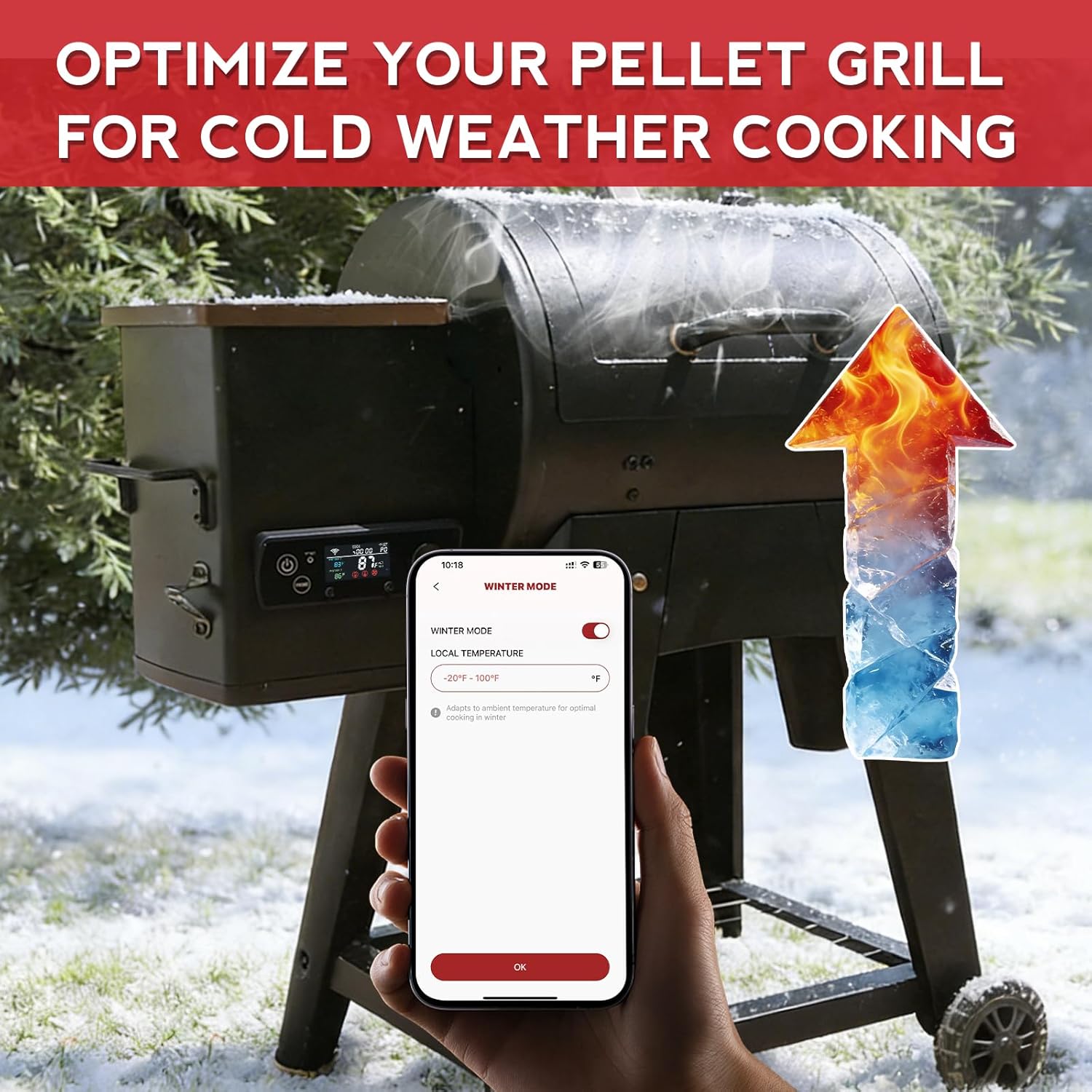
- Winter Mode: For grilling in cold weather, activate the Winter Mode via the app. This feature helps the grill warm up faster and maintain target temperatures more consistently in low ambient conditions.
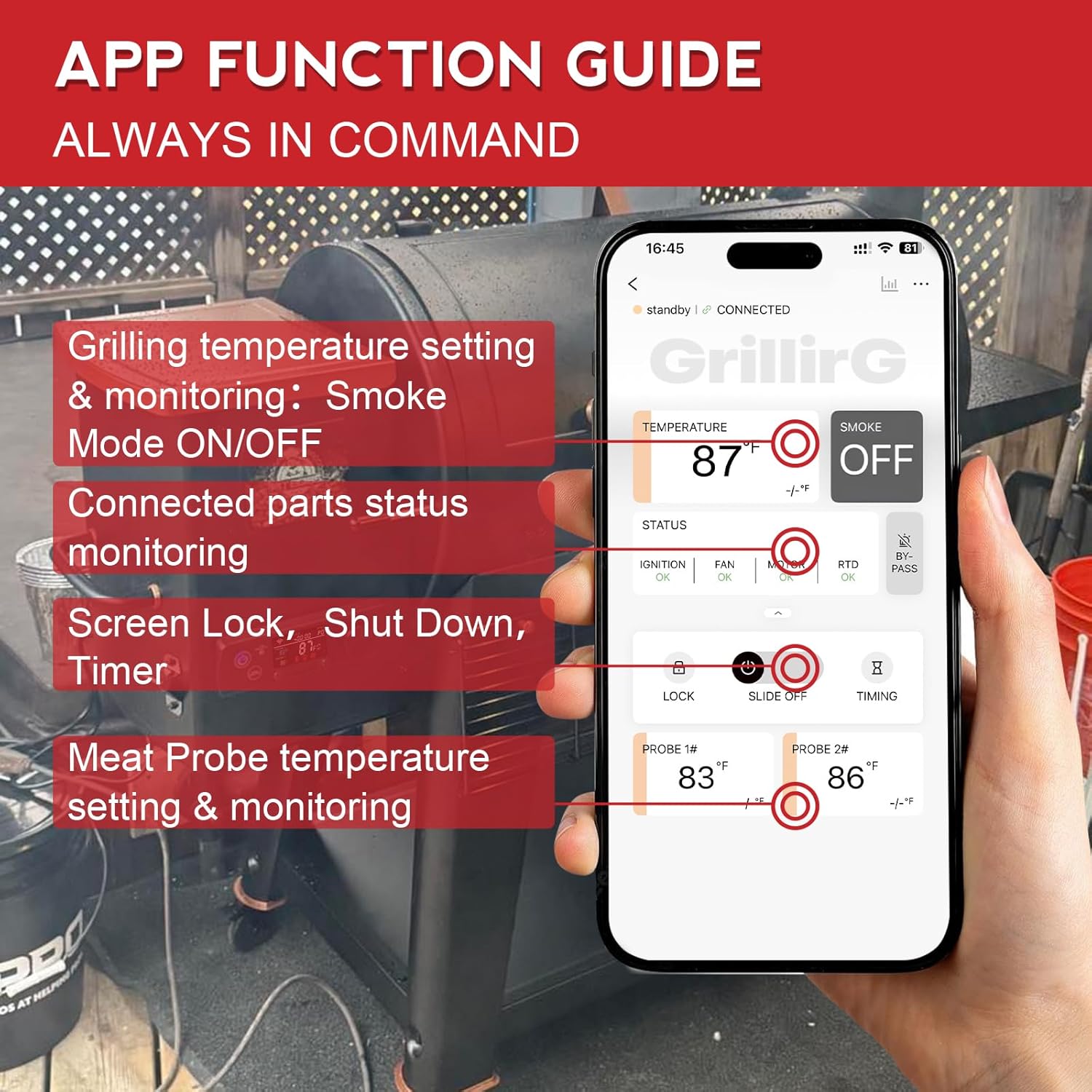
- App Functions: The "GrillirG" app provides comprehensive control:
- Grilling temperature setting and monitoring.
- Smoke Mode ON/OFF with 10 smoke options for flavor adjustment.
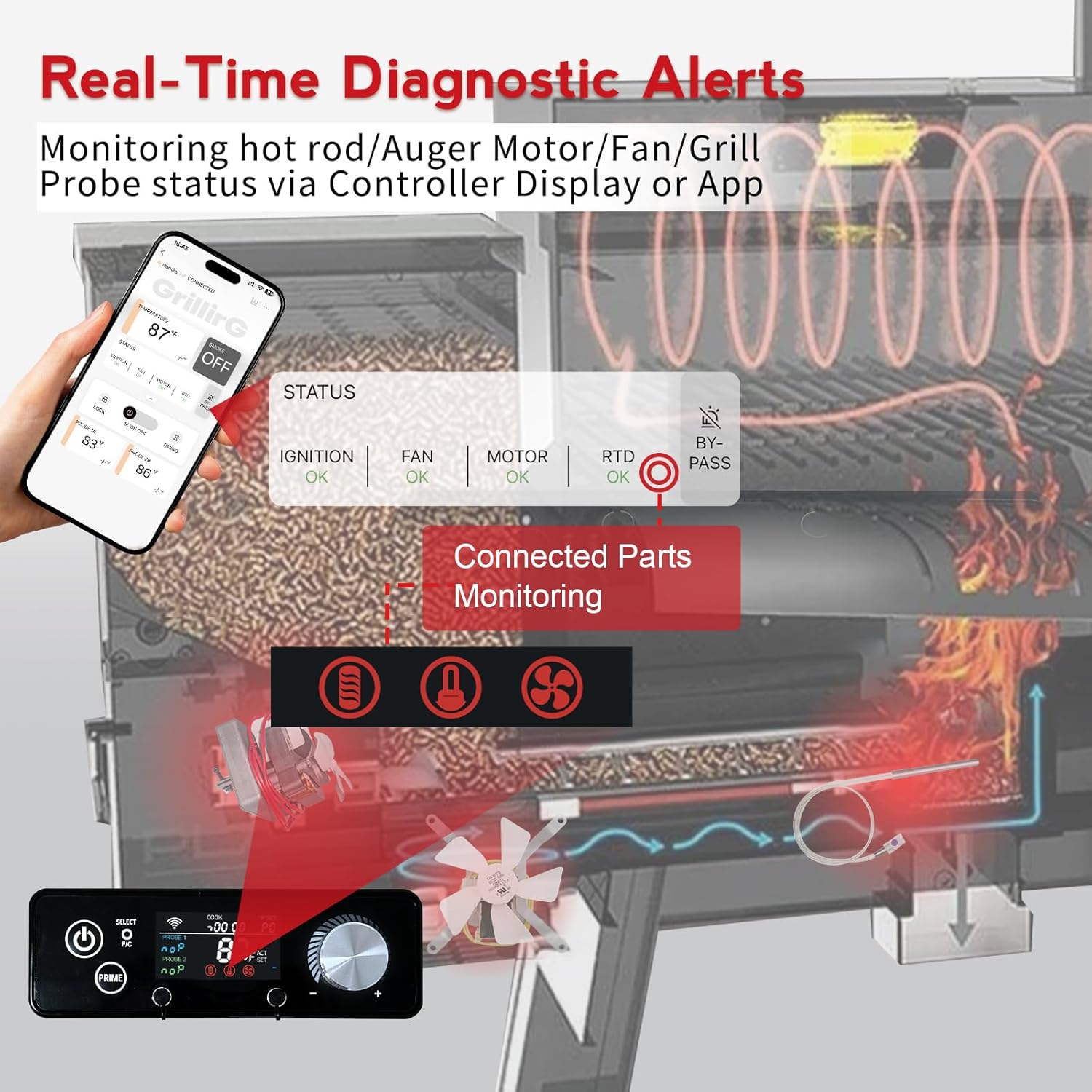
- Real-time status monitoring of connected parts (ignition, fan, motor, RTD probe).
- Screen Lock function.
- Grill Shut Down control.
- Timer to track cooking duration.
- Meat probe temperature setting and monitoring.

Maintenance
Proper maintenance ensures the longevity and optimal performance of your controller.
- Cleaning: The controller's exterior can be wiped clean with a soft, damp cloth. Do not use abrasive cleaners or immerse the controller in water.
- Safety Monitoring: The controller features Real-Time Circuit Monitoring to detect shorts or overloads, protecting your investment.
- Auto Cool Down: After cooking, the Auto Cool Down Assistant runs the fan to prevent fuel pipe scorching and hopper backfires, extending the life of your grill components.
- Pellet Efficiency: The intelligent PID algorithm modulates fan and auger motor speeds to maintain heat efficiently, contributing to reduced pellet consumption.
Troubleshooting
- Temperature Fluctuations: If you experience significant temperature swings, ensure the grill lid is properly closed and sealed. Verify that the hopper has sufficient pellets. The PID algorithm is designed to minimize fluctuations, but extreme external conditions can still have an impact.
- Connectivity Issues: If the app cannot connect to the controller, ensure your home WiFi network is active and the controller is within range. Restart both the controller and your smartphone, then attempt to reconnect through the app's pairing process.
- Diagnostic Alerts: The controller display and app provide real-time diagnostic alerts for connected parts (ignition, fan, motor, RTD probe). If an alert appears, check the indicated component for proper connection or signs of malfunction. Refer to your grill's specific manual for component replacement or repair.
- Installation Fit: If the controller does not fit correctly during installation, review the compatibility section. Some grill models may require minor modifications to the grill's casing.
Specifications
| Feature | Detail |
|---|---|
| Brand | Meatender |
| Model Name | A10-W |
| Color | Black |
| Outer Material | Plastic |
| Display Type | Digital |
| Connectivity Technology | Wi-Fi |
| Special Features | App Companion, High Accuracy, Large Display, Programmable, Smart Command |
| Power Source | WiFi Powered |
| Temperature Range | 180°F to 500°F |
| Temperature Increments | 1°F |
| Reusability | Reusable |
| Indoor/Outdoor Usage | Outdoor |
| Product Care Instructions | Wipe Clean |
| Included Components | 1 Controller, 1 Instructions |
| Item Length | 8.9 Inches |
Warranty
Specific warranty details are not provided in the product information. Please refer to the manufacturer's official website or contact Meatender customer support for warranty information.
Support
For technical assistance, troubleshooting, or general inquiries, please contact Meatender customer support. Visit the official Meatender website for contact details and additional resources.