
1. Introduction
Thank you for choosing the iTOMA YH16 Countertop Ice Maker Machine. This manual provides essential information for the safe and efficient operation, maintenance, and troubleshooting of your new ice maker. Please read it thoroughly before first use and retain it for future reference.
The iTOMA YH16 is designed for convenience, producing bullet-shaped ice cubes quickly and efficiently. It features a 1.3L water tank, dual ice size options, and an auto-cleaning function, making it suitable for various settings including homes, kitchens, offices, and parties.
2. What's in the Box
- iTOMA YH16 Countertop Ice Maker Machine
- Ice Basket
- Ice Scoop
- User Manual
3. Safety Information
WARNING: This device is designed for 110-120V~60Hz voltage. Please ensure that the voltage in your area matches this specification to avoid equipment damage and potential safety hazards.

Image: A warning label indicating the required voltage (110-120V~60Hz) for the ice maker, with a close-up of a standard US power plug.
- Always plug the appliance into a grounded outlet.
- Do not immerse the appliance, power cord, or plug in water or other liquids.
- Keep the appliance away from heat sources and direct sunlight.
- Ensure proper ventilation around the unit.
- Do not operate with a damaged cord or plug.
- Keep children away from the appliance during operation.
4. Setup and First Use
4.1 Unpacking
- Carefully remove the ice maker from its packaging.
- Remove all packaging materials, including tape, labels, and protective films.
- Check for any damage during transit. If damaged, do not operate and contact customer support.
4.2 Placement
- Place the ice maker on a stable, level surface.
- Ensure there is at least 6 inches (15 cm) of space around the unit for proper air circulation.
- Avoid placing the unit near heat sources (e.g., ovens, radiators) or in direct sunlight.
4.3 Initial Cleaning
Before using your ice maker for the first time, it is recommended to clean it thoroughly.
- Open the lid and remove the ice basket.
- Clean the interior with a soft cloth and warm water with a mild detergent.
- Rinse thoroughly and drain any remaining water through the drain plug located at the bottom of the unit.
- Wipe the exterior with a damp cloth.
5. Operating Instructions
5.1 Making Ice

Image: A visual guide showing three steps: 1. Pouring water into the reservoir, 2. Pressing the start button and selecting ice size, 3. Enjoying bullet ice in 6-8 minutes.
- Add Water: Open the lid and pour potable water into the water reservoir up to the MAX fill line. Do not overfill.
- Power On: Plug the unit into a grounded electrical outlet. The 'POWER' indicator will illuminate.
- Select Ice Size: Press the 'SELECT' button to choose between Small (S) or Large (L) bullet ice cubes. The corresponding indicator light will illuminate.
- Start Ice Production: Press the 'ON/OFF' button to start the ice-making cycle. The 'POWER' indicator will blink during operation.
- Ice Collection: The first batch of ice will be ready in approximately 6-8 minutes. The ice will drop into the ice basket.
- Continuous Operation: The machine will continue to make ice until the 'ICE FULL' indicator lights up (meaning the ice basket is full) or the 'ADD WATER' indicator lights up (meaning the water reservoir is empty).
- Stop Operation: To stop ice production at any time, press the 'ON/OFF' button.
5.2 Control Panel and Indicators
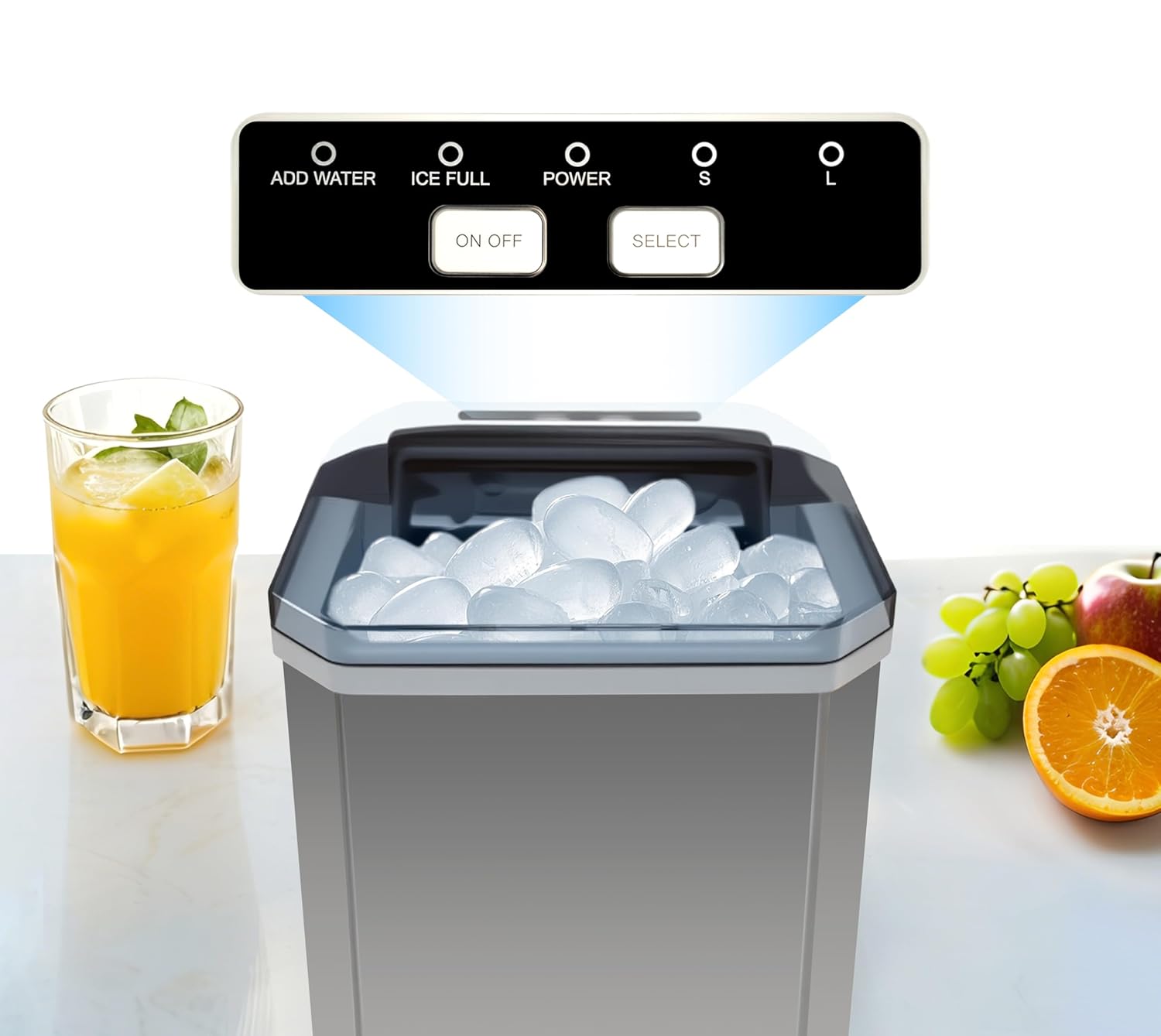
Image: A close-up of the ice maker's control panel, showing 'ADD WATER', 'ICE FULL', 'POWER' indicators, and 'ON/OFF' and 'SELECT' buttons with 'S' and 'L' ice size indicators.
- ADD WATER: Illuminates when the water reservoir needs refilling.
- ICE FULL: Illuminates when the ice basket is full, and the machine will pause operation. Remove ice to resume.
- POWER: Indicates the unit is powered on. Blinks during ice production.
- S / L: Indicates the selected ice cube size (Small or Large).
- ON/OFF Button: Starts or stops the ice-making process. Press and hold for 5 seconds to activate self-cleaning mode.
- SELECT Button: Toggles between small and large ice cube sizes.
5.3 Ice Cube Sizes
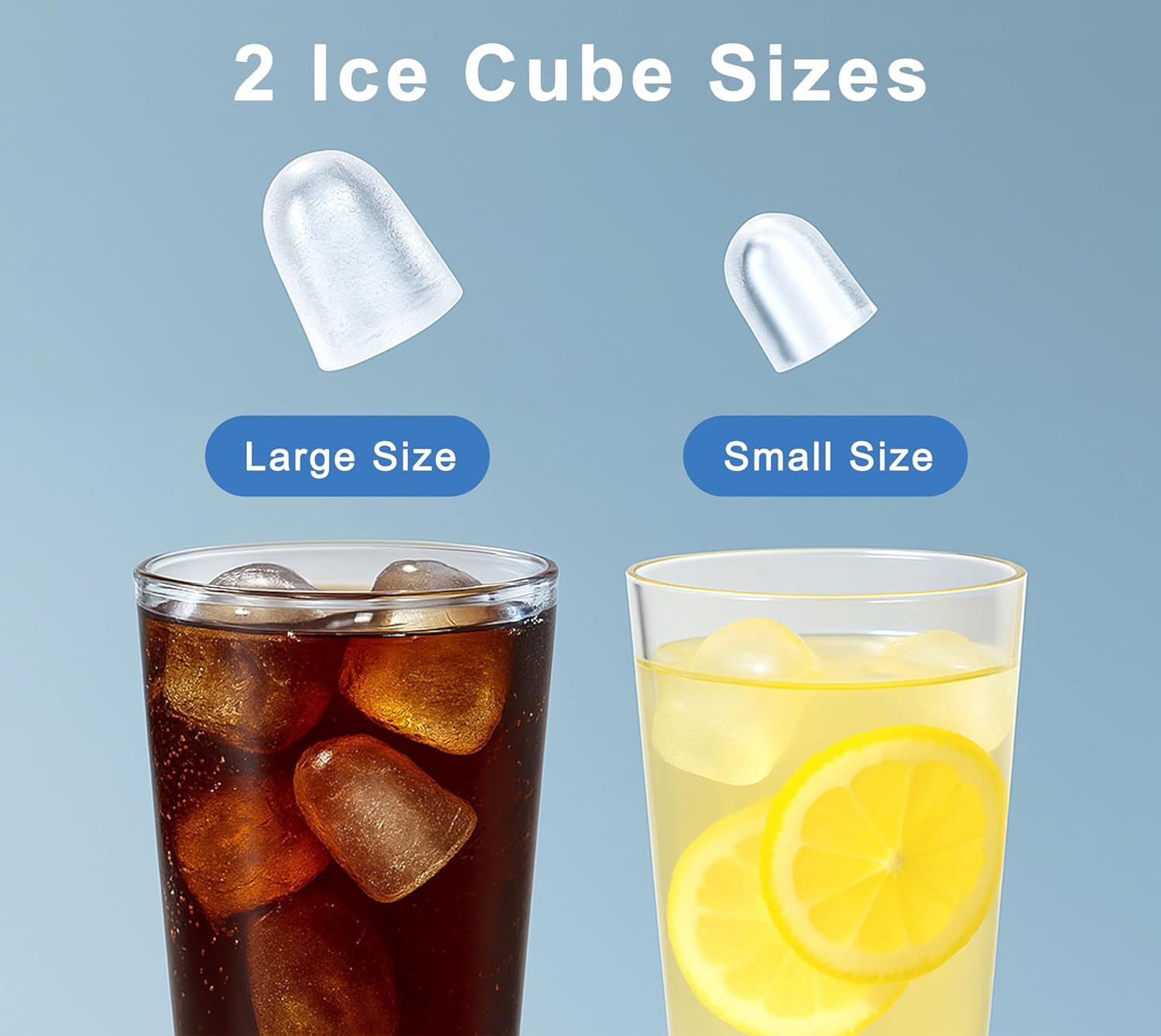
Image: A visual comparison of the two available bullet ice cube sizes, labeled 'Large Size' and 'Small Size', with examples in beverages.
The iTOMA YH16 offers two sizes of bullet ice to suit your preferences:
- Small (S): Ideal for quickly chilling drinks or for use in smaller glasses.
- Large (L): Suitable for larger beverages, cocktails, or for keeping food chilled longer.
5.4 Product Demonstration Video
Video: A demonstration of the iTOMA Countertop Ice Maker Machine in a kitchen setting, showing its features, ease of use, and the types of ice it produces. The video highlights the quick ice production and various applications for the ice.
6. Maintenance
6.1 Auto-Cleaning Function

Image: An illustration of the ice maker's self-cleaning function, showing water circulating within the unit, with icons indicating '5S on/off' and '20min self-cleaning'.
The iTOMA YH16 features a convenient one-touch auto-cleaning mode:
- Ensure the water reservoir is filled with clean water.
- Press and hold the 'ON/OFF' button for 5 seconds. The unit will enter a 20-minute self-cleaning cycle.
- Once the cycle is complete, drain the water from the unit using the drain plug.
6.2 Regular Cleaning and Storage
- Daily: Empty the ice basket and wipe it clean.
- Weekly: Perform the auto-cleaning cycle. For a more thorough clean, unplug the unit, remove the ice basket, and manually clean the water reservoir and ice-making components with a soft cloth and a solution of water and vinegar or a mild food-grade cleaner. Rinse thoroughly.
- Draining: Always drain the water from the reservoir when the unit is not in use for an extended period or before moving it. The drain plug is located at the bottom of the unit.
- Exterior: Wipe the exterior with a soft, damp cloth. Do not use abrasive cleaners or solvents.
- Storage: When storing, ensure the unit is clean and dry. Store in a cool, dry place away from direct sunlight.
7. Troubleshooting
If you encounter any issues with your iTOMA YH16 Ice Maker, please refer to the following table before contacting customer support.
| Problem | Possible Cause | Solution |
|---|---|---|
| No ice production | No water in reservoir; Power not connected; Unit too warm. | Fill water reservoir; Check power connection; Ensure ambient temperature is below 32°C (90°F). |
| 'ADD WATER' indicator on | Water reservoir is empty. | Add potable water to the reservoir up to the MAX fill line. |
| 'ICE FULL' indicator on | Ice basket is full. | Remove ice from the basket. The unit will resume operation automatically. |
| Ice cubes are too small or cloudy | Water temperature too high; Ambient temperature too high; Mineral deposits. | Use colder water; Ensure proper ventilation; Clean the unit to remove mineral buildup. |
| Unusual noise | Unit not level; Internal components vibrating. | Ensure the unit is on a stable, level surface. If noise persists, contact support. |
8. Specifications

Image: The iTOMA YH16 ice maker shown with its key dimensions: 11.6 inches (height), 8.8 inches (width), and 11.2 inches (depth).
| Feature | Specification |
|---|---|
| Model Number | YH16 |
| Brand | iTOMA |
| Product Dimensions (D x W x H) | 11.6" x 8.86" x 11.2" (29.4cm x 22.5cm x 28.5cm) |
| Weight | Approx. 15.56 lbs |
| Water Tank Capacity | 1.3 Liters |
| Ice Production Capacity | Up to 12 kg (26 lbs) per day |
| Ice Shape | Bullet |
| Ice Sizes | Small (S), Large (L) |
| Voltage / Frequency | 110-120V~60Hz (as per safety warning image) |
| Auto-Cleaning | Yes (20-minute cycle) |
9. Warranty and Support
The iTOMA YH16 Countertop Ice Maker Machine comes with a standard manufacturer's warranty. For specific warranty details, including coverage period and terms, please refer to the warranty card included with your product or contact iTOMA customer support directly.
If you require technical assistance, have questions about your product, or need to report a defect, please contact iTOMA customer support through their official website or the contact information provided in your product packaging.
- Manufacturer: iTOMA
- Website: Visit the iTOMA Store on Amazon
