
SignalBrick B0FC23GNMY
SignalBrick Cell Phone Booster for Car, SUV, Van User Manual
Model: B0FC23GNMY | Brand: SignalBrick
1. Introduction
This manual provides detailed instructions for the installation, operation, and maintenance of your SignalBrick Cell Phone Booster. This device is designed to enhance 5G/4G LTE cellular signals for multiple users and devices within your vehicle, ensuring improved call quality and faster data speeds.
The booster is compatible with all major U.S. carriers, including Verizon, AT&T, T-Mobile, and Sprint, and supports frequency bands 12/17, 13, 5, 2/25, and 4/66.

Figure 1: The SignalBrick Cell Phone Booster is suitable for cars, SUVs, and vans.
2. Package Contents
Verify that all items listed below are included in your package:
- Car Cell Booster Unit
- Outside Antenna (Magnetic)
- Inside Antenna
- DC Power Adapter

Figure 2: All components included in the SignalBrick Cell Phone Booster package.
3. Safety Information & FCC Compliance
3.1 Important Notes
- This product is designed for small and mid-sized cars, SUVs, and vans. It is not recommended for trucks or RVs due to potential cable length requirements.
- Ensure all connections are secure before powering on the device.
- Do not operate the booster near water or in excessively humid conditions.
3.2 FCC Compliance
This cell phone booster is FCC certified (FCC ID: A7V-SR75502001). As a consumer device, you MUST REGISTER THIS DEVICE with your wireless provider and have your provider’s consent. Most wireless providers consent to the use of signal boosters. Some providers may not consent to the use of this device on their network. If you are unsure, contact your provider.
Antennas MUST be installed at least 20cm (8 inches) from any person. You MUST cease operating this device immediately if requested by the FCC or a licensed wireless service provider.
WARNING: E911 location information may not be provided or may be inaccurate for calls served by using this device.

Figure 3: FCC compliance label on the booster unit.
4. Setup and Installation
The SignalBrick Cell Phone Booster is designed for easy installation without drilling, typically completed in less than 20 minutes. Follow these steps for optimal performance:

Figure 4: Installation overview diagram.
4.1 Outdoor Antenna Placement
- Mount the magnetic outdoor antenna on the roof of your vehicle. Ensure it is placed horizontally and has at least 7 inches (18 cm) of metal surface contact for proper grounding and stability.
- Route the cable into the vehicle, typically through a door seal, ensuring it does not interfere with door closure or window operation.
- The omni-directional design allows it to receive signals from cell towers in all directions, so precise aiming is not required.

Figure 5: Omni-directional signal reception of the outdoor antenna.
4.2 Booster Unit Placement
- Place the booster unit in a secure, dry location inside your vehicle, such as under a seat or in the trunk.
- Ensure there is adequate ventilation around the unit.
4.3 Indoor Antenna Placement
- Mount the indoor antenna inside the vehicle, typically on the dashboard or near the center console, ensuring it is at least 2 feet (0.6 meters) from where you typically use your phone.
- Maintain a minimum separation distance of 7 feet (2.1 meters) between the outdoor and indoor antennas to prevent oscillation.
4.4 Connecting Components and Powering On
- Connect the outdoor antenna cable to the port labeled "OUTSIDE" on the booster unit.
- Connect the indoor antenna cable to the port labeled "INSIDE" on the booster unit.
- Plug the DC power adapter into the booster unit and then into your vehicle's 12V power outlet.
- The booster will power on automatically. Observe the indicator lights on the booster unit. A green light indicates normal operation.
5. Operating the Booster
Once installed and powered on, the SignalBrick Cell Phone Booster automatically begins to enhance cellular signals. It works by capturing weak signals from cell towers, amplifying them, and then rebroadcasting the stronger signal inside your vehicle.
5.1 Signal Enhancement
- Experience fewer dropped calls and improved voice quality.
- Benefit from faster data transfer speeds for browsing, streaming, and app usage.
- The booster supports 5G/4G LTE signals across various bands for all U.S. carriers.

Figure 6: Compatible with all U.S. carriers for enhanced communication.

Figure 7: Benefits of maintaining a strong signal while on the road.
5.2 Automatic Gain Control
The booster features intelligent Automatic Gain Control (AGC) which automatically adjusts signal strength and power levels in real-time. This ensures a stable connection, optimizes performance, and reduces energy consumption without requiring manual adjustments.
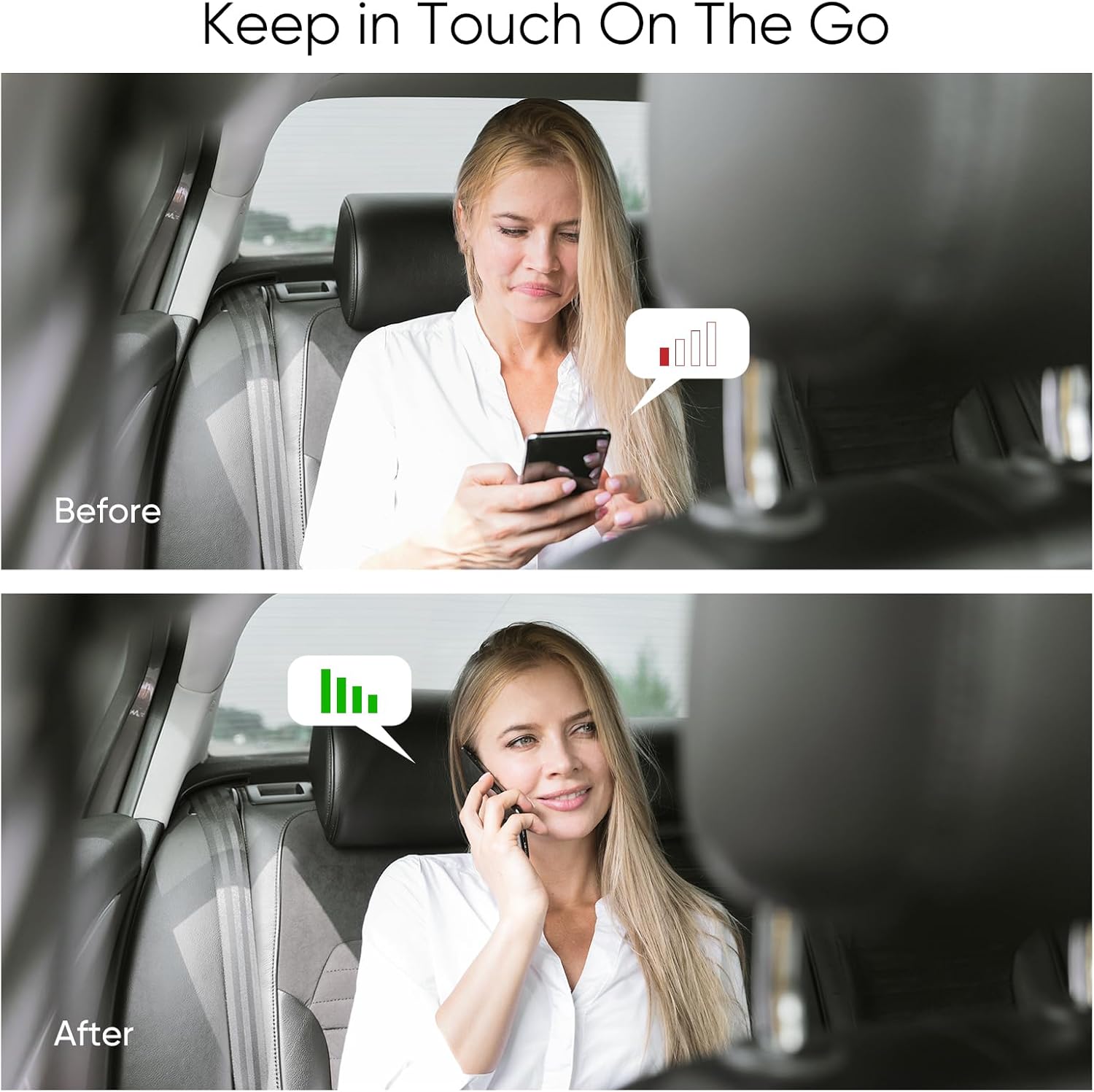
Figure 8: Visual representation of signal improvement before and after booster use.
6. Maintenance
The SignalBrick Cell Phone Booster requires minimal maintenance. To ensure longevity and optimal performance:
- Keep the booster unit and antennas clean and free from dust and debris. Use a soft, dry cloth for cleaning.
- Ensure all cable connections remain secure.
- Avoid exposing the unit to extreme temperatures or direct moisture.
7. Troubleshooting
If you experience issues with your cell phone booster, refer to the following common problems and solutions:
| Problem | Possible Cause | Solution |
|---|---|---|
| No signal improvement | Loose connections, insufficient antenna separation, booster not powered on, incorrect frequency band. | Check all cable connections. Ensure adequate separation (min. 7 feet) between indoor and outdoor antennas. Verify the power adapter is securely plugged in and the booster is on. Confirm your carrier's frequency bands are supported by the booster. |
| Indicator lights are off | No power. | Check the DC power adapter connection to the booster and the vehicle's 12V outlet. Ensure the vehicle's ignition is on if the outlet is switched. |
| Fluctuating signal | Antenna interference or weak incoming signal. | Increase separation between indoor and outdoor antennas. Ensure the outdoor antenna has a clear line of sight to cell towers. |
7.1 Testing Frequency Band
To verify the frequency band your phone is currently using, which can help in troubleshooting, follow these steps:
- For iPhone: Dial *3001#12345#* then press the call button. Choose "All Metrics," then click "Serving Cell Info," and finally check "Band Info."
- For Android phone: Download a network info app (e.g., "Network Cell Info Lite"). Open the app, choose "GAUGE," and then check "BAND."

Figure 9: Methods for checking your phone's frequency band.
8. Specifications
Technical specifications for the SignalBrick Cell Phone Booster:
| Feature | Detail |
|---|---|
| Model | B0FC23GNMY |
| Support Bands | Band 12/17, Band 13, Band 5, Band 2/25, Band 4/66 (700 MHz, 850 MHz, 1900 MHz, 2100 MHz, 1700 MHz, 2500 MHz, 6600 MHz) |
| Carrier Compatibility | All U.S. Carriers (Verizon, AT&T, T-Mobile, Sprint, etc.) |
| Maximum Gain | 50dB |
| Boosted Signal Types | 5G / 4G LTE / 3G |
| Output Power | 26dBm (Uplink) / 10dBm (Downlink) |
| In-band Flatness | <9dB |
| EIRP | 1W Max |
| Impedance | 50 ohm |
| Current | ≤1.5A (12V DC) |
| Package Dimensions | 9.37 x 7.32 x 2.64 inches |
| Item Weight | 2.64 pounds |
| Color | Black |
| Manufacturer | SignalBrick |

Figure 10: Detailed product specifications.
9. Warranty and Support
SignalBrick is committed to providing a hassle-free shopping experience and professional after-sales support for its products. While specific warranty terms are not detailed in this manual, please retain your proof of purchase for any warranty claims.
For technical assistance, troubleshooting beyond this guide, or warranty inquiries, please contact SignalBrick customer support through the retailer's platform or the official SignalBrick website.
Related documentsB0FC23GNMY

Ask a question about this manual
Ask about setup, troubleshooting, compatibility, parts, safety, or missing instructions. Manuals+ will review the question and use this page’s manual context to help answer it.