
T-SUN TS-F42
T-SUN 30W RGBCW LED Flood Light Instruction Manual
Model: TS-F42
1. Introduction
This manual provides comprehensive instructions for the safe and effective use of your T-SUN 30W RGBCW LED Flood Light, Model TS-F42. This smart flood light offers a wide range of color options, dimmable settings, and control via both a remote and a mobile application. It is designed for both indoor and outdoor applications, featuring a durable, waterproof construction.
2. Safety Information
Please read all safety warnings and instructions carefully before installation and operation. Failure to follow these instructions may result in electric shock, fire, or other hazards.
- Ensure the power supply is disconnected before installation or maintenance.
- Do not attempt to disassemble or modify the light fixture.
- The adapter is not waterproof. Ensure it is protected from moisture when used outdoors.
- Install the light in a stable location to prevent it from falling.
- Keep away from flammable materials.
- This product is rated IP66 for water and dust resistance, suitable for outdoor use in various weather conditions.
3. Package Contents
Verify that all components are present before proceeding with installation:
- T-SUN 30W RGBCW LED Flood Light (Quantity as purchased)
- Remote Control (Quantity as purchased)
- Ground Stakes (Quantity as purchased)
- Instruction Manual (This document)

Image: Overview of the T-SUN 30W RGBCW LED Flood Light, including the light unit, remote controls, and ground stakes.
4. Specifications
| Feature | Detail |
|---|---|
| Brand | T-SUN |
| Model Number | TS-F42 |
| Power | 30W |
| Color | RGBCW (Red, Green, Blue, Cool White, Warm White) |
| Material | Aluminum |
| Waterproof Rating | IP66 |
| Control Methods | Remote Control, Bluetooth APP Control |
| Product Dimensions | 6.8"L x 5.7"W x 7.5"H |
| Power Source | AC |
5. Setup and Installation
The T-SUN LED Flood Light offers multiple installation options. Choose the method best suited for your application.
5.1 Installation Methods
- Wall Mounting: Secure the light to a wall using appropriate screws and anchors (not included). The 180° adjustable bracket allows for precise aiming.
- Ceiling Mounting: Attach the light to a ceiling or overhang, ensuring it is securely fastened.
- Ground Staked: For garden or lawn placement, attach the provided ground stake to the light's bracket and insert it firmly into the ground.
- Flat Surface Placement: The light can be placed directly on any flat, stable surface.

Image: Visual representation of the four available installation methods: wall, ceiling, ground-staked, and placed on flat surfaces.
5.2 Power Connection
Simply plug the light into a standard AC power outlet. Ensure the power adapter is protected from water if used outdoors, as it is not waterproof.
6. Operating Instructions
Your T-SUN LED Flood Light can be controlled using the included remote or via a smartphone application.
6.1 Remote Control Operation
The remote control allows for basic functions and quick adjustments.
- Power On/Off: Press the ON/OFF button.
- Color Selection: Use the dedicated color buttons (R, G, B, W) or the color wheel for static colors.
- Brightness Adjustment: Use the Dimmer/Brightness buttons to increase or decrease light intensity.
- Color Temperature: Select preset white light temperatures (e.g., 2700K, 4000K, 6500K).
- Mode Selection: Choose from various dynamic modes (e.g., flash, strobe, fade).
- Timer: Set basic timer functions.

Image: Detailed view of the remote control layout and its various functions.
6.2 Smartphone APP Control
For advanced features and full customization, download the official T-SUN app (available on iOS and Android app stores). Connect via Bluetooth.
- 16 Million Colors: Access a full spectrum of colors and adjust saturation.
- Dimmable RGBCW + CCT Modes: Fine-tune brightness from 0-100% and adjust white light color temperature.
- Music Sync: Synchronize light changes with music, movies, or external sounds.
- Smart Timer & Memory Function: Schedule automatic on/off times and save preferred settings. The light will remember the last used color and mode.
- Preset Scenes: Choose from over 20 pre-programmed lighting scenes.
- Custom Scenes: Create and save your own unique lighting effects.
- Group Control: Control multiple lights simultaneously or manage individual groups.
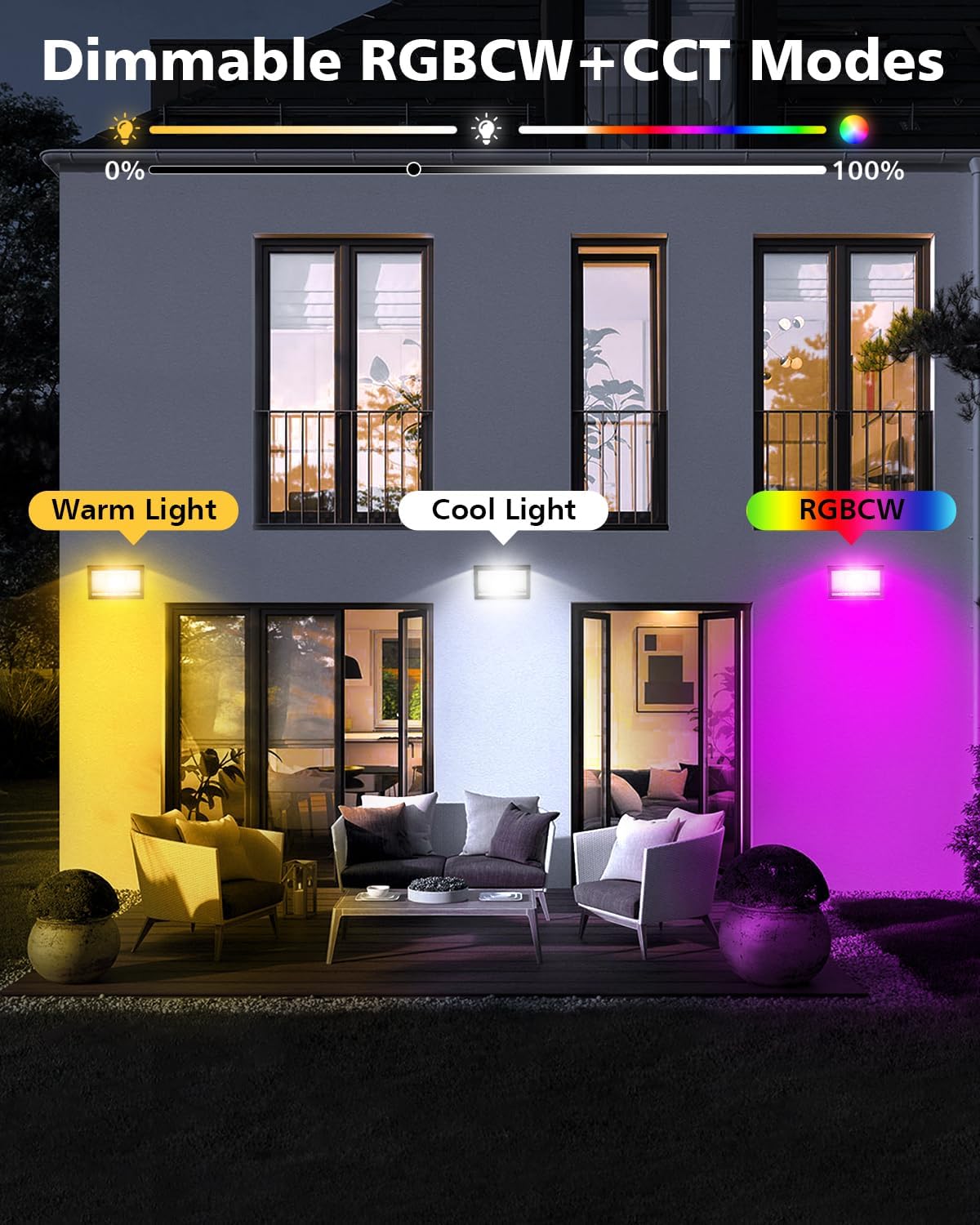
Image: A smartphone displaying the T-SUN app interface, illustrating scene customization and color selection.

Image: A smartphone displaying the T-SUN app's timer function, showing scheduled on/off times for the flood lights.
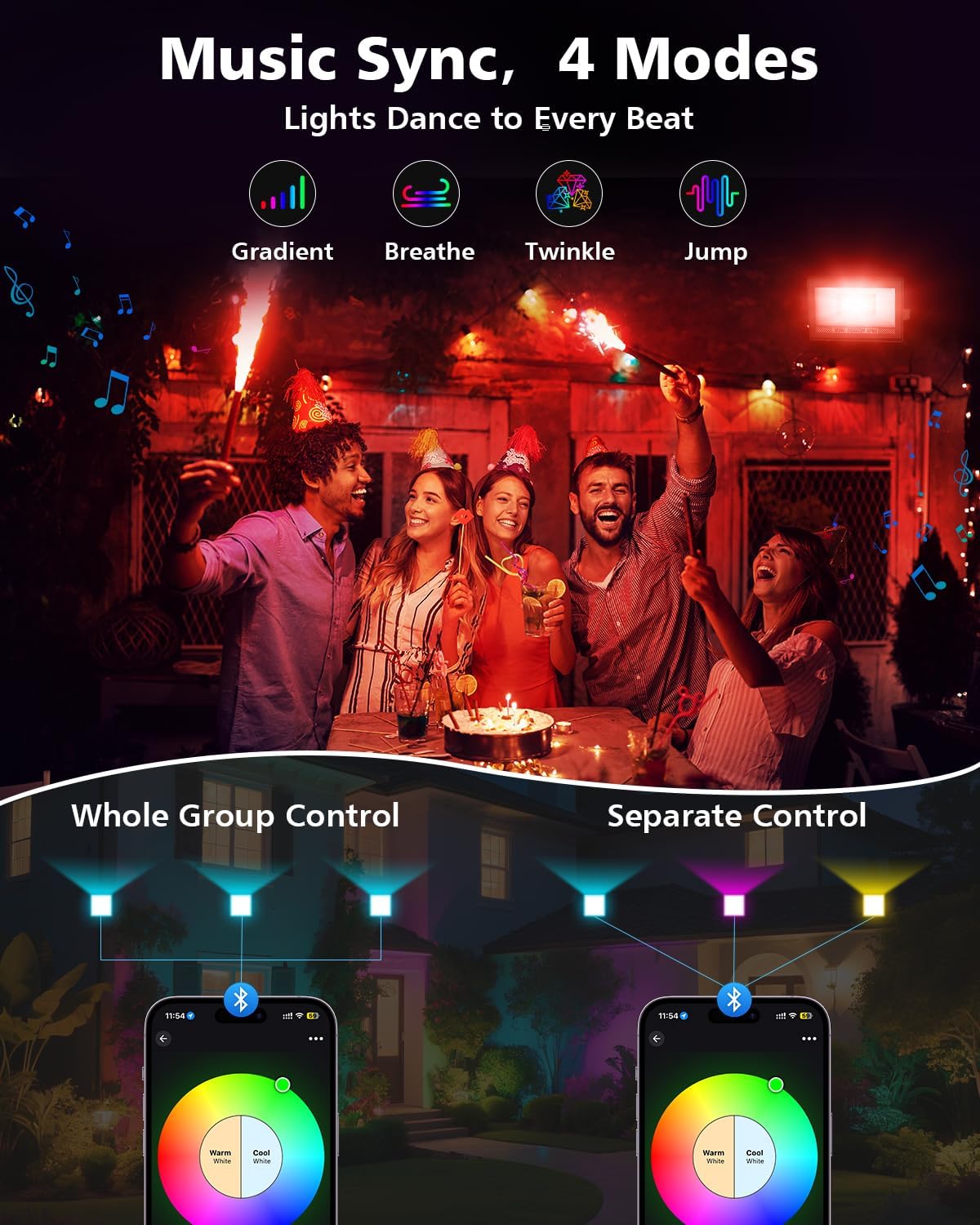
Image: A visual demonstrating the music sync feature, with lights changing color in rhythm with music, and options for controlling lights individually or in groups via the app.
7. Maintenance
Regular maintenance ensures optimal performance and longevity of your T-SUN LED Flood Light.
- Cleaning: Gently wipe the light fixture with a soft, damp cloth. Do not use abrasive cleaners or solvents.
- Inspection: Periodically check the power cord and connections for any signs of damage.
- Heat Dissipation: Ensure the heat dissipation fins on the back of the unit are not obstructed to maintain efficient cooling.

Image: An illustration highlighting the heat dissipation structure on the rear of the flood light, designed for efficient cooling.
8. Troubleshooting
If you encounter issues with your T-SUN LED Flood Light, refer to the following common problems and solutions:
| Problem | Possible Cause | Solution |
|---|---|---|
| Light does not turn on. | No power, loose connection, faulty outlet. | Check power plug, ensure outlet is functional, verify connections. |
| Remote control not working. | Battery depleted, remote out of range, obstruction. | Replace remote battery, ensure remote is pointed at the light within range, remove obstructions. |
| APP cannot connect to the light. | Bluetooth off, light out of range, app not updated. | Ensure Bluetooth is enabled on your device, move closer to the light, update the app to the latest version. |
| Colors are not accurate or consistent. | Interference, calibration needed. | Restart the light and app, recalibrate colors through the app if available. |
9. Warranty and Support
For warranty information or technical support, please refer to the contact details provided with your purchase or visit the official T-SUN website. Keep your purchase receipt as proof of purchase.
Related documentsTS-F42

Ask a question about this manual
Ask about setup, troubleshooting, compatibility, parts, safety, or missing instructions. Manuals+ will review the question and use this page’s manual context to help answer it.