1. Introduction
The EIGIIS Military Smart Watch KE6 is a rugged and versatile smartwatch designed for active lifestyles. Featuring a vibrant 1.43-inch AMOLED Always On Display, this smartwatch offers comprehensive health monitoring, extensive sport tracking, and convenient Bluetooth calling capabilities. Its durable construction ensures reliability in various environments.

Image: The EIGIIS Military Smart Watch KE6, showcasing its robust design and clear display.
Key Features:
- 1.43'' HD AMOLED Always On Display: High-resolution screen for clear visibility.
- Rugged Design: Drop-proof, scratch-resistant, and IP68 waterproof for durability.
- Extensive Sport Modes: Tracks up to 178 different sports activities.
- 24/7 Health Monitoring: Accurate heart rate, blood oxygen, and sleep tracking.
- Bluetooth Calling & Notifications: Make and receive calls directly from the watch and get real-time app alerts.
- Long Battery Life: Up to 5 days of use and 30 days standby with a 300mAh battery.
- Multifunctional: Includes AI assistance, weather, calculator, alarm, stopwatch, and more.
2. What's in the Box
Upon opening your EIGIIS Military Smart Watch KE6 package, please ensure all the following items are present:
- 1 x EIGIIS Smart Watch KE6
- 1 x Charging Cable
- 1 x User Manual (this document)
- 1 x Customized Box
3. Setup Guide
3.1 Initial Charging
Before first use, fully charge your EIGIIS Smart Watch. Connect the provided charging cable to the charging contacts on the back of the watch and to a USB power source (e.g., computer USB port or a 5V/1A USB adapter). A full charge typically takes about 2 hours.

Image: The EIGIIS Smart Watch connected to its charging cable, indicating the charging process.
A full charge provides approximately 5 days of typical use and up to 30 days of standby time.
3.2 Pairing with Your Smartphone
To unlock the full potential of your EIGIIS Smart Watch, pair it with your smartphone via Bluetooth.
- Download the App: Scan the QR code in the included quick start guide or search for the official EIGIIS app in your phone's app store (compatible with Android 8.0+ and iOS 9.0+).
- Enable Bluetooth: Ensure Bluetooth is enabled on your smartphone.
- Open the App: Launch the EIGIIS app and follow the on-screen instructions to add a new device.
- Search for Device: The app will search for available Bluetooth devices. Select "KE6" or the corresponding device name when it appears.
- Confirm Pairing: Confirm the pairing request on both your phone and the smartwatch.

Image: The EIGIIS Smart Watch displaying its Bluetooth calling interface, demonstrating connectivity with a smartphone.
Once paired, the watch will synchronize time, date, and receive notifications from your phone.
4. Operating Your Smart Watch
4.1 Display and Watch Faces
The KE6 features a 1.43-inch AMOLED HD display with a resolution of 466x466 pixels, providing crisp and clear visuals. The Always On Display feature allows you to see the time and essential information without needing to raise your wrist.
You can customize your watch face from over 200 available dials through the companion app. Simply navigate to the watch face section in the app and select your preferred design.

Image: The EIGIIS Smart Watch displaying its high-definition screen and a selection of over 200 customizable watch faces.
4.2 Bluetooth Calling and Notifications
With its built-in speaker and microphone, the KE6 allows you to make and receive calls directly from your wrist when connected to your smartphone via Bluetooth 5.3.
- Making Calls: Access the dial pad or contact list on the watch to initiate a call.
- Receiving Calls: When a call comes in, you can answer or reject it directly from the watch.
- Notifications: The watch vibrates to alert you of incoming messages and notifications from over 10 social apps, including SMS, Facebook, WhatsApp, and Instagram.
4.3 Health Monitoring
The EIGIIS KE6 is equipped with advanced sensors for continuous health tracking. For accurate readings, ensure the watch is worn correctly on your wrist.
- Heart Rate Monitor: Continuously tracks your heart rate throughout the day.
- Blood Oxygen (SpO2) Detector: Provides accurate blood oxygen level measurements.
- Sleep Monitor: Records sleep state, duration, and patterns (deep sleep, light sleep, awake time) for comprehensive sleep analysis.

Image: The EIGIIS Smart Watch displaying health tracking data, including sleep patterns and blood oxygen levels.
4.4 Sport Modes
With 178 built-in sport modes, the KE6 can track a wide range of physical activities, including walking, cycling, running, elliptical training, and rowing. The watch records data such as calorie consumption, steps, and distance.
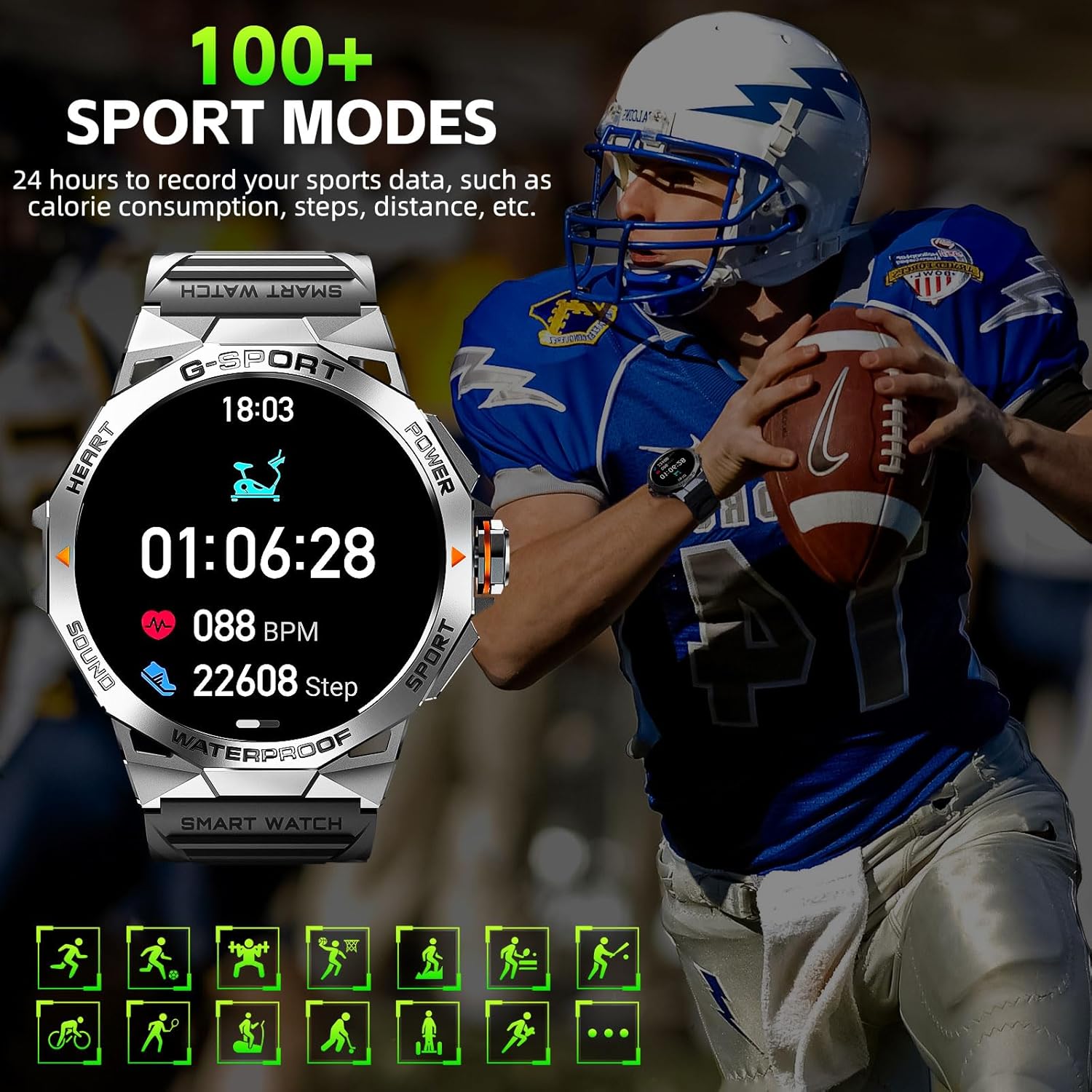
Image: The EIGIIS Smart Watch displaying its sport tracking interface, showing various activity metrics.
4.5 Additional Functions
The KE6 offers a variety of practical features to enhance your daily life:
- Wake by Wrist Up: Automatically illuminates the screen when you raise your wrist.
- Do Not Disturb Mode: Silences notifications during specified times.
- AI Assistance: Voice control for various functions.
- Weather Updates: Provides real-time weather information.
- Calculator: Basic arithmetic functions on your wrist.
- Alarm & Stopwatch: Essential timekeeping tools.
- Breathing Exercises: Guided breathing for relaxation.
- Sedentary Reminders: Alerts you to move after periods of inactivity.
- Remote Camera Control: Control your phone's camera remotely.
- Music Control: Play, pause, skip tracks on your phone's music player.

Image: The EIGIIS Smart Watch displaying icons representing its various practical functions, such as calendar, alarm, music control, and calculator.
5. Maintenance
5.1 Waterproofing
The EIGIIS KE6 is IP68 waterproof certified, meaning it is resistant to dust and can withstand immersion in water up to 1.5 meters for 30 minutes. It is suitable for daily activities such as hand washing and splashes.

Image: A person washing their hands while wearing the EIGIIS Smart Watch, illustrating its IP68 waterproof capability.
Important Note: The watch is not suitable for use in the sea, hot water, or during activities like bathing, showering with hot water, or sauna sessions, as steam and hot water can damage the seals. Avoid prolonged immersion or exposure to high-pressure water.
5.2 Cleaning and Care
To maintain your smartwatch's performance and appearance:
- Wipe the watch and strap regularly with a soft, damp cloth.
- Ensure the charging contacts are clean and dry before charging.
- Avoid exposing the watch to extreme temperatures or direct sunlight for extended periods.
- Do not use harsh chemicals or abrasive cleaners.
6. Troubleshooting
If you encounter issues with your EIGIIS Smart Watch, please refer to the following common solutions:
| Problem | Possible Solution |
|---|
| Watch does not turn on | Ensure the watch is fully charged. Connect it to the charger for at least 30 minutes. |
| Cannot pair with smartphone | - Ensure Bluetooth is enabled on your phone.
- Make sure the watch is within Bluetooth range (approx. 10 meters).
- Restart both the watch and your phone.
- Clear Bluetooth cache on your phone (if applicable).
- Try unpairing and re-pairing the device in the app.
|
| Inaccurate health data | Ensure the watch is worn snugly on your wrist, not too loose or too tight. Clean the sensor on the back of the watch. |
| Notifications not received | - Check app notification permissions on your phone.
- Ensure the watch is connected via Bluetooth.
- Disable "Do Not Disturb" mode on the watch.
|
| Short battery life | Reduce screen brightness, turn off Always On Display if not needed, limit frequent health monitoring, and ensure background app usage is optimized. |
If the problem persists, please contact EIGIIS customer support for further assistance.
7. Specifications
Detailed technical specifications for the EIGIIS Military Smart Watch KE6:

Image: Technical drawing showing the dimensions and key features of the EIGIIS Smart Watch.
| Feature | Detail |
|---|
| Model Number | KE6 |
| Display Size | 1.43 Inches AMOLED HD |
| Resolution | 466*466 pixels |
| Battery Capacity | 300 mAh Lithium Polymer |
| Charging Time | Approx. 2 hours |
| Working Time | Up to 5 days |
| Standby Time | Up to 30 days |
| Connectivity | Bluetooth BLE5.3 |
| Waterproof Rating | IP68 |
| Compatibility | Android 8.0+ / iOS 9.0+ |
| Memory Storage Capacity | 128 MB |
| Item Weight | 9.6 ounces |
| Languages Supported | English, French, German, Italian, Spanish |
8. Warranty and Support
EIGIIS provides a reliable 12-month money-back or free replacement guarantee for your Smart Watch KE6. This warranty covers manufacturing defects and issues arising from normal use.
If you encounter any issues or have questions regarding your product, please do not hesitate to contact our professional service team.
Contact Support:
- Email: Please refer to the contact information provided in your product packaging or on the official EIGIIS website. Our team aims to respond within 24 hours.
- Online Support: Visit the EIGIIS Store on Amazon for FAQs and additional resources.
Please have your purchase details and model number (KE6) ready when contacting support to expedite the process.
