
Introduction
Welcome to the iClever Auraa BTH24 Active Noise Cancelling Kids Headphones user manual. These headphones are designed to provide a safe, comfortable, and immersive audio experience for children. Featuring Active Noise Cancellation (ANC) up to 35dB, a safe volume limit of 80dBA, Bluetooth 6.0 connectivity, and long-lasting battery life, the Auraa BTH24 ensures clear sound while protecting young ears. This manual will guide you through the setup, operation, and maintenance of your new headphones.
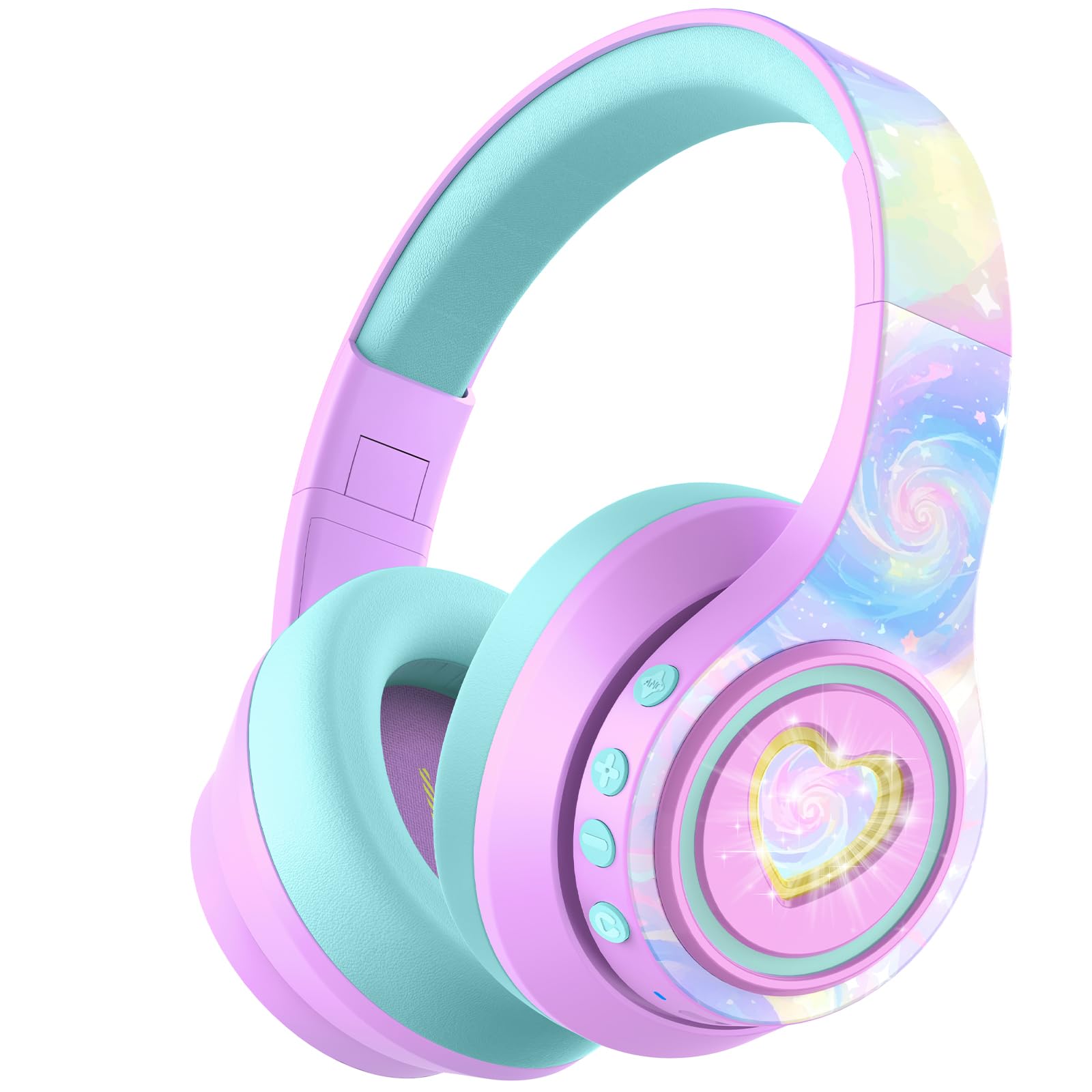
Image: iClever Auraa BTH24 Active Noise Cancelling Kids Headphones in Light Purple.
What's in the Box
Please check the package contents to ensure all items are present:
- iClever Auraa ANC Kids Headphones
- USB-C Charging Cable
- Detachable 3.5mm Audio Cable
- Spunlace Non-woven Storage Bag
- User Manual (this document)

Image: The iClever Auraa BTH24 headphones and included accessories.
Product Overview
Familiarize yourself with the headphone components and controls:
- Power Button: Turns the headphones on/off.
- Volume Up/Next Track Button: Increases volume with a short press, skips to next track with a long press.
- Volume Down/Previous Track Button: Decreases volume with a short press, goes to previous track with a long press.
- ANC Button: Activates or deactivates Active Noise Cancellation.
- LED Light Button: Controls the LED light effects.
- USB-C Charging Port: For charging the headphones.
- 3.5mm Audio Jack: For wired connection.
- Microphone: For hands-free calls.

Image: Detailed view of the headphone controls and ports on the earcup.
Setup
1. Charging the Headphones
Before first use, fully charge the headphones. Use the provided USB-C charging cable to connect the headphones to a USB power source (e.g., computer, wall adapter). The LED indicator will show charging status. A 10-minute charge provides approximately 8 hours of playtime (with ANC off and lights off).
2. Bluetooth Pairing
- Ensure the headphones are turned off.
- Press and hold the Power Button until the LED indicator flashes blue and red, indicating pairing mode.
- On your device (smartphone, tablet, computer), enable Bluetooth and search for available devices.
- Select "iClever Auraa BTH24" from the list.
- Once connected, the LED indicator will turn solid blue.
3. Wired Connection
For a wired connection, use the provided 3.5mm audio cable. Plug one end into the headphone's 3.5mm audio jack and the other end into your audio device's headphone port. In wired mode, Active Noise Cancellation can still be used independently.
Operating Instructions
Power On/Off
- Power On: Press and hold the Power Button for 2-3 seconds.
- Power Off: Press and hold the Power Button for 3-4 seconds.
Volume Control
The headphones feature an 80dBA safe volume limit to protect children's hearing, adhering to WHO safety standards. Use the Volume Up and Volume Down buttons on the earcup to adjust the audio level within this safe range.
Active Noise Cancellation (ANC)
The iClever Auraa BTH24 headphones offer up to 35dB of noise reduction. Press the dedicated ANC button to toggle the Active Noise Cancellation feature on or off. This feature works in both wireless and wired modes, providing a calmer listening environment.
Video: This video demonstrates how the iClever Auraa BTH24 headphones provide quiet moments with less background noise, highlighting the Active Noise Cancellation feature.
LED Lights
The headphones feature dreamy LED lights. Press the LED Light Button to cycle through different lighting modes or turn them off.

Image: A child enjoying music with the LED lights of the iClever Auraa BTH24 headphones activated.
Call Functions
When connected via Bluetooth, you can use the built-in microphone for hands-free calls:
- Answer/End Call: Short press the Power Button.
- Reject Call: Long press the Power Button.
Music Playback
- Play/Pause: Short press the Power Button.
- Next Track: Long press the Volume Up button.
- Previous Track: Long press the Volume Down button.
Maintenance
Cleaning
Wipe the headphones with a soft, dry cloth. Do not use harsh chemicals or abrasive materials. Ensure no liquid enters the ports.
Storage
The headphones feature a foldable design for easy storage. Fold them compactly and store them in the provided spunlace non-woven storage bag to protect them from dust and damage when not in use.

Image: The iClever Auraa BTH24 headphones in their folded position, ready for storage or travel.
Troubleshooting
- No Power: Ensure the headphones are fully charged.
- No Sound: Check volume levels on both the headphones and your connected device. Ensure the headphones are properly paired (Bluetooth) or the audio cable is securely connected (wired).
- Pairing Issues: Turn off Bluetooth on your device and the headphones, then restart both and try pairing again. Ensure the headphones are in pairing mode (flashing blue/red LED).
- ANC Not Working: Press the ANC button to ensure it is activated.
Specifications
| Brand | iClever |
| Model Number | BTH24 |
| Model Name | Auraa |
| Color | Light Purple |
| Connectivity Technology | Wired, Wireless (Bluetooth) |
| Bluetooth Version | 6.0 |
| Bluetooth Range | 10 Meters |
| Noise Control | Active Noise Cancellation (up to 35dB) |
| Safe Volume Limit | 80 dBA (WHO safety standards) |
| Battery Average Life | 47 Hours (ANC on, lights off) |
| Battery Charge Time | 10 minutes for 8 hours play (ANC, lights off) |
| Audio Driver Size | 40 Millimeters |
| Frequency Range | 20Hz - 20,000Hz |
| Headphone Jack | 3.5 mm Jack |
| Material | Acrylonitrile Butadiene Styrene (ABS), Leather |
| Age Range Description | Kid, Teen, Adults |
Warranty & Support
The iClever Auraa BTH24 headphones come with a 12-month warranty. For any product inquiries, technical support, or warranty claims, please contact iClever customer service through their official website or the retailer where the product was purchased. Please retain your proof of purchase for warranty validation.
