
1. Introduction
Thank you for choosing the STRICH 88 Key Digital Piano SEP-150S. This portable electric keyboard is designed to provide a rich and authentic playing experience for beginners and players of all levels. Featuring 88 semi-weighted, velocity-sensitive keys, it offers responsive touch dynamics and a wide range of sounds and rhythms to explore. This manual will guide you through the setup, operation, and maintenance of your new digital piano.
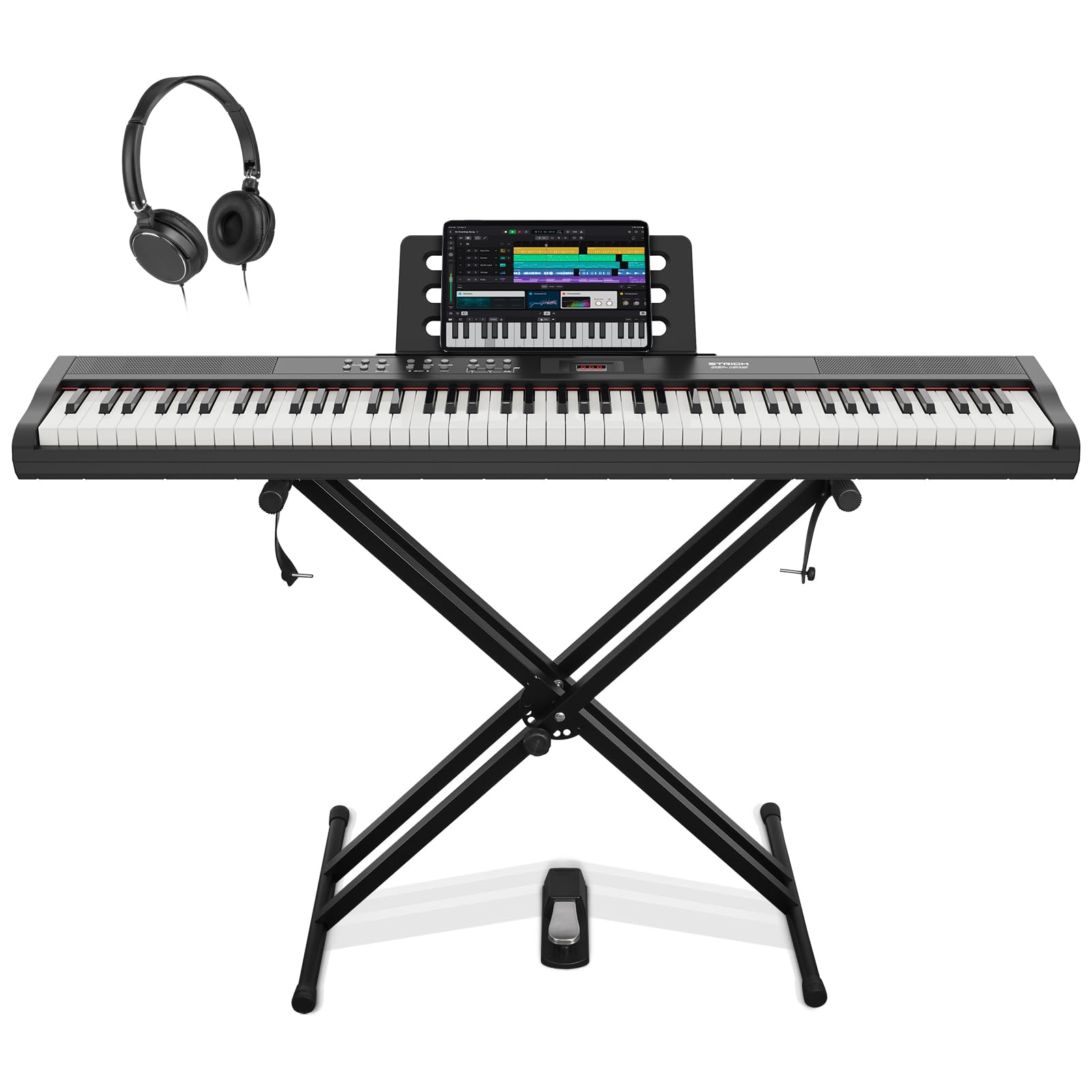
Image: The STRICH 88 Key Digital Piano SEP-150S, showcasing its full 88-key layout and sleek design.
2. Product Overview
2.1 Key Features
- 88 Semi-Weighted, Velocity-Sensitive Keys: Provides a natural playing experience with responsive touch dynamics.
- 128 Versatile Tones: Explore a wide range of instrument sounds from grand pianos to electronic beats.
- 200 Built-in Rhythm Styles: Offers diverse rhythmic accompaniments for practice and composition.
- 110 Demo Songs: Pre-loaded songs for learning and inspiration.
- Built-in Speakers: 10W powerful output with three-dimensional surround sound.
- Connectivity: MIDI USB, 3.5mm Headphone Jack, Audio In.
- Portable Design: Lightweight and slim for easy transport.
- Recording Function: Record and play back your performances.
2.2 What's Included
Your STRICH SEP-150S package includes the following items:
- STRICH 88 Key Digital Piano (SEP-150S)
- Adjustable X-style Stand
- Sustain Pedal
- Headphones
- Music Rest
- Power Adapter
- USB Cable (MIDI compatible)
- Instruction Manual
- Keyboard Stickers (for white keys only)

Image: All components included with the STRICH SEP-150S digital piano: keyboard, stand, sustain pedal, headphones, music rest, power adapter, USB cable, and instruction stickers.
3. Setup
3.1 Stand Assembly
The adjustable X-style stand is designed for stability and ease of use. Ensure all screws are securely fastened before placing the piano on the stand. The stand can be adjusted to various heights for comfortable playing positions.
Video: Detailed instructions on how to properly assemble the keyboard stand, including tips to avoid common mistakes.
Video: A guide on assembling the keyboard stand, highlighting crucial steps for secure setup.
3.2 Connections
The SEP-150S offers various connection options for enhanced functionality:
- Power Adapter: Connect the included DC 12V power adapter to the piano and a wall outlet.
- Sustain Pedal: Plug the sustain pedal into the designated 'PEDAL' jack for expressive playing.
- Headphones: Connect the included headphones to the 'PHONE' 3.5mm jack for private practice.
- Audio In: Use the 'AUDIO IN' 3.5mm jack to connect external audio devices and play along.
- USB (MIDI): Connect the piano to a computer or other MIDI-compatible devices using the USB cable for recording or software integration.
Video: An overview of the various connection options available on the STRICH Digital Piano, including ports for pedals, audio input, headphones, and USB MIDI.

Image: Close-up view of the connectivity ports on the back of the STRICH SEP-150S, including MIDI, Audio In, Phone, DC 12V, USB, and power switch.
4. Operating Instructions
4.1 Basic Functions
- Power On/Off: Use the power switch located on the back panel to turn the piano on or off.
- Volume Control: Adjust the master volume using the dedicated volume buttons or knob on the control panel.
- Start/Stop: Initiates or stops playback of rhythms or demo songs.
4.2 Tones, Rhythms, and Demos
The SEP-150S features 128 tones, 200 rhythms, and 110 demo songs. Use the 'TONE' and 'RHYTHM' buttons along with the 'SELECT' buttons to browse and choose different options. The 'DEMO ALL' button plays through all demo songs for inspiration.

Image: Graphic highlighting the STRICH SEP-150S's features including 128 Max Polyphony, 200 Tones, and 110 Demos.
4.3 Dynamic Keys
The 88 semi-weighted keys are velocity-sensitive, meaning the volume and timbre of the sound change based on how hard or soft you press the keys. This allows for a wide range of musical expression.

Image: A close-up of a hand demonstrating the velocity-sensitive keys of the STRICH SEP-150S digital piano.
4.4 Recording and Playback
Use the 'REC' button to start recording your performance. Press 'PLAY' to listen to your recorded music. This feature is ideal for self-assessment and creative composition.
4.5 MIDI Functionality
The MIDI USB port allows you to connect your digital piano to a computer or other MIDI devices. This enables you to use the piano as a MIDI controller for music production software or to receive MIDI data from external sources.
5. Maintenance
- Cleaning: Use a soft, dry cloth to clean the surface of the piano. Avoid using abrasive cleaners or solvents.
- Storage: Store the piano in a cool, dry place away from direct sunlight and extreme temperatures. When not in use, consider covering it to protect from dust.
- Handling: Handle the piano with care. Avoid dropping it or subjecting it to strong impacts.
6. Troubleshooting
If you encounter any issues with your STRICH SEP-150S, please refer to the following common troubleshooting tips:
- No Sound: Ensure the power adapter is securely connected and the piano is turned on. Check the master volume level and ensure headphones are not plugged in if you intend to use the built-in speakers.
- Keys Not Responding: Verify that the piano is powered on. If using MIDI, check software settings and cable connections.
- Distorted Sound: Lower the volume to prevent distortion. Ensure all cables are properly connected.
- Stand Stability: Double-check all screws and adjustment knobs on the stand to ensure they are tightened.
For further assistance, please contact STRICH customer support.
7. Specifications
| Feature | Detail |
|---|---|
| Model Name | SEP-150S |
| Number of Keys | 88 |
| Key Type | Semi-Weighted, Velocity-Sensitive |
| Tones | 128 |
| Rhythm Styles | 200 |
| Demo Songs | 110 |
| Connectivity | MIDI USB, 3.5mm Headphone Jack, Audio In |
| Power Source | Corded Electric (DC 12V) |
| Item Weight | 23.8 pounds |
| Product Dimensions | 10.63 x 50.79 x 4.33 inches |

Image: A diagram illustrating the dimensions of the STRICH SEP-150S digital piano in both centimeters and inches.
8. Warranty and Support
For warranty information and customer support, please refer to the documentation included with your purchase or visit the official STRICH website. Keep your proof of purchase for any warranty claims.


