
Introduction
Thank you for choosing the fishkeeper 24/7 Auto-Cycle Smart LED Aquarium Light. This manual provides essential information for the safe and efficient operation of your new aquarium light. Please read it thoroughly before installation and use, and retain it for future reference.
Safety Instructions
- Always unplug the light from the power outlet before performing any maintenance or cleaning.
- Do not operate the light if it has a damaged cord or plug, or if it is malfunctioning or has been dropped or damaged in any manner.
- Ensure the light is securely mounted on the aquarium to prevent accidental submersion.
- This product is designed for indoor use only. Do not expose to extreme temperatures or direct sunlight for prolonged periods.
- Keep out of reach of children and pets.
- Do not attempt to repair or modify the light yourself. Refer all servicing to qualified personnel.
- The light is IP68 waterproof, meaning the lamp beads are sealed. However, the power adapter and controller are not waterproof and must be kept dry.
Package Contents
- fishkeeper 24/7 Auto-Cycle Smart LED Aquarium Light
- Extendable Brackets (2 pcs)
- External Controller
- Power Adapter
- User Manual
Setup
- Attach the Brackets: Slide the extendable brackets onto both ends of the LED light fixture. Ensure they are securely fitted.
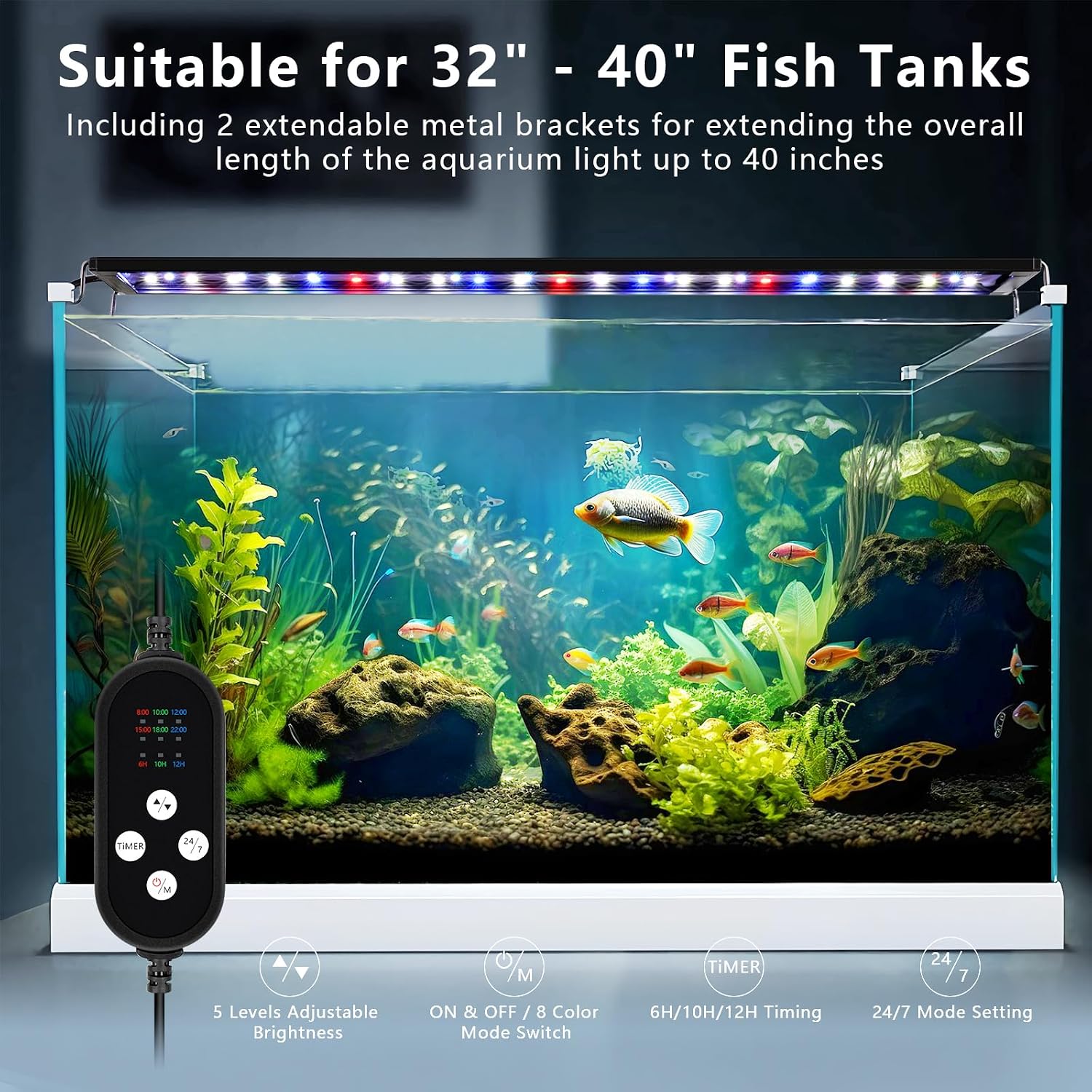
- Position the Light: Place the light fixture on top of your aquarium. Adjust the extendable brackets to fit the width of your tank (suitable for 32-40 inch tanks). Ensure the light is stable and centered.
- Connect Power: Connect the external controller to the light fixture, then plug the power adapter into the controller. Finally, plug the power adapter into a suitable electrical outlet.

Operating Instructions
Your fishkeeper aquarium light features an external controller for easy management of lighting modes, timers, and brightness levels.
Controller Functions:
- ON/OFF/Mode (M) Button: Press to turn the light on/off or cycle through different lighting modes.
- Brightness Adjustment (+/-) Buttons: Adjust the light intensity (5 levels from 0% to 100%).
- Timer Button: Set the duration for DIY modes (6H/10H/12H).
- 24/7 Button: Activate the automatic 24/7 natural light cycle mode.
24/7 Natural Mode:
This mode mimics natural outdoor sunlight, promoting healthier plant and fish growth. Once activated, timer and brightness adjustments are unavailable.
- Sunrise (8 AM - 10 AM): Gradual orange light.
- Daylight (10 AM - 10 PM): Bright white light.
- Moonlight (10 PM - 11 PM): Blue light.
- Off (11 PM - 8 AM): Light remains off.
You can set the initial running time for the 24/7 cycle using the dedicated button on the external controller.
8 RGB Colors DIY Mode:
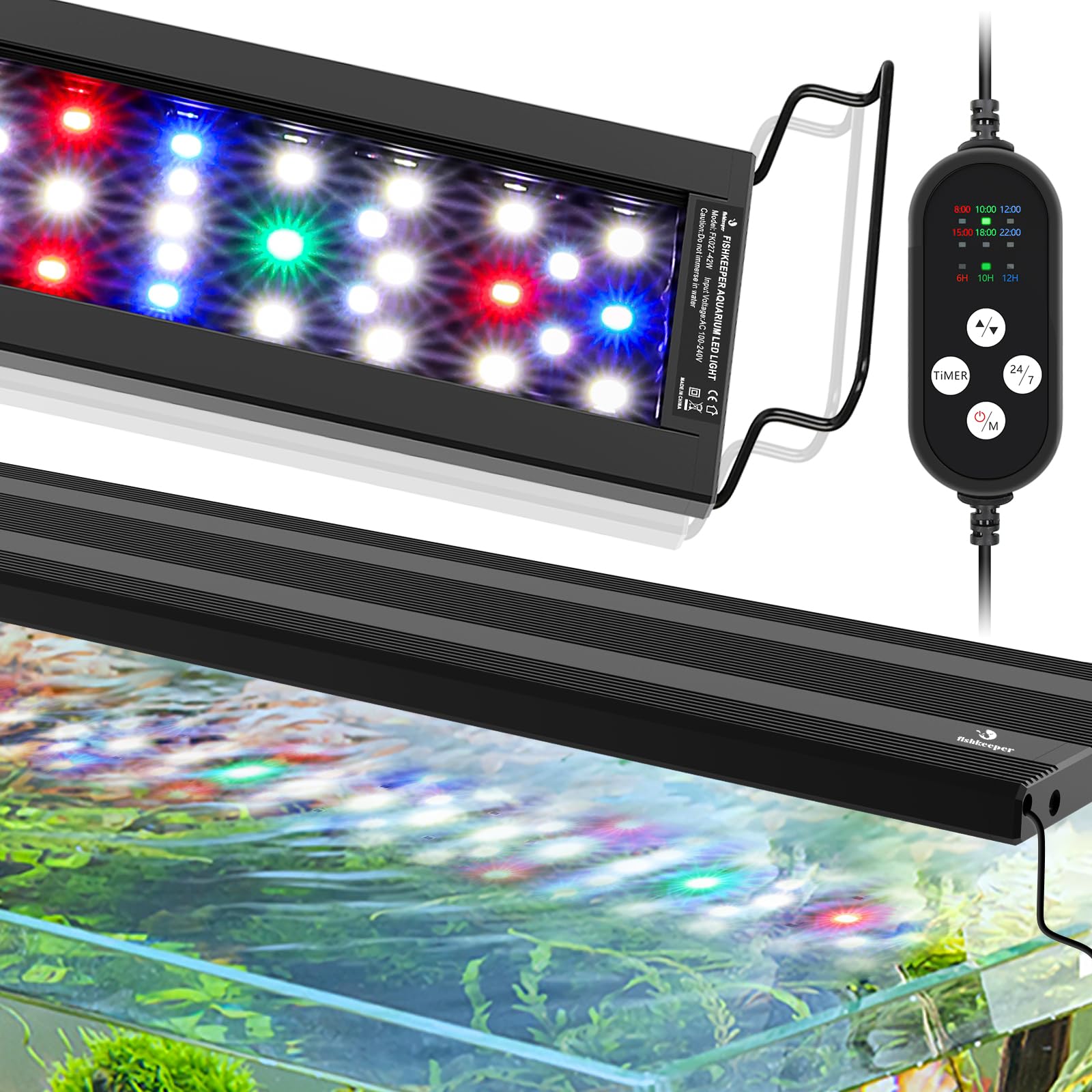
Customize your aquarium's lighting with 8 rich colors and adjustable settings.
- Available Colors: White, Blue, Red, Green, Fuchsia, Orange, Cyan, and an all-color cycle.
- Timer Settings: Choose between 6H, 10H, or 12H duration for your selected color mode.
- Brightness Levels: Adjust brightness in 5 levels from 0% to 100%.

Official Product Videos:
Video: Overview of the fishkeeper Smart 24/7 Full Spectrum Planted Aquarium Light, showcasing its features and benefits for aquatic life.
Video: Demonstration of the 24/7 Auto Sunrise/Moonlight Cycle and the 8 Colors Light DIY Timer functions.
Video: Highlights the 3 Color Lighting Modes and the 5 Column Lamps design of the aquarium light.
Video: Detailed look at the fishkeeper Full Spectrum LED Fish Tank Light, emphasizing its benefits for plant growth.
Maintenance
Regular maintenance ensures optimal performance and longevity of your aquarium light.
- Cleaning: The lamp beads are IP68 waterproof and sealed, allowing for safe cleaning. Before cleaning, always unplug the light. Use a soft, damp cloth to wipe the light fixture. Do not use abrasive cleaners or solvents.
- Inspection: Periodically inspect the power cord, adapter, and controller for any signs of damage. If any damage is found, discontinue use and contact customer support.

Troubleshooting
If you encounter any issues with your fishkeeper aquarium light, please refer to the following common troubleshooting steps:
- Light Not Turning On:
- Check if the power adapter is securely plugged into both the controller and the wall outlet.
- Ensure the controller is properly connected to the light fixture.
- Verify the wall outlet is functional by plugging in another device.
- Incorrect Light Mode/Color:
- Press the 'M' button on the controller to cycle through the available modes.
- If in 24/7 mode, remember that brightness and color are automatically controlled.
- Brightness Issues:
- Use the '+' and '-' buttons on the controller to adjust brightness.
- Ensure the light is not in 24/7 mode, as brightness is fixed in this setting.
- Timer Not Working:
- Ensure you have correctly set the timer duration (6H/10H/12H) in DIY mode.
- For 24/7 mode, the timer is automatic; you only set the initial start time.
If these steps do not resolve the issue, please contact fishkeeper customer support for further assistance.
Specifications
| Feature | Specification |
|---|---|
| Model Name | YUS027 |
| Part Number | YUS027-26W |
| Wattage | 26 watts |
| Brightness | 1775 Lumen |
| Product Dimensions | 3.54"D x 31.5"W x 0.41"H |
| Tank Size Compatibility | 32" to 40" in length (with extendable brackets) |
| Light Source Type | LED (5050 RGB + 5730 LED chips) |
| Number of Light Sources | 100 PCS (RGB:28pcs; White:45pcs; Blue:12pcs; Red:11pcs; Green:4pcs) |
| Color Rendering Index (CRI) | 86 |
| Light Color Options | White, Blue, Red, Green, Fuchsia, Orange, Cyan |
| Water Resistance Level | IP68 Waterproof (lamp beads) |
| Material | Aluminum Alloy |
| Control Method | Push Button (External Controller) |
| Power Source | Corded Electric |
| Voltage | 24 Volts (DC) |
| Item Weight | 1.7 pounds |

Warranty and Support
fishkeeper products are manufactured to high-quality standards. For warranty information or technical support, please refer to the documentation included with your purchase or visit the official fishkeeper website. Please have your model number (YUS027-26W) and purchase date ready when contacting support.