1. Product Overview
The Eonon 10.1 Inch Android 13 Double Din Car Stereo is an advanced in-car entertainment and navigation system designed to enhance your driving experience. Featuring a powerful Qualcomm QCM6225 8-core processor, a vibrant QLED display, and comprehensive connectivity options, this unit provides seamless integration with your smartphone and access to a wide range of applications.

Figure 1.1: Front view of the Eonon 10.1 Inch Android 13 Car Stereo.
2. Specifications
| Feature | Description |
|---|---|
| Processor | Qualcomm QCM6225 8-core (4x ARM Cortex-A73 2.4GHz + 4x ARM Cortex-A53 1.9GHz) |
| GPU | Adreno 610 |
| RAM | 6GB LPDDR4 |
| ROM | 64GB |
| Display | 10.1-inch QLED HD (1280x720 resolution) |
| DSP Chip | RHOM 32107 (48-band equalizer) |
| Amplifier | ST TDA7851 (4x48W output) |
| Radio Module | ST TDA7708 |
| Bluetooth | Bluetooth 5.1 (Qualcomm WCN3988) |
| Wi-Fi | Wi-Fi 6 ready (2.4/5GHz) |
| 4G Module | Built-in (SIM card support) |
| Audio Outputs | Optical, Coaxial, RCA |
| Operating System | Android 13 (API level 33) |
| Mounting Size | 178mm x 100mm (Standard Double Din) |
| Included Accessories | Backup camera, Power cord, GPS Antenna, 2x 4G Antennas, 2x USB adapter cables, 2x Audio/video adapter cables, Reverse video input cable, 15A spare fuse, SIM card holder, External Microphone, Screws, Instruction manual, Panel disassembly instructions. |
3. Installation Guide
3.1 Compatibility and Pre-installation
This car stereo is designed to fit a standard double din dashboard opening of 178mm x 100mm. If your vehicle's dashboard opening does not match these dimensions, additional accessories such as a mounting kit or fascia panel may be required (not included). Ensure your original car radio's power cable has an ISO standard power cord for direct installation. If not, a compatible ISO wiring harness will be needed.
Figure 3.1: Standard double din dimensions for compatibility.

Figure 3.2: Illustration of installation with an additional kit for non-standard openings.
3.2 Wiring Diagram
Refer to the following diagram for proper connection of all components. Ensure all connections are secure before powering on the unit.

Figure 3.3: Comprehensive wiring diagram for the car stereo and its accessories.
3.3 Adjustable Viewing Angle
The panel of the car stereo can be adjusted vertically and horizontally to achieve the optimal viewing angle in your vehicle, ensuring clear visibility and comfortable interaction.

Figure 3.4: Demonstrates the various adjustable viewing angles of the display.
4. Operating Instructions
4.1 Basic Controls
The unit features a practical physical knob for easy volume adjustment and power control. A short press mutes/unmutes or turns the unit off, while a long press powers the unit on/off.

Figure 4.1: Functions of the physical control knob.
4.2 Display and Interface
The 10.1-inch QLED HD display offers vibrant colors and sharp visuals. You can customize the user interface with 4 unique themes and adjust button backlight colors to match your preference or car interior. The unit also supports adaptive screen brightness adjustment for optimal viewing in various lighting conditions.

Figure 4.2: Key features of the QLED display.
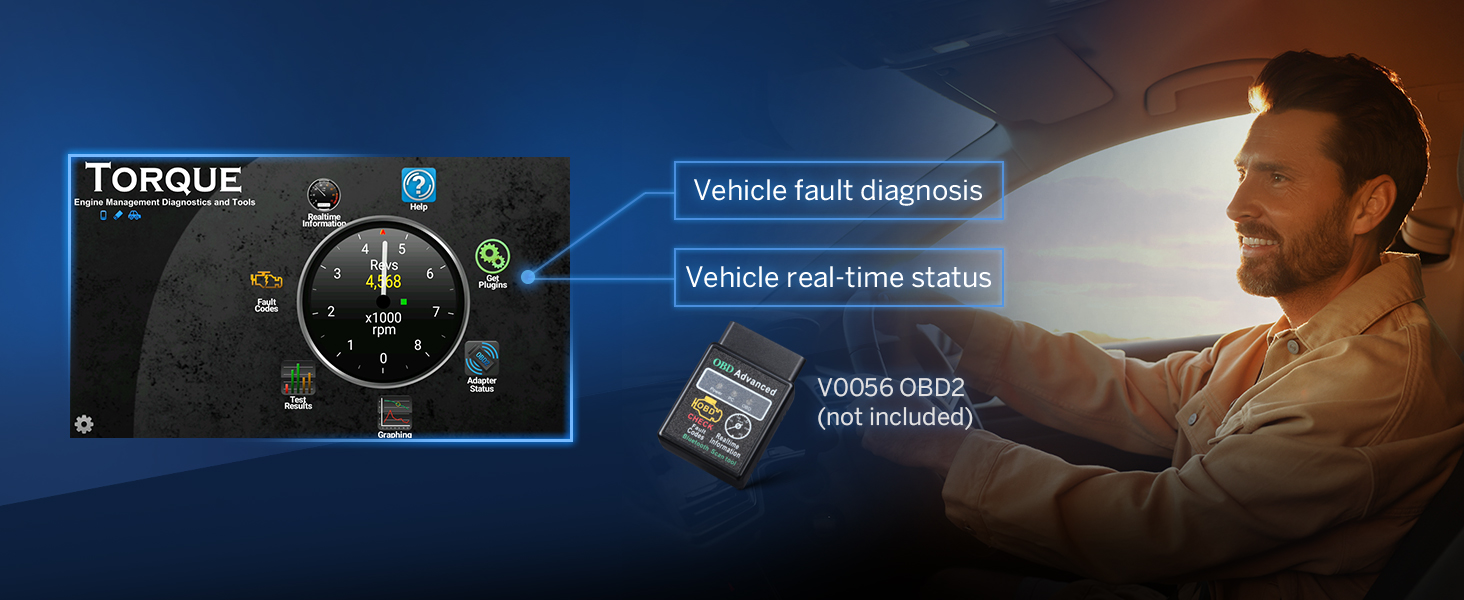
Figure 4.3: Examples of the four customizable UI themes.

Figure 4.4: Adaptive brightness adjustment for optimal visibility.
4.3 Split Screen Multitasking
Utilize the split-screen mode to run two applications simultaneously, such as navigation and music playback, for enhanced convenience during your drive.

Figure 4.5: Example of two applications running concurrently in split-screen mode.
4.4 Voice Control
Access functions and navigate hands-free using voice commands, compatible with Siri and Google Assistant for a safer driving experience.

Figure 4.6: Demonstrates voice command interaction with the car stereo.
5. Connectivity Features
5.1 Wireless & Wired CarPlay/Android Auto
Seamlessly integrate your smartphone with the car stereo using wireless or wired Apple CarPlay and Android Auto. Access navigation, music, messages, and more directly from the unit's display.

Figure 5.1: Step-by-step guide for connecting Wireless Apple CarPlay.

Figure 5.2: Step-by-step guide for connecting Wireless Android Auto.
5.2 Screen Mirroring
Mirror your smartphone's screen directly onto the car stereo display for both iOS and Android devices, allowing you to view content from your phone on a larger screen.

Figure 5.3: Instructions for iOS screen mirroring.

Figure 5.4: Instructions for Android screen mirroring.
5.3 Bluetooth 5.1, Wi-Fi 6, and 4G LTE
Benefit from fast and stable connections with Bluetooth 5.1. The unit supports Wi-Fi 6 for high-speed internet access and includes a built-in 4G module for direct SIM card insertion, ensuring constant connectivity on the go.

Figure 5.5: Details on the independent Bluetooth module for stable connections.

Figure 5.6: Information on Wi-Fi 6 and the integrated 4G module with SIM card support.
6. Audio System
Experience superior sound quality with the integrated RHOM 32107 DSP audio processing chip and a 48-band equalizer for precise sound customization. The ST TDA7851 amplifier delivers powerful 4x48W surround sound. Optical and coaxial audio outputs support professional-grade audio setups.
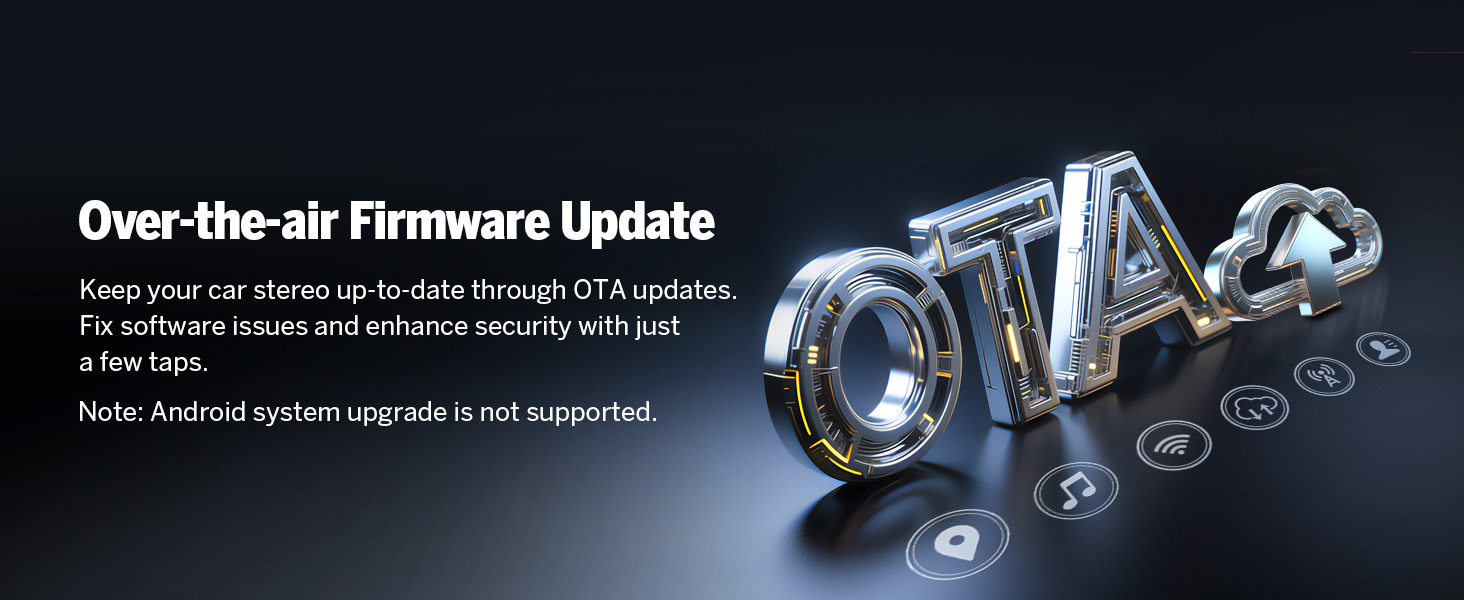
Figure 6.1: Overview of the built-in DSP and sound customization options.

Figure 6.2: Illustration of the optical and coaxial HD audio output ports.
7. Camera Integration
7.1 Backup Camera
The unit supports a 1920x1080P AHD rearview camera (included), providing a clear view with reversing guidelines and a 160° rear viewing angle. The camera is IP68 waterproof for durability.

Figure 7.1: Features of the included A0127 backup camera.
7.2 Dash Cam Support
The system is compatible with external dash cameras (e.g., A100 Dash Cam, not included) for recording front-view footage, offering a 120° viewing angle and 360° adjustable positioning.

Figure 7.2: Information on compatible dash cam features (A100 Dash Cam shown, not included).
8. System Maintenance & Updates
8.1 Over-the-air Firmware Updates
Keep your car stereo up-to-date with over-the-air (OTA) firmware updates. These updates fix software issues and enhance security with minimal effort. Note: Android system upgrades are not supported via OTA.

Figure 8.1: Illustration of the OTA firmware update process.
9. Troubleshooting
9.1 Verifying Product Specifications
To ensure your unit's specifications match the advertised product, you can use third-party applications designed to verify Android version, processor, RAM, and ROM. This helps confirm the authenticity of your device's hardware.

Figure 9.1: Visual guide for verifying device specifications using a diagnostic tool.
9.2 OBD2 Integration
The unit supports OBD2 integration (V0056 OBD2 not included) for vehicle fault diagnosis and real-time status monitoring, providing valuable insights into your car's performance.

Figure 9.2: Display showing vehicle fault diagnosis and real-time status via OBD2.
9.3 General Troubleshooting Tips
- No Power: Check all power connections and fuses. Ensure the ignition wire is correctly connected.
- No Sound: Verify speaker connections and amplifier settings. Check audio output cables (RCA, Optical, Coaxial).
- Bluetooth/Wi-Fi Connectivity Issues: Ensure Bluetooth/Wi-Fi is enabled on both the stereo and your device. Try restarting both devices.
- GPS Signal Loss: Ensure the GPS antenna is properly installed and has a clear line of sight to the sky.
- Touchscreen Unresponsive: Perform a soft reset of the unit. If the issue persists, check for firmware updates.
10. Warranty and Support
Eonon is committed to providing excellent customer service and product support. Please refer to the following information regarding warranty and support services:
- Customer Service: Quick replies within 24 hours (except weekends).
- Returns: 30-Day Free Returns.
- Replacement: Replacement available within 90 days.
- Warranty: Warranty available within 2 years from the date of purchase.
- After-sales Service: Lifelong after-sales service is provided.
For further assistance, please visit the official Eonon support website or contact customer service through your purchase platform.


