
Introduction
This manual provides instructions for the installation, maintenance, and replacement of components in the sonecesiya Accessories Kit for Xiaomi Mijia 1C / 2C / Mi Robot Vacuum-Mop 2 Pro Plus and compatible Dream F9 robot vacuum cleaners. This kit includes essential replacement parts to maintain optimal performance of your robot vacuum.
Product Components
The sonecesiya Accessories Kit (Model YES0229C) includes the following components:
- 1 Main Brush
- 4 Side Brushes
- 2 Filters
- 3 Mop Pads
- 2 Cleaning Tools

Image: Overview of the complete accessories kit.
Video: A detailed look at the components included in the Accessories Kit for Xiaomi Mijia 1C, 2C, Mop 2 Pro Plus.
Installation and Replacement
Main Brush Installation
The main brush is designed for easy installation and removal. It features a floating structure for effective deep cleaning on various floor types, including hardwood, tile, marble, laminate, and linoleum. The brush is made of ABS, nylon, and rubber to minimize noise and prevent floor damage.

Image: Main brush showing its anti-tangle design and removable end for maintenance.
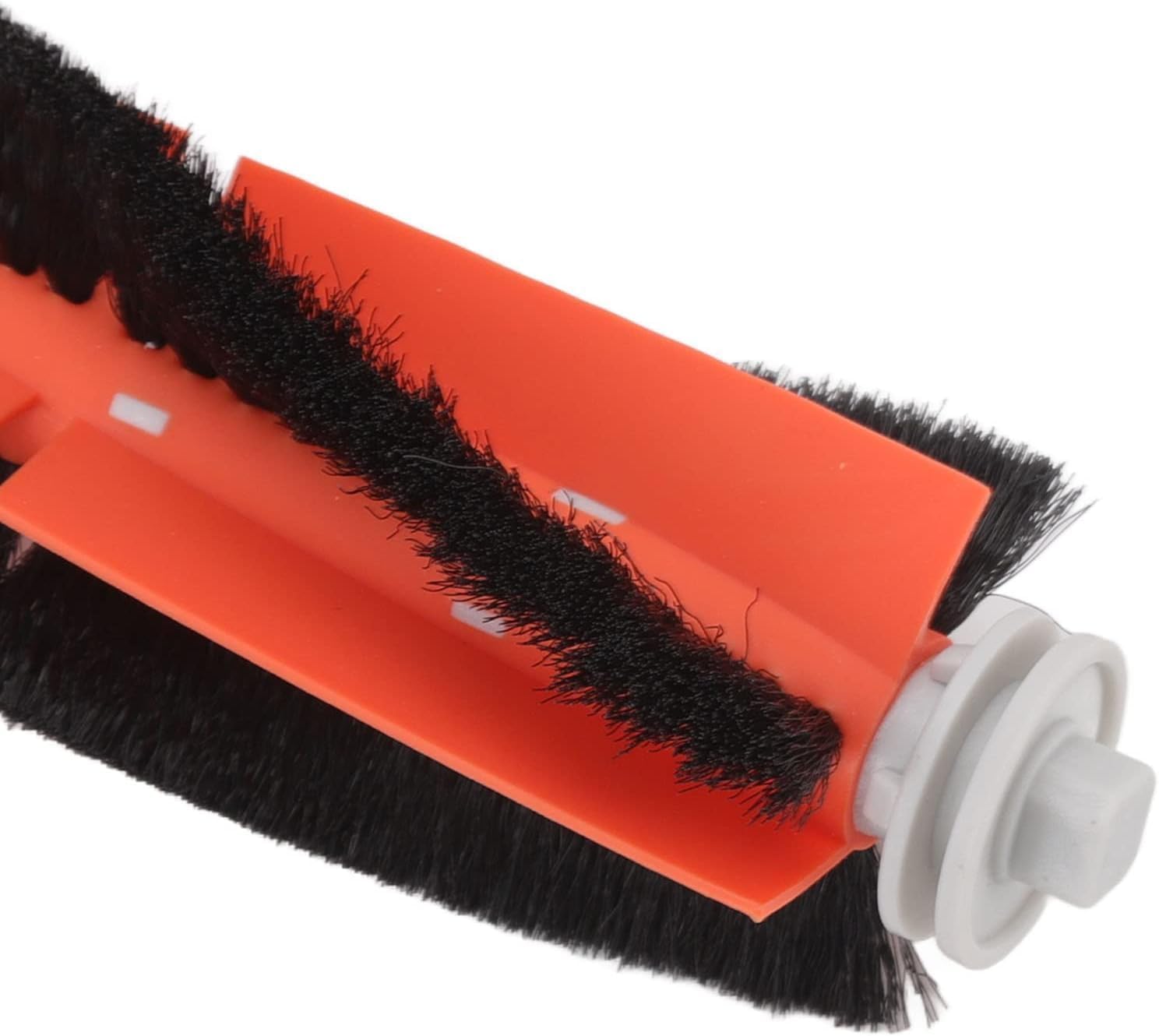
Image: Detail of the high-quality nylon and rubber main brush.
Side Brush Installation
Side brushes are crucial for cleaning corners, edges, and crevices. They are made from soft nylon material to prevent damage to furniture and walls while effectively sweeping debris into the vacuum's path. Ensure the side brush is securely attached to the robot vacuum.

Image: Nylon side brush with elastic material and bristles designed to prevent hair tangling.
Filter Replacement
The high-efficiency particulate arrestance (HEPA) filter captures 99.97% of particles as small as 0.3 microns, preventing dust and allergens from being released back into the air. Replace filters regularly to maintain optimal air quality and vacuum performance.

Image: High-efficiency particulate arrestance filter in action, showing its ability to capture fine particles.
Mop Pad Attachment
The microfiber mop cloths are designed for superior cleaning results, effectively capturing dust and debris. They are sewn tightly with edge locking treatment to ensure they remain secure during use and repeated cleaning. These pads are washable and reusable.

Image: Washable and reusable microfiber mop pads.
Maintenance
Cleaning Tools
The kit includes two cleaning tools to assist with maintaining your robot vacuum's components. Use the brush tool to remove dust and debris from filters and brushes. The comb tool can be used to cut and remove tangled hair from the main brush and side brushes.

Image: Step-by-step guide on how to restore side brush bristles using hot water.
General Maintenance Tips
- Regularly check and clean the main brush to prevent hair tangling and ensure efficient operation.
- Inspect side brushes for wear and tear, and replace them if bristles are damaged or bent beyond repair.
- Clean or replace filters every 1-3 months, depending on usage, to maintain suction power and air quality.
- Wash mop pads after each use for optimal mopping performance.
Specifications
| Feature | Detail |
|---|---|
| Brand | sonecesiya |
| Model Number | YES0229C |
| Compatibility | Xiaomi Mijia 1C / 2C / Mi Robot Vacuum-Mop 2 Pro Plus, Dream F9 |
| Material | Acrylonitrile Butadiene Styrene, Fiber, Non-woven Fabric, Nylon, Rubber |
| Number of Pieces | 12 (1 Main Brush, 4 Side Brushes, 2 Filters, 3 Mop Pads, 2 Cleaning Tools) |
| Item Weight | 7.2 ounces |
| Product Dimensions | 7.87 x 1.6 x 1.6 inches |
Troubleshooting
This section addresses common issues related to the replacement parts. For comprehensive robot vacuum troubleshooting, please refer to your vacuum cleaner's original manual.
- Reduced Suction Power: Check and clean or replace the filter. Ensure the main brush is free of debris and hair.
- Ineffective Edge Cleaning: Inspect side brushes for damage or excessive wear. If bristles are bent, try the hot water method described in the Maintenance section, or replace the side brush.
- Mop Pad Not Cleaning Effectively: Ensure the mop pad is clean and properly attached. Replace if heavily soiled or worn.
- Unusual Noises: Check the main brush for tangled hair or foreign objects. Ensure all components are correctly installed.
Warranty and Support
For information regarding product warranty or technical support, please contact the manufacturer, sonecesiya, directly. Refer to the product packaging or the seller's information on the purchase platform for specific contact details.
Manufacturer: sonecesiya