
1. Product Overview
The KUNFINE KF-V3220D is a 10.25-inch IPS touchscreen head unit designed to upgrade the in-car entertainment and navigation system for specific BMW 3 Series E90 models. It integrates features such as CarPlay, Android Auto, GPS navigation, Bluetooth, and multimedia playback, enhancing the driving experience.

Image 1.1: KUNFINE KF-V3220D head unit with included accessories, including a reverse camera, external microphone, and installation tools.
Key Features:
- Built-in Wireless CarPlay and Android Auto for seamless smartphone integration.
- 10.25-inch IPS multi-touch screen with 1920*720 resolution.
- Integrated GPS navigation with support for various mapping applications.
- Bluetooth for hands-free calling and audio streaming.
- Supports original steering wheel controls and iDrive controller.
- Maintains original car system, CD player, and stereo functionality.
- USB input for media playback and device connectivity.
- Supports aftermarket RCA type backup cameras (AHD 720 reverse camera included).
2. Compatibility and Installation
2.1 Vehicle Compatibility
This head unit is specifically designed for BMW 3 Series E90 models manufactured between 2007 and 2012 that originally came without an OEM screen or with a CCC system. Please verify your vehicle's model and year before installation.

Image 2.1: Visual representation of compatible BMW E90 (2007-2012) and E93 (2007-2012) dashboard configurations.
2.2 Important Installation Notes
- Installation of this monitor requires cutting a permanent hole in your vehicle's dashboard.
- A template sticker is provided to assist in accurately locating the cutting area.
- Professional installation is highly recommended to ensure proper fitment and functionality.

Image 2.2: Comparison showing the dashboard before and after the KUNFINE head unit installation, demonstrating the integrated appearance.
2.3 Included Components for Installation
The package includes all necessary components for installation:
- 1x Car Android Head Unit with Mask
- 1x Power Cable (Plug & Play)
- 2x USB Port Cable
- 1x RCA Expand Cable
- 1x RCA Connector for Reverse Camera
- 1x Install Kit (GIFT)
- 1x External Mic (GIFT)
- 1x AHD 720 Reverse Camera (GIFT)
3. Operating Instructions
3.1 CarPlay and Android Auto
The head unit supports both wireless and wired connections for Apple CarPlay and Android Auto, allowing seamless integration of your smartphone's features.
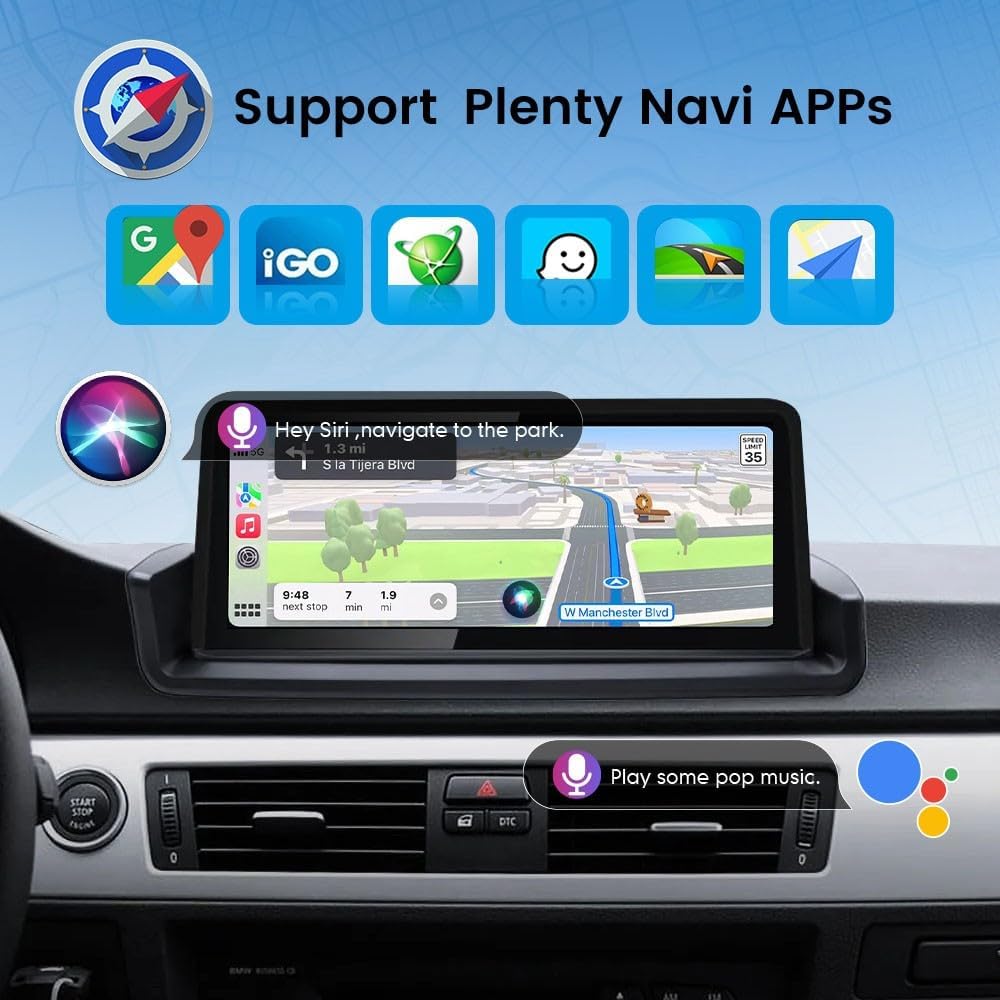
Image 3.1: Display showing the user interfaces for Wireless CarPlay and Android Auto.
For Wireless CarPlay:
- Establish a Bluetooth connection between the car stereo and your iPhone.
- Open the 'Zlink5' application on the car stereo.
- Enjoy wireless CarPlay functionality.
For Wireless Android Auto:
- Download the Android Auto app on your smartphone.
- Establish a Bluetooth connection between the car stereo and your Android phone.
- Open the 'Zlink5' application on the car stereo.
- Enjoy wireless Android Auto functionality. (Note: Some Samsung phones may not be supported for wireless Android Auto.)
3.2 Navigation
The head unit supports various navigation applications, providing turn-by-turn directions and real-time traffic information. Voice control can be used for navigation commands.

Image 3.2: Screen displaying navigation with voice command prompts, showing compatibility with popular navigation apps.
3.3 Bluetooth Functionality
Connect your mobile phone via Bluetooth for hands-free calling, accessing your phone book, and streaming stereo music directly to the car's speakers.

Image 3.3: Bluetooth menu on the head unit, illustrating options for phone calls, music playback, and call history.
3.4 Steering Wheel and iDrive Control
The system is designed to integrate with your vehicle's existing steering wheel controls and iDrive controller, allowing you to manage audio, calls, and navigation without taking your hands off the wheel.

Image 3.4: Illustration of the head unit's compatibility with original BMW steering wheel controls, iDrive controller, and the ability to retain the original car system, CD, and stereo.
3.5 Display and User Interface
The 10.25-inch IPS display offers a high resolution of 1920*720 pixels, providing clear visuals and responsive multi-touch interaction. The user interface is designed for intuitive navigation.

Image 3.5: Visual comparison highlighting the superior clarity and detail of the 1920x720 resolution display compared to a 1280x480 display.
4. Maintenance
To ensure the longevity and optimal performance of your KUNFINE head unit, follow these general maintenance guidelines:
- Cleaning the Screen: Use a soft, lint-free cloth, slightly dampened with water or a screen-cleaning solution, to gently wipe the display. Avoid harsh chemicals or abrasive materials.
- Software Updates: Periodically check for available software updates from KUNFINE to ensure you have the latest features and performance enhancements.
- Environmental Conditions: Avoid exposing the unit to extreme temperatures, direct sunlight for prolonged periods, or excessive moisture.
- Cable Connections: Ensure all cables are securely connected. Avoid pulling on cables forcefully.
5. Troubleshooting
If you encounter issues with your KUNFINE head unit, refer to the following common troubleshooting steps:
- No Power: Check all power connections. Ensure the vehicle's ignition is on. Verify fuses related to the car stereo.
- No Sound: Check volume levels on both the head unit and your smartphone (if connected). Ensure audio input source is correctly selected. Verify speaker connections.
- Touchscreen Unresponsive: Try restarting the head unit. If the issue persists, perform a factory reset (refer to the system settings menu).
- CarPlay/Android Auto Connection Issues: Ensure Bluetooth is enabled and paired correctly. For wired connections, try a different USB cable. Verify the 'Zlink5' app is running.
- GPS Signal Loss: Ensure the GPS antenna is properly installed and has a clear view of the sky. Move the vehicle to an open area if in a covered location.
- Steering Wheel Controls Not Working: Verify that the head unit's settings for steering wheel control are correctly configured. Ensure all wiring connections are secure.
If these steps do not resolve the issue, please contact KUNFINE customer support for further assistance.
6. Specifications
| Feature | Specification |
|---|---|
| Brand | KUNFINE |
| Model Name | CarPlay Android Auto Navigation Stereo |
| Part Number | KF-V3220D |
| Screen Size | 10.25 Inches |
| Display Type | IPS |
| Resolution | 1920*720 (Ultra High) |
| Human Interface Input | Touch Pad, Touchscreen |
| Special Features | CarPlay/Android Auto Integration, Voice Control |
| Connectivity Technology | USB, Bluetooth, Wi-Fi |
| Mounting Type | Dashboard Mount |
| Power Source Type | DC |
| OSD Language | English, French, German, Spanish, Italian, etc. (over 20 languages) |
| Item Weight | 2.27 kg |
| Package Dimensions | 38.1 x 20.32 x 15.24 cm |
7. Warranty and Support
7.1 Warranty Information
The KUNFINE KF-V3220D head unit comes with a one-year warranty from the date of purchase. This warranty covers manufacturing defects and ensures the product meets its specified performance standards.
7.2 Customer Support
For any questions, technical assistance, or warranty claims, please contact the seller directly. Your consultation is always welcomed, and the seller is committed to providing prompt support.
Please have your purchase details and product model number (KF-V3220D) ready when contacting support to facilitate a quicker resolution.


