
Monster MH22262
Monster N-Lite 216 Wireless Earbuds User Manual
Model: MH22262
Introduction
Thank you for choosing the Monster N-Lite 216 Wireless Earbuds. This manual provides essential information for setting up, operating, and maintaining your earbuds to ensure optimal performance and longevity. Please read this manual thoroughly before use.

Image: Monster N-Lite 216 Wireless Earbuds and their charging case, displayed in white.
What's in the Box
Verify that all items are present in your package:
- Monster N-Lite 216 Earbuds
- Wireless Charging Case
- S/M/L Ear Tips
- USB-C Cable
- Quick Start Guide (User Manual)

Image: A flat lay of all included components: the earbuds, charging case, USB-C cable, and user manual.
Product Overview
Design and Comfort
The Monster N-Lite 216 earbuds feature an ergonomic ear hook design for a stable and comfortable fit, especially during physical activities. The ear hooks are made of soft silicone material, ensuring a non-slip fit and reducing discomfort during extended wear.

Image: A man wearing the Monster N-Lite 216 earbuds, highlighting the flexible ear hook design for a secure fit.

Image: A woman smiling while wearing the earbuds, illustrating the all-day comfort and ultimate sound experience.
Audio and Call Quality
Experience premium audio with powerful deep bass and crisp treble, delivered by a 14.2mm dynamic driver unit. The earbuds are equipped with built-in high-performance ENC (Environmental Noise Cancelling) microphones, ensuring crystal-clear calls by reducing background noise in various environments.

Image: An exploded diagram showing the internal components of the earbud, emphasizing the 14.2mm dynamic driver for powerful bass.
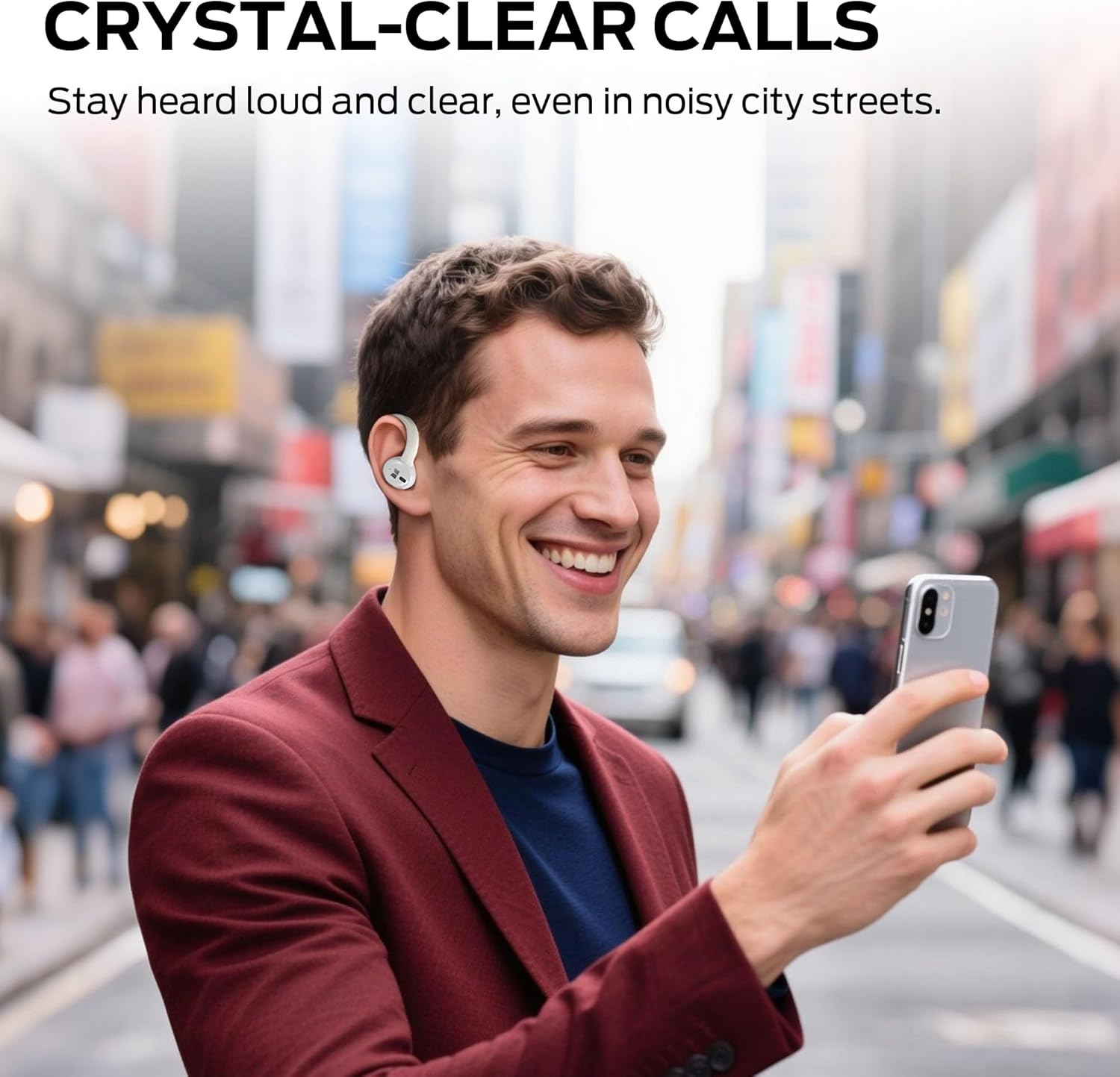
Image: A man using the earbuds to make a call in a busy city street, illustrating the crystal-clear call feature.
Connectivity and Battery Life
Featuring advanced Bluetooth 5.4 technology, the earbuds provide instant pairing and stable transmission with a connection distance of up to 50ft. The earbuds offer up to 15 hours of continuous use on a single charge, and the portable charging case provides an additional 3 charges, extending total playtime to approximately 45 hours. The charging case features a dual LED display to accurately show the remaining power of the case and the charging progress of the earbuds. A full charge of the case takes approximately 1.5 hours via Type-C quick charge.

Image: A visual representation of the earbuds charging inside the case, highlighting the 48-hour total playtime.
Durability
The earbuds are equipped with IPX5 waterproof technology, protecting them from splash damage caused by sweat and raindrops, making them suitable for workouts, running, and gym use.

Image: A man running outdoors, showcasing the earbuds' suitability for sports with icons indicating ergonomic design, flexible earhooks, and IPX6 waterproof rating.
Setup
Charging the Earbuds and Case
- Place the earbuds into the charging case. Ensure they are properly seated in their respective slots.
- Connect the USB-C charging cable to the charging port on the case and the other end to a USB power source (e.g., wall adapter, computer USB port).
- The LED display on the charging case will indicate the charging status. Allow approximately 1.5 hours for a full charge of the case.
Wearing the Earbuds
For optimal sound quality and comfort, ensure the earbuds are worn correctly.

Image: A two-step diagram illustrating the correct way to wear the earbuds: first, place the earbud above the ear, then rotate it backward along the auricle to the proper position.
- Take out the earbud from the charging case.
- Place the earbud above your ear, then gently rotate it backward along the auricle until it sits comfortably and securely in your ear.
Pairing with a Device
- Open the charging case. The earbuds will automatically enter pairing mode.
- On your device (smartphone, tablet, laptop), enable Bluetooth.
- Search for available Bluetooth devices and select "Monster N-Lite 216" from the list.
- Once connected, the earbuds will indicate successful pairing (e.g., a voice prompt or LED indicator change).
- The earbuds will automatically reconnect to the last paired device when taken out of the case, if Bluetooth is enabled on the device.
Operating Instructions
The Monster N-Lite 216 earbuds feature smart touch controls for easy management of music and calls.

Image: A close-up view of the earbud highlighting the touch-sensitive area for smart control.

Image: A visual guide to the touch controls, showing icons for skipping tracks, adjusting volume, and answering calls.
Music Playback
- Play/Pause: Single tap on either earbud.
- Next Track: Double tap on the right earbud.
- Previous Track: Double tap on the left earbud.
- Volume Up: Triple tap on the right earbud.
- Volume Down: Triple tap on the left earbud.
Call Management
- Answer/End Call: Single tap on either earbud.
- Reject Call: Press and hold either earbud for 2 seconds.
Voice Assistant
- Activate Voice Assistant: Press and hold either earbud for 3 seconds (when not on a call).
Maintenance
- Cleaning: Regularly clean the earbuds and charging case with a soft, dry, lint-free cloth. Do not use harsh chemicals or abrasive materials.
- Ear Tips: Remove the ear tips and clean them with water and mild soap if necessary. Ensure they are completely dry before reattaching.
- Charging Contacts: If charging issues occur, gently clean the charging contacts on both the earbuds and the case with a cotton swab.
- Storage: When not in use, store the earbuds in their charging case to protect them from dust and damage. Store in a cool, dry place away from extreme temperatures.
- Water Exposure: While IPX5 rated, avoid submerging the earbuds in water. Dry them thoroughly if they get wet from sweat or rain before placing them back in the charging case.
Troubleshooting
| Problem | Possible Cause | Solution |
|---|---|---|
| Earbuds not pairing | Earbuds not in pairing mode; Bluetooth off on device; previously paired device interfering. | Ensure earbuds are in case and lid is open to enter pairing mode. Turn off and on Bluetooth on your device. Forget previous pairings on your device. |
| Only one earbud working | Low battery on one earbud; earbuds not properly synced. | Place both earbuds back in the charging case, close the lid for 5 seconds, then open to reset and resync. Ensure both earbuds are charged. |
| No sound or low volume | Volume too low on device or earbuds; ear tips not sealed; earbud dirty. | Increase volume on both your device and the earbuds. Adjust earbud position for a better seal. Clean ear tips and earbud mesh. |
| Charging case not charging | Faulty cable or power source; dirty charging port. | Try a different USB-C cable and power adapter. Clean the charging port on the case. |
| Earbuds not charging in case | Earbuds not seated correctly; dirty charging contacts. | Ensure earbuds are firmly seated in the case. Clean the charging contacts on both earbuds and inside the case. |
Specifications
| Feature | Detail |
|---|---|
| Model Name | MH22262 |
| Connectivity Technology | Wireless (Bluetooth) |
| Bluetooth Version | 6.0 (as per title, 5.4 as per feature bullets) |
| Ear Placement | In Ear with Earhooks |
| Noise Control | Environmental Noise Cancellation (ENC) |
| Waterproof Rating | IPX5 |
| Playtime (Single Charge) | Up to 15 hours |
| Total Playtime (with Case) | Up to 45 hours |
| Charging Port | USB-C |
| Control Type | Touch Control |
| Item Weight | 0.19 Kilograms (6.7 ounces) |
| Material | Plastic |
Warranty and Support
At Monster, customer satisfaction is a priority. Our professional customer service team is available to assist with any inquiries or feedback regarding your product. Please do not hesitate to reach out for support.
For dedicated after-sales support, please visit the official Monster website or contact their customer service directly through the contact information provided on the product packaging or quick start guide.
Ask a question about this manual
Ask about setup, troubleshooting, compatibility, parts, safety, or missing instructions. Manuals+ will review the question and use this page’s manual context to help answer it.