
Lyridz A5125-2A
Lyridz A5125-2A Rechargeable Motion Sensor Dimmable Amber Night Light
User Manual
Introduction
This manual provides essential information for the safe and effective use of your Lyridz A5125-2A Rechargeable Motion Sensor Dimmable Amber Night Light. Please read it thoroughly before installation and operation.
Product Overview & Components
The Lyridz A5125-2A is a compact, rechargeable night light designed for various indoor applications. It features a motion sensor, dimmable amber light, and flexible installation options.

Figure 1: Lyridz A5125-2A Night Light package contents, including two lights, a USB cable, and adhesive pads.
Included Components:
- Lyridz A5125-2A Night Light (2 units)
- USB Charging Cable (1 unit)
- 3M Adhesive Pads (2 units)
- User Manual (1 unit)

Figure 2: Detailed view of the night light dimensions and included accessories.
Setup
Charging the Device:
The night light is equipped with a rechargeable battery. Use the provided USB charging cable to charge the device. A full charge typically takes approximately 3 hours.
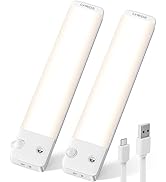
Figure 3: Charging the night light and battery specifications.
Installation:
The night light offers two primary installation methods:
- Magnetic Attachment: The night light has built-in magnets, allowing it to be easily attached to any iron surface.
- Adhesive Mounting: For non-metallic surfaces, use the included 3M adhesive pads. Attach an adhesive pad to the desired surface, then magnetically attach the night light to the pad.

Figure 4: Magnetic installation of the night light.

Figure 5: Step-by-step guide for adhesive mounting.
Video 1: Instructions on how to ensure the product sticks securely to the wall.
Operating Instructions
Operating Modes:
The night light features a toggle switch with three modes: AUTO, ON, and OFF.
- AUTO Mode: The light will automatically turn on when motion is detected in dark conditions and turn off after approximately 20 seconds of no movement. This mode conserves energy.
- ON Mode: The light remains continuously on.
- OFF Mode: The light is turned off.

Figure 6: Explanation of the night light's operating modes.
Motion Sensor Functionality:
The integrated motion sensor detects movement within a 10-13 ft range and a 120-degree angle, illuminating your path in low-light conditions.

Figure 7: Motion sensor detection range and angle.
Adjusting Brightness (Dimmable Feature):
The night light offers adjustable brightness from 1 lumen (min) to 20 lumens (max).
- Stepless Dimming: Touch and hold the control panel to smoothly adjust the brightness.
- 5-Level Brightness: Tap the control panel to cycle through 5 preset brightness levels.

Figure 8: Brightness adjustment methods.
Video 2: Demonstration of how to dim the night light if it is too bright.
Comfortable Amber Light:
The night light emits a soft amber glow (1800 Kelvin), designed to be eye-friendly and non-dazzling, promoting relaxation and minimizing sleep disruption.

Figure 9: Soft amber lighting for comfortable use.
Typical Usage Scenarios:
These night lights are suitable for various indoor locations where subtle illumination is needed, such as bathrooms, bedrooms, kids' rooms, hallways, and stairways.

Figure 10: Examples of night light placement in different home areas.
Maintenance
To ensure optimal performance and longevity of your Lyridz night light, follow these maintenance guidelines:
- Cleaning: Wipe the surface of the night light with a soft, dry cloth. Avoid using abrasive cleaners or solvents.
- Charging: Recharge the battery when the light output diminishes or when the indicator suggests low battery. Regular charging helps maintain battery health.
- Storage: If storing the night light for an extended period, ensure it is fully charged and stored in a cool, dry place.
Troubleshooting
If you encounter issues with your Lyridz night light, refer to the following common problems and solutions:
- Light is too bright:
Use the dimmable feature by touching and holding the control panel to adjust the brightness to a lower level. Alternatively, tap the control panel to cycle through the 5 preset brightness levels until the desired intensity is reached.
Video 3: Demonstration of how to dim the night light if it is too bright.
- Motion sensor does not work:
Ensure the night light is set to AUTO mode. Check ambient light conditions; the sensor is designed to activate in dark environments. If the area is too bright, the sensor may not trigger. Also, ensure there are no obstructions blocking the sensor's field of view (120-degree angle, 10-13 ft range). If two night lights are installed too close to each other, the light from one may prevent the other's sensor from activating.
Video 4: Guidance on troubleshooting a non-responsive motion sensor.
- Product does not stick to the wall:
For adhesive mounting, ensure the surface is clean, dry, and smooth before applying the 3M adhesive pad. Press firmly for at least 30 seconds to ensure proper adhesion. Allow sufficient time for the adhesive to set before attaching the night light. For magnetic attachment, ensure the surface is metallic and clean.
Video 5: Instructions on how to ensure the product sticks securely to the wall.
Specifications
| Model Name | Amber night light |
| Model Number | A5125-2A |
| Dimensions | 2.99"D x 1.02"W x 1.61"H |
| Item Weight | 1.44 ounces |
| Light Source Type | LED |
| Light Color | Amber |
| Color Temperature | 1800 Kelvin |
| Brightness | 1-20 Lumens (Dimmable) |
| Power Source | Rechargeable battery |
| Battery Capacity | 500mAh |
| Charging Time | 3 hours |
| Battery Life | 10-25 hours (depending on brightness) |
| Sensor Technology | PIR Motion Sensor |
| Motion Detection Range | 10-13 ft (3-4m) |
| Motion Detection Angle | 120 degrees |
| Auto-Off Timer | 20 seconds (after no motion) |
| Mounting Type | Wall Mount (Magnetic/Adhesive) |
| Indoor/Outdoor Usage | Indoor |
| Water Resistance Level | Not Water Resistant |
Warranty & Support
For warranty information or technical support, please refer to the official Lyridz website or contact their customer service directly. The product includes a user manual with further details.
Manufacturer: Dongguan Nuomi Innovation Technology Co., Ltd
Support Email: support@lyridz.com
Related documentsA5125-2A


Ask a question about this manual
Ask about setup, troubleshooting, compatibility, parts, safety, or missing instructions. Manuals+ will review the question and use this page’s manual context to help answer it.