
AGXOV AGXOV M302
AGXOV M302 MP3 Player User Manual
Model: AGXOV M302
Introduction
Thank you for choosing the AGXOV M302 MP3 Player. This device is designed to provide a versatile and high-quality audio and video experience, featuring a responsive touchscreen, extensive storage, and smart connectivity options. This manual will guide you through the setup, operation, and maintenance of your new MP3 player to ensure optimal performance and enjoyment.
What's in the Box
Please check the package contents to ensure all items are present:
- AGXOV M302 MP3 Player x 1
- USB-C Cable x 1
- 128GB Micro SD Card x 1 (pre-installed or separate)
- Wired Headphones x 1
- User Manual x 1
- Protective Case x 1
- Protective Film x 1

Figure 1: Package Contents of the AGXOV M302 MP3 Player.
Product Overview and Key Features
The AGXOV M302 MP3 Player is a feature-rich device designed for comprehensive multimedia playback and smart functionality.
Key Features:
- Powerful Chip & High-Fidelity Sound: Equipped with an MTK6750 chip and advanced circuit optimization for near-HiFi sound. Supports MP3, WAV, FLAC, APE, OGG, M4A, AAC, WMA, and more. Powered by Android 9.0 and an MTK octa-core processor for smooth performance.
- Smart Connectivity & Optimization: Supports manual system updates for improved compatibility. Features dual-band WiFi, Bluetooth, and USB-C ports for versatile connectivity.
- Dual Connectivity (BT & WiFi): Easily access streaming services like Spotify, download audiobooks, and update software via WiFi. Wirelessly pair headphones and speakers via Bluetooth.
- HD Display & Versatile Apps: 4.02-inch HD touchscreen with excellent resolution, supporting 720p and 1080p video playback. Includes built-in applications such as a voice recorder, FM radio, e-book reader, and file transfer function.
- Generous Storage & Expandable Memory: Features 2GB RAM + 16GB ROM (built-in storage), and supports up to 128GB TF card (included) and maximum 512GB of external storage expansion.
- Extended Battery: High-capacity 2000mAh battery provides approximately 20 hours of continuous music playback or 5 hours of video playback.

Figure 2: Front view of the AGXOV M302 MP3 Player with included accessories.

Figure 3: Internal architecture and storage capabilities.
Setup
1. Charging the Device
Before first use, fully charge the MP3 player. Connect the provided USB-C cable to the player's USB-C port and the other end to a compatible USB power adapter (not included) or a computer's USB port.
- The battery indicator on the screen will show charging status.
- A full charge typically takes approximately 3 hours.
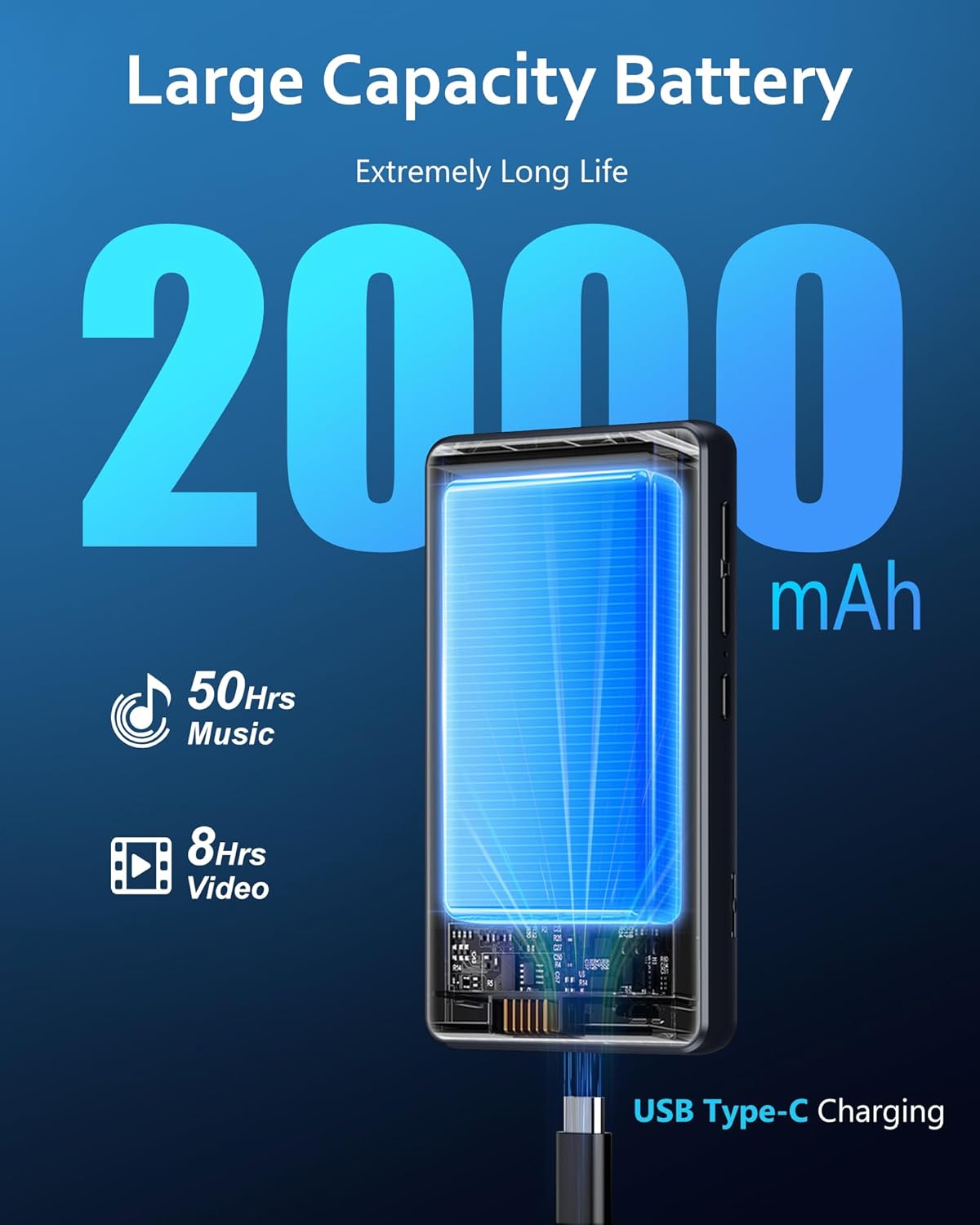
Figure 4: Battery capacity and charging.
2. Inserting the Micro SD Card
The device comes with a 128GB Micro SD card. If it's not pre-installed, locate the Micro SD card slot on the side of the player. Gently insert the card until it clicks into place. Ensure the card is inserted in the correct orientation.
3. Initial Power On and Setup
- Press and hold the power button (usually on the side) until the screen lights up.
- Follow the on-screen prompts to select your language, connect to a Wi-Fi network, and set up your Google account (optional, but recommended for app downloads).
- The device runs on Android 9.0, providing a familiar interface for smartphone users.
Operating the Device
1. Navigation and Touchscreen
The AGXOV M302 features a 4.02-inch HD touchscreen. Navigate by tapping, swiping, and pinching as you would on a smartphone. The home button (physical or on-screen) will return you to the main app screen.
2. Music Playback
The player supports various audio formats including MP3, OGG, FLAC, AAC, WAV, WMA, and APE. You can play music stored on the device's internal memory or the Micro SD card.
- Use the pre-installed music player app to browse your library.
- Create custom playlists for organized listening.
- Adjust playback speed, loop, and shuffle options within the music player.

Figure 5: Enjoying high-fidelity audio.

Figure 6: Music playback interface and features.
3. Video Playback
The device supports 720p and 1080p video playback, compatible with formats such as RM, RMVB, FLV, MP4, DAT, MKV, MPG, MOV, and TS.
- Use the video player app to watch your favorite videos.
- The HD touchscreen provides an immersive visual experience.

Figure 7: High-definition video playback.
4. Wireless Connectivity (Bluetooth & Wi-Fi)
The AGXOV M302 offers both Bluetooth and Wi-Fi connectivity for enhanced versatility.
- Bluetooth: Pair with Bluetooth headphones, speakers, or other compatible devices for wireless audio. Go to Settings > Connected devices > Bluetooth to manage connections.
- Wi-Fi: Connect to Wi-Fi networks to access online streaming services (Spotify, Pandora, Amazon Music, Audible), download apps from the Play Store, browse the internet, and receive system updates. Go to Settings > Network & internet > Wi-Fi.
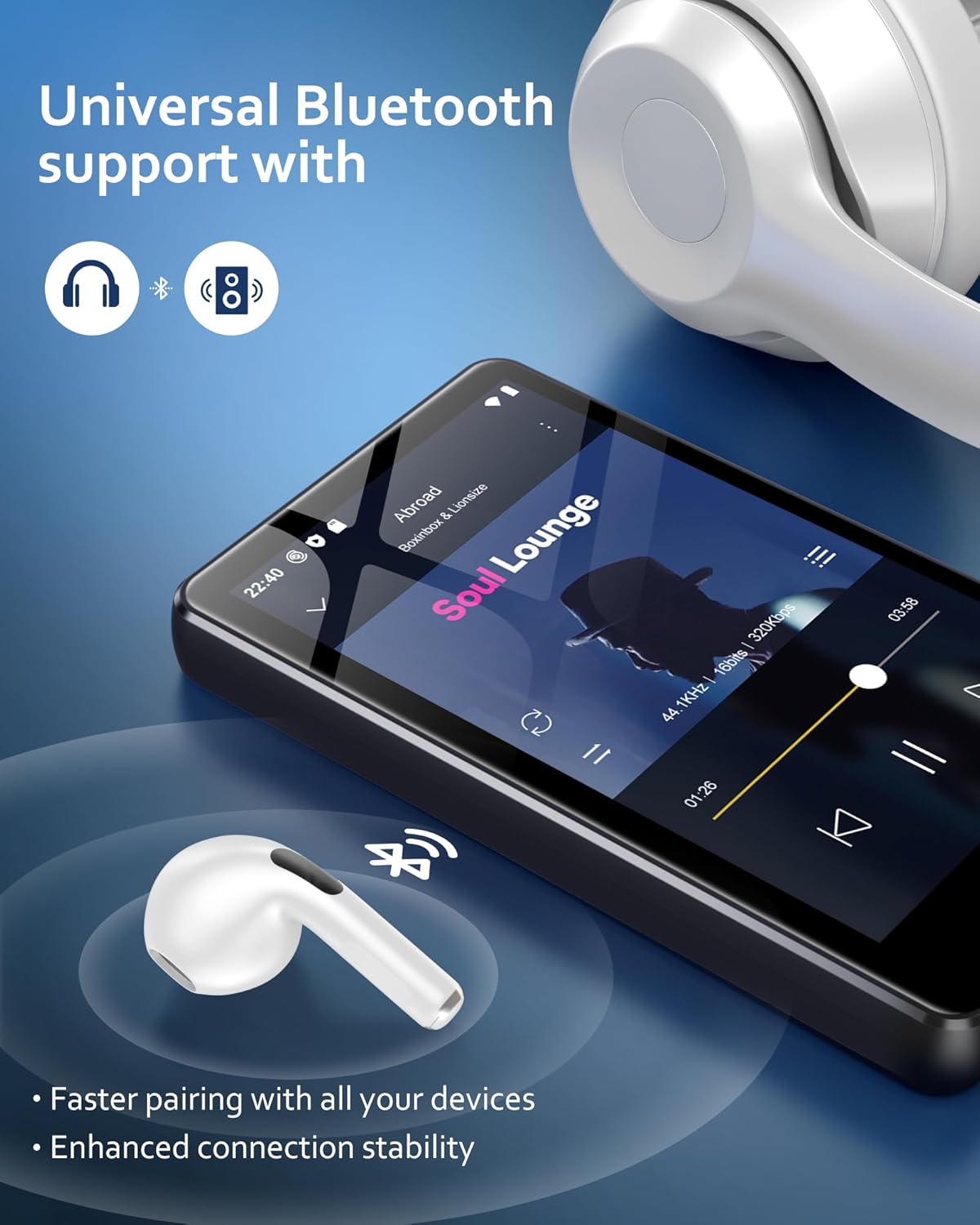
Figure 8: Bluetooth connectivity for audio devices.

Figure 9: Support for popular streaming applications.
5. Other Applications and Functions
The AGXOV M302 comes with several pre-installed applications and supports additional downloads from the Google Play Store.
- Voice Recorder: Use the built-in voice recorder for memos or lectures.
- FM Radio: Tune into your favorite FM radio stations.
- E-book Reader: Read e-books directly on the device.
- File Transfer: Easily transfer files to and from the device using the USB-C cable or Wi-Fi.
- App Management: Install additional apps from the Play Store or uninstall unnecessary applications to free up storage space.
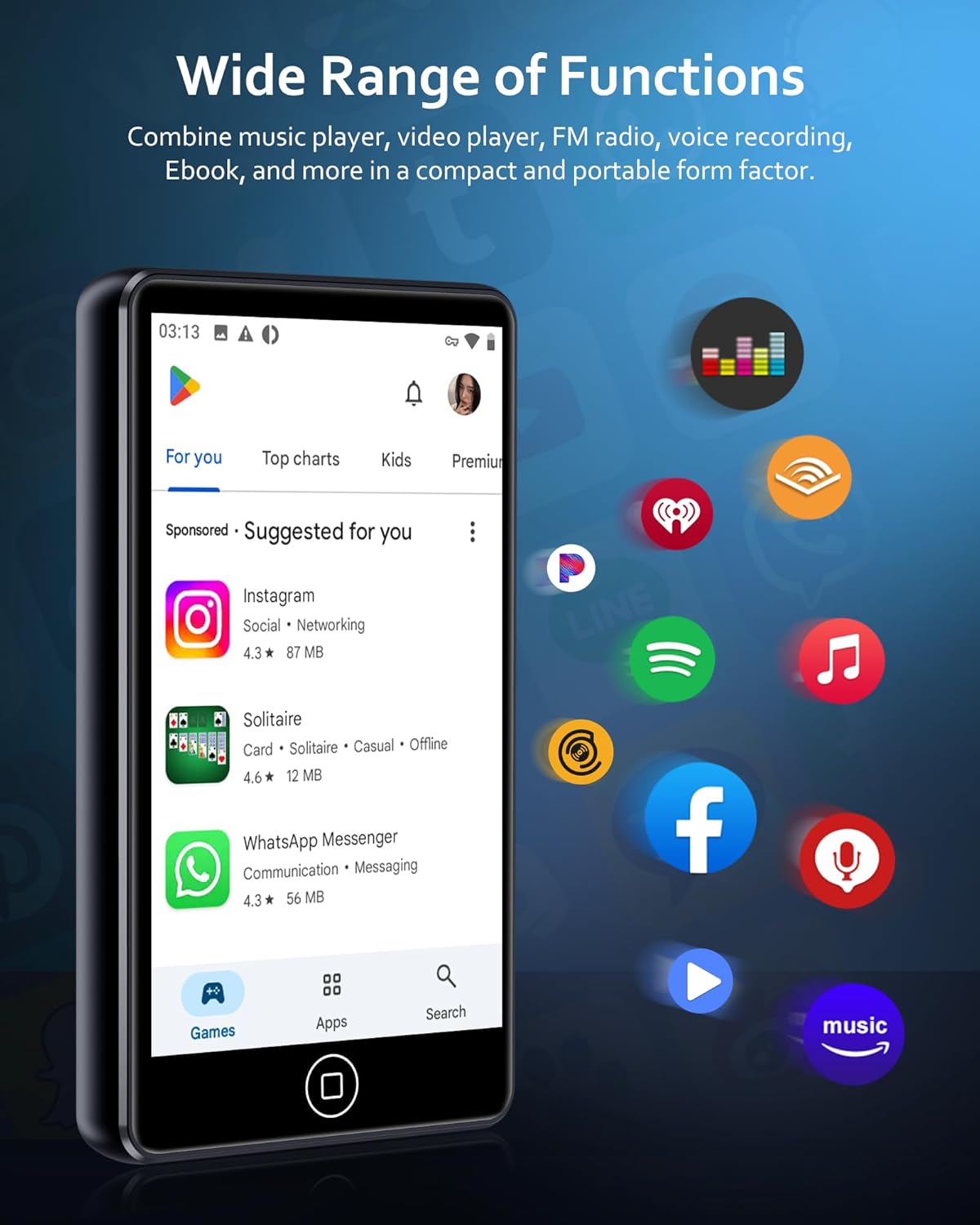
Figure 10: Versatile applications and functions.

Figure 11: Personalizing your player by managing applications.
Maintenance
1. Cleaning the Device
- Use a soft, lint-free cloth to clean the screen and body of the player.
- Avoid using abrasive cleaners or solvents, as they may damage the surface.
2. Battery Care
- Avoid exposing the device to extreme temperatures (hot or cold) as this can affect battery life.
- For long-term storage, charge the battery to about 50% and store in a cool, dry place.
3. Software Updates
Regularly check for system updates to ensure optimal performance, bug fixes, and security patches.
- Connect the device to a stable Wi-Fi network.
- Go to Settings > System > System updates > Check for updates.
- Follow the on-screen instructions to download and install any available updates.

Figure 12: Wireless system update process.
Troubleshooting
| Problem | Possible Cause | Solution |
|---|---|---|
| Device won't turn on | Low battery; System crash | Charge the device for at least 30 minutes. If still unresponsive, press and hold the power button for 10-15 seconds to force a restart. |
| Cannot connect to Wi-Fi | Incorrect password; Router issue; Out of range | Double-check the Wi-Fi password. Restart your router. Ensure you are within range of the Wi-Fi signal. |
| Bluetooth pairing issues | Device not in pairing mode; Interference | Ensure the Bluetooth accessory is in pairing mode. Turn off and on Bluetooth on both devices. Move closer to the accessory. |
| Music/Video playback issues (skipping, no sound) | Corrupted file; Incompatible format; Low volume | Try a different file. Ensure the file format is supported. Check volume levels and headphone connection. |
| Device is slow or unresponsive | Too many apps running; Low storage | Close background apps. Clear cache. Uninstall unused apps. Consider a factory reset if issues persist (backup data first). |
Specifications
| Feature | Detail |
|---|---|
| Model Number | AGXOV M302 |
| Dimensions | 0.5 x 2.5 x 3.5 inches |
| Weight | 8.1 ounces |
| Screen Size | 4.02 Inches |
| Operating System | Android 9.0 |
| Processor | MTK Octa-Core |
| RAM | 2GB |
| Internal Storage (ROM) | 16GB |
| Included SD Card | 128GB TF card |
| Max External Storage | Up to 512GB |
| Battery Capacity | 2000mAh |
| Music Playback Time | Approx. 20 hours |
| Video Playback Time | Approx. 5 hours |
| Connectivity | Bluetooth, Dual-band Wi-Fi, USB-C |
| Supported Audio Formats | MP3, WAV, FLAC, APE, OGG, M4A, AAC, WMA |
| Supported Video Formats | RM, RMVB, FLV, MP4, DAT, MKV, MPG, MOV, TS (720p/1080p) |
| Special Features | Built-In Speaker, FM Radio, Video Playback, Voice Recorder, E-book Reader |
Official Product Video
Video 1: An official overview of the AGXOV MP3 Player with Bluetooth and Wi-Fi, showcasing its features and functionality.
Warranty and Support
The AGXOV M302 MP3 Player comes with a standard manufacturer's warranty. Please refer to the warranty card included in your package for specific terms and conditions.
Customer Support:
For technical assistance, troubleshooting, or warranty claims, please contact AGXOV customer support through the contact information provided on the product packaging or the official AGXOV website. Please have your model number (AGXOV M302) and purchase details ready when contacting support.
Related Documents - AGXOV M302
 |
AGXOV P20 User Manual User manual for the AGXOV P20 MP3 player, featuring Bluetooth, WiFi, Spotify, a 4.02-inch touchscreen, speakers, and expandable storage up to 512GB. |
 |
AGXOV P40 HiFi MP3 Player User Manual Comprehensive user manual for the AGXOV P40 HiFi MP3 Player, covering features, operation, specifications, and troubleshooting. Learn how to use your device for music playback, Bluetooth connectivity, and file management. |
 |
AGXOV D28 Music Player User Manual Comprehensive user manual for the AGXOV D28 MP3 player. Learn how to operate your device, manage music files, use Bluetooth, and troubleshoot common issues. |
 |
AGXOV M302 MP3 Player User Manual User manual for the AGXOV M302 MP3 Player, detailing setup, button functions, customization, specifications, song download, system updates, formatting, security, troubleshooting, and product support. |
Ask a question about this manual
Ask about setup, troubleshooting, compatibility, parts, safety, or missing instructions. Manuals+ will review the question and use this page’s manual context to help answer it.