
Introduction
Thank you for choosing the KEXIN 128GB Dual USB 3.0 Type-C & USB-A Flash Drive. This device provides versatile and high-speed data storage and transfer capabilities between a wide range of devices. This manual will guide you through the setup, operation, maintenance, and troubleshooting of your new flash drive.
Product Features
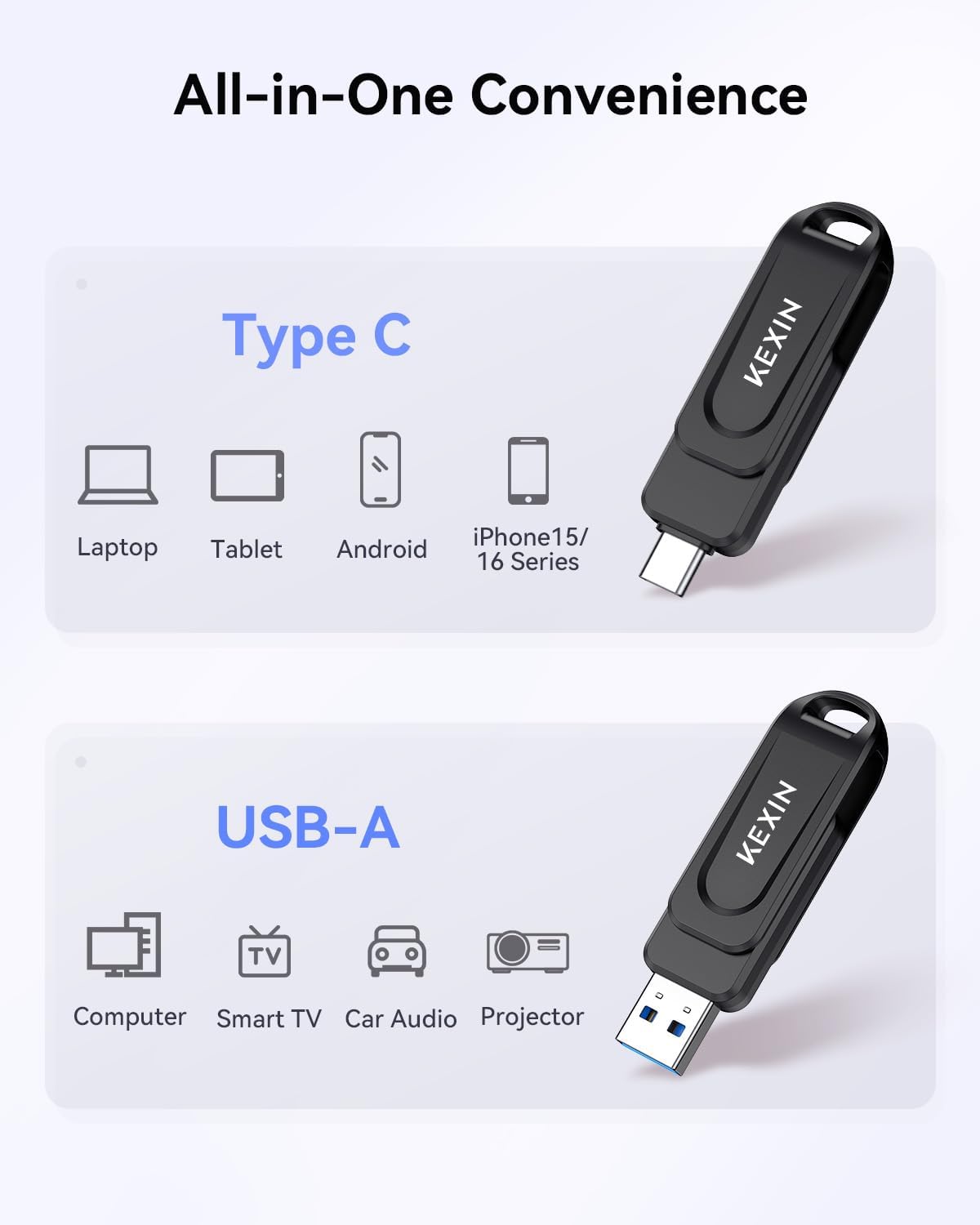
- Dual Connectors: Equipped with both USB Type-C and USB Type-A connectors for broad compatibility.
- High-Speed Data Transfer: USB 3.0 interface provides read/write speeds of up to 100MB/s.
- Swivel Design: A 360° rotating cover protects the connectors and allows for easy switching between interfaces.
- Wide Compatibility: Works with smartphones, tablets, iPhone 15/16 (USB-C models), car audio systems, Smart TVs, game consoles, and laptops.
- Portable Design: Features a sizable lanyard loop for easy attachment to keychains or backpacks.
Setup
The KEXIN Dual USB Flash Drive is designed for plug-and-play operation, requiring no special drivers for most compatible devices.
- Identify Connectors: Your flash drive features a USB Type-C connector on one end and a USB Type-A connector on the other. The 360° swivel cover allows you to expose the desired connector while protecting the other.
- Connect to Device: Insert the appropriate connector (USB-C or USB-A) into the corresponding port on your smartphone, tablet, laptop, or other compatible device.
- Device Recognition: Your device should automatically detect the flash drive. On some smartphones or tablets, you may need to open a file manager application (e.g., 'Files' app on iPhone/iPad, 'File Manager' on Android) to access the drive.

Operating Instructions
Data Transfer
To transfer files, navigate to the desired files on your device and use your device's file management system to copy or move them to the flash drive, or vice versa.
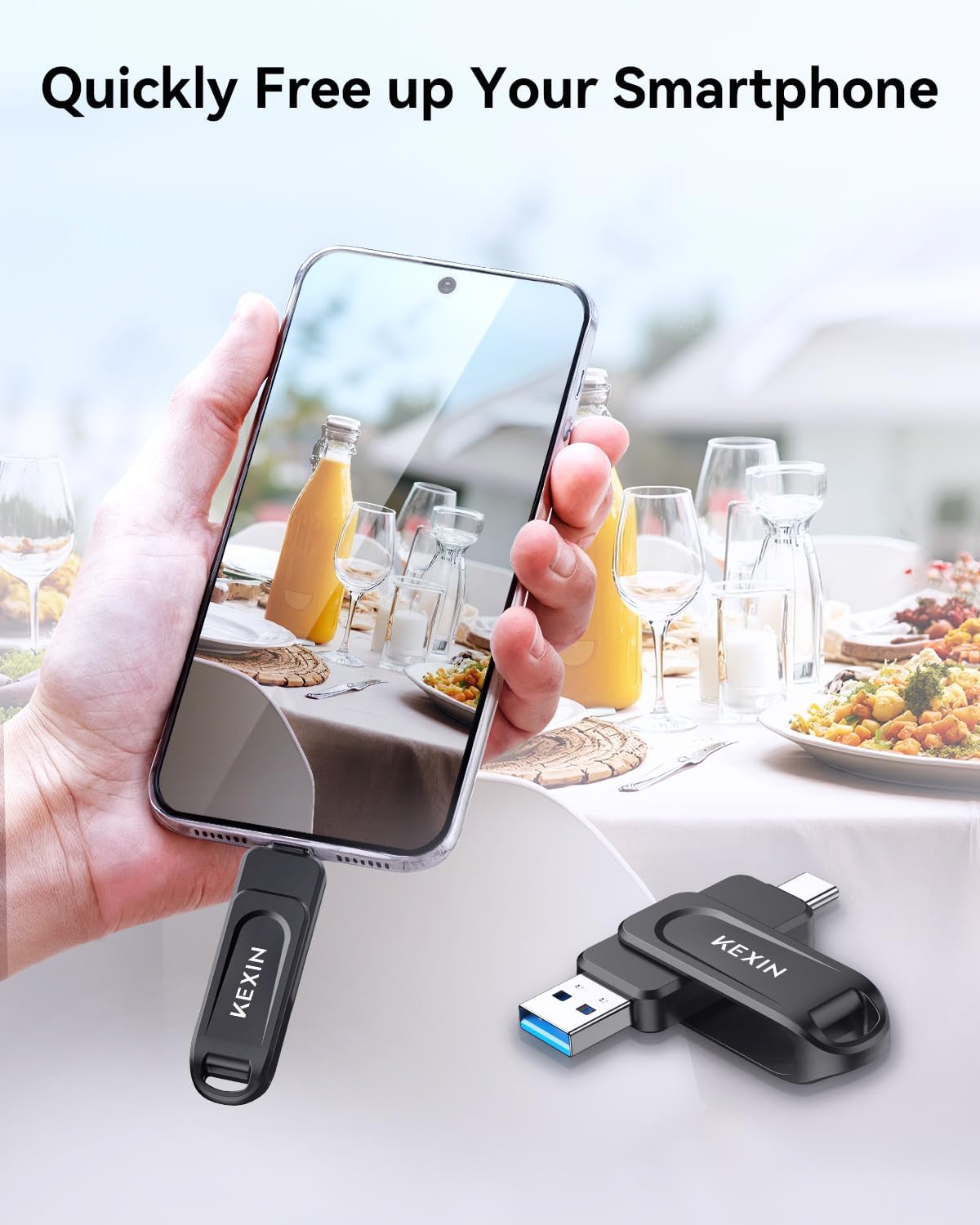
- For Smartphones/Tablets (USB-C):
- Plug the USB-C flash drive into your device's USB-C port.
- Open your device's file manager app (e.g., 'Files' on iOS, 'My Files' on Android).
- Locate the flash drive, often labeled as 'Untitled' or 'NO NAME' under 'Locations' or 'Storage'.
- Select the files you wish to transfer, then use the 'Copy' or 'Move' function to place them on the flash drive or from the flash drive to your device.
- For Laptops/PCs (USB-A or USB-C):
- Plug the USB-A or USB-C connector into your computer's port.
- The drive should appear as a removable disk in 'File Explorer' (Windows) or 'Finder' (macOS).
- Drag and drop files between your computer and the flash drive.


Video Instructions
Maintenance
- Safe Ejection: Always safely eject the flash drive from your computer or device before physically removing it to prevent data corruption.
- Physical Protection: Utilize the 360° swivel cover to protect the USB connectors from dust, dirt, and physical damage when not in use.
- Storage Conditions: Store the flash drive in a cool, dry place away from extreme temperatures, direct sunlight, and strong magnetic fields.
- Cleaning: Use a soft, dry, lint-free cloth to clean the exterior of the drive. Avoid using liquid cleaners or solvents.

Troubleshooting
- Drive Not Recognized:
- Ensure the flash drive is fully inserted into the correct port (USB-C or USB-A).
- Try a different USB port on your device.
- Restart your device and try again.
- On smartphones/tablets, check your file manager app for external storage options.
- Slow Transfer Speeds:
- Ensure you are using a USB 3.0 compatible port on your device for optimal speeds. USB 2.0 ports will result in slower transfers.
- Transferring many small files can be slower than transferring a few large files.
- Close other applications running in the background that might be using system resources.
- Data Corruption:
- Always safely eject the drive before removal.
- Avoid disconnecting the drive during a transfer.
Specifications
| Brand | KEXIN |
| Model Name | U602 |
| Memory Storage Capacity | 128 GB |
| Hardware Interface | USB 3.0 |
| Connectivity Technology | USB Type-A, USB Type-C |
| Read Speed | Up to 100 Megabytes Per Second |
| Write Speed | Up to 100 Megabytes Per Second |
| Product Dimensions | 2.68 x 0.75 x 0.45 inches |
| Item Weight | 0.335 ounces |
Warranty and Support
For any questions, technical assistance, or warranty claims, please contact KEXIN customer service. KEXIN is committed to providing quality customer service.
- Customer Service: Refer to the product packaging or the official KEXIN website for the most current contact information.
- Online Resources: Visit the KEXIN official website for FAQs, updated manuals, and additional support.