
Introduction
Thank you for choosing the Mingdaln G302heise 1.72-Inch Smart Watch. This device is designed to enhance your daily life with features such as call management, activity tracking, and various sports modes. This manual provides detailed instructions to help you set up, operate, and maintain your smart watch for optimal performance.
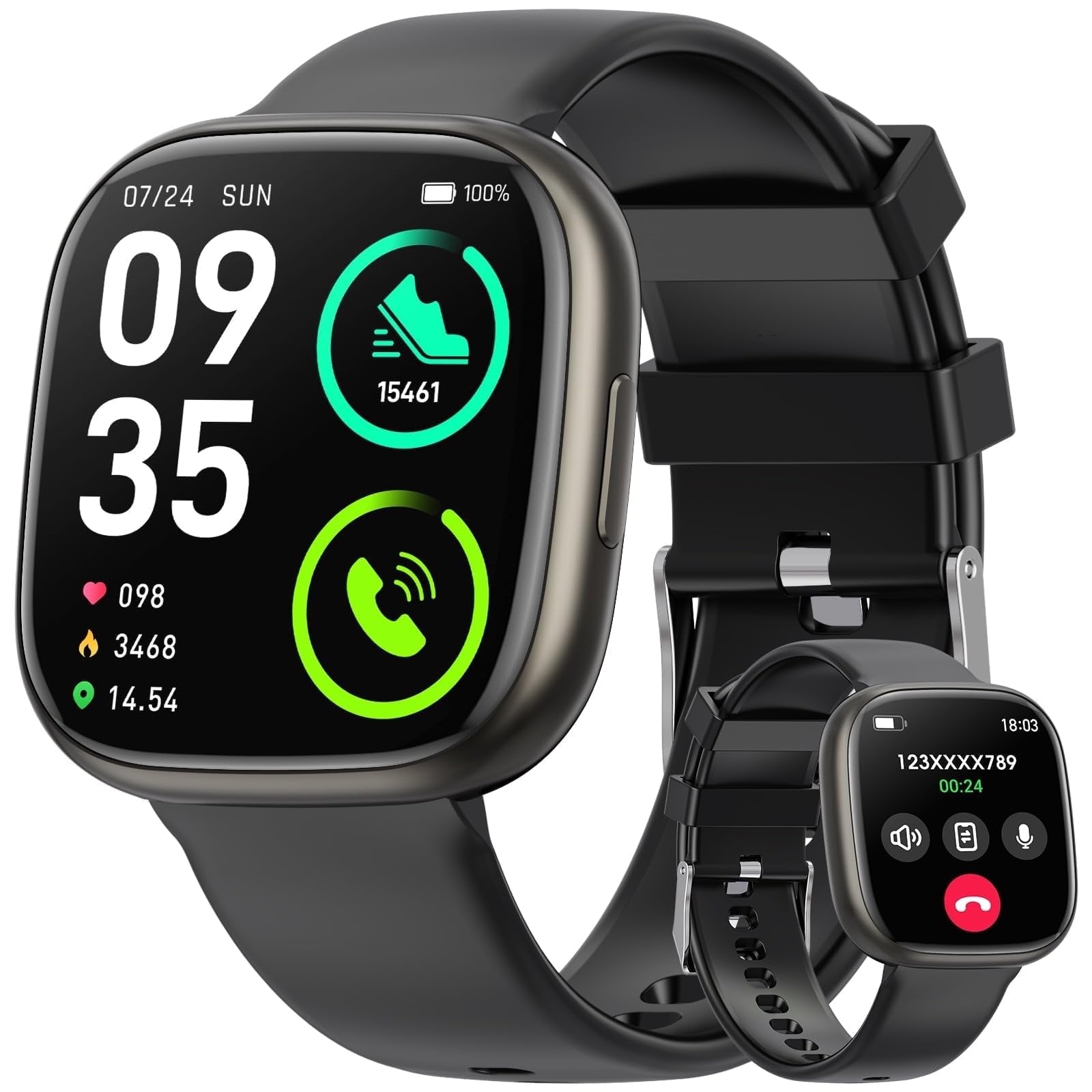
Image: The Mingdaln G302heise Smart Watch, showcasing its 1.72-inch display and sleek design. This image illustrates the watch's appearance and user interface.
Package Contents
Please check the package for the following items:
- Mingdaln G302heise Smart Watch
- Charging Cable (USB magnetic charger)
- User Manual
Setup
1. Charging the Smart Watch
Before initial use, fully charge your smart watch. Connect the magnetic charging cable to the charging points on the back of the watch and plug the USB end into a standard USB power adapter (not included) or a computer's USB port.
- A full charge typically takes approximately 2 hours.
- The watch screen will display the charging status.
2. Powering On/Off
- To Power On: Press and hold the side button for 3-5 seconds until the screen lights up.
- To Power Off: Press and hold the side button, then select "Power Off" on the screen.
3. App Installation and Pairing
To unlock the full functionality of your smart watch, you need to pair it with your smartphone.
- Download the App: Scan the QR code provided in the quick start guide (or on the watch screen) or search for the companion app (e.g., "FitPro" or similar, as common for generic smartwatches) in your phone's app store (App Store for iOS, Google Play Store for Android).
- Enable Bluetooth: Ensure Bluetooth is enabled on your smartphone.
- Open the App: Launch the installed app and follow the on-screen instructions to create an account or log in.
- Add Device: In the app, navigate to the "Device" or "Add Device" section. The app will search for available devices. Select "G302heise" or the corresponding device name when it appears.
- Confirm Pairing: A pairing request may appear on both your phone and watch. Confirm the pairing on both devices.
- Grant Permissions: Grant necessary permissions (e.g., notifications, location, contacts) to the app for full functionality.
Note: The specific app name may vary. Refer to the packaging or watch screen for the correct app.
Operating Instructions
Basic Navigation
- Swipe Up/Down: Scroll through menus and notifications.
- Swipe Left/Right: Access quick functions or different widgets (e.g., heart rate, weather).
- Tap: Select an item or confirm an action.
- Side Button: Press to return to the home screen or wake the display. Long press for power options.
Call Management
Once paired via Bluetooth, your smart watch can handle calls.
- Making Calls: Access the dial pad or contact list on the watch to initiate a call. The call will be routed through your phone.
- Answering Calls: When an incoming call rings, tap the green icon on the watch screen to answer.
- Rejecting Calls: Tap the red icon to reject an incoming call.
Sports Modes and Activity Tracking
The watch supports 100 sports modes and tracks various activities.
- Access Sports Modes: Navigate to the "Sports" or "Workout" menu on your watch. Select your desired activity (e.g., running, cycling, swimming).
- Start/Stop: Tap to start and stop tracking.
- Activity Data: View real-time data like steps, distance, calories burned, and heart rate during your workout.
- Daily Tracking: The watch continuously tracks steps, distance, calories, and sleep. Sync with the app to view detailed historical data.
Notifications
Receive notifications from your smartphone directly on your watch.
- Ensure notification permissions are granted in the companion app.
- Swipe down from the top of the watch face to view recent notifications.
Maintenance
Cleaning
- Wipe the watch screen and body with a soft, lint-free cloth.
- For stubborn stains, dampen the cloth slightly with water. Avoid harsh chemicals or abrasive materials.
- Clean the charging contacts regularly to ensure proper charging.
Water Resistance (1ATM)
The Mingdaln G302heise Smart Watch is 1ATM waterproof, meaning it is resistant to splashes, rain, and brief immersion in shallow water. It is suitable for daily use and light water activities.
- Do NOT use in hot water, saunas, or steam rooms.
- Do NOT press buttons underwater.
- Avoid prolonged immersion or high-velocity water activities like diving or waterskiing.
- After contact with water, especially saltwater, dry the watch thoroughly.
Storage
Store the watch in a cool, dry place when not in use. Avoid extreme temperatures.
Troubleshooting
| Problem | Solution |
|---|---|
| Watch does not power on. | Ensure the watch is fully charged. Connect to the charger and wait a few minutes before attempting to power on again. |
| Cannot pair with smartphone. |
|
| Notifications are not received. |
|
| Inaccurate activity data. |
|
Specifications
| Feature | Detail |
|---|---|
| Model Number | G302heise |
| Display Size | 1.72-Inch |
| Operating System | Wear OS 1.1 |
| Water Resistance | 1ATM (Resistant to splashes and rain) |
| Connectivity | Bluetooth |
| Compatible Devices | Smartphones (Android and iPhone) |
| Special Features | Activity Tracker, 100 Sports Modes, Answer/Make Calls |
| GPS | No GPS |
| Manufacturer | Mingdaln |
| UPC | 604477782409 |
Warranty and Support
Warranty Information
The Mingdaln G302heise Smart Watch comes with a 1-year manufacturer's warranty from the date of purchase. This warranty covers manufacturing defects and workmanship under normal use. It does not cover damage caused by misuse, accidents, unauthorized modifications, or failure to follow the instructions in this manual.
Please retain your proof of purchase for warranty claims.
Customer Support
For technical assistance, warranty claims, or further inquiries, please contact Mingdaln customer support through the contact information provided on the product packaging or the official Mingdaln website. When contacting support, please have your model number (G302heise) and proof of purchase ready.