
1. Introduction and Overview
The Acer Aspire 16 AI Copilot+ PC is designed for enhanced productivity and intuitive AI capabilities. Featuring a 16-inch WUXGA 120Hz 100% sRGB display and powered by the Snapdragon X processor with a 45 TOPS NPU, this laptop delivers efficient performance for various tasks. This manual provides essential information for setting up, operating, and maintaining your device.

Image: Acer Aspire 16 AI Copilot+ PC highlighting key features like Windows 11, Copilot+PC, Snapdragon X, WUXGA display, and Wi-Fi 7.
2. What's in the Box
Your Acer Aspire 16 AI Copilot+ PC package includes the following items:
- Laptop
- USB Type-C Power Adapter
- Power Cord

Image: Included accessories for the Acer Aspire 16 AI Copilot+ PC, showing the power adapter, power cord, and setup guides.
3. Setup Guide
Follow these steps for the initial setup of your Acer Aspire 16 AI Copilot+ PC:
- Unboxing: Carefully remove the laptop and all accessories from the packaging.
- Connect Power: Plug the USB Type-C power adapter into the laptop's USB4 port and connect it to a power outlet.
- Initial Boot: Open the laptop lid. The system may power on automatically or require you to press the power button.
- Windows Setup: Follow the on-screen prompts to complete the Windows 11 Home setup, including language, region, network connection, and user account creation.
- Updates: Allow the system to download and install any necessary updates to ensure optimal performance and security.
Video: Official Acer America Corporation video titled "Copilot+PC A New Era of AI", providing an overview of the new AI capabilities and the NPU.
4. Product Features and Overview
4.1. Ports and Connections
The Acer Aspire 16 AI offers a comprehensive selection of ports for connectivity:
- Left Side: 2 x USB Type-C (USB4, up to 40Gbps, USB Charging & Power Delivery up to 65W), 1 x USB 3.2 Gen 1 (with power-off charging), 1 x HDMI 2.1 with HDCP Support.
- Right Side: 1 x USB 3.2 Gen 1, 1 x Headphone/Speaker/Line-out Jack, 1 x MicroSD Card Slot, 1 x Kensington Lock Slot.

Image: Left side of the laptop showing HDMI, USB 3.2, and two USB Type-C (USB4) ports.
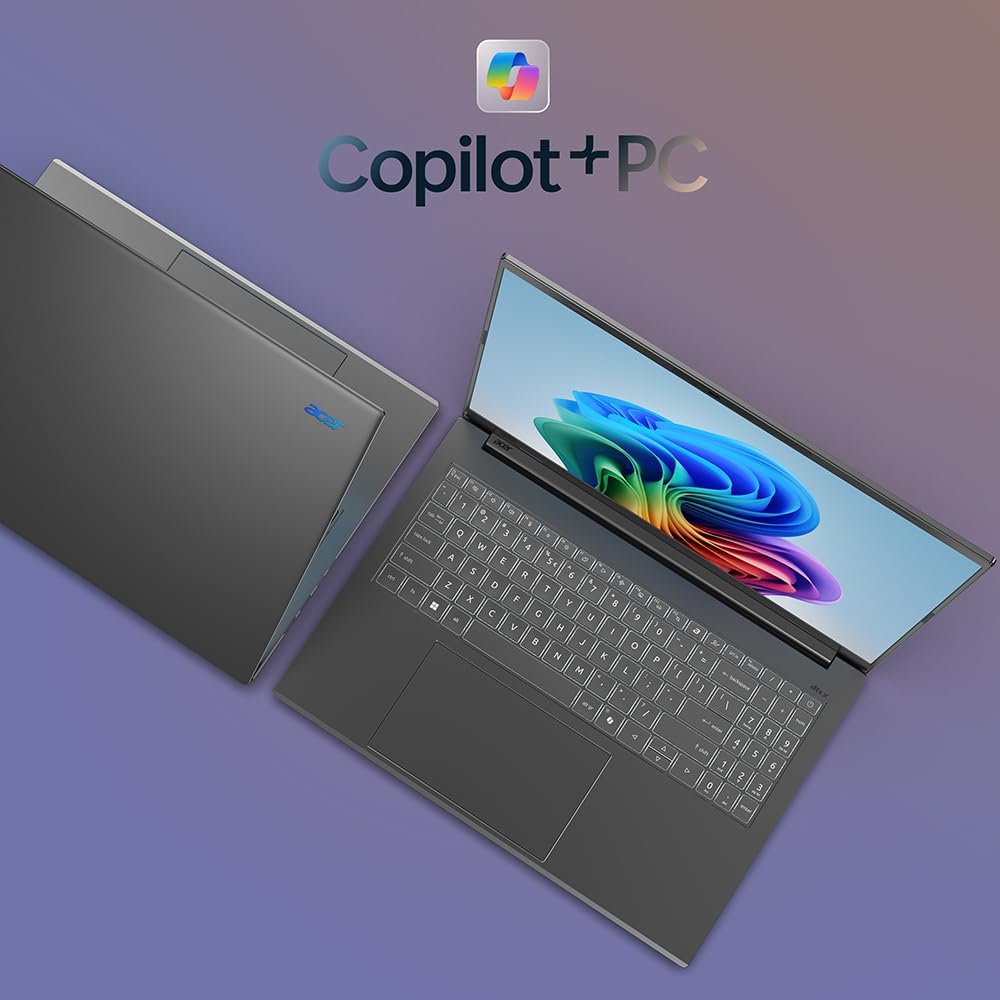
Image: Right side of the laptop showing MicroSD card slot, headphone jack, USB 3.2, and Kensington lock slot.
4.2. Display
Experience stunning visuals on the 16-inch WUXGA (1920x1200) display with a 120Hz refresh rate and 100% sRGB color coverage. The anti-glare screen ensures comfortable viewing in various lighting conditions.

Image: The laptop's display showcasing its 120Hz refresh rate, WUXGA resolution, and 100% sRGB color coverage.
4.3. Keyboard and Touchpad
The full-size keyboard features a numeric keypad and backlighting for comfortable typing in any environment. The large, responsive touchpad supports multi-touch gestures for intuitive navigation.
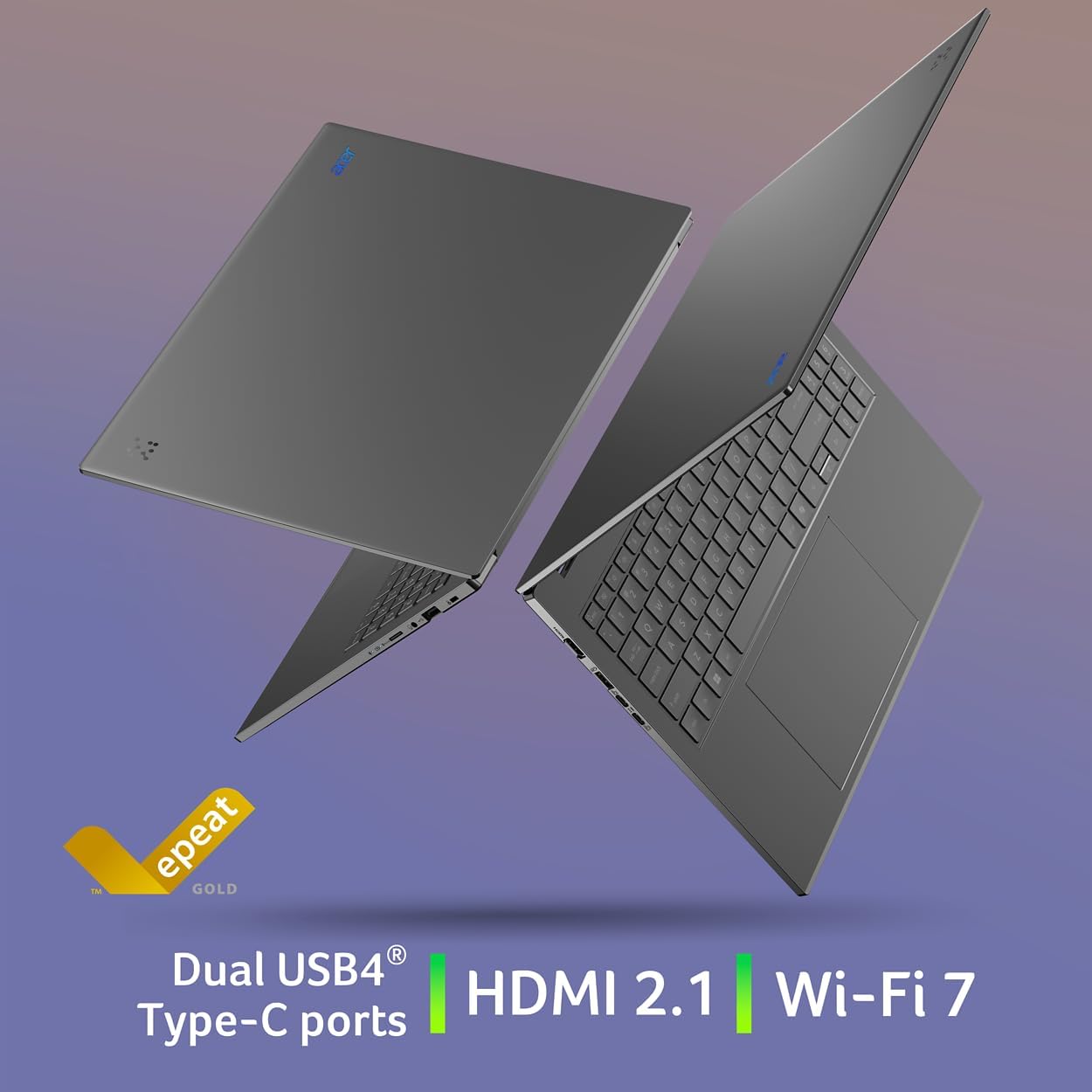
Image: Top-down view of the Acer Aspire 16 AI, highlighting the full-size backlit keyboard and large touchpad.
4.4. AI Features (Copilot+ PC)
The Acer Aspire 16 AI is a Copilot+ PC, integrating advanced AI capabilities directly into Windows 11 Home:
- Recall (Preview): Helps you remember and find content you've seen on your PC.
- Click to Do (Preview): Offers quick actions over images or text for enhanced productivity.
- Improved Windows Search: Efficiently locate documents and images in seconds.
- Super Resolution in Photos: Enhances image quality, turning fuzzy photos into crisp, high-definition memories.
- AcerSense: A versatile tool for managing device settings, optimizing video presence, and accessing AI features.
- Acer PurifiedView 2.0 & PurifiedVoice 2.0: Enhances video calls with 1440p QHD webcam, automatic framing, background blur, gaze correction, and AI noise cancellation.

Image: Overview of Copilot+PC AI features such as Recall, Click to Do, Improved Windows Search, and Super Resolution in Photos.

Image: The AcerSense interface, showing options for streamlining settings and optimizing video presence.
Video: Official Acer America Corporation video demonstrating Copilot+PC Recall (preview) features for timeline and search.
5. Operating Instructions
Your Acer Aspire 16 AI runs on Windows 11 Home, offering a familiar and intuitive user experience. Utilize the Snapdragon X processor for efficient multitasking and AI-accelerated applications. The long battery life (up to 27 hours for video playback, 18 hours for web browsing) ensures extended usage without frequent charging.
The 180-degree lie-flat hinge allows for versatile positioning, making it suitable for various work or viewing scenarios.

Image: The Acer Aspire 16 AI showcasing its durable aluminum chassis and 180-degree lie-flat hinge for versatile use.
6. Maintenance
To ensure the longevity and optimal performance of your laptop:
- Cleaning: Use a soft, lint-free cloth to clean the screen and chassis. Avoid harsh chemicals.
- Software Updates: Regularly check for and install Windows updates and Acer driver updates.
- Battery Care: Avoid fully discharging the battery frequently. For prolonged storage, charge the battery to around 50-60%.
- Ventilation: Ensure proper airflow around the laptop to prevent overheating.
7. Troubleshooting
If you encounter issues with your laptop, consider the following:
- Power Issues: Ensure the power adapter is securely connected and the outlet is functional. Try a different outlet if necessary.
- Display Problems: If the screen is blank, try connecting an external monitor to check if the issue is with the laptop's display.
- Performance Slowdown: Close unnecessary applications, check for background processes, and ensure sufficient free storage space.
- Software Glitches: Restart the laptop. If the problem persists, check for system updates or consider restoring to a previous system point.
For more complex issues, refer to the Acer support website or contact customer service.
8. Specifications
| Feature | Detail |
|---|---|
| Model Number | A16-11M-X0LW |
| Operating System | Windows 11 Home |
| Processor | Qualcomm Snapdragon X X1-26-100 (8-Core, 3.0GHz Qualcomm Oryon CPU, 45 TOPS Qualcomm Hexagon NPU, up to 1.7 TFLOPs Qualcomm Adreno GPU) |
| Display | 16-inch WUXGA (1920x1200) 120Hz, 100% sRGB |
| RAM | 16GB LPDDR5X Onboard Memory |
| Storage | 512GB PCIe Gen 4 SSD |
| Wireless Connectivity | Wi-Fi 7 (802.11.be), Bluetooth 5.3 |
| Ports | 2x USB4 Type-C, 2x USB 3.2 Gen 1 (1 with power-off charging), 1x HDMI 2.1, 1x Headphone/Speaker/Line-out, 1x MicroSD Card Slot, 1x Kensington Lock Slot |
| Webcam | 1440p QHD with Acer PurifiedView 2.0 |
| Battery Life | Up to 27 hours (video playback), Up to 18 hours (web browsing) |
| Dimensions | 14" W x 9.85" D x 0.63" H |
| Weight | 3.42 pounds |
9. Warranty and Support
Your Acer Aspire 16 AI Copilot+ PC comes with standard manufacturer warranty. For detailed warranty information, please refer to the documentation included in your product packaging or visit the official Acer support website.
Optional protection plans are available for extended coverage:
- 4-Year Protection Plan
- 2-Year Protection Plan
- Complete Protect: One plan covers all eligible past and future purchases
For technical assistance, driver downloads, or service requests, please visit the Acer Support Website.


