
Hoover HS500
Hoover HS500 Stain Cleaner and Stain Remover
User Manual
Introduction
This manual provides instructions for the safe and effective use of your Hoover HS500 Stain Cleaner and Stain Remover. Please read all instructions carefully before operating the appliance and retain this manual for future reference.
Safety Information
Always follow basic safety precautions when using electrical appliances to reduce the risk of fire, electric shock, or injury.
- Do not immerse the appliance in water or other liquids.
- Ensure the voltage rating on the appliance matches your local power supply.
- Unplug the appliance from the outlet when not in use and before cleaning or servicing.
- Keep hair, loose clothing, fingers, and all parts of the body away from openings and moving parts.
- Do not use the appliance on wet surfaces or to pick up flammable or combustible liquids.
- Use only Hoover recommended cleaning solutions.
- This appliance is for household use only.
Product Components
Familiarize yourself with the main parts of your Hoover HS500 Stain Cleaner.

The Hoover HS500 unit features a compact design with integrated tanks and hose for portability.
- Clean Water Tank: For holding water and cleaning solution.
- Dirty Water Tank: For collecting extracted dirty water.
- Flexible Hose: Connects the unit to various cleaning tools.
- Cleaning Tool: Standard attachment for scrubbing and suction.
- Power Cord: For connecting to an electrical outlet.
Setup
- 1. Unpacking the Unit:
Remove all components from the packaging. Ensure all parts are present and undamaged. Dispose of packaging materials responsibly.
- 2. Preparing the Cleaning Solution:
Remove the clean water tank from the unit. Fill the tank with warm water up to the indicated fill line. Add the recommended amount of Hoover cleaning solution as per the solution's instructions. Securely reattach the tank to the unit.
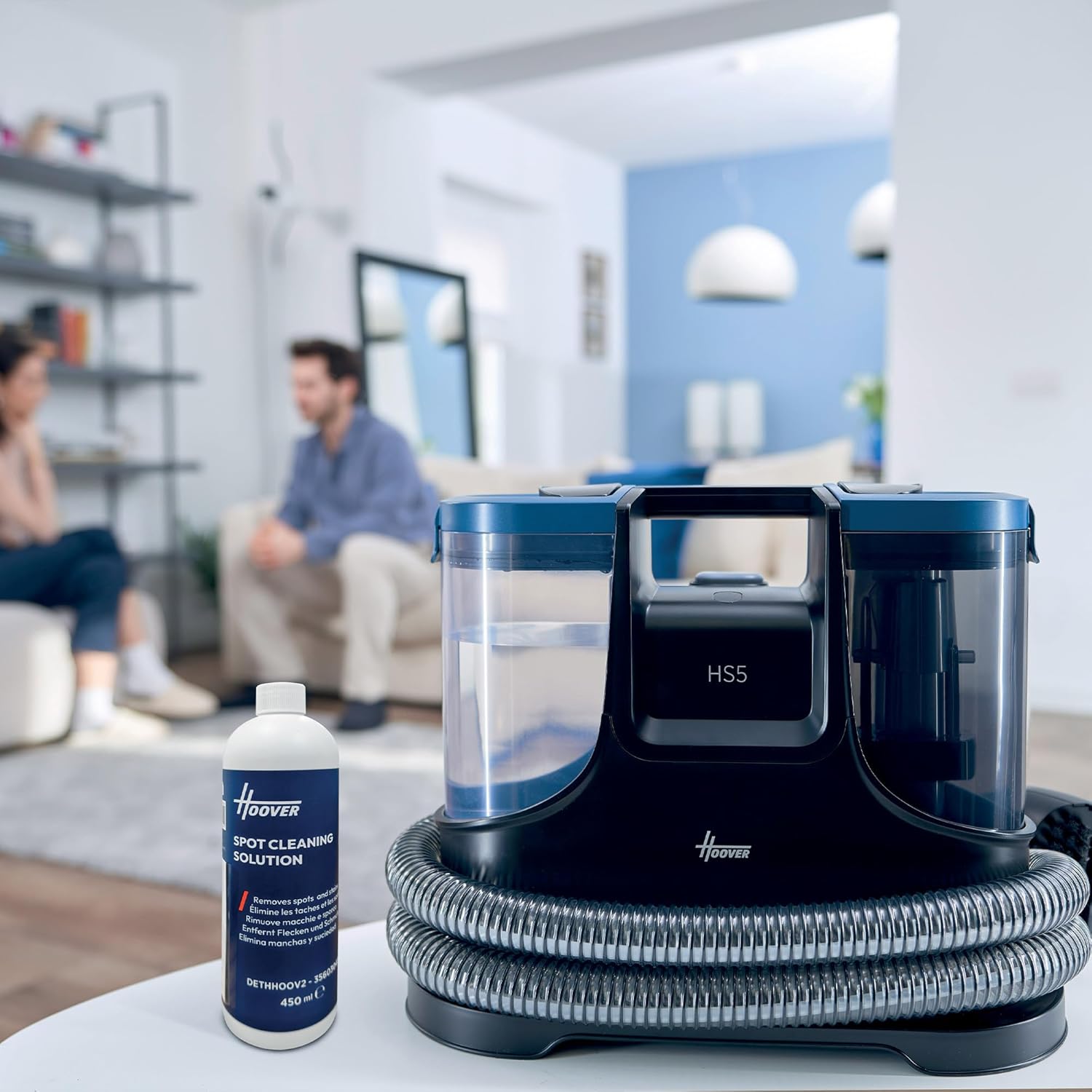
The Hoover HS500 unit with its clean water tank and a bottle of compatible cleaning solution.
- 3. Attaching the Cleaning Tool:
Connect the desired cleaning tool to the end of the flexible hose until it clicks securely into place. Ensure a tight connection to prevent leaks and maintain suction.
Operating Instructions
- 1. Pre-Treatment (Optional):
For stubborn stains, pre-treat the area with a suitable stain remover according to the product's instructions. Allow it to sit for the recommended time before proceeding.
- 2. Spot Cleaning:
Plug the unit into a power outlet. Place the cleaning tool directly over the stain. Press the spray trigger to apply cleaning solution while simultaneously moving the tool slowly over the stain. Release the trigger and continue to move the tool over the wet area to suction up the dirty solution. Repeat as necessary until the stain is removed and the area is as dry as possible.

A user demonstrating the spot cleaning process on a carpet stain.

The Hoover HS500 is suitable for cleaning upholstery, such as sofa cushions.

Another view of the Hoover HS500 being used to clean a fabric cushion.

Illustration showing the effectiveness of the cleaner on various types of stains.
- 3. Using Specialized Tools (e.g., Squeegee Tool):
Attach the squeegee tool to the hose. Spray cleaning solution onto the surface (e.g., shower door) and then use the squeegee to wipe and suction the solution, leaving the surface clean and streak-free.

The squeegee attachment can be used for cleaning hard, smooth surfaces like shower doors.
Maintenance
- 1. Emptying the Dirty Water Tank:
After each use, or when the dirty water tank reaches its maximum fill line, remove it from the unit. Carefully pour out the dirty water into a sink or drain. Rinse the tank thoroughly with clean water.

The dirty water tank is easily removed and emptied for cleaning.
- 2. Cleaning the Clean Water Tank:
If any cleaning solution remains in the clean water tank, empty it and rinse the tank with clean water to prevent residue buildup.
- 3. Cleaning Tools and Hose:
Rinse all cleaning tools and the flexible hose with clean water after each use. This prevents clogging and maintains optimal performance. Allow them to air dry completely.
- 4. Storage:
Ensure all tanks and tools are clean and dry before storing the unit. Store the Hoover HS500 in a cool, dry place, away from direct sunlight and extreme temperatures.
Troubleshooting
| Problem | Possible Cause | Solution |
|---|---|---|
| No power | Unit not plugged in; power outlet not working. | Check power cord connection; test outlet with another appliance. |
| No spray | Clean water tank empty; spray nozzle clogged; tank not seated correctly. | Refill clean water tank; clean spray nozzle; ensure tank is securely in place. |
| Poor suction | Dirty water tank full; hose or tool clogged; tank not sealed properly. | Empty dirty water tank; clear any blockages from hose/tool; ensure tanks are securely attached. |
| Leaking | Tanks not properly seated; seals damaged. | Ensure tanks are correctly installed; inspect seals for damage and replace if necessary. |
Specifications
- Model: HS500
- Brand: Hoover
- Color: black
- Item Weight: 3.9 Kilograms
- Product Dimensions: 19.6D x 31W x 38.5H centimetres
- Capacity: 1.5 Liters (Clean Water Tank)
- Power Source: Corded Electric
- Manufacturer: Haier Germany GmbH
- Model Number: HS500 011
- Part Number: 36800004
Warranty and Support
Your Hoover HS500 Stain Cleaner is covered by a manufacturer's warranty. Please refer to the warranty card included with your purchase for specific terms and conditions. For technical support, spare parts, or service inquiries, please contact Hoover customer service through their official website or the contact information provided in your product documentation.
For returns, please refer to the retailer's return policy. The standard return policy for this product is 30 days from the date of purchase.
Related documentsHS500


Ask a question about this manual
Ask about setup, troubleshooting, compatibility, parts, safety, or missing instructions. Manuals+ will review the question and use this page’s manual context to help answer it.