1. Introduction
This manual provides essential information for the safe and effective operation, maintenance, and care of your JUSTHERO ETW-4 Electric Wheelchair. Please read this manual thoroughly before initial use and retain it for future reference. Proper understanding of these instructions will ensure optimal performance and longevity of your device.

Image: The JUSTHERO ETW-4 Electric Wheelchair, showcasing its compact design and integrated LED light/USB charging port.
2. Safety Information
Your safety is paramount. Always adhere to the following guidelines:
- Always wear the seatbelt provided.
- Ensure anti-tip wheels are properly installed and adjusted before operation.
- Avoid operating the wheelchair on inclines exceeding 12 degrees.
- Always engage the manual brakes when transferring in or out of the wheelchair.
- Do not operate the wheelchair under the influence of alcohol or medication that impairs judgment.
- Regularly inspect tires, brakes, and battery connections for wear or damage.

Image: The wheelchair demonstrating its intelligent brake system and 12-degree climbing capability, with safety features like anti-tip wheels and double-handed brakes highlighted.
3. Components Overview
Familiarize yourself with the main components of your ETW-4 Electric Wheelchair:
- Joystick Controller: For directional control, speed adjustment, and power.
- Brushless Motors: Provide propulsion and power.
- Lithium Battery: Powers the motors and controller.
- Puncture-Proof PU Solid Tires: Designed for durability and various terrains.
- Anti-Tip Wheels: Enhance stability, especially on inclines.
- Manual Brakes: For additional stopping power and parking.
- Footrest: Provides support for the user's feet.
- Armrests: Can be flipped up for easier transfers.
- LED Light & USB/Type-C Ports: Integrated into the controller for convenience.
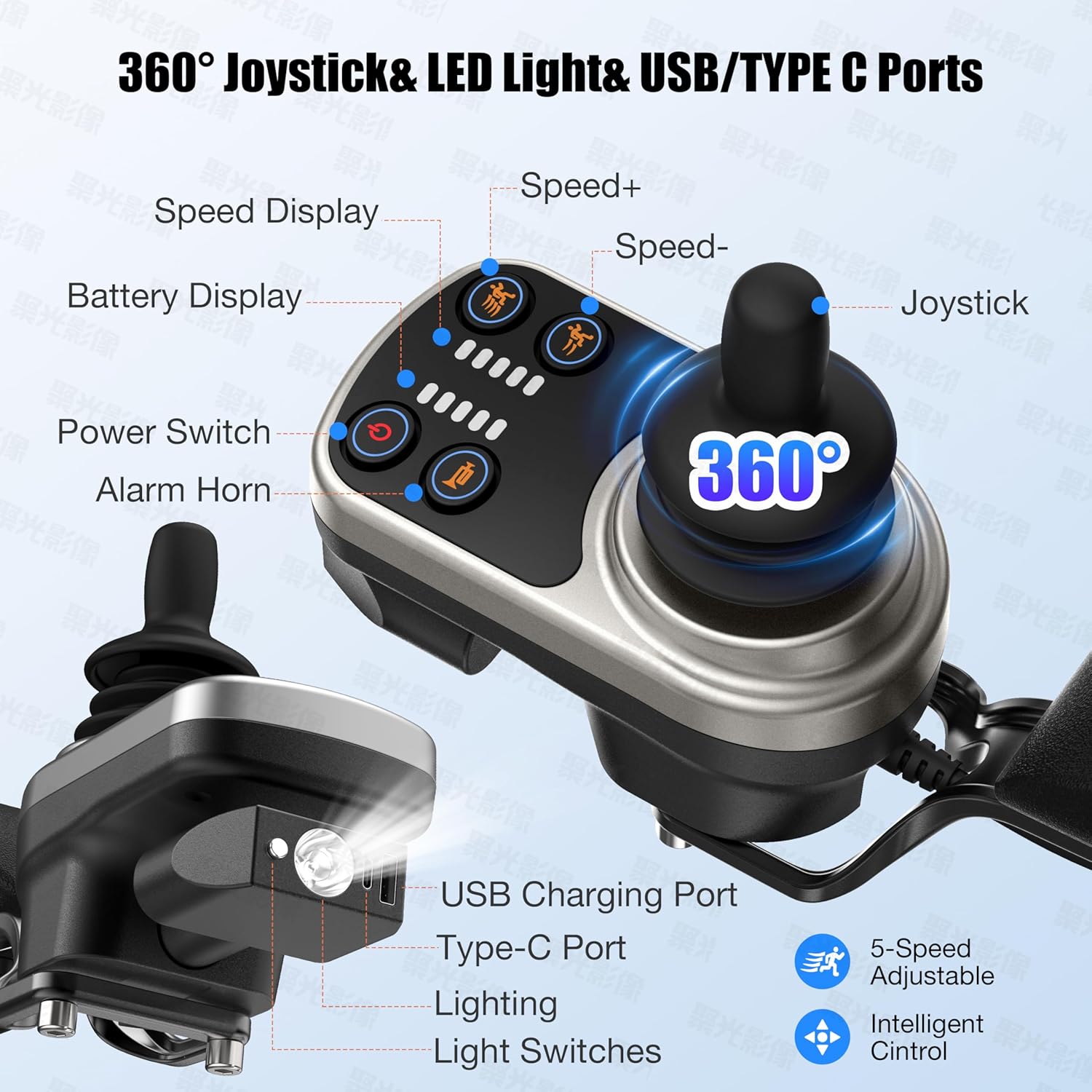
Image: The 360-degree joystick controller, detailing its speed display, battery display, power switch, alarm horn, LED light, and USB/Type-C charging ports.

Image: Diagram illustrating the wheelchair's suspension design, featuring 6 springs for improved shock absorption and a smoother ride.

Image: Detail of the puncture-resistant honeycomb tires, emphasizing their durability and inflation-free design, alongside the brushless motor.
4. Setup
4.1 Unfolding the Wheelchair
The wheelchair comes pre-assembled and folds in one step. To unfold, simply release the locking mechanism and extend the frame until it clicks into place.
4.2 Controller Installation
The joystick controller can be mounted on either the right or left armrest to suit user preference.
Video: Instructions for installing the controller on either the left or right side of the wheelchair.

Image: Visual guide demonstrating the flexibility of mounting the joystick controller on either the left or right armrest.
4.3 Battery Installation
The 12Ah lithium battery is lightweight and easy to install. Slide the battery into its designated slot under the seat until it locks securely. Ensure all connections are firm.
Video: Detailed instructions on how to replace the battery base of the wheelchair.
4.4 Stabilizer Wheels Adjustment
Adjust the stabilizer wheels as needed for optimal balance and safety, especially on uneven terrain.
Video: Guide on how to adjust the stabilizer wheels for enhanced safety and stability.
5. Operating Instructions
5.1 Power On/Off
Press the power button on the joystick controller to turn the wheelchair on or off. The battery display will illuminate.
5.2 Speed Adjustment
Use the speed +/- buttons on the joystick to adjust the wheelchair's speed. There are 5 levels of speed adjustment.
5.3 Directional Control
Use the 360-degree joystick to control the direction of movement (forward, backward, left, right).
5.4 Braking
The intelligent brake system automatically stops the wheelchair when the joystick is released. Manual brakes are also available for additional control.
Video: Demonstration of switching between manual and automatic brake modes on the wheelchair.
5.5 Manual Switch Mode
The wheelchair can be switched to manual mode, allowing it to be pushed by an attendant. Refer to the video for detailed instructions.
Video: A comprehensive overview of the JUSTHERO electric wheelchair, including its features and operation.
6. Charging
Your ETW-4 Electric Wheelchair offers two convenient charging methods:
- Direct Charging: Plug the charger directly into the charging port on the joystick controller.
- Off-Board Charging: Remove the battery from the wheelchair and plug the charger directly into the battery pack.
A full charge typically takes 3-4 hours.
Video: Detailed instructions on the two available methods for charging the wheelchair battery.
Image: Illustration of the two charging methods: directly into the controller and by removing the battery for external charging.
7. Folding & Storage
The ETW-4 features a one-step folding design for easy transport and storage. It can be compactly stored in vehicle trunks, ships, and airplanes.

Image: Visual representation of the wheelchair's dimensions and its compact folded state, suitable for storage in various transport methods like car trunks and aircraft.
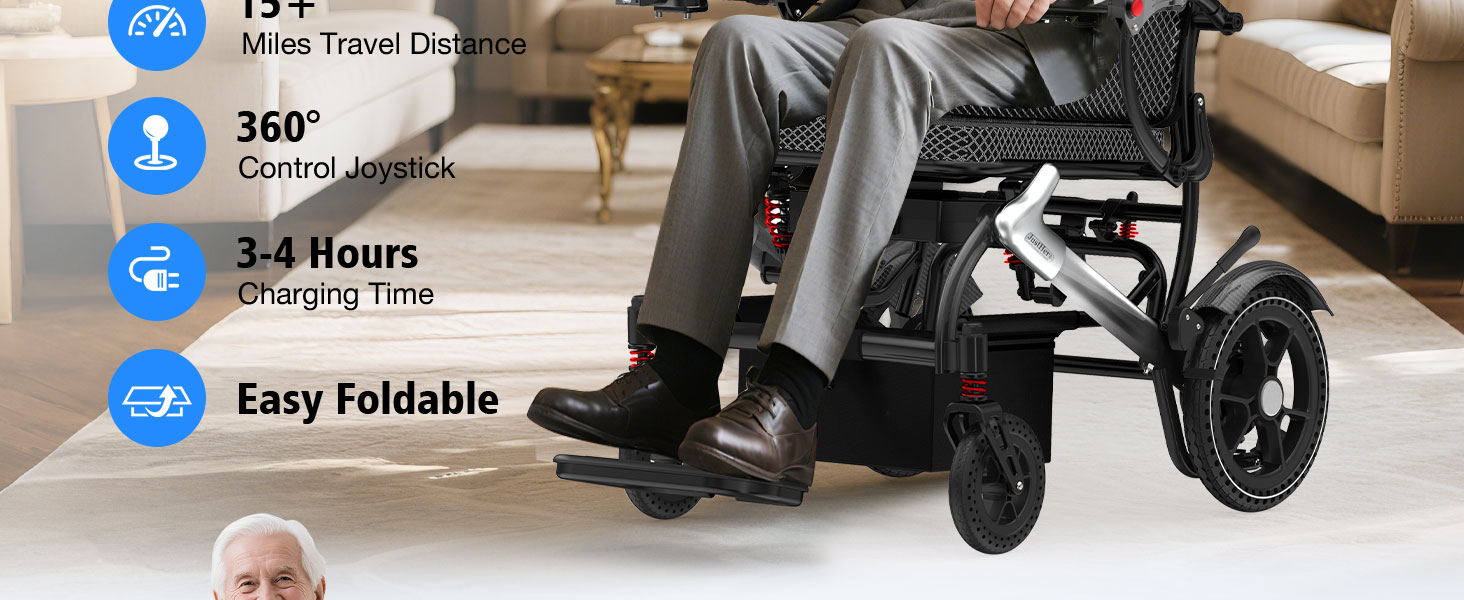
Image: A person demonstrating the ease of lifting and storing the lightweight, folded electric wheelchair into a car trunk.
8. Maintenance
- Cleaning: Wipe down the frame and seat with a damp cloth. Avoid using abrasive cleaners.
- Battery Care: Charge the battery regularly, even if not in frequent use, to maintain its lifespan. Store in a cool, dry place.
- Tire Inspection: Periodically check tires for debris or damage. The puncture-proof design minimizes maintenance.
- Brake Check: Ensure manual brakes engage smoothly and effectively.
- Fasteners: Periodically check all bolts and fasteners to ensure they are tight.
9. Troubleshooting
- Wheelchair not powering on: Check battery connection and ensure the battery is charged.
- Loss of power during operation: Battery may be low or connections are loose. Recharge or check connections.
- Unresponsive joystick: Ensure the controller is securely connected and powered on.
- Unusual noises: Stop operation immediately and inspect for loose parts or obstructions. Contact support if the issue persists.
10. Specifications
| Feature | Specification |
|---|---|
| Product Dimensions | 29.7"D x 20.4"W x 35.4"H |
| Weight | 36 LBS (wheelchair), 4.8 LBS (battery) |
| Weight Capacity | 350 LBS |
| Motors | 2 x 250W Brushless Motors (500W total) |
| Battery | 12Ah Lithium Ion (included) |
| Charging Time | 3-4 Hours |
| Travel Range | Up to 15 Miles |
| Climbing Capability | Max 12° |
| Material | Aluminum |

Image: Detailed view of the 12Ah lithium battery, highlighting its lightweight design, 3-4 hour charging time, and 15-mile travel range.
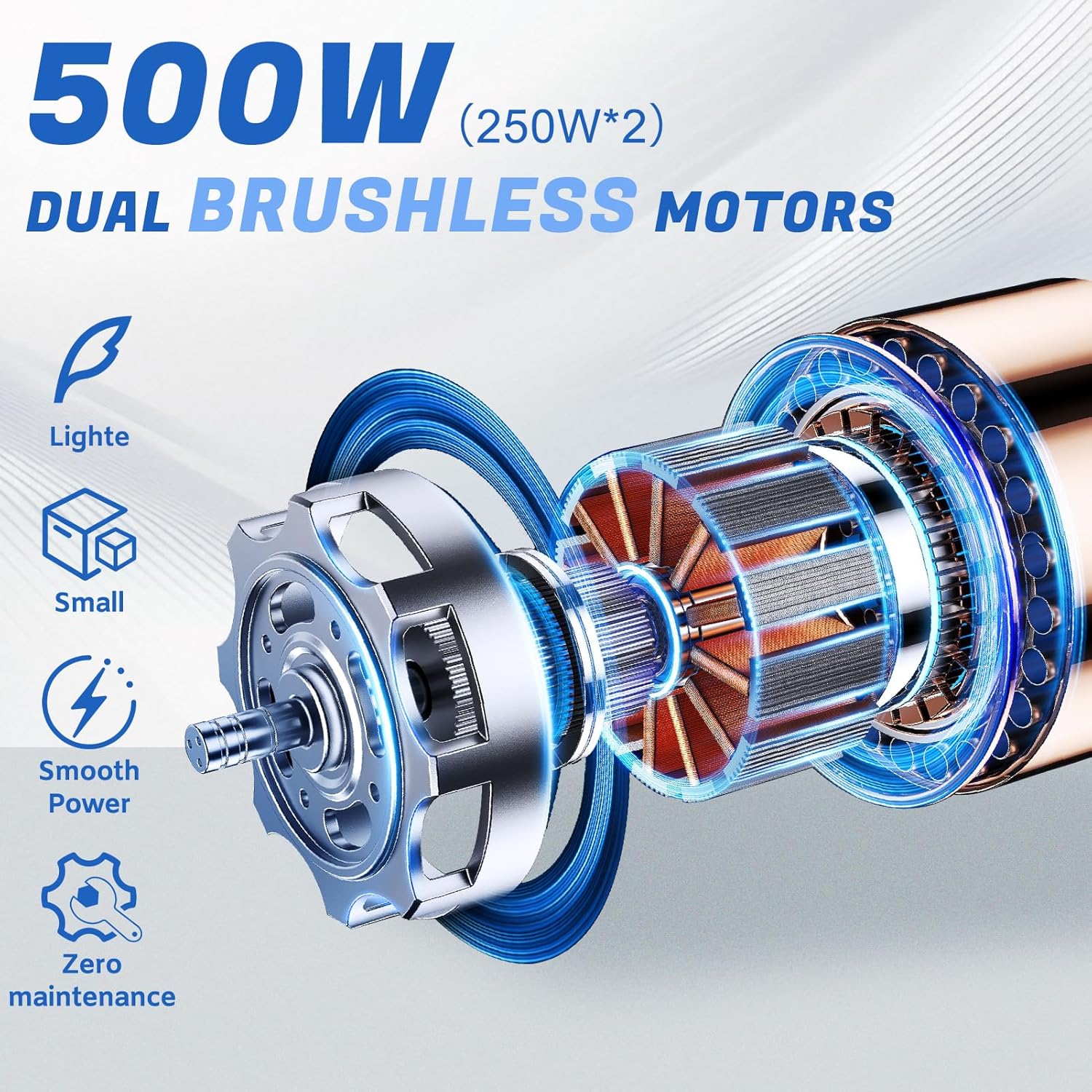
Image: Illustration of the 500W (2x250W) dual brushless motors, emphasizing their lightweight, small size, smooth power delivery, and zero maintenance.

Image: A visual guide illustrating the 15+ miles travel range, suitable for various daily activities and locations such as living rooms, gardens, hospitals, and airports.
11. Warranty & Support
JUSTHERO offers the following warranty for your ETW-4 Electric Wheelchair:
- 1-Year Warranty: Covers the controller, power unit, and battery against non-human damage.
- 2-Year Warranty: Covers the electric wheelchair frame.
Each package includes 1 pre-assembled electric wheelchair, 1 user manual, 1 toolkit, 1 charger, and 1 LED light. For any assistance or inquiries, please contact JUSTHERO customer support.


