
Introduction
This manual provides essential information for the safe and effective use of your Tyseoome Kids HD Digital Video Toddler Camera, Model x2. Designed for children aged 3-10, this camera allows for capturing 8MP HD photos and 1080P videos, fostering creativity and documenting moments. Please read these instructions thoroughly before operating the device.
What's in the Box
- Tyseoome Kids HD Digital Video Toddler Camera (Model x2)
- 32GB Micro SD Card
- USB Charging Cable
- Wearable Lanyard
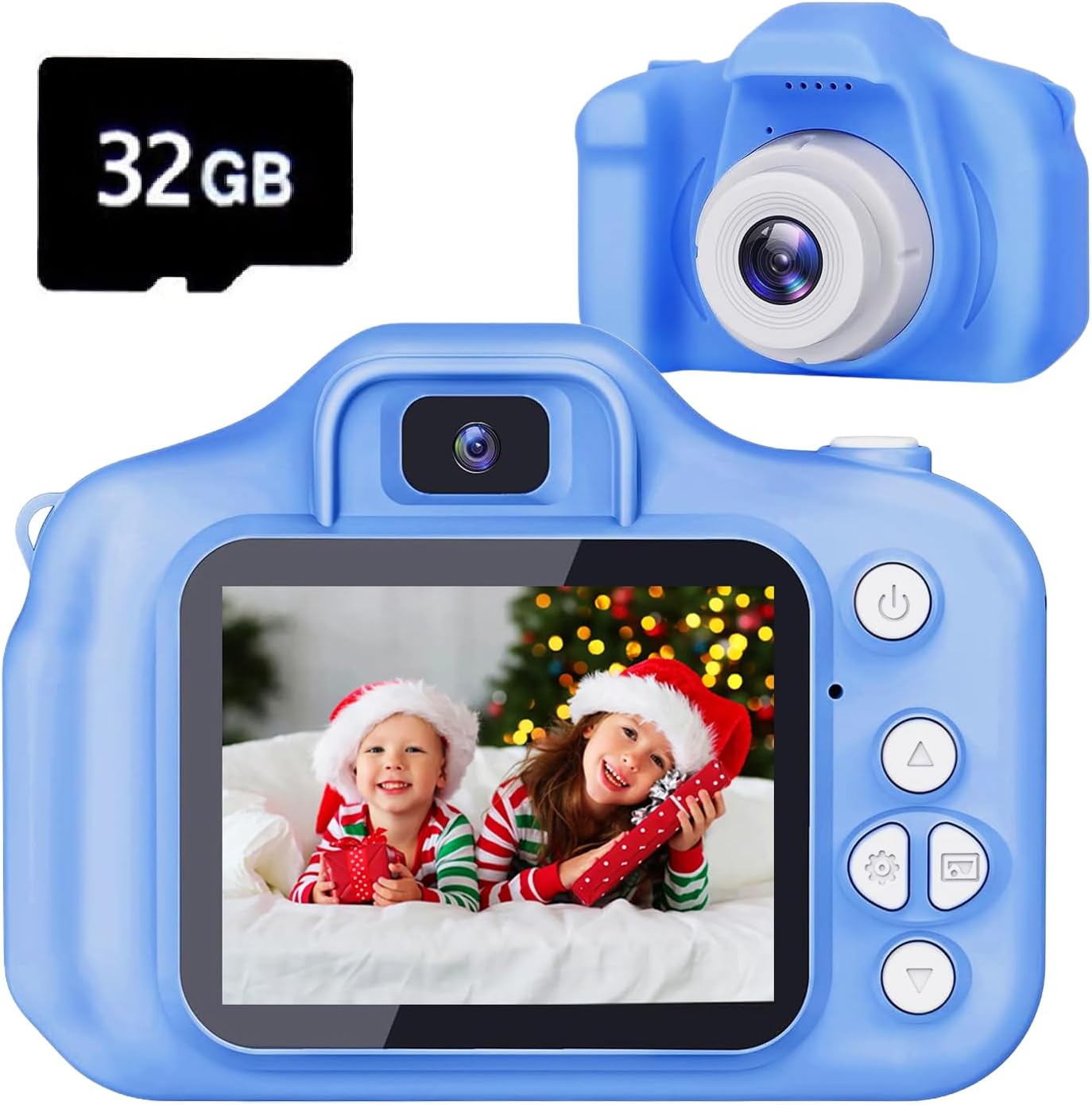
Image: The Tyseoome Kids Camera in blue, shown alongside a 32GB Micro SD card.
Product Overview
Familiarize yourself with the camera's components and controls:

Image: A detailed diagram illustrating the camera's various buttons, ports (USB, SD card slot), loudspeaker, microphone, and display.
- Power/Back Button: Turns the camera on/off and navigates back in menus.
- Video/Photo/Confirm Button: Initiates video recording, takes photos, and confirms selections.
- Up/Delete/Zoom Out Button: Navigates up in menus, deletes files, or zooms out.
- Down/Zoom In Button: Navigates down in menus or zooms in.
- Left/Right Buttons: Navigates left/right in menus or cycles through options.
- Display: 2-inch color screen for viewing and navigation.
- USB Port: For charging and data transfer.
- SD Card Slot: For inserting the Micro SD card.
- Reset Button: Small pinhole for factory reset.
Setup
- Charge the Camera: Connect the camera to a USB power source using the provided USB cable. The charging time is approximately 1-1.5 hours.
- Insert SD Card: Locate the SD card slot on the side of the camera. Gently insert the provided 32GB Micro SD card until it clicks into place. Ensure the camera is off before inserting or removing the card.
- Attach Lanyard: Secure the wearable lanyard to the designated attachment points on the camera for easy carrying and to prevent accidental drops.
Operating Instructions
Power On/Off
Press and hold the Power/Back button to turn the camera on or off.
Menu Navigation
Use the Up/Down/Left/Right arrow buttons to navigate through the menu options displayed on the 2-inch screen. Press the Video/Photo/Confirm button to select an option.
Photo Mode
From the main menu, select the camera icon to enter photo mode. Frame your shot using the display and press the Video/Photo/Confirm button to capture an 8MP HD photo. The camera supports up to 48MP image resolution.

Image: A family taking a selfie using the camera, demonstrating its ease of use for capturing moments.
Filters and Frames
The camera includes various fun filters and frames to enhance your photos. Navigate through these options using the arrow buttons while in photo mode.

Image: A collage showing various creative frames and filters that can be applied to photos taken with the camera.
Video Mode
Select the video camera icon from the main menu to enter video recording mode. Press the Video/Photo/Confirm button to start and stop recording 1080P HD videos.
Selfie Mode
The camera features a selfie mode for easy self-portraits. Refer to the on-screen prompts or specific button combinations to activate this feature.
Digital Zoom
Utilize the Down/Zoom In and Up/Zoom Out buttons to apply up to 8x digital zoom while in photo or video mode.

Image: A demonstration of the camera's 8x digital zoom capability, showing a wide shot and then zoomed-in details of children.
Games and Music
The camera includes several pre-installed puzzle games for entertainment. It also functions as a music player; MP3 files can be loaded onto the SD card for playback.
Maintenance
- Cleaning: Use a soft, dry cloth to clean the camera body and screen. Avoid abrasive cleaners or solvents.
- Storage: Store the camera in a cool, dry place away from direct sunlight and extreme temperatures.
- Battery Care: To prolong battery life, avoid fully discharging the camera frequently. Charge it regularly, even if not in use for extended periods.
Troubleshooting
- Camera Not Turning On: Ensure the battery is charged. If the issue persists, locate the small reset pinhole and gently press it with a thin object (like a paperclip) to reset the device.
- Poor Image/Video Quality: Ensure adequate lighting. The camera performs best in well-lit conditions.
- Memory Card Error: Reinsert the SD card. If the error continues, try formatting the card (this will erase all data) or using a different compatible Micro SD card.
- Buttons Unresponsive: Try resetting the camera using the reset pinhole.
Specifications
| Brand | Tyseoome |
| Model Name | x2 |
| Photo Sensor Technology | CMOS |
| Effective Still Resolution | 48 MP (Max) |
| Video Resolution | 1080p |
| Optical Zoom | 8 x |
| Screen Size | 2 Inches |
| Memory Storage Capacity | 32 GB (Micro SD Card Included) |
| Recording Capacity | 2 Hours |
| Connectivity Technology | USB |
| Has Self-Timer | Yes |
| Water Resistance Level | Not Water Resistant |
Warranty and Support
This Tyseoome Kids HD Digital Video Toddler Camera (Model x2) comes with a 2 Year Manufacturer Warranty. For any support inquiries or warranty claims, please contact Shenzhen Honghao Electronics Co., Ltd. directly.