
1. Introduction
Thank you for choosing the Genérico MP3 MP4 Player. This device is designed to provide a versatile portable media experience, featuring Bluetooth 5.0 connectivity, lossless audio playback, FM radio, and support for various media formats. This manual provides essential information for setting up, operating, and maintaining your player.
Important Bluetooth Note: The Bluetooth function on this MP3 player is designed for connecting to Bluetooth headphones or speakers only. It does not connect to mobile phones, computers, or car radios for data transfer or control.
2. Package Contents
Please check the package for the following items:
- 1 x Genérico MP3 MP4 Player (Model MP3-05B)
- 1 x USB Charging Cable
- 1 x Wired Headphones
- 1 x User Manual
3. Product Overview
The MP3-05B player features a compact design with a 2.4-inch sensitive touch screen for easy navigation. It includes built-in speakers, an FM radio, and a voice recorder. The device supports a MicroSD card for expandable storage.

Image: The Genérico MP3 MP4 Player, showcasing its sleek black design and the various accessories included in the package, such as wired headphones and a USB charging cable.
4. Setup
4.1. Charging the Device
Before first use, fully charge the player. Connect the provided USB cable to the player's USB 2.0 port and the other end to a USB power adapter (not included) or a computer's USB port. The battery indicator on the screen will show charging status. A full charge typically takes 2 to 3 hours.
4.2. Inserting a MicroSD Card
The player requires a MicroSD memory card (not included) to store and play music, videos, and other files. The device supports cards up to 128 GB.
- Locate the MicroSD card slot on the side of the player.
- Gently insert the MicroSD card into the slot with the gold contacts facing down until it clicks into place.
- To remove, push the card in slightly until it springs out.

Image: A visual representation of a MicroSD card, highlighting its compatibility with the player for memory expansion up to 128GB.
4.3. Powering On/Off
Press and hold the power button (usually located on the side) for a few seconds to turn the player on or off.
5. Operating Instructions
5.1. Basic Navigation
The player features a touch screen interface. Tap icons to select functions and swipe to navigate menus.
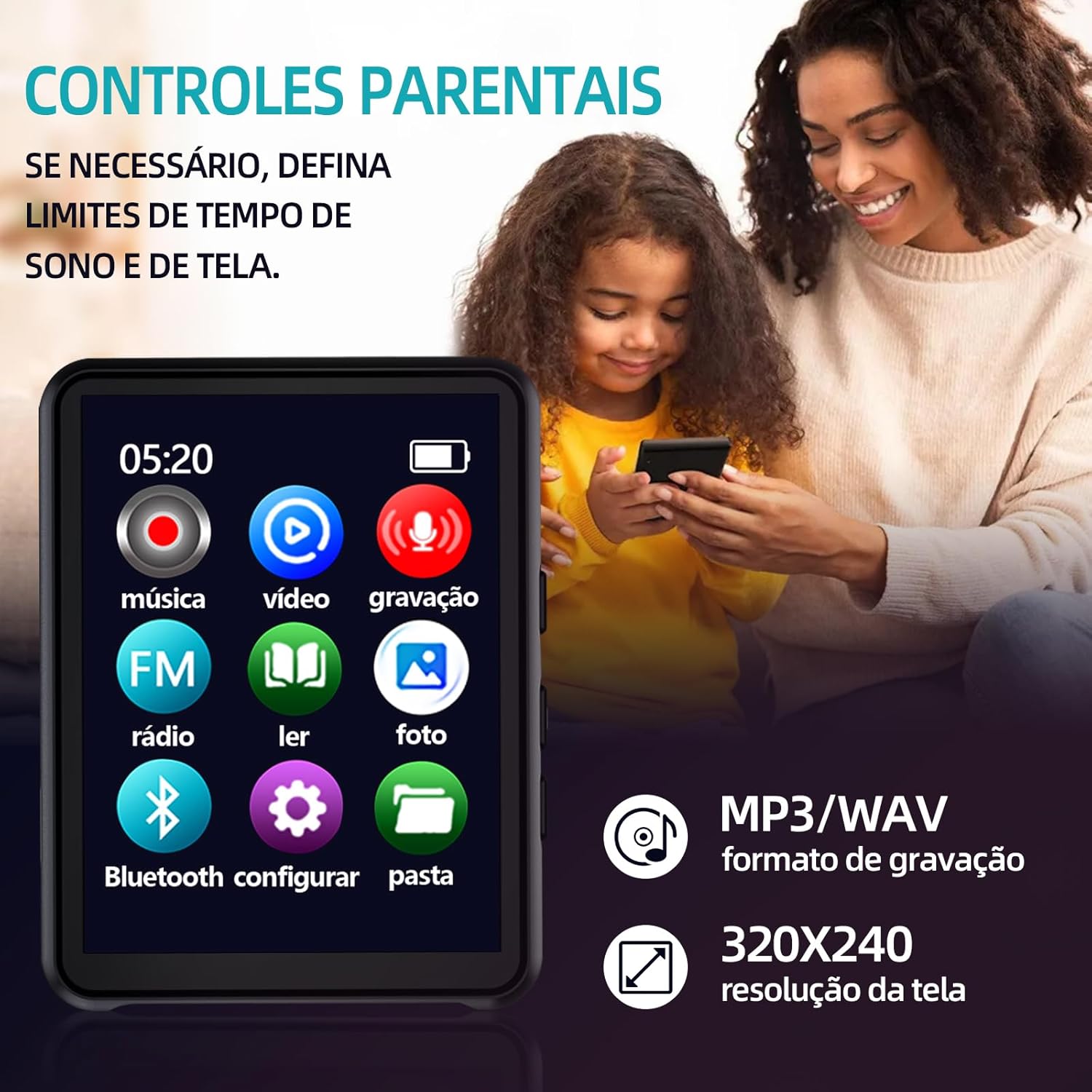
Image: The player's main menu interface, displaying icons for various functions such as music, video, FM radio, and Bluetooth settings.
5.2. Music Playback
The player supports MP3, WMA, APE, WAV, and FLAC audio formats, offering lossless sound quality.
- Tap the 'Music' icon on the main menu.
- Browse your music files stored on the MicroSD card.
- Tap a song to begin playback.
- Use the on-screen controls for play/pause, skip tracks, and volume adjustment.

Image: The player's music interface, showing album art and playback controls, demonstrating its powerful music application.

Image: The player in use with wired headphones, illustrating its HiFi HD audio playback capabilities.
5.3. Video Playback
The player supports video playback with a resolution of 320x240 pixels.
- Tap the 'Video' icon on the main menu.
- Select a video file from your MicroSD card to play.
5.4. FM Radio
The built-in FM radio allows you to listen to your favorite stations.
- Tap the 'FM Radio' icon on the main menu.
- Use the on-screen controls to scan for stations or manually tune.
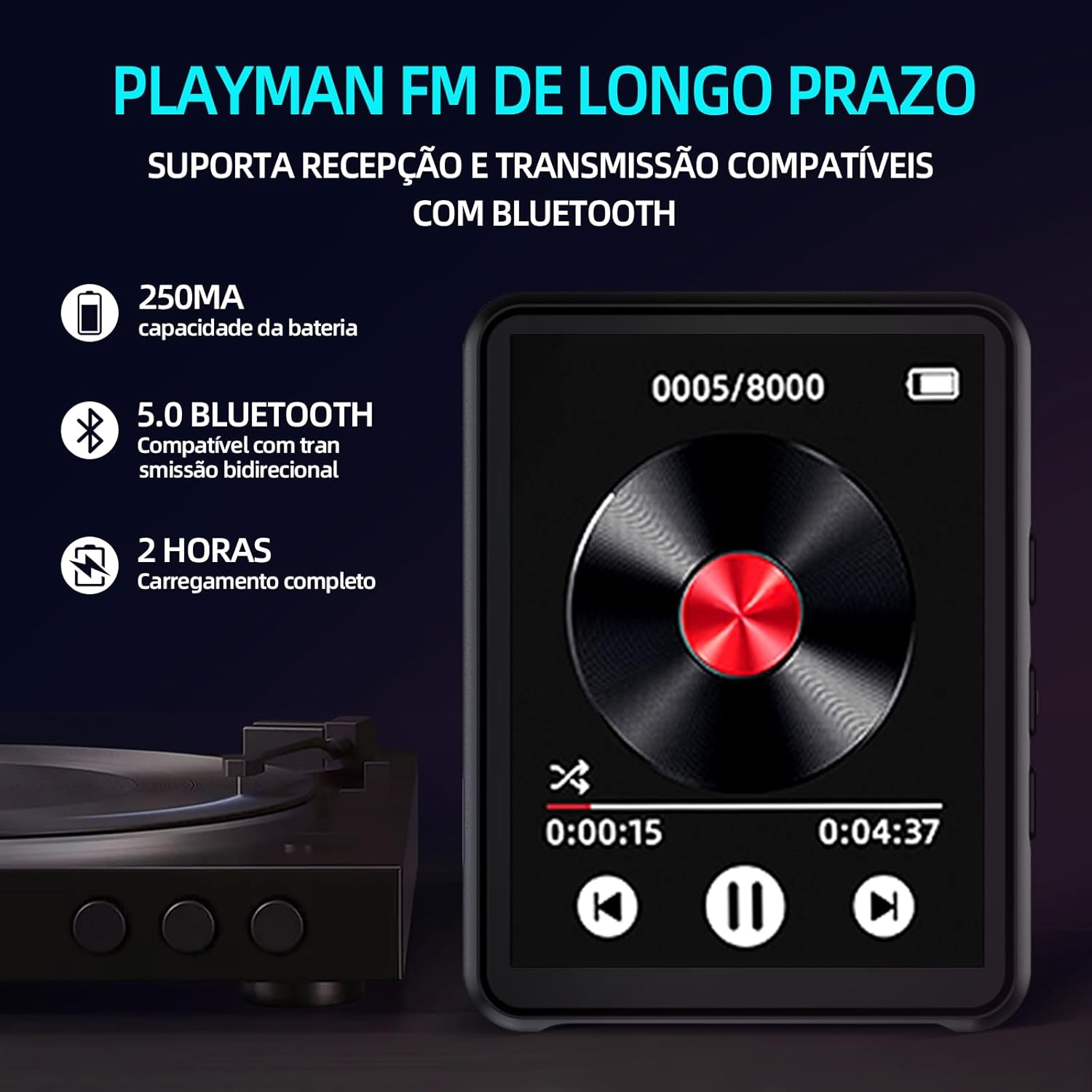
Image: The player's FM radio interface, also highlighting key features like Bluetooth 5.0 and battery information.
5.5. Bluetooth Connectivity
Connect your player to Bluetooth headphones or speakers for wireless audio.
- Ensure your Bluetooth headphones or speaker are in pairing mode.
- On the MP3 player, tap the 'Bluetooth' icon from the main menu.
- Turn Bluetooth 'On' if it's not already.
- The player will scan for available devices. Select your device from the list to pair.
5.6. E-book Reader
The player supports TXT format e-books.
- Tap the 'E-book' icon.
- Select a TXT file to read.
5.7. Image Viewer
View JPG and GIF images on the player's screen.
- Tap the 'Photo' icon.
- Select an image file to view.
5.8. Voice Recorder
The player includes a voice recording function.
- Tap the 'Recording' icon.
- Follow the on-screen prompts to start, pause, and save recordings. Recordings are typically saved in MP3/WAV format.
6. Maintenance
6.1. Cleaning the Device
Use a soft, dry, lint-free cloth to clean the player's screen and body. Avoid using harsh chemicals or abrasive materials.
6.2. Battery Care
To prolong battery life, avoid fully discharging the battery frequently. Charge the device regularly, even if not in use for extended periods. Do not expose the device to extreme temperatures.
6.3. Storage
Store the player in a cool, dry place away from direct sunlight and moisture when not in use.
7. Troubleshooting
If you encounter issues with your player, refer to the following common problems and solutions:
- Device will not turn on: Ensure the battery is charged. Connect the player to a power source and try again. If the battery is completely drained, it may take a few minutes of charging before it can power on.
- Cannot connect via Bluetooth: Ensure your Bluetooth headphones/speaker are in pairing mode. Remember, the player's Bluetooth does not connect to phones or computers.
- No sound: Check the volume level. Ensure headphones are properly plugged in (if using wired). If using Bluetooth, ensure it's paired correctly and the volume on both devices is up.
- MicroSD card not recognized: Ensure the card is inserted correctly. Try reinserting it. If the issue persists, try a different MicroSD card to rule out card malfunction.
- Screen is unresponsive: Try restarting the device by holding the power button. If it remains unresponsive, allow the battery to fully drain and then recharge it.
8. Specifications

Image: An illustration of the player's internal audio components, emphasizing its Hi-Fi sound quality with enhanced audio DSP and dual-port decoder.
| Feature | Specification |
|---|---|
| Model | MP3-05B |
| Brand | Genérico |
| Internal Memory | None |
| Expandable Storage | MicroSD card up to 128 GB (not included) |
| Interface | USB 2.0 |
| Bluetooth Version | 5.0 |
| Screen Size | 2.4 inches |
| Screen Type | Touch Screen |
| Resolution | 320x240 pixels |
| Battery Capacity | 450 mAh |
| Charging Time | 2-3 hours |
| Music Playback Time | Up to 3 hours |
| Video Playback Time | Up to 3 hours |
| FM Radio Playback Time | Up to 3 hours |
| Battery Standby Time | Up to 20 hours |
| Audio Formats | MP3, WMA, APE, WAV, FLAC |
| Image Formats | JPG, GIF |
| E-book Format | TXT |
| Material | ABS |
| Dimensions | 9.0 cm x 4.0 cm x 0.8 cm |
| Weight | 31 grams |
9. Warranty Information
This Genérico MP3 MP4 Player comes with a manufacturer's warranty of 3 months from the date of purchase. This warranty covers manufacturing defects under normal use. It does not cover damage caused by misuse, accidents, unauthorized modifications, or normal wear and tear. Please retain your proof of purchase for warranty claims.
10. Support
For further assistance, technical support, or warranty inquiries, please contact the retailer or manufacturer directly. Refer to your purchase documentation for contact details.