
1. Product Overview
The TICCI T10VB is a digital watch designed with large digits and multiple vibrating alarms, ideal for medication reminders and daily task management. It features a durable, waterproof design and a clear LED display.
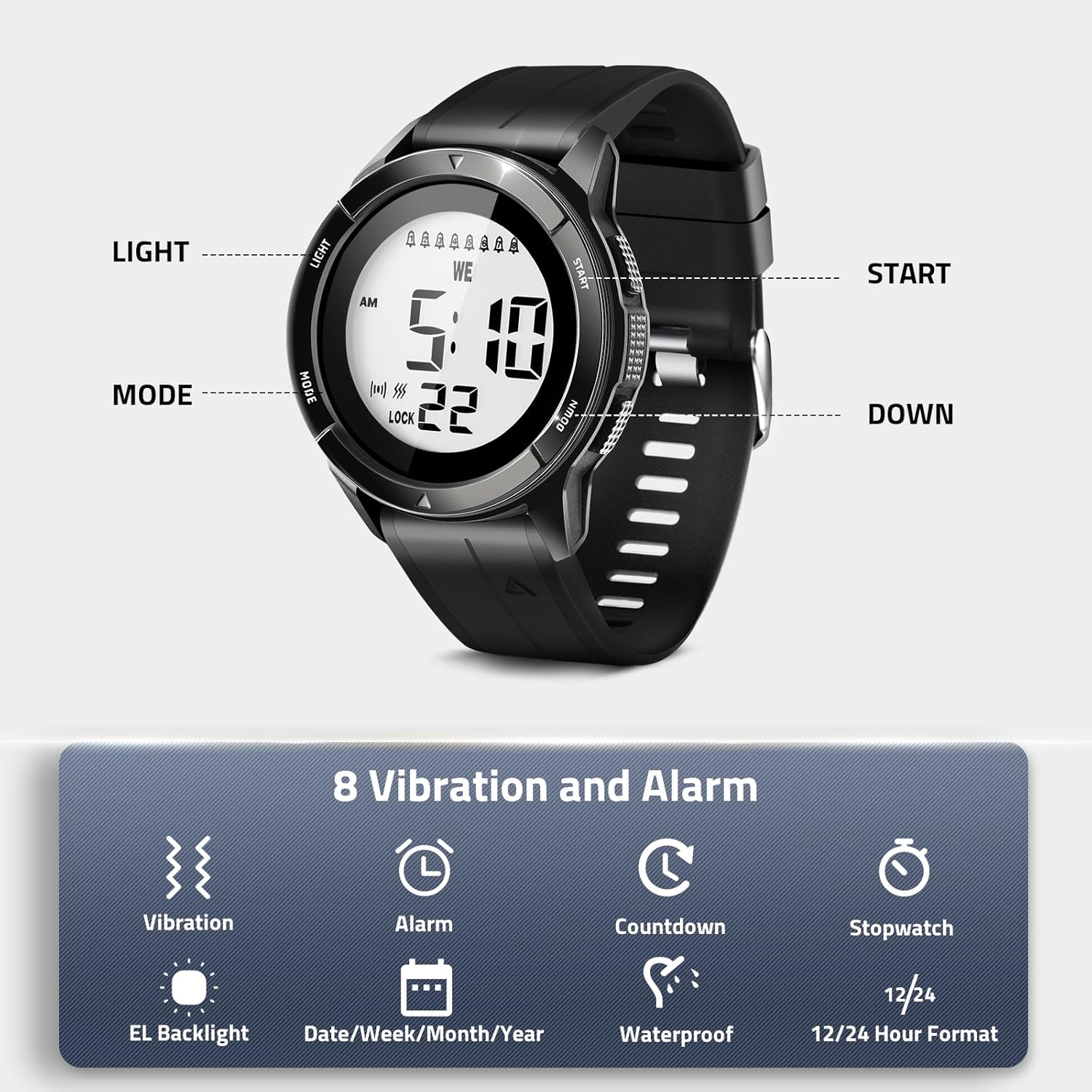
Image: Overview of the TICCI T10VB watch highlighting its key features including vibration, backlight, multiple alarms, date display, countdown timer, water resistance, stopwatch, and 12/24 hour format.
Watch Components

Image: Detailed diagram of the watch face and buttons, indicating 'Light', 'Mode', 'Start', and 'Down' buttons, along with display elements like day of the week, time, alarm/vibration status, and lock indicator.
- LIGHT Button: Activates the backlight. Used for saving settings.
- MODE Button: Cycles through different modes (Time, Alarm, Stopwatch, Countdown). Used for selecting units during setting.
- START Button: Used to adjust values during setting. Starts/pauses stopwatch and timer.
- DOWN Button: Used to adjust values during setting. Resets stopwatch and timer.
2. Setup
Initial Inspection
Upon receiving your TICCI T10VB watch, inspect the packaging and contents to ensure all components are present and undamaged. The watch includes one C battery, which is typically pre-installed.
Setting Time and Date
To set the current time and date on your watch:
- In Time Mode, hold the LIGHT button for 3 seconds until the display flashes.
- Press the MODE button repeatedly to select the unit you wish to adjust (Minutes, Hours, Day, Month, Year).
- Press the START button to adjust the selected value.
- Once all settings are correct, press the LIGHT button to save and exit the setting mode.

Image: Step-by-step visual instructions for setting the time and date, showing which buttons to press for holding, selecting units, adjusting values, and saving.
3. Operating Instructions
Setting Alarms (8 Vibrating Alarms)
The watch features 8 independent alarms (A1-A8) that can be set for vibration, sound, or both. These are ideal for medication reminders or scheduled tasks.
- Press the MODE button repeatedly until you enter Alarm Mode.
- Press the DOWN button to cycle through alarms A1 to A8.
- To activate/deactivate an alarm, hold the DOWN button for 3 seconds. The alarm icon will appear/disappear.
- To set the alarm time, hold the LIGHT button for 3 seconds until the alarm time flashes.
- Press the MODE button to select between hours and minutes.
- Press the START button to adjust the selected value.
- Press the LIGHT button to save the alarm time.
Alarm Type Selection: Each alarm can be set to:
- Both sound (beep) & vibration
- Only sound (beep)
- Only vibration
To change the alarm type, while in Alarm Mode and with an alarm selected, press the START button to cycle through the options (indicated by icons on the display).

Image: Step-by-step visual instructions for setting alarms, showing button presses for entering alarm mode, selecting alarms, holding light to set, and adjusting/saving.
Video: A short demonstration of the TICCI watch's vibrating alarm feature, showing its use for medication reminders and water resistance.
Using the Countdown Timer
The countdown timer can be set for intervals from 15 minutes to 24 hours.
- Press the MODE button three times to enter Countdown Mode.
- Hold the LIGHT button for 3 seconds to set the countdown range.
- Press the MODE button to select between minutes, hours, or interval.
- Press the START button to adjust the value.
- Press the LIGHT button to save the countdown setting.
- Press START to begin the countdown.

Image: Step-by-step visual instructions for setting the custom countdown timer, showing button presses for entering countdown mode, setting range, adjusting values, and saving.
Using the Stopwatch
The stopwatch function allows for basic time tracking and split times.
- Press the MODE button twice to enter Stopwatch Mode.
- Press the START button to begin timing.
- Press the START button again to pause the stopwatch.
- Press the DOWN button to reset the stopwatch to zero.

Image: Step-by-step visual instructions for using the stopwatch function, detailing how to start, pause, and reset the timer.
Backlight Function
Press the LIGHT button briefly to illuminate the display for easy reading in low-light conditions. The backlight will remain on for a few seconds.

Image: The watch display illuminated by its super bright backlight, making the large digits easily readable in dark environments.
Lockout Feature
To prevent accidental changes to settings, the watch includes a lockout feature.
- To activate the lock, press and hold both the MODE and DOWN buttons simultaneously for a few seconds until 'LOCK' appears on the display. Only the LIGHT button will function.
- To deactivate the lock, press and hold both the MODE and DOWN buttons simultaneously for a few seconds again until 'LOCK' disappears from the display.
4. Maintenance
Water Resistance
The TICCI T10VB watch is 30-meter (3ATM) water resistant. This means it can withstand splashes, rain, and brief immersion in water, making it suitable for continuous hand washing and cold showers. It is not recommended for hot water exposure, swimming, or diving.
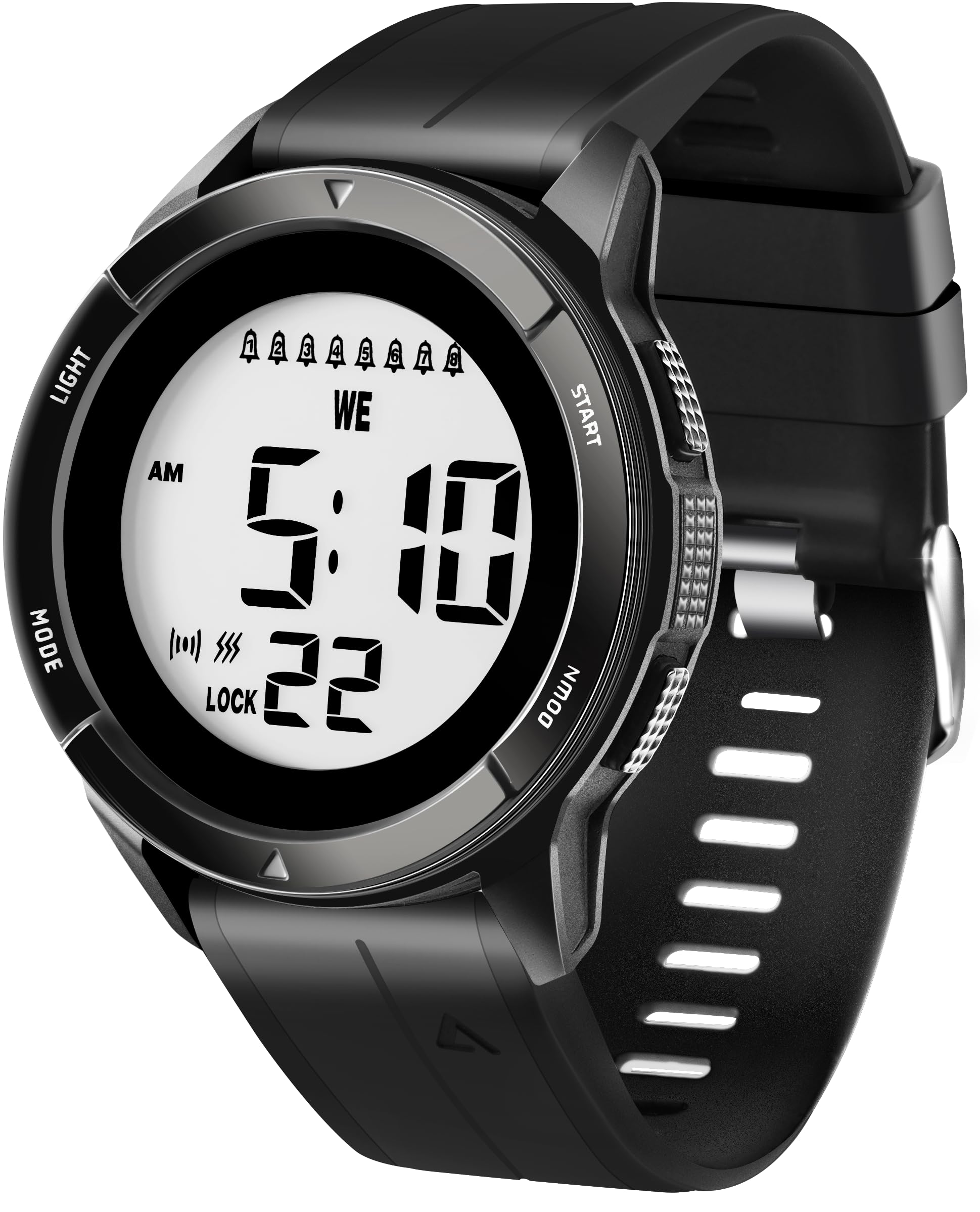
Image: The watch highlighting its 3ATM water resistance, indicating suitability for swimming and cold showers, while advising against hot showers and diving.
Cleaning
To clean your watch, wipe it with a soft, damp cloth. Avoid using harsh chemicals or abrasive materials, as these can damage the watch's finish or seals.
Battery Replacement
The watch uses a C battery. When the display dims or functions become unreliable, it may be time to replace the battery. It is recommended to have the battery replaced by a qualified watch technician to ensure the water resistance seal is maintained.
5. Troubleshooting
- Display is blank or dim: Check the battery level. If the battery is low, replace it.
- Buttons are unresponsive: Ensure the lockout feature is not activated. If 'LOCK' is displayed, refer to the 'Lockout Feature' section to deactivate it.
- Alarms are not sounding/vibrating: Verify that the alarms are activated and set to the desired sound/vibration mode. Check the alarm volume settings if applicable (though this model primarily uses vibration).
- Incorrect time/date: Re-enter the time and date settings as described in the 'Setting Time and Date' section.
If you encounter issues not listed here or if troubleshooting steps do not resolve the problem, please contact customer support.
6. Specifications
| Model Number | T10VB |
| Item Weight | 5.3 ounces (0.15 Kilograms) |
| Package Dimensions | 3.46 x 3.39 x 2.64 inches |
| Batteries | 1 C battery (included) |
| Water Resistance | 30 meters (3ATM) |
| Display Type | LED Digital with Large Digits |
| Alarms | 8 Vibrating Alarms (Sound, Vibration, or Both) |
| Countdown Timer | 15 minutes to 24 hours |
| Special Features | Alarm Clock, Big Display, Big Digits, Countdown Timer, Stopwatch, Waterproof, Lockout Feature |
| Band Material | Rubber |
| Case Material | Metallic Bezel |

Image: Dimensional drawing of the watch, indicating measurements such as case width, band width, lug-to-lug distance, thickness, and display size for reference.
7. Warranty and Support
For warranty information, please refer to the documentation included with your purchase. If you require technical assistance or have questions regarding your TICCI T10VB watch, please contact the manufacturer's customer support through their official channels.