
CREWORKS JX-010S
CREWORKS 1.8L Digital Ultrasonic Cleaning Machine User Manual
Brand: CREWORKS | Model: JX-010S
1. Product Overview
The CREWORKS 1.8L Digital Ultrasonic Cleaning Machine is designed for deep cleaning without harsh chemicals or radiation. It effectively removes rust, tarnish, cooked-on carbon, and other stains from various items such as jewelry, utensils, children's toys, glasses, and retainers. This compact sonic cleaner utilizes 60W of ultrasonic power to generate cavitation bubbles within its 0.5-gallon basin, ensuring thorough and professional cleaning of even small and intricate surfaces. Additionally, it features up to 100W of heating power for enhanced cleaning action. Constructed with 304 stainless steel for the inner basket and tank, this machine is built for durability and years of continual use. Non-skid rubber feet provide stability, while inset handles allow for easy portability. Two built-in fuses protect against power surges, ensuring greater longevity.
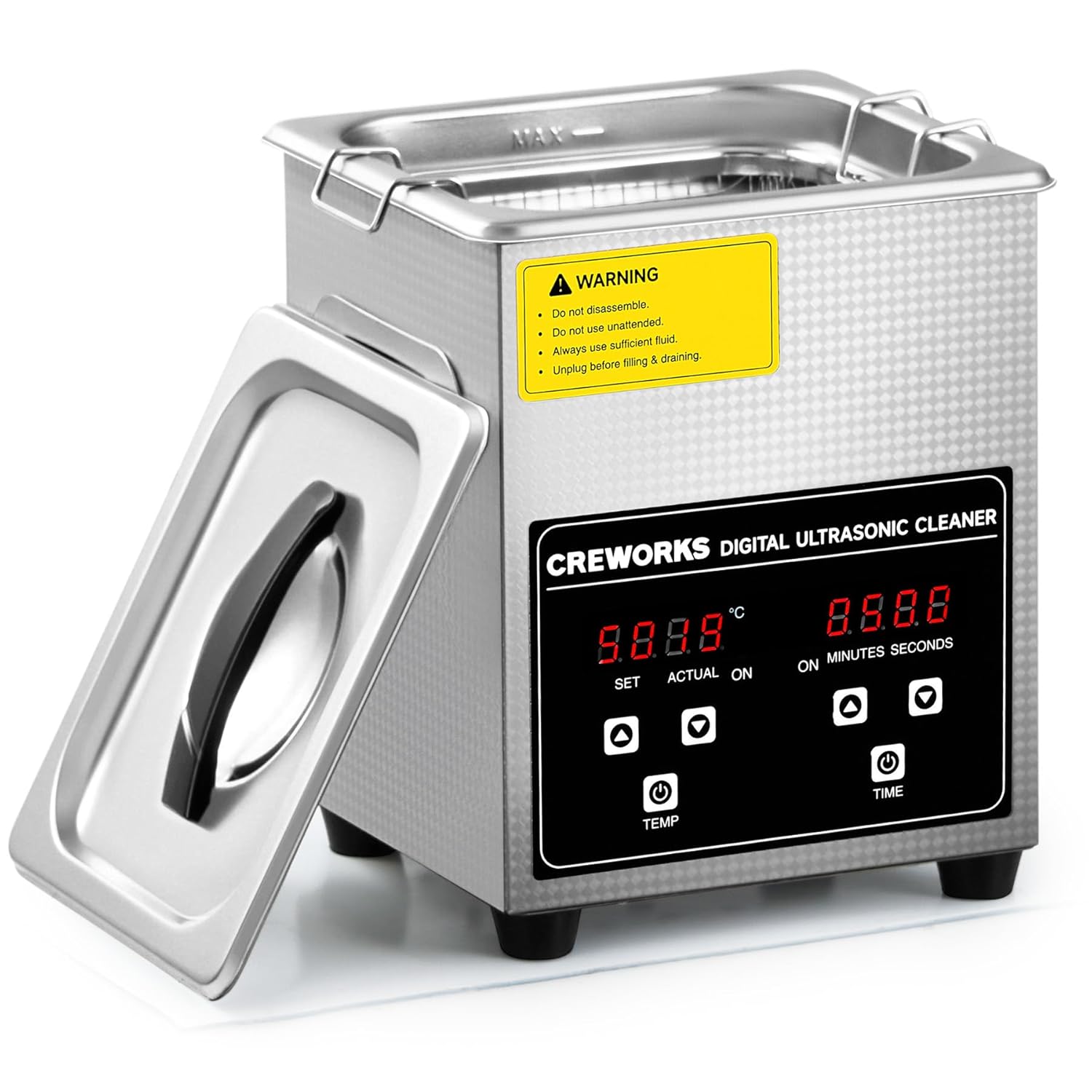
Image: The CREWORKS 1.8L Digital Ultrasonic Cleaning Machine, showcasing its compact stainless steel design and user-friendly digital interface.
2. What's in the Box
- 1 x Sonic Cleaner
- 1 x Lid
- 1 x Mesh Basket
- 1 x Power Cord
- 1 x Instructions Manual
3. Setup Guide
Before first use, ensure the unit is placed on a stable, flat surface away from direct heat or moisture. Connect the power cord to a suitable electrical outlet. The unit is designed for easy setup and immediate use.
- Fill the Tank: Open the lid and fill the stainless steel tank with water. For enhanced cleaning, a suitable cleanser can be added. Ensure the water level is between the MIN and MAX indicators.
- Place Items: Carefully place the items to be cleaned into the included mesh basket. Lower the basket into the tank, ensuring items are fully submerged but not touching the bottom of the tank directly.
- Close the Lid: Securely close the lid to minimize noise and prevent splashing during operation.

Image: Preparing items for cleaning by placing them into the mesh basket.
4. Operating Instructions
The intuitive digital control panel allows for precise adjustment of cleaning parameters.
- Power On: Locate the power switch on the back of the unit and flip it to the 'ON' position. The digital display will illuminate.
- Set Temperature: Use the 'TEMP' button and the up/down arrows to set the desired cleaning temperature. The temperature can be set between 20°C and 80°C (68°F and 176°F).
- Set Timer: Use the 'TIME' button and the up/down arrows to set the cleaning duration. The timer can be set from 1 to 30 minutes.
- Start Cleaning: Press the power button on the control panel to begin the ultrasonic cleaning cycle. The unit will emit a humming sound as it operates.
- Completion: The unit will automatically stop once the set timer has elapsed. Carefully open the lid and remove the mesh basket with the cleaned items.

Image: Digital control panel for setting temperature and time.

Image: Visual demonstration of cleaning effectiveness.
5. Maintenance
Proper maintenance ensures the longevity and optimal performance of your ultrasonic cleaner.
- Empty and Clean Tank: After each use, especially when using cleaning solutions, empty the tank and rinse it thoroughly with clean water. Wipe the interior and exterior with a soft, damp cloth.
- Avoid Abrasives: Do not use abrasive cleaners or scouring pads, as these can damage the stainless steel finish.
- Storage: Store the unit in a dry, cool place when not in use. Ensure the tank is completely dry before storage.
- Fuse Check: The unit is equipped with two built-in fuses for protection against power surges. If the unit fails to power on, check and replace the fuses if necessary (refer to a qualified technician if unsure).
6. Troubleshooting
If you encounter issues with your ultrasonic cleaner, try the following:
- Unit Does Not Power On: Ensure the power cord is securely plugged into both the unit and a working electrical outlet. Check the power switch on the back of the unit. Verify that the power outlet is functional.
- No Ultrasonic Action (No Humming Sound): Ensure the tank is filled with sufficient liquid. The unit requires liquid to transmit ultrasonic waves. Check if the timer is set and the start button has been pressed.
- Poor Cleaning Results: Ensure the water temperature is appropriate for the items being cleaned. Some items benefit from warmer water. Consider using a suitable ultrasonic cleaning solution instead of just water. Do not overload the basket; ensure items are not densely packed.
- Overheating: If the unit becomes excessively hot, unplug it immediately and allow it to cool down. Ensure proper ventilation around the unit.
7. Specifications
| Feature | Detail |
|---|---|
| Brand | CREWORKS |
| Model Number | JX-010S |
| Product Dimensions | 8.46 x 7.56 x 9.84 inches; 5.18 Pounds |
| Tank Volume | 1.8L (0.5 Gallon) |
| Ultrasonic Power | 60W |
| Heating Power | 100W |
| Temperature Range | 20°C to 80°C (68°F to 176°F) |
| Timer Range | 1 to 30 minutes |
| Tank Material | 304 Stainless Steel |
8. Warranty and Support
For specific warranty information and customer support, please refer to the documentation included with your product or visit the official CREWORKS brand store on Amazon. You can find more information and contact details at the CREWORKS Store.
Related documentsJX-010S


Ask a question about this manual
Ask about setup, troubleshooting, compatibility, parts, safety, or missing instructions. Manuals+ will review the question and use this page’s manual context to help answer it.