
NIORSUN TD23
NIORSUN Motion Sensor Night Light (Model TD23) User Manual
Model: TD23 | Brand: NIORSUN
Introduction
Thank you for choosing the NIORSUN Motion Sensor Night Light. This rechargeable indoor light features three color temperatures, dual smart motion sensing modes, and a dusk-to-dawn light sensor for optimal illumination. Its magnetic installation allows for versatile placement in various indoor environments. Please read this manual carefully to ensure proper use and maintenance of your device.
What's in the Box
- NIORSUN Motion Sensor Night Light units (4 Pack)
- USB Charging Cable (3-in-1)
- Rechargeable Battery (built-in)
- Adhesive Metal Plates for mounting
Specifications
| Feature | Detail |
|---|---|
| Model Number | TD23 |
| Product Dimensions | 2.76"D x 4.92"W x 4.72"H |
| Light Source Type | LED |
| Color Temperature | 3000K (Warm White), 4500K (Natural White), 6000K (Cool White) |
| Power Source | Battery Powered (Rechargeable) |
| Switch Type | Motion Sensor, Light Sensor |
| Mounting Type | Wall Mount (Magnetic) |
| Material Type | Acrylonitrile Butadiene Styrene, Polycarbonate |
| Indoor/Outdoor Usage | Indoor |
Setup and Installation
- Charge the Lights: Before first use, fully charge all night lights using the provided 3-in-1 USB charging cable. Connect the cable to a standard USB power adapter (not included). A full charge typically takes 3 hours.

Image: NIORSUN Motion Sensor Night Light units connected to a 3-in-1 USB charging cable, illustrating the charging process.
- Choose Installation Location: Select a clean, dry, and flat surface for mounting. The lights are designed for indoor use.
- Magnetic Installation:
- For metal surfaces: The night light has a built-in magnet and can be directly attached to any metal surface.
- For non-metal surfaces (walls, wood, etc.):
- Peel off the protective film from one side of an adhesive metal plate.
- Stick the adhesive metal plate firmly onto your desired clean surface.
- Attach the night light magnetically to the metal plate. Ensure it is securely fastened.
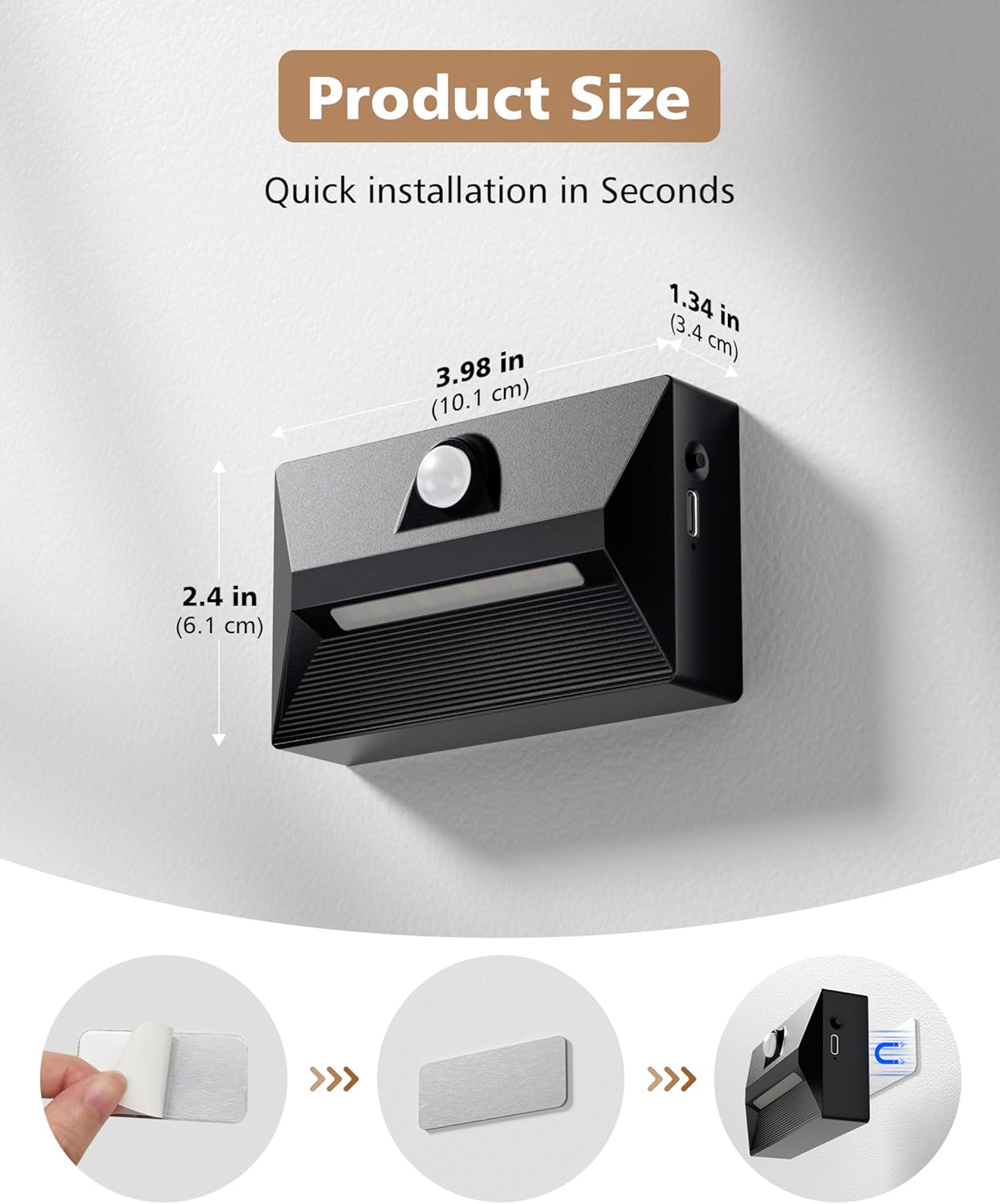
Image: Visual guide demonstrating the quick installation process using an adhesive metal plate and the magnetic attachment of the night light.
Operating Instructions
- Power On/Off and Mode Selection:
Locate the button on the side of the night light. This button controls the power and motion sensing modes.
- Short Press: Cycle through the motion sensing modes:
- Mode 1 (High Brightness): Light turns on at full brightness for 25 seconds upon detecting motion in dim light conditions, then turns off. Ideal for quick trips.
- Mode 2 (Low Brightness / All-Night Sentinel): Light turns on at full brightness for 25 seconds upon detecting motion in dim light conditions. After 25 seconds, it dims to a soft glow that lasts for 3 hours, then turns off. Suitable for guiding safely without disrupting sleep.
- OFF: The light remains off.
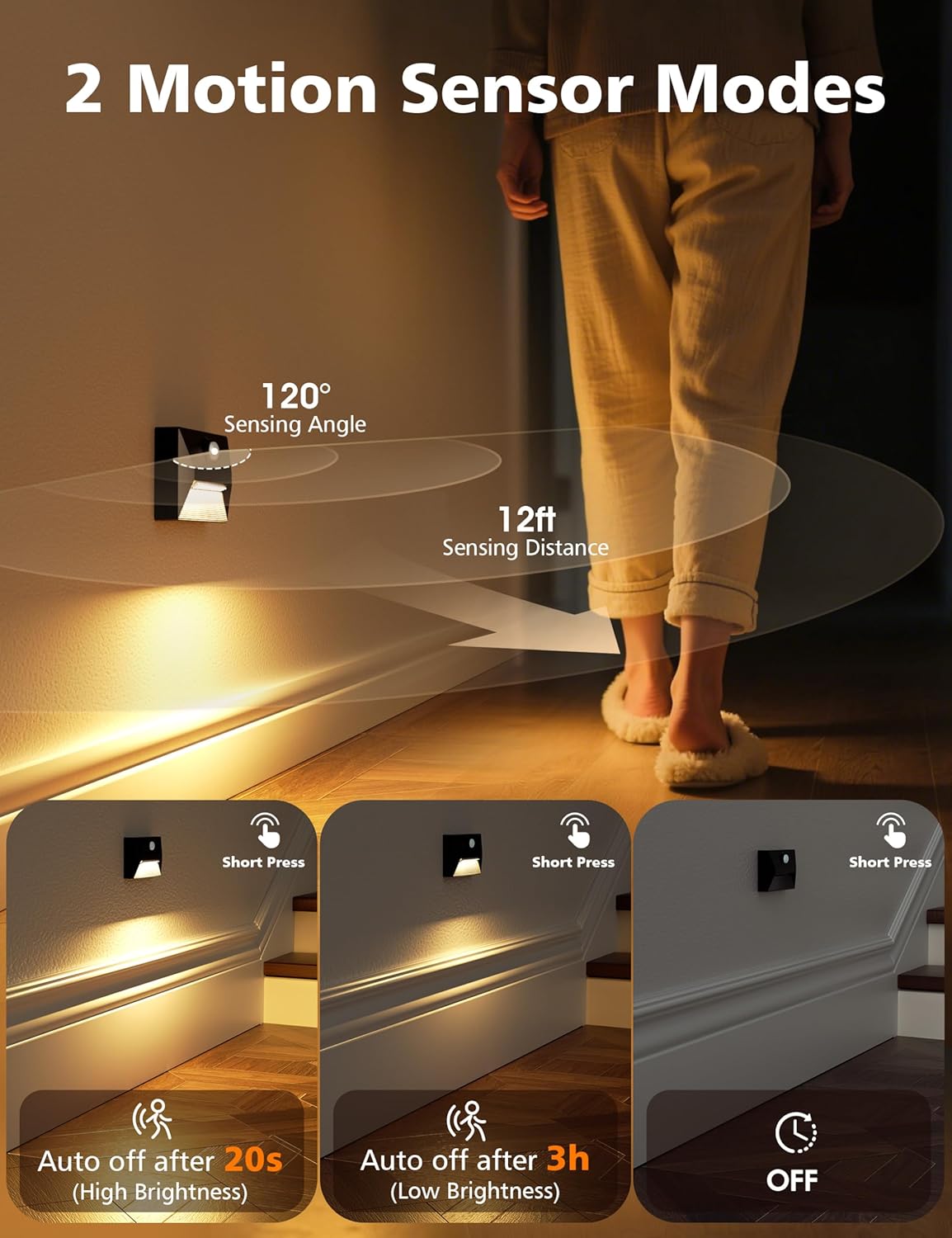
Image: Illustration of the two motion sensor modes: high brightness for 20 seconds and low brightness for 3 hours, activated by a short press.
- Short Press: Cycle through the motion sensing modes:
- Adjusting Color Temperature:
To change the color temperature, long press the button on the side of the night light. The light will cycle through the available color temperatures:
- 3000K (Warm White): For a cozy and relaxing ambiance.
- 4500K (Natural White): A balanced light for general use.
- 6000K (Cool White): Bright and crisp, ideal for clear visibility.

Image: Display of the three adjustable color temperatures (3000K, 4500K, 6000K) and the instruction to long press to change colors.
- Dusk to Dawn Light Sensor:
The integrated light sensor automatically detects ambient light levels. The night light will only activate its motion sensing modes when the surrounding environment is dim. It will remain off during bright conditions to conserve energy.

Image: Illustration of the light sensor functionality, showing the night light automatically turning off at dawn and lighting up in darkness.
Maintenance
- Cleaning: Wipe the surface of the night light with a soft, dry cloth. Do not use abrasive cleaners or immerse the device in water.
- Charging: Recharge the built-in battery when the light output appears dim or the motion sensor responsiveness decreases. Use only the provided USB charging cable.
- Battery Care: To prolong battery life, avoid fully discharging the battery frequently. Charge the device regularly, especially if not in use for extended periods.
Troubleshooting
| Problem | Possible Cause | Solution |
|---|---|---|
| Light does not turn on. | Battery is low or depleted. Ambient light is too bright. Motion sensor is not detecting movement. Light is in OFF mode. | Charge the light fully. Ensure the environment is dim enough for the light sensor to activate. Check if the light is placed correctly to detect motion. Short press the button to cycle to Mode 1 or Mode 2. |
| Light turns on unexpectedly. | Motion sensor is too sensitive or detecting unintended movement. | Adjust the placement of the light to avoid false triggers. Ensure no objects are moving within the sensing range. |
| Light output is dim. | Battery is low. Light is in Mode 2 (low brightness after initial period). | Recharge the light. If you desire constant high brightness, ensure the light is in Mode 1 or consider a different lighting solution. |
| Cannot change color temperature. | Incorrect button press. | Ensure you are performing a long press on the button to cycle through color temperatures. |
Product Usage Examples

Image: Examples of the night light installed in a stairway, hallway, under a bed in a bedroom, and above a sink in a bathroom, demonstrating its versatility.
The NIORSUN Motion Sensor Night Light is designed for versatile indoor use, providing illumination in various areas:
- Stairways: Enhances safety by illuminating steps during nighttime.
- Hallways: Provides guidance without needing to turn on main lights.
- Bedrooms: Offers a gentle light for getting out of bed without disturbing sleep.
- Bathrooms: Illuminates the path to the sink or toilet in the dark.
- Kitchens: Useful for quick trips to the kitchen at night.
- Closets: Automatically lights up when you open the closet door.
Official Product Video
Video: An official product video from NIORSUN demonstrating the features and applications of the rechargeable motion sensor night lights, including color temperature changes, motion detection, and various installation locations.
Warranty and Support
For warranty information or technical support, please refer to the product packaging or contact NIORSUN customer service directly. Contact details can typically be found on the manufacturer's website or through your purchase platform.
Ask a question about this manual
Ask about setup, troubleshooting, compatibility, parts, safety, or missing instructions. Manuals+ will review the question and use this page’s manual context to help answer it.