
1. Introduction
This manual provides essential information for setting up, operating, and maintaining your KXD A07 Unlocked Android Phone. Please read this guide thoroughly to ensure proper use and to maximize the device's features.
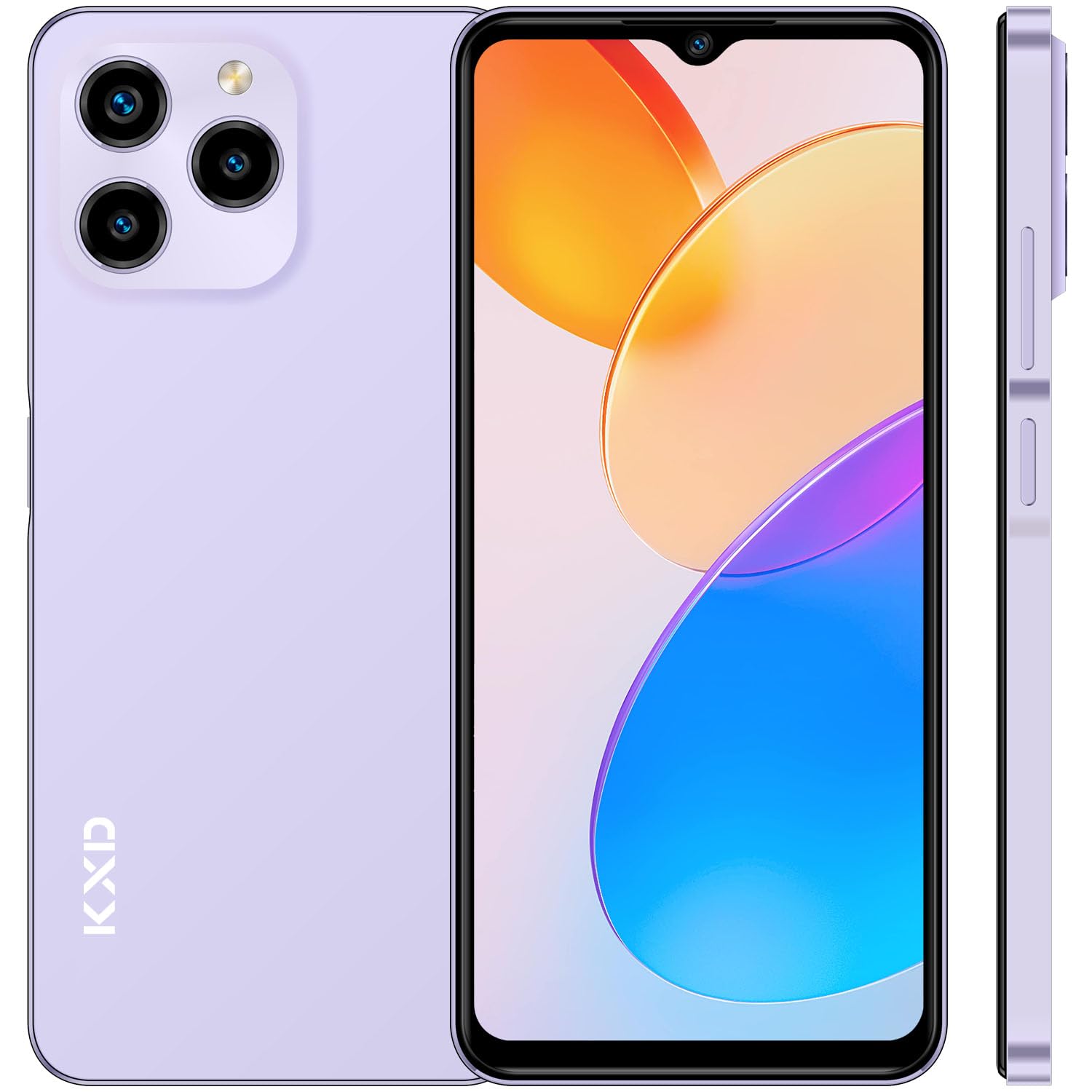
Image: Front view of the KXD A07 Unlocked Android Phone.
2. What's in the Box
Upon opening your KXD A07 package, you should find the following items:
- KXD A07 Smartphone
- Power Adapter
- USB Cable
- Phone Case
- Screen Protector (pre-applied or separate)
- SIM Tray Ejector

Image: Contents included in the KXD A07 product box.
3. Device Layout and Components
Familiarize yourself with the physical layout of your KXD A07 phone:
- Front: 6.52-inch HD+ Waterdrop Screen, Front Camera (8MP).
- Rear: Triple Camera System (13MP main, 5MP, 2MP), Flash.
- Sides: Volume Up/Down buttons, Power On/Off button with integrated Fingerprint Sensor, SIM/TF card slot, USB Type-C port, 3.5mm Headphone Jack, Speakers, Microphone.

Image: Detailed diagram illustrating the KXD A07's dimensions, camera placement, and port locations.

Image: Close-up of the KXD A07's top, bottom, and side views, highlighting the front camera, audio jack, charging port, speakers, and rear camera details.
4. SIM Card and Storage Installation
The KXD A07 supports dual Nano-SIM cards and a Micro SD card for expandable storage (up to 256GB).
- Locate the SIM tray on the side of the phone.
- Insert the SIM tray ejector tool into the small hole next to the tray and gently push until the tray pops out.
- Place your Nano-SIM card(s) and/or Micro SD card into the designated slots on the tray. Ensure they are correctly oriented.
- Carefully reinsert the tray into the phone until it is flush with the device's side.

Image: Illustration of how to insert Nano SIM cards and a TF (Micro SD) card into the phone's triple slot.
5. Initial Setup
- Power On: Press and hold the Power button until the KXD logo appears.
- Language and Region: Follow the on-screen prompts to select your preferred language and region.
- Wi-Fi Connection: Connect to a Wi-Fi network to proceed with setup and download necessary updates.
- Google Account: Sign in with your Google account or create a new one. This is essential for accessing the Google Play Store and other Google services.
- Security Setup: Configure your preferred screen lock method (PIN, pattern, password) and set up Fingerprint and Face ID for enhanced security.
- Data Transfer: If you have a previous Android device, you may transfer your data during this step.
6. Operating System (Android 12)
The KXD A07 runs on Android 12, offering a user-friendly interface and various features:
- Customizable Interface: Personalize your home screen with widgets, wallpapers, and themes.
- Privacy Dashboard: Manage app permissions and see which apps have accessed your location, camera, or microphone.
- Enhanced Notifications: Grouped notifications and quick reply options.
- Digital Wellbeing: Monitor and manage your screen time and app usage.

Image: The KXD A07 showcasing the Android 12 operating system interface with its various features and applications.
7. Camera Features
Capture moments with the KXD A07's dual camera system:
- Rear Camera: 13MP main camera for clear photos.
- Front Camera: 8MP for selfies and video calls.
- Multiple Shooting Modes: Explore various modes for different scenarios.

Image: Examples of photos taken with the KXD A07's 13MP rear camera and 8MP front camera.

Image: A collection of images showcasing the diverse shooting modes available on the KXD A07 camera.

Image: Examples of vibrant selfies and group photos captured using the KXD A07's 8MP front camera.
8. Security Features
The KXD A07 offers multiple security options to protect your data:
- Fingerprint Sensor: Located on the power button for quick and secure unlocking.
- Face Recognition: Unlock your phone using facial recognition technology.
- PIN/Pattern/Password: Standard Android security options.
9. Battery Management
The KXD A07 is equipped with a 4500 mAh battery for extended usage.
- Charging: Use the provided power adapter and USB cable to charge your device.
- Battery Optimization: Android 12 includes features to optimize battery life. Access these settings in the 'Battery' section of your phone's settings.

Image: An infographic detailing the 4500mAh battery capacity and estimated usage times for various activities.

Image: The KXD A07 highlighting its 4500 mAh battery with estimated usage durations for music, video, calls, and standby.
Video: A demonstration of the KXD A07 phone, showcasing its features and design. This video is provided by the seller.
10. Connectivity
The KXD A07 supports various connectivity options:
- Wi-Fi: Connect to wireless networks for internet access.
- Bluetooth: Pair with wireless headphones, speakers, and other Bluetooth-enabled devices.
- USB: Use the USB Type-C port for charging and data transfer.
- GPS: Built-in GPS for navigation and location services.
- 4G Dual SIM: Supports 4G networks with dual SIM capability.
11. Maintenance and Care
- Keep your phone dry and away from extreme temperatures.
- Clean the screen and body with a soft, lint-free cloth. Avoid harsh chemicals.
- Protect the screen with the provided screen protector and use the phone case to prevent physical damage.
- Regularly back up your data to prevent loss.
- Update the operating system and applications regularly for optimal performance and security.
12. Troubleshooting
If you encounter issues with your KXD A07, try the following common solutions:
- Phone not turning on: Ensure the battery is charged. Connect to the charger for at least 30 minutes before attempting to power on again.
- Apps crashing or freezing: Close and restart the app. Clear the app's cache and data in settings. If the issue persists, uninstall and reinstall the app.
- Poor battery life: Reduce screen brightness, close unused apps, disable unnecessary background processes, and check battery usage in settings to identify power-hungry apps.
- Network connectivity issues: Check if Airplane Mode is off. Restart your phone. Verify your SIM card is properly inserted. Contact your service provider if mobile data issues persist.
- Fingerprint sensor not working: Ensure your finger is clean and dry. Re-register your fingerprints in the security settings.
- Slow performance: Clear unnecessary files and apps to free up storage. Restart your phone regularly.
13. Specifications
| Feature | Detail |
|---|---|
| Model Name | KXD A07 |
| Operating System | Android 12.0 |
| Screen Size | 6.52 Inches |
| Resolution | 1920 x 1080 |
| Refresh Rate | 60 Hz |
| RAM Memory Installed Size | 4 GB (expandable with RAM expansion technology) |
| Memory Storage Capacity | 64 GB (expandable up to 256GB with Micro SD) |
| CPU Model | Octa Core Processor |
| CPU Speed | 1.6 GHz |
| Rear Camera | 13MP |
| Front Camera | 8MP |
| Battery Capacity | 4500 Milliamp Hours |
| Connectivity Technologies | Bluetooth, USB, Wi-Fi |
| Special Features | Bluetooth Enabled, Built-In GPS, Dual SIM, Fingerprint Sensor, Octa Core Processor |
| Audio Jack | 3.5 mm |
| Item Weight | 0.035 ounces |
| Package Dimensions | 6.93 x 3.46 x 2.24 inches |
14. Warranty and Support Information
For warranty information and customer support, please refer to the documentation included with your purchase or visit the official KXD website. Keep your proof of purchase for any warranty claims.