
1. Introduction
Thank you for choosing BUGANI Buds True Wireless Earbuds. This manual provides detailed instructions on how to set up, operate, and maintain your earbuds to ensure optimal performance and longevity. Please read this manual thoroughly before using the product.
2. Package Contents
- 1 pair of BUGANI B09 True Wireless Earbuds
- 1 USB-C Charging Cable
- 3 pairs of Eartips (S, M, L)
- 3 pairs of Silicone Ear Hooks (S, M, L)
- 1 User Guide
3. Product Overview
Familiarize yourself with the components of your BUGANI Buds.
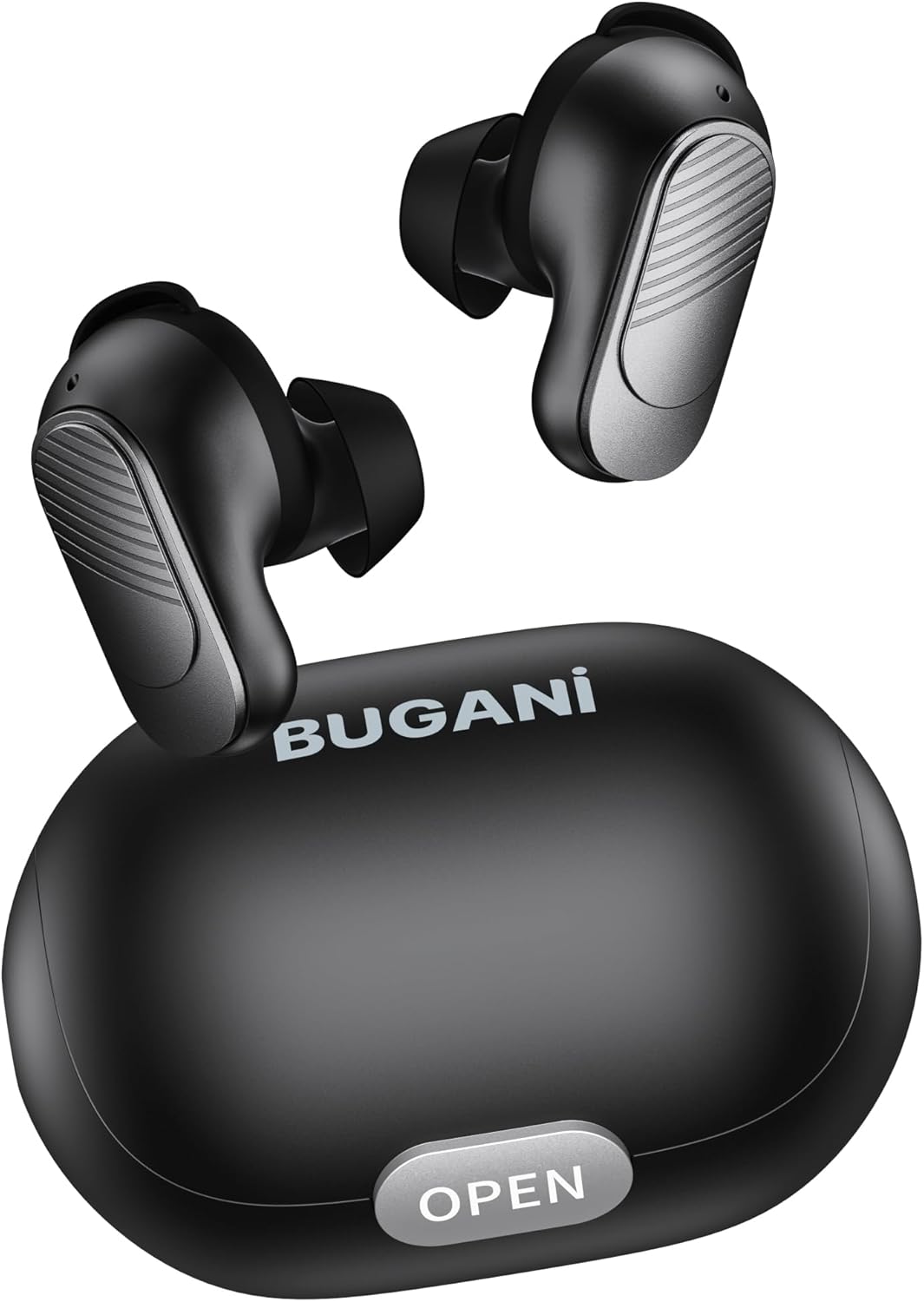
Image: BUGANI Buds True Wireless Earbuds with their charging case. The earbuds are black with silver accents, and the case is a sleek black oval shape with an "OPEN" button.

Image: An exploded diagram showing the internal components of a BUGANI Bud earbud, highlighting the driver and circuit board for enhanced sound quality.

Image: Illustration demonstrating the battery life of BUGANI Buds. It shows 6 hours of playback on a single charge and an additional 24 hours with the charging case, totaling 30 hours.

Image: A woman using BUGANI Buds during a phone call, with an inset showing the earbud and the "MIC" label, indicating the dual microphone for clear calls.

Image: A woman exercising while wearing BUGANI Buds, with an overlay showing the IPX6 water resistance icon, signifying protection against sweat and splashes.

Image: A woman wearing BUGANI Buds, with insets highlighting the lightweight design (3.9g) and the ergonomic fit with proper ear wingtips for comfort.
4. Setup
4.1 Initial Charging
Before first use, fully charge the earbuds and the charging case. Connect the USB-C charging cable to the charging port on the case and a power source. The indicator lights on the case will show charging status.
4.2 Choosing the Right Eartips
Select the eartips (S, M, L) and silicone ear hooks that provide the most comfortable and secure fit for your ears. A proper seal is crucial for optimal sound quality and noise isolation.
5. Operating Instructions
5.1 Power On/Off
- Power On: Open the charging case, and the earbuds will automatically power on.
- Power Off: Place the earbuds back into the charging case and close the lid. They will automatically power off and begin charging.
5.2 Bluetooth Pairing
- Ensure the earbuds are in the charging case and the lid is open.
- On your device (smartphone, tablet, etc.), enable Bluetooth.
- Search for "BUGANI Buds" in the list of available Bluetooth devices.
- Select "BUGANI Buds" to connect. Once connected, you will hear a confirmation tone.
- The earbuds will automatically reconnect to the last paired device when taken out of the case, if Bluetooth is enabled on the device.
5.3 Touch Controls
The BUGANI Buds feature intuitive touch controls on each earbud:
| Action | Left Earbud | Right Earbud |
|---|---|---|
| Play/Pause | Single Tap | Single Tap |
| Next Track | Double Tap | |
| Previous Track | Double Tap | |
| Answer/End Call | Single Tap | Single Tap |
| Reject Call | Long Press (2s) | Long Press (2s) |
| Activate Voice Assistant | Triple Tap | Triple Tap |
5.4 Charging the Earbuds and Case
- Earbuds: Place the earbuds into the charging case. They will automatically charge.
- Charging Case: Connect the USB-C cable to the charging port on the case and a USB power adapter (not included). The indicator lights will show the charging status.
6. Maintenance
- Clean the earbuds and charging case regularly with a soft, dry cloth.
- Do not use abrasive cleaners or solvents.
- Keep the charging contacts on both the earbuds and the case clean to ensure proper charging.
- Store the earbuds in their charging case when not in use to protect them and keep them charged.
- Avoid exposing the earbuds to extreme temperatures, humidity, or direct sunlight.
- While IPX6 water-resistant, do not immerse the earbuds in water.
7. Troubleshooting
| Problem | Possible Solution |
|---|---|
| Earbuds not pairing |
|
| Only one earbud working |
|
| Poor sound quality |
|
| Earbuds not charging |
|
8. Specifications
| Feature | Detail |
|---|---|
| Model Name | B09 |
| Brand | BUGANI |
| Connectivity Technology | Wireless (Bluetooth 5.3) |
| Wireless Communication Technology | Bluetooth |
| Control Type | Touch Control |
| Water Resistance Level | IPX6 (Waterproof) |
| Frequency Range | 20 Hz - 20,000 Hz |
| Battery Composition | Lithium-ion |
| Rechargeable Battery | Yes |
| Ear Placement | In-Ear |
| Form Factor | In-Ear |
| Material | Plastic |
| Color | Black |
| ASIN | B0FBRKTKTS |
9. Warranty and Support
For warranty information and technical support, please refer to the official BUGANI website or contact their customer service. Keep your purchase receipt for warranty claims.
Return Policy: This product typically has a 30-day refund/replacement return policy.
Manufacturer: BUGANI
