
1. Introduction
Thank you for choosing the Doubc S29 True Wireless Earbuds. This manual provides essential information for setting up, operating, and maintaining your earbuds to ensure optimal performance and longevity. Please read this manual thoroughly before use.
2. Package Contents
- Doubc S29 True Wireless Earbuds (Left and Right)
- Charging Case
- USB-C Charging Cable
- User Manual
3. Setup
3.1 Initial Charging
Before first use, fully charge the earbuds and the charging case. Connect the USB-C charging cable to the charging port on the case and a power source. The LED display on the case will show the charging status.
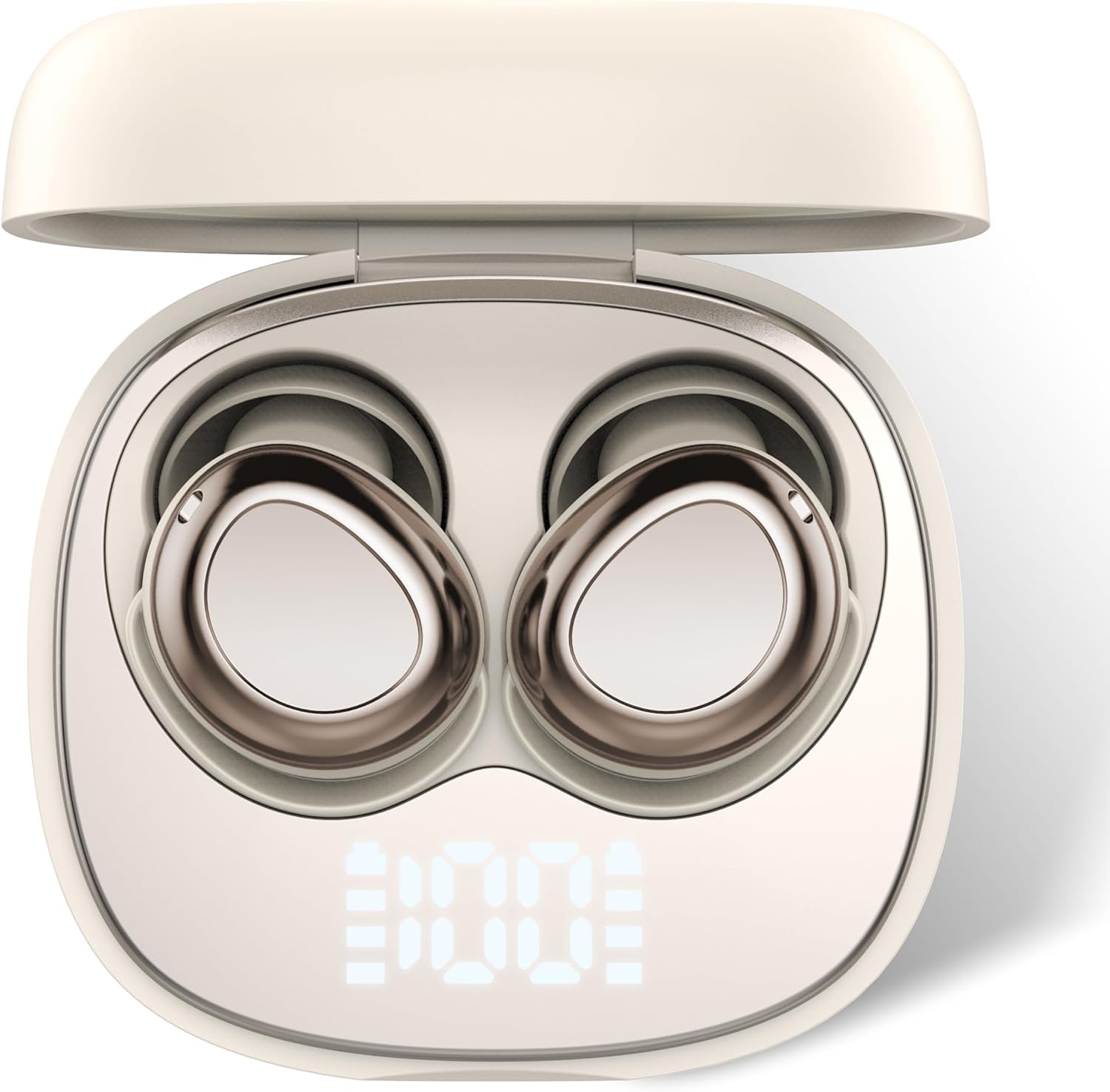
Image: Doubc S29 earbuds in their charging case, displaying the battery percentage. The case and earbuds are light-colored.

Image: A visual representation of the LED power display on the charging case, indicating the charge level of the case and each earbud (L and R).
3.2 Pairing with Your Device
- Ensure the earbuds are charged.
- Open the charging case. The earbuds will automatically enter pairing mode.
- On your device (smartphone, tablet, etc.), enable Bluetooth.
- Search for available Bluetooth devices and select "S29" from the list.
- Once connected, you will hear a confirmation tone, and the device will show "Connected."

Image: A visual guide demonstrating the one-step pairing process, showing a phone successfully connected to the 'S29' earbuds.
3.3 Wearing the Earbuds
Gently insert the earbuds into your ears. Adjust them for a comfortable and secure fit. The ergonomic design with soft eartips is intended for stability, especially for side sleepers.

Image: An earbud positioned in an ear, highlighting its ergonomic design for a stable and comfortable fit.
4. Operating Instructions
4.1 Touch Controls
The Doubc S29 earbuds feature intuitive touch controls for various functions:
- Play/Pause: Click 2 times (R/L)
- Next Track: Hold on 2S (R)
- Previous Track: Hold on 2S (L)
- Answer/End Call: Click 1 time (R/L)
- Reject Call: Hold on 2S
- Volume +/-: Click 1 time (R/L)
- Activate Voice Assistant: Hold on 5S (R/L)

Image: A detailed diagram outlining the touch control gestures for music playback, call management, and voice assistant activation on the earbuds.
4.2 Audio Features
The S29 earbuds provide high-resolution sound quality with powerful bass and clear calls, enhanced by 4-mic environmental noise cancellation.

Image: An earbud design highlighting high-resolution sound quality and smooth calls, supported by 4-mic enhanced environmental noise cancellation.

Image: A visual emphasizing crystal clear call quality with immersive and clear sound features.
4.3 Noise Cancellation
The earbuds feature passive noise cancellation, designed to reduce ambient noise for a more focused listening experience, particularly beneficial for sleep.

Image: A person wearing an earbud, demonstrating the effect of environmental noise cancellation for a peaceful experience.

Image: A comparison illustrating how the earbuds contribute to better sleep by providing a quiet listening environment compared to other noisy earbuds.
5. Maintenance
5.1 Cleaning
Regularly clean your earbuds and charging case with a soft, dry, lint-free cloth. Avoid using abrasive materials or harsh chemicals. For the eartips, you may gently wipe them with a slightly damp cloth and allow them to dry completely before reattaching.
5.2 Water Resistance (IP7)
The Doubc S29 earbuds are IP7 waterproof, meaning they are protected against immersion in water up to 1 meter for up to 30 minutes. This makes them suitable for light rain, accidental splashes, and sweat. However, they are not designed for swimming or prolonged submersion.

Image: The earbuds and charging case shown with water droplets, illustrating their IP7 waterproof capability against light rain, accidental splashes, and sweat.
5.3 Storage
When not in use, store the earbuds in their charging case to protect them from dust and damage. Keep them in a cool, dry place away from extreme temperatures.
6. Troubleshooting
- Earbuds not pairing: Ensure both earbuds are in the charging case, then take them out to re-enter pairing mode. Check your device's Bluetooth settings and try reconnecting.
- Only one earbud working: Place both earbuds back into the charging case, close the lid, wait a few seconds, then open the lid and try again. This often resets the connection between the two earbuds.
- No sound: Check the volume level on both your device and the earbuds. Ensure the earbuds are properly connected to your device.
- Charging issues: Verify that the charging cable is securely connected to both the case and the power source. Clean the charging contacts on the earbuds and inside the case with a dry cotton swab.
- Poor sound quality: Ensure the earbuds are securely seated in your ears for an optimal seal. Try cleaning the earbud mesh to remove any debris.
7. Specifications
| Feature | Specification |
|---|---|
| Model Number | S29 |
| Bluetooth Version | 5.4 |
| Playtime (Single Charge) | Up to 8 hours |
| Total Playtime (with Case) | Up to 45-53 hours |
| Waterproof Rating | IP7 |
| Noise Control | Passive Noise Cancellation |
| Driver Size | 10mm Graphene Drivers |
| Impedance | 9.98 Ohm |
| Item Weight | 2.89 ounces |

Image: An overview of key features for the Doubc S29, including playtime, Bluetooth version, and LED display.

Image: Features such as HD HiFi sound, IP7 waterproof rating, and 10mm graphene drivers are highlighted.

Image: A visual representation of the extended battery life, showing 8 hours on a single charge and 45 hours with the charging case.
8. Warranty and Support
Doubc products are covered by a limited warranty against manufacturing defects. For detailed warranty information or technical support, please refer to the warranty card included with your product or contact Doubc customer service through their official channels.