
1. Introduction
The bonoch AK22A 16-in-1 Indoor Air Quality Monitor is designed to provide real-time detection of various indoor air parameters. This device helps you understand and manage the air quality in your environment by monitoring CO2, PM2.5, PM1.0, PM10, HCHO, TVOC, Temperature, Humidity, and overall AQI. It features a 7-inch display for clear readings and includes alert functions to notify you of significant changes in air quality.

Figure 1: bonoch AK22A Air Quality Monitor with its 7-inch display showing real-time air quality data.

Figure 2: The monitor's compact design allows it to fit seamlessly into various indoor environments, providing continuous monitoring.
2. Product Features
- 16-in-1 Monitoring: Detects CO2, PM2.5, PM1.0, PM10, HCHO, TVOC, Temperature, Humidity, and AQI.
- High-Precision Sensors: Equipped with external high-precision sensors for accurate readings down to 0.001 units.
- 7-inch Large Display: Provides clear, comprehensive air quality readings at a glance with three brightness settings.
- Real-Time AQI Alerts: Features 7 distinct AQI alert buzzers for various pollutants, with a mute option.
- Long Battery Life: Built-in 2500mAh battery offers up to 8 hours of cordless use.
- Easy Time and Temperature Adjustment: Simple controls for 12/24-hour format and °F/°C switching.
- Auto Recalibration: One-click reset function for precision renewal.

Figure 3: Illustration of the monitor's external air sensors and industrial-grade chipset, ensuring lab-grade accuracy.

Figure 4: Visual representation of common indoor air pollutants detected by the monitor, including VOCs, CO2, and particulate matter.

Figure 5: The monitor adheres to professional certifications, indicating its triple-calibrated design to meet laboratory standards.
3. Package Contents
Please check the package for the following items:
- 1 x bonoch AK22A Air Quality Monitor
- 1 x Charging Adapter
- 1 x USB-C Cable
- 1 x User Manual
4. Setup
4.1 Charging the Device
Before first use, or when the battery is low, charge the monitor using the provided USB-C cable and charging adapter. Ensure the cable is fully inserted until secure. The front indicator light will glow red to confirm normal charging. A full charge provides up to 8 hours of cordless operation.
4.2 Powering On/Off
Press and hold the Power button located on the device to turn it on or off. The 7-inch display will illuminate upon startup.
5. Operating Instructions
5.1 Display Overview
The 7-inch LED display provides an instant, comprehensive view of your indoor air quality. It shows real-time readings for CO2, PM2.5, PM1.0, PM10, HCHO, TVOC, Temperature, Humidity, AQI, and the current time.
5.2 Adjusting Time
- Switch Time Format: Click the "Time button" to toggle between 12-hour and 24-hour formats.
- Set Hours: Long press the "Time button" to enter setting mode. Use the "Alarm button" or "Brightness button" to adjust the hours.
- Set Minutes: Click the "Time button" again. Use the "Alarm button" or "Brightness button" to adjust the minutes.
- Confirm: Click the "Time button" once more to save your settings.
5.3 Switching Temperature Units (°F/°C)
To switch between Fahrenheit (°F) and Celsius (°C) units, simply click the "Power button" briefly.
5.4 AQI Alert System
The monitor provides real-time alerts for various pollutants. There are 7 distinct alert functions. When a parameter exceeds a safe threshold, an audible buzzer will sound, and the display will indicate the alert level. You can mute the alarm by pressing the designated mute button.

Figure 6: The monitor provides instant 3-color and sound alerts for various air quality threats, indicating good, OK, or poor conditions.
5.5 Display Brightness Settings
The 7-inch display offers three brightness settings. Use the "Brightness button" to cycle through the available options to suit your lighting conditions.
5.6 Auto Recalibration and One-Click Reset
The monitor features an auto-recalibration function to maintain precision. For quick and accurate readings, you can perform a one-click reset. Long-press the power button to reset and recalibrate the device.

Figure 7: Instructions for auto recalibration and the one-click reset function, crucial for maintaining sensor precision.
6. Understanding Air Quality Readings
The monitor displays various parameters to give you a comprehensive understanding of your indoor air quality:
- CO2 (Carbon Dioxide): High levels can indicate poor ventilation.
- PM2.5, PM1.0, PM10 (Particulate Matter): Microscopic particles that can affect respiratory health. PM2.5 levels can also indicate the presence of mold spores.
- HCHO (Formaldehyde): A common indoor air pollutant from building materials and furniture.
- TVOC (Total Volatile Organic Compounds): A group of chemicals that can be emitted from various household products.
- Temperature & Humidity: Essential for comfort and preventing mold growth.
- AQI (Air Quality Index): An overall indicator of air quality based on the measured pollutants.
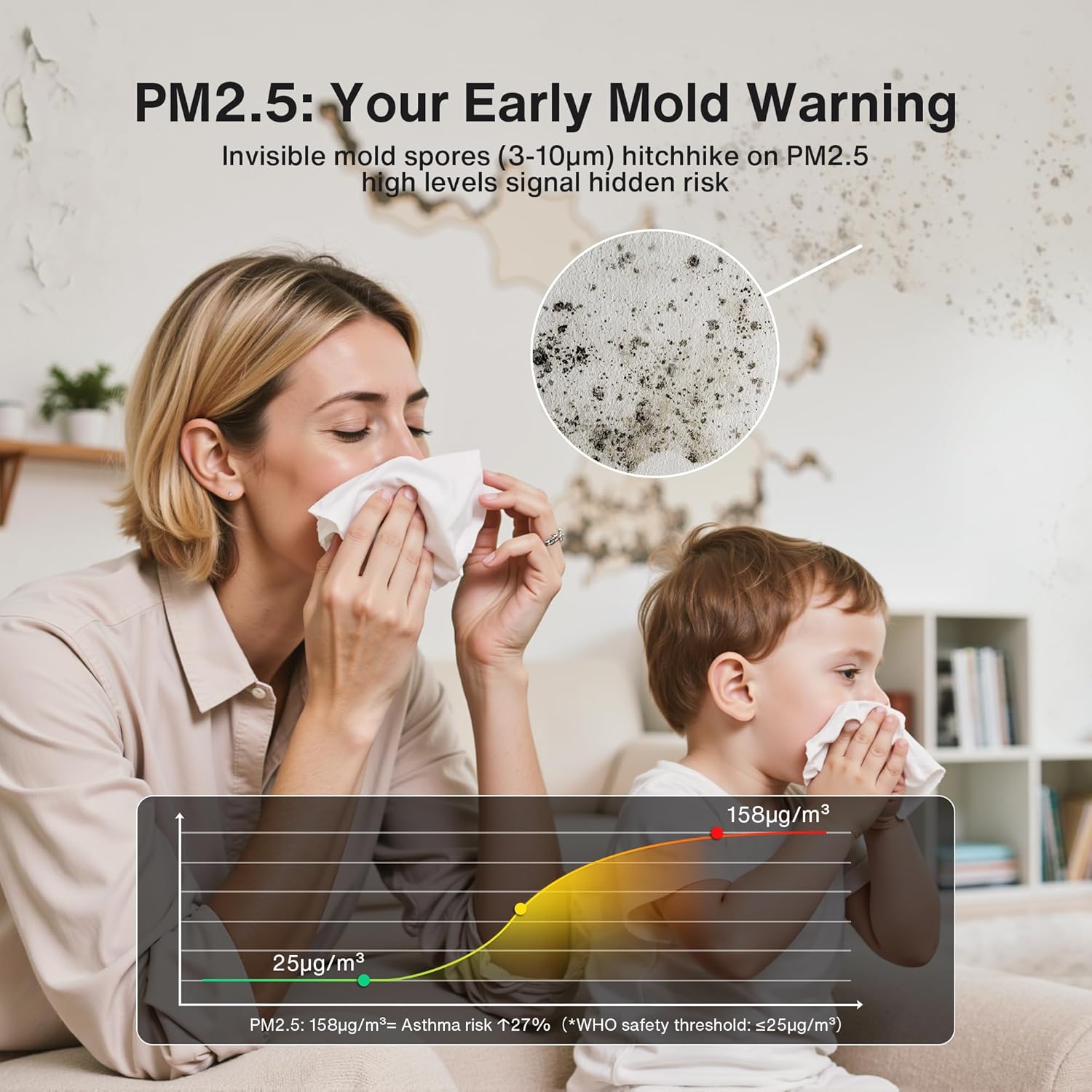
Figure 8: Explanation of PM2.5 as an early indicator for mold spores, showing how elevated levels can signal potential health risks.
7. Maintenance
7.1 Sensor Care
To ensure accurate readings, avoid touching the external sensors or air intake holes on the device. Physical contact or obstruction can interfere with sensor performance.
7.2 Cleaning
Wipe the device with a soft, dry cloth. Do not use abrasive cleaners, solvents, or immerse the device in water. Ensure the air intake and exhaust vents are free from dust and debris.
8. Troubleshooting
- Device Not Turning On: Ensure the device is fully charged. Connect it to the power adapter and USB-C cable.
- Inaccurate Readings: Allow the device to stabilize for a few minutes after powering on. Ensure it is placed in an area with good air circulation, away from direct drafts or heat sources. Perform a one-click reset (long-press the power button) to recalibrate the sensors.
- No Audible Alerts: Check if the alarm function has been muted. Refer to section 5.4 for details on AQI alerts.
- Display Issues: If the display is dim or unclear, adjust the brightness settings (section 5.5).
9. Specifications
| Feature | Specification |
|---|---|
| Model Number | AK22A |
| Display Size | 7 Inches |
| Material Type | Plastic |
| Color | White |
| Item Weight | 0.66 Kilograms |
| Battery Type | Lithium-Ion |
| Battery Life | Up to 8 Hours (cordless use) |
| Sensor Types | Electrochemical, Metal Oxide, Optical |
| Temperature Accuracy | ±1°F to ±3°F |
| Humidity Accuracy | ±2%RH to ±3%RH |
| Air Sensor Accuracy | 0.001 units |
| Manufacturer | Shenzhen Langtao Technology Co., Ltd. |
10. Warranty and Support
For any queries or assistance with your bonoch AK22A Air Quality Monitor, our customer support team is available to help. Please refer to the included user manual or contact bonoch customer service for detailed warranty information and support options. Our support team aims to respond within 24 hours.