
Onida 32AHI
ONIDA 80 cm (32 inch) Smart Genius Series HD Ready Smart LED TV 32AHI User Manual
Model: 32AHI
Introduction
This manual provides essential information for the setup, operation, and maintenance of your ONIDA 80 cm (32 inch) Smart Genius Series HD Ready Smart LED TV, model 32AHI. Please read these instructions carefully before using your television to ensure proper functionality and safety. Keep this manual for future reference.
What's in the Box
Upon unpacking, verify that all the following items are included:
- 1 x ONIDA 80 cm (32 inch) Smart Genius Series HD Ready Smart LED TV Unit
- 1 x Remote Control
- 1 x Mini AV Cable
- 1 x Power Cord
- 1 x Wall Mount Kit (for wall installation)
- 1 x User Manual (this document)
- 2 x AAA Batteries (for remote control)
- 2 x TV Stands (for table-top installation)
- 4 x Stand Screws

Image: The ONIDA 32AHI Smart LED TV and its included accessories, such as the remote control, power cord, and stand components.
Setup
1. Installing the TV Stands
If you plan to place the TV on a table or cabinet, attach the included stands:
- Carefully place the TV screen-down on a soft, flat surface to prevent damage.
- Align each stand with the corresponding screw holes on the bottom of the TV.
- Secure the stands using the provided stand screws. Ensure they are tightened firmly.
2. Wall Mounting (Optional)
If you intend to wall-mount your TV, use the provided wall mount kit. Professional installation is recommended for wall mounting to ensure safety and proper alignment. Refer to the separate instructions included with the wall mount kit for detailed steps.
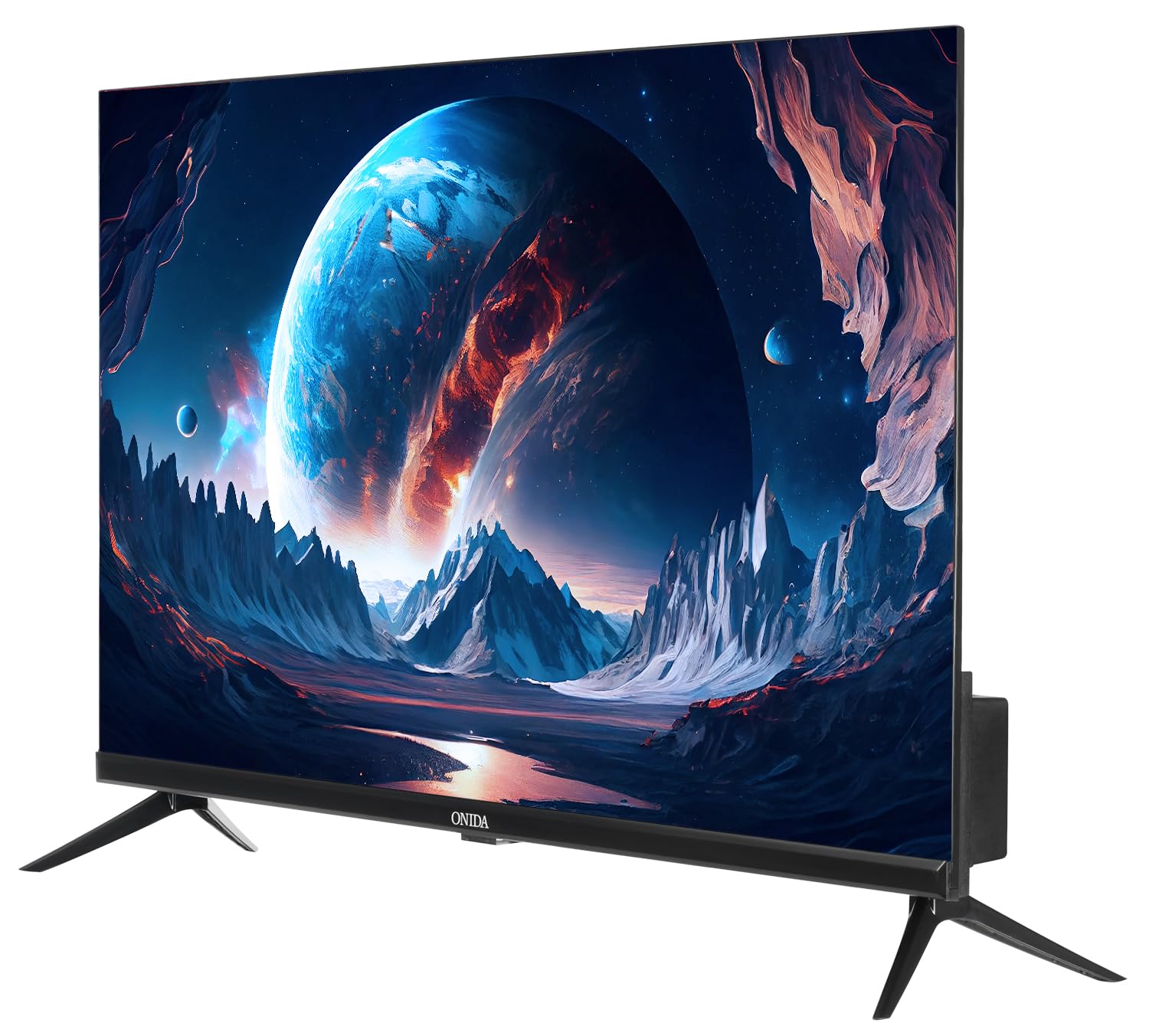
Image: Rear view of the ONIDA 32AHI TV, illustrating the wall mount screw points and various input ports.
3. Connecting Power
Connect the power cord to the TV's power input and then plug it into a standard AC power outlet (140 Volts).
4. Connecting External Devices
Your TV features multiple ports for connecting various devices:
- HDMI Ports (2): Connect set-top boxes, Blu-ray players, gaming consoles, or other HDMI-enabled devices.
- USB Port (1): Connect hard drives, USB flash drives, or other USB devices for media playback.
- Mini AV Cable: Use for older devices requiring composite video and audio input.
- Wi-Fi: Connect to your home network for smart TV features and internet access.

Image: A detailed view of the connectivity panel on the ONIDA 32AHI TV, showing HDMI, USB, and other input/output ports.
Operating Your TV
1. Initial Power On and Setup
After connecting the power, press the power button on the remote control or the TV. Follow the on-screen instructions for initial setup, including language selection, network connection (Wi-Fi), and channel scanning.
2. Smart TV Features (Coolita OS)
Your ONIDA Smart Genius TV runs on the Coolita operating system, providing access to a variety of applications and streaming services. Navigate the smart interface using your remote control.
- Supported Apps: YouTube, YouTube Music, Jiohotstar, Prime Video, MX Player, SonyLiv, Zee5, Browser, Coolita Channel, CC Cast.
- App Access: Select the 'Apps' icon on the home screen to browse and launch installed applications.

Image: The ONIDA 32AHI TV screen showing the smart interface with icons for YouTube, Prime Video, JioHotstar, and other streaming applications.
3. Coolink Feature (Phone as Remote)
The Coolink feature allows you to use your smartphone as a remote control for your TV. Download the compatible Coolink app on your smartphone and follow the in-app instructions to pair it with your TV. This enables navigation, content search, and voice control directly from your phone.

Image: Illustration of the Coolink feature, demonstrating a smartphone being used as a remote control for the TV, including voice search and content casting.
4. CC Cast Feature
Utilize the CC Cast feature to mirror content from your compatible smartphone or tablet directly onto your TV screen. Ensure both devices are connected to the same Wi-Fi network for seamless casting.

Image: Visual representation of the CC Cast function, where a smartphone wirelessly displays its screen content onto the ONIDA TV.
5. Audio and Display Settings
- Sound Output: The TV features 20 Watts audio output with Box Speakers and supports Dolby Digital for enhanced sound quality. Adjust audio settings via the TV menu.
- Display: Enjoy HD Ready (1366 x 768) resolution with a 60 Hertz refresh rate and a wide 178-degree viewing angle. Picture settings can be customized in the TV menu to suit your preferences.
Maintenance
Regular maintenance helps prolong the life of your TV:
- Cleaning the Screen: Gently wipe the screen with a soft, dry, lint-free cloth. For stubborn marks, slightly dampen the cloth with water or a specialized screen cleaner (do not spray directly onto the screen).
- Cleaning the Cabinet: Use a soft, dry cloth to wipe the TV cabinet. Avoid using abrasive cleaners or solvents.
- Ventilation: Ensure the TV's ventilation openings are not blocked to prevent overheating.
- Power Off: Unplug the TV from the power outlet during electrical storms or when it will be left unattended for long periods.
Troubleshooting
If you encounter issues with your TV, refer to the following common solutions:
- No Power:
- Check if the power cord is securely connected to both the TV and the power outlet.
- Ensure the power outlet is functioning by testing it with another device.
- Press the power button on the TV itself, not just the remote.
- No Picture/Sound:
- Verify that the correct input source (HDMI, AV, etc.) is selected.
- Check all cable connections between the TV and external devices.
- Ensure the volume is not muted or set to zero.
- Smart Features Not Working:
- Check your Wi-Fi connection. Ensure the TV is connected to a stable internet network.
- Restart the TV by unplugging it for a few minutes and then plugging it back in.
- Update the TV's software if an update is available (check settings menu).
- Remote Control Not Responding:
- Replace the AAA batteries in the remote control.
- Ensure there are no obstructions between the remote and the TV's IR sensor.
For further assistance, please contact ONIDA customer support.
Specifications
| Feature | Detail |
|---|---|
| Brand | Onida |
| Model | 32AHI |
| Screen Size | 80 cm (32 Inches) |
| Display Technology | LED |
| Resolution | HD Ready (1366 x 768 Pixels) |
| Refresh Rate | 60 Hz |
| Viewing Angle | 178 Degrees |
| Operating System | Coolita |
| Memory Storage Capacity | 4 GB |
| RAM Memory Installed Size | 512 MB |
| Graphics Coprocessor | Mali-G31MP2 800M |
| Sound Output | 20 Watts |
| Speaker Configuration | Box Speaker, Dolby Digital |
| Connectivity | 2 HDMI, 1 USB, Wi-Fi, Bluetooth |
| Power Source | AC (140 Volts) |
| Product Dimensions (LxWxH) | 73.5 x 18 x 47.6 cm |
| Item Weight | 3.95 kg |
| Mounting Type | Wall Mount & Table Mount |
| Supported Apps | Youtube, Prime Video, SonyLiv, Hungama, JioCinema, Zee5, Eros Now |

Image: The ONIDA 32AHI TV highlighting key features like HD Ready display, Coolink, CC Cast, and 512MB RAM.
Official Product Videos
ONIDA 80 cm (32 inch) Smart Genius Series HD Ready Smart LED TV 32AHI Overview
Video: An overview of the ONIDA 80 cm (32 inch) Smart Genius Series HD Ready Smart LED TV 32AHI, showcasing its features and design.
ONIDA Smart TV Features - Perfect Picture, Perfect Sound, Coolink
Video: This video highlights the "Perfect Picture" and "Perfect Sound" capabilities of ONIDA Smart TVs, along with a demonstration of the Coolink feature for smartphone control.
Warranty and Support
Your ONIDA TV comes with a 1-year comprehensive warranty from the date of purchase. The warranty can be availed using your purchase invoice.
For customer support, inquiries, or warranty claims, please contact:
- Manufacturer: MIRC ELECTRONICS LTD
- Address: Mahakali Caves Road, Andheri East, Mumbai - 400093
- Customer Care No.: 7490955555
- Email: customer.care@onida.com
Ask a question about this manual
Ask about setup, troubleshooting, compatibility, parts, safety, or missing instructions. Manuals+ will review the question and use this page’s manual context to help answer it.