
Introduction
Thank you for purchasing the KINGHE Solar Wall Light. This manual provides detailed instructions for the proper installation, operation, and maintenance of your solar-powered outdoor lighting system. Please read this manual thoroughly before use to ensure optimal performance and longevity of the product.
This product is designed for outdoor use, featuring solar charging, multiple lighting modes, and weather resistance, making it suitable for various outdoor environments such as entrances, gardens, and parking areas.
Product Overview
The KINGHE Solar Wall Light is an energy-efficient and environmentally friendly lighting solution. It features an integrated solar panel for automatic charging during the day and illumination at night. The robust design ensures durability in various weather conditions.
Key Features:
- Solar Charging: Automatically charges during the day using sunlight, eliminating the need for battery replacement and reducing environmental impact.
- Three Lighting Modes: Offers Human Sensor Mode, Dim Light Sensor Mode, and Constant Light Mode to suit various needs.
- Weatherproof (IP65): Designed to withstand rain and snow, ensuring reliable outdoor performance.
- Retro Design: Classic aesthetic enhances the ambiance of your entrance, garden, or parking area.
- Easy Installation: Simple wall-mounted setup without complex wiring.
Components:
- Solar Panel
- Light Sensor
- Motion Sensor
- LED Light Source (simulated bulb design)
- Mounting Screws and Expansion Tubes
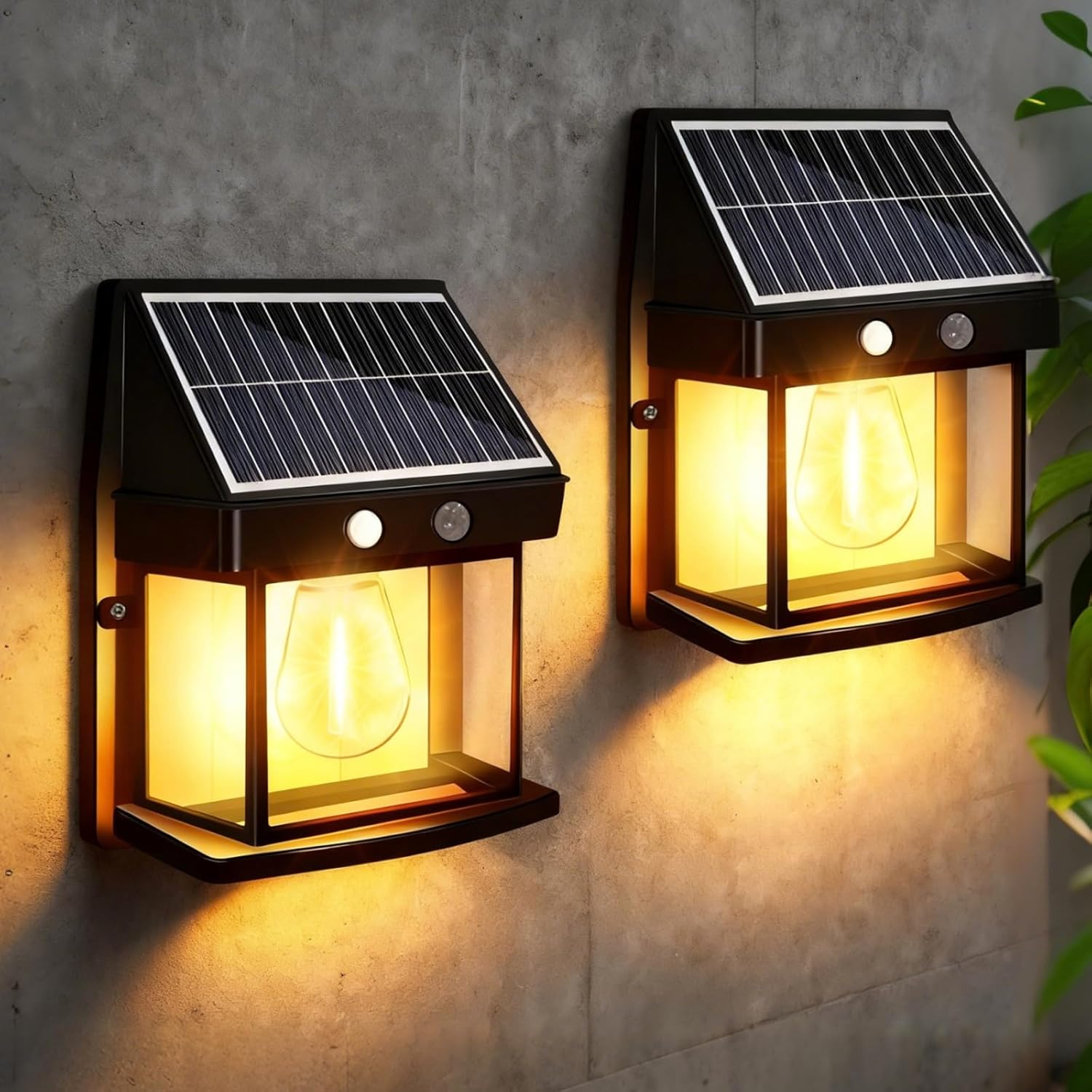
Figure 1: KINGHE Solar Wall Lights illuminating an outdoor wall.

Figure 2: Various application examples of the solar wall light.
Setup and Installation
Follow these steps for proper installation to ensure optimal performance of your solar wall light.
- Choose a Location: Select a location that receives direct sunlight for at least 6-8 hours daily to ensure the solar panel charges effectively. Avoid areas under eaves, trees, or other obstructions that might block sunlight.
- Mark Drilling Points: Hold the light against the desired mounting surface and mark the positions for the two mounting holes.
- Drill Holes: Use a drill to create holes at the marked positions. Insert the expansion tubes into the drilled holes.
- Mount the Light: Align the light with the holes and secure it using the provided screws. Ensure the light is firmly attached to the wall.
- Activate the Light: Before first use, ensure the light is switched to the "ON" position. The light will automatically charge during the day and activate at night.

Figure 3: Product dimensions and included mounting hardware.

Figure 4: Installation steps for the solar wall light.
Operating Instructions
The KINGHE Solar Wall Light features an intelligent sensor system with three distinct operating modes. To select a mode, locate the mode switch, typically a small button or pinhole switch near the solar panel. Press the button repeatedly to cycle through the modes.
Lighting Modes:
- Human Sensor Mode (Motion Sensor Mode):
In this mode, the light remains off until motion is detected. Upon detecting movement, the light illuminates at full brightness. After approximately 20 seconds of no further motion, the light will turn off completely.
- Dim Light Sensor Mode (Constant Dim + Motion Bright):
The light stays on at a dim brightness (approximately 50% brightness) throughout the night. When motion is detected, it switches to full brightness. After approximately 20 seconds of no motion, it returns to dim brightness.
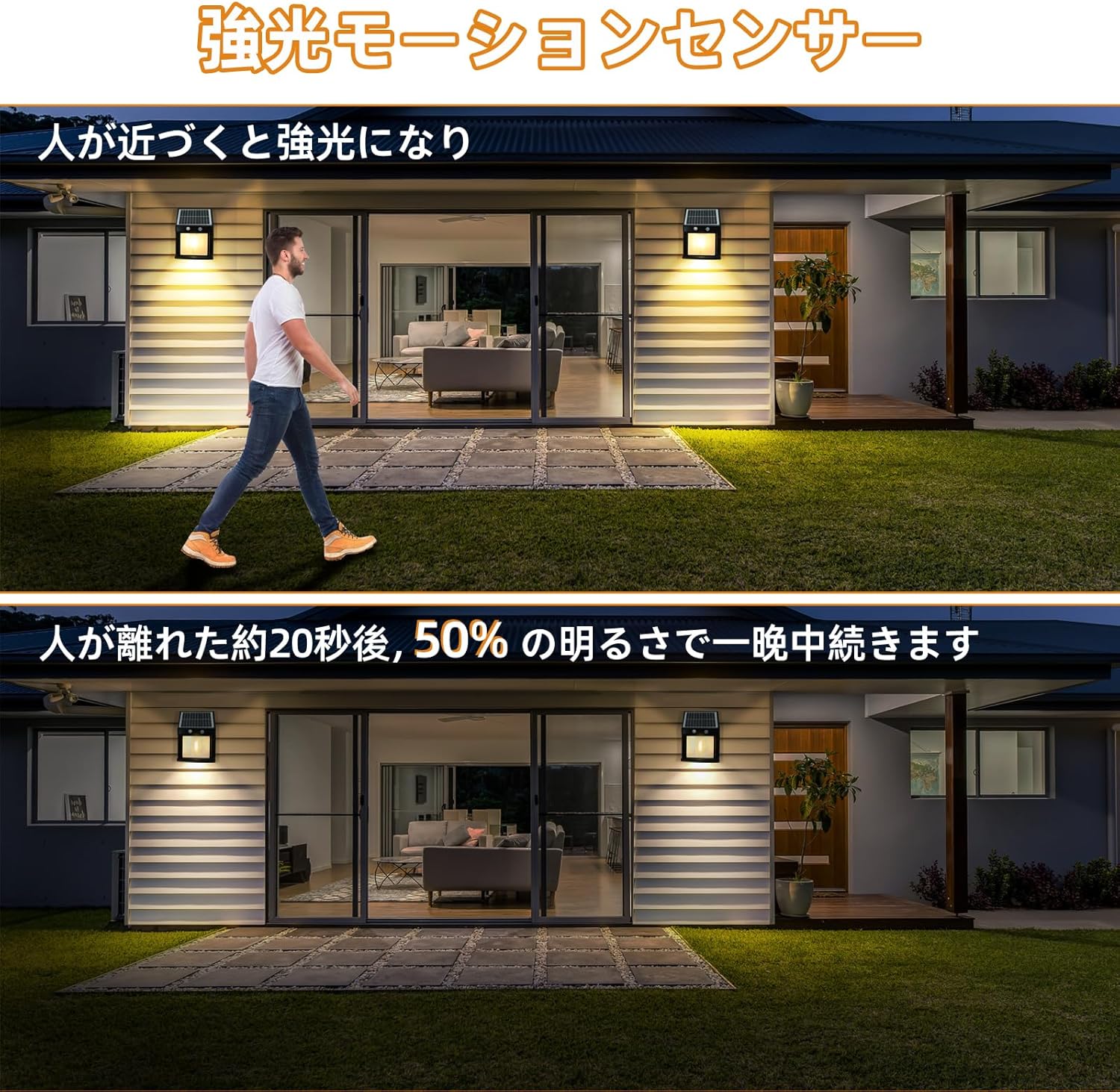
Figure 5: Motion sensor operation in Dim Light Sensor Mode.
- Constant Light Mode:
The light automatically turns on at a constant brightness (e.g., 50% brightness) at dusk and remains on until dawn or until the battery is depleted.
The light also features a high-sensitivity sensor with a wide detection range of 240 degrees and a sensing distance of up to 12 meters.

Figure 6: High-sensitivity motion sensor detection range.
Maintenance
Regular maintenance ensures the longevity and optimal performance of your solar wall light.
- Clean the Solar Panel: Periodically wipe the solar panel with a soft, damp cloth to remove dust, dirt, leaves, or snow. A clean panel ensures maximum sunlight absorption for efficient charging.
- Check for Obstructions: Ensure no new obstructions (e.g., growing branches, new structures) are blocking direct sunlight to the solar panel.
- Inspect for Damage: Regularly check the light for any physical damage, such as cracks in the casing or loose components.
- Battery Care: While the battery is designed for long life, extreme temperatures can affect its performance. If the light is stored for an extended period, ensure it is fully charged before storage and recharged every few months.

Figure 7: The light's weather-resistant design (IP65).
Troubleshooting
If your KINGHE Solar Wall Light is not functioning as expected, please refer to the following common issues and solutions:
| Problem | Possible Cause | Solution |
|---|---|---|
| Light does not turn on at night. |
|
|
| Light is dim or only stays on for a short period. |
|
|
| Motion sensor is not working correctly. |
|
|
Specifications
| Feature | Detail |
|---|---|
| Brand | KINGHE |
| Model Number | KINGHE-FZ-2J |
| Product Dimensions | 14.8 x 7.7 x 19 cm |
| Item Weight | 800 g |
| Material | ABS |
| Style | Modern |
| Fixture Shape | Wall |
| Battery | 1 x 12V (included) |
| Waterproof Rating | IP65 |
| Motion Sensor Detection Angle | 240 degrees |
| Motion Sensor Detection Distance | Up to 12 meters |

Figure 8: Product specifications comparison.
Warranty and Support
For warranty information or technical support, please contact KINGHE customer service through the retailer where you purchased the product. Please have your model number (KINGHE-FZ-2J) and purchase date available when contacting support.
You can typically find contact information on the product packaging or the retailer's website. For Amazon purchases, navigate to your order history and select "Contact Seller" for KINGHE Lights.
