
1. Introduction and Overview
Thank you for choosing the VIHELM WH-B37 Kitchen Weighing Scale. This electronic balance is designed for precise measurement in kitchen and food preparation environments, offering a maximum capacity of 30kg with 1g precision. Its stainless steel platform ensures durability and easy cleaning, while multiple unit options and convenient functions like Tare and Counting make it a versatile tool for various weighing needs.
Please read this manual thoroughly before operating the scale to ensure correct usage and to maintain its accuracy and longevity.
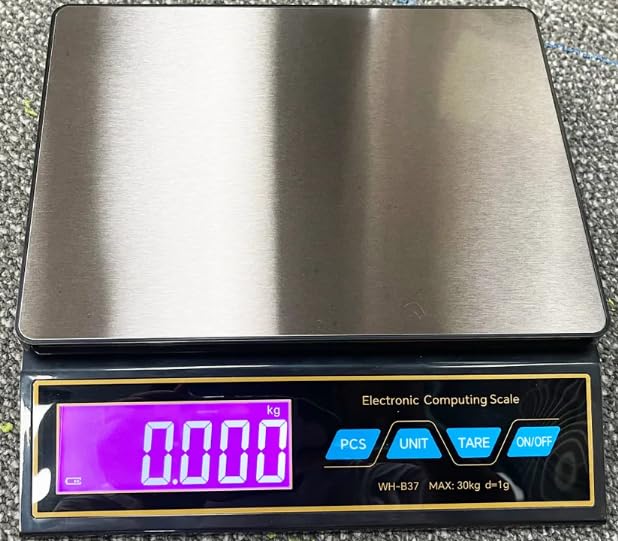
Image: The WH-B37 scale displaying a weight of 1.000 kg on its digital screen, with a metal calibration weight placed on the stainless steel weighing platform.
2. Product Features
- High Capacity: Weighs up to 30 kilograms (66 pounds).
- High Precision: Measures with an accuracy of 1 gram (0.002 pounds).
- Durable Platform: Features a stainless steel weighing surface for hygiene and longevity.
- Multiple Units: Supports various units including grams (g), pounds (lb), ounces (oz), kilograms (kg), milliliters (ml), carats (ct), taels (tl), fluid ounces (fl.oz), and pounds:ounces (lb:oz).
- Tare Function: Allows you to subtract the weight of a container for net weight measurement.
- Counting Function (PCS): Enables counting of multiple items of uniform weight.
- Auto-Off: Conserves battery power by automatically shutting down after a period of inactivity.
- Overload Indication: Alerts the user when the maximum weight capacity is exceeded.
- Low Battery Indication: Notifies the user when batteries need replacement or recharging.
- Dual Power Source: Operates on 3*AA batteries or via USB-C power.
3. Setup
3.1 Unpacking
Carefully remove all components from the packaging. Ensure all items listed in the 'What's in the Box' section are present and undamaged.
3.2 Power Supply
The WH-B37 scale can be powered by 3 AA batteries or via a USB-C cable.
- Battery Installation: Open the battery compartment cover located on the underside of the scale. Insert 3 AA batteries, ensuring correct polarity (+/-). Close the cover securely.
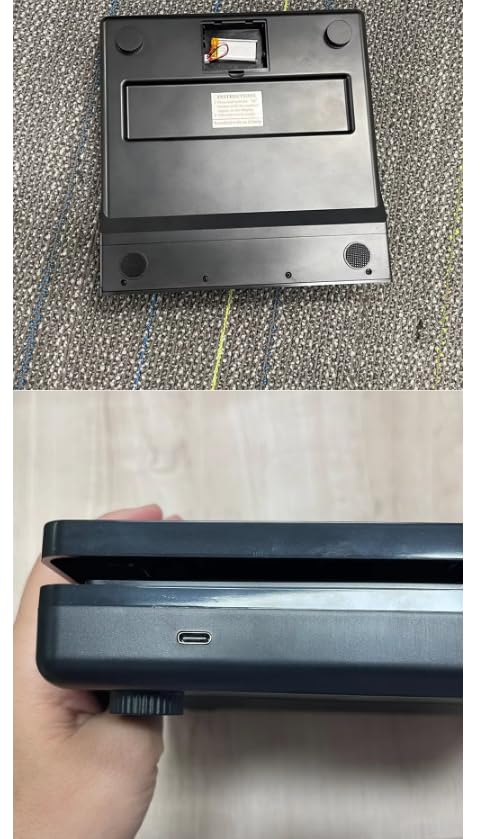
Image: The bottom of the scale, revealing the battery compartment cover. Ensure batteries are inserted correctly.
- USB-C Power: Connect the provided USB-C cable to the port on the side of the scale and plug the other end into a compatible USB power source (e.g., wall adapter, computer USB port).
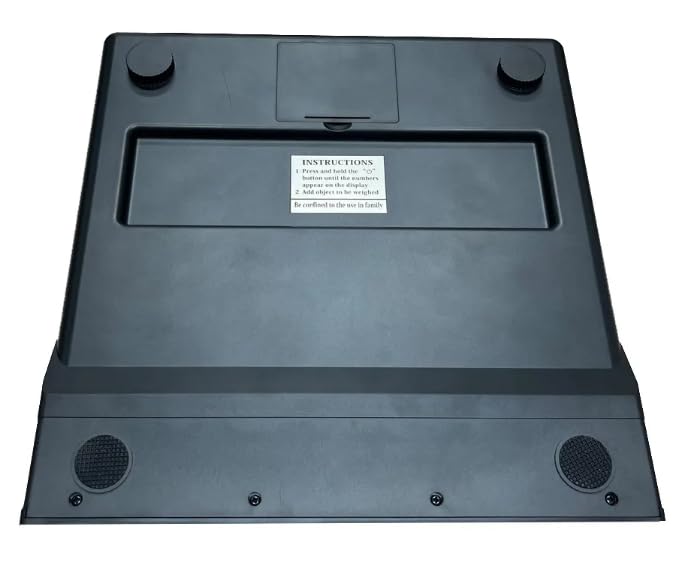
Image: A close-up of the side of the scale, highlighting the USB-C port for external power.
3.3 Placement
Place the scale on a hard, flat, and stable surface. Uneven or soft surfaces can affect weighing accuracy. Avoid placing the scale near strong electromagnetic fields or areas with significant temperature fluctuations.
4. Operating Instructions
4.1 Power On/Off
Press the ON/OFF button to turn the scale on. The display will show '88888' then '0.000' (or '0.0') when ready. Press and hold the ON/OFF button again to turn the scale off.
4.2 Unit Conversion
With the scale on, press the UNIT button to cycle through the available weighing units: g, lb, oz, kg, ml, ct, tl, fl.oz, lb:oz. The selected unit will be displayed on the screen.
4.3 Tare Function
The Tare function allows you to weigh items in a container without including the container's weight.
- Place an empty container on the weighing platform.
- Wait for the display to stabilize.
- Press the TARE button. The display will reset to '0.000' (or '0.0').
- Add the items you wish to weigh into the container. The display will show the net weight of the items.
4.4 Counting Function (PCS)
This function is useful for counting multiple pieces of items with uniform weight.
- Turn on the scale and ensure it displays '0.000'.
- Press the PCS button. The display will show a sample size (e.g., '25', '50', '75', '100').
- Press the UNIT button to select the desired sample size.
- Place the corresponding number of items (e.g., 25 pieces) on the platform.
- Press the PCS button again to confirm the sample. The display will now show 'PCS' and the number of items.
- You can now add more items, and the scale will count them based on the sample weight.

Image: A detailed view of the scale's control panel, showing the digital display and the function buttons: PCS, UNIT, TARE, and ON/OFF.
4.5 Weighing Procedure
- Turn on the scale.
- Ensure the display shows '0.000' (or '0.0') and the desired unit is selected.
- Gently place the item(s) to be weighed onto the center of the stainless steel platform.
- Read the stable weight displayed on the screen.
5. Maintenance
5.1 Cleaning
To clean the scale, wipe the stainless steel platform and the body with a soft, damp cloth. Do not use abrasive cleaners, harsh chemicals, or immerse the scale in water. Ensure the scale is completely dry before storage or next use.
5.2 Storage
Store the scale in a cool, dry place away from direct sunlight, extreme temperatures, and high humidity. If the scale will not be used for an extended period, remove the batteries to prevent leakage.
5.3 Battery Replacement
When the 'Lo' indicator appears on the display, it signifies low battery power. Replace all 3 AA batteries with new ones to ensure accurate operation.
6. Troubleshooting
- Display shows 'Lo': Batteries are low. Replace with new AA batteries.
- Display shows 'O-Ld': The scale is overloaded. Remove items immediately to prevent damage. The maximum capacity is 30kg.
- Inaccurate Readings:
- Ensure the scale is on a flat, stable surface.
- Check if the batteries are properly installed or if the USB power is stable.
- Avoid placing the scale near vibrating equipment or strong air currents.
- Ensure no objects are touching the scale or platform during weighing.
- Scale does not turn on:
- Check battery installation and ensure batteries are not depleted.
- Verify USB-C cable connection and power source.
7. Specifications
| Specification | Detail |
|---|---|
| Model Number | WH-B37 |
| Capacity / Division | 30 KG / 1G; 15 KG / 0.1 G |
| Color | Black |
| Units | g, lb, oz, kg, ml, ct, tl, fl.oz, lb:oz |
| Functions | Tare, Auto-off, Counting PCS, Overload indication, Low battery indication |
| Power Source | 3*AA Battery type; USB-C type |
| Raw Materials | ABS Plastic |
| Certificates | CE, ROHS |
| Product Dimensions | 24 cm (L) x 18 cm (W) x 5.4 cm (H) |
| Product Weight | 1.12 kg |
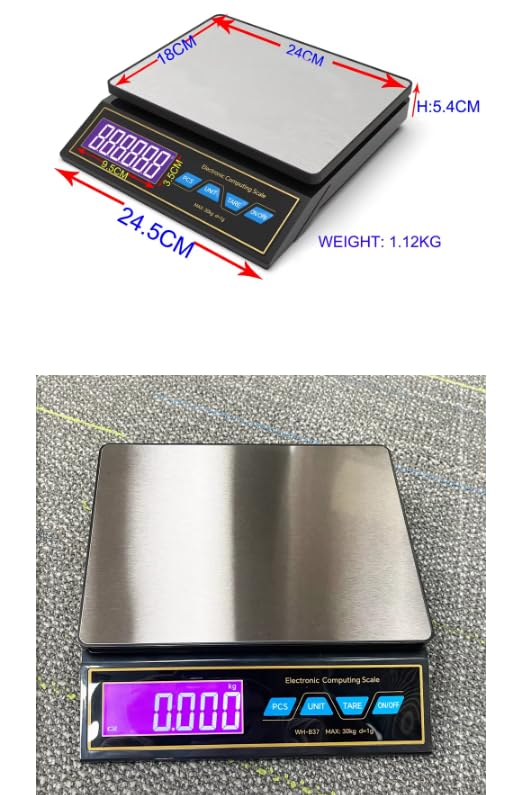
Image: The scale with its physical dimensions (length, width, height) and overall product weight clearly indicated.
8. What's in the Box
The standard package for the VIHELM WH-B37 Kitchen Weighing Scale includes:
- 1 x WH-B37 Electronic Weighing Scale
- 1 x USB-C Cable
- 3 x AA Batteries
- 1 x User Manual
9. Warranty and Support
For warranty information or technical support, please refer to the documentation provided with your purchase or contact your retailer. Keep your purchase receipt as proof of purchase for any warranty claims.