
1. Introduction
Welcome to the user manual for your new realme C73 5G smartphone. This guide provides essential information on setting up, operating, maintaining, and troubleshooting your device. The realme C73 5G features a Dimensity 6300 processor, a 6.67-inch 120Hz HD+ display, a 6000mAh battery, and an IP64 rating for dust and water resistance.

Image 1.1: Front and back view of the realme C73 5G smartphone, showcasing its design and camera module.
2. Setup
2.1 Unboxing and Initial Inspection
Upon receiving your realme C73 5G, carefully open the packaging and ensure all components are present:
- realme C73 5G Smartphone
- USB Type-C Cable
- Power Adapter
- SIM Ejector Tool
- Quick Start Guide and Safety Information
2.2 SIM Card and microSD Card Installation
To install your SIM card(s) and an optional microSD card:
- Locate the SIM card tray on the side of your device.
- Insert the SIM ejector tool into the small hole next to the tray and press firmly until the tray pops out.
- Place your Nano-SIM card(s) and/or microSD card into the designated slots on the tray, ensuring the gold contacts face downwards.
- Carefully reinsert the tray into the phone until it clicks into place.

Image 2.1: Side view of the realme C73 5G, illustrating the location of the SIM card tray and physical buttons.
2.3 Initial Charging and Power On
Before first use, it is recommended to fully charge your device.
- Connect the USB Type-C cable to the charging port at the bottom of the phone.
- Connect the other end of the cable to the power adapter, then plug the adapter into a power outlet.
- Once sufficiently charged, press and hold the Power button (located on the side) until the realme logo appears.
- Follow the on-screen instructions to complete the initial setup, including language selection, Wi-Fi connection, and Google account setup.

Image 2.2: Bottom view of the realme C73 5G, highlighting the USB Type-C charging port, speaker grille, and 3.5mm headphone jack.
3. Operating Your Device
3.1 Basic Navigation
- Power Button: Press to turn the screen on/off. Press and hold to power off or restart the device.
- Volume Buttons: Use to adjust media volume, call volume, and notification volume.
- Touch Gestures: Swipe up from the bottom for the home screen, swipe down from the top for notifications and quick settings.
3.2 Camera Usage
Open the Camera app from your home screen or app drawer. You can switch between photo, video, portrait, and other modes. Tap the shutter button to capture images or start/stop video recording. The realme C73 5G also supports AI features to enhance your photos.

Image 3.1: Illustration of AI-assisted features on the realme C73 5G, including Google Gemini and AI Smart Loop for enhanced user experience.
3.3 Connectivity
- Wi-Fi: Go to Settings > Network & internet > Wi-Fi to connect to available networks.
- Bluetooth: Go to Settings > Connected devices > Bluetooth to pair with Bluetooth accessories.
- 5G Network: Ensure your SIM card supports 5G and your area has 5G coverage for high-speed mobile data.
4. Maintenance
4.1 Cleaning Your Device
To keep your realme C73 5G clean:
- Use a soft, lint-free cloth to wipe the screen and back panel.
- Avoid using harsh chemicals, abrasive cleaners, or compressed air.
- For stubborn smudges, slightly dampen the cloth with water or a screen cleaner.
4.2 Software Updates
Regular software updates provide security enhancements and new features. Check for updates by going to Settings > About device > realme UI version. Ensure your device is connected to Wi-Fi and has sufficient battery before starting an update.
4.3 Battery Care
The realme C73 5G is equipped with a 6000mAh battery. To maximize battery lifespan:
- Avoid extreme temperatures.
- Use the original charger and cable provided.
- Avoid frequently draining the battery completely or keeping it at 100% for extended periods.

Image 4.1: Infographic detailing the 6000mAh top-tier battery and its estimated usage times for various activities on the realme C73 5G.
4.4 IP64 Dust and Water Resistance
The realme C73 5G has an IP64 rating, meaning it is protected against dust ingress and splashing water from any direction. This is not full waterproofing. Do not submerge the device in water or expose it to pressurized water. Damage caused by liquid immersion is not covered under warranty.
5. Troubleshooting
If you encounter issues with your realme C73 5G, refer to the common solutions below:
- Device Not Turning On: Ensure the battery is charged. Connect to the charger for at least 15 minutes, then try pressing and holding the Power button for 10-15 seconds.
- Screen Unresponsive: Force restart the device by pressing and holding the Power button and Volume Up button simultaneously for about 10 seconds.
- Poor Battery Life: Check for background apps consuming power. Adjust screen brightness, disable unnecessary features like GPS or Bluetooth when not in use. Refer to Section 4.3 for battery care tips.
- Network Issues (No Signal/Slow Data): Check if your SIM card is properly inserted. Ensure mobile data is enabled in settings. Try restarting the device. Contact your network provider if the issue persists.
- Apps Crashing/Freezing: Clear the cache for the problematic app (Settings > Apps > [App Name] > Storage > Clear cache). If the issue continues, try reinstalling the app.
- Device Overheating: Close background applications and reduce heavy usage (e.g., gaming, video streaming). Avoid charging in direct sunlight or poorly ventilated areas.
- Factory Reset (Last Resort): If other troubleshooting steps fail, you may perform a factory reset. Go to Settings > System > Reset options > Erase all data (factory reset). Warning: This will erase all data on your phone. Back up important data before proceeding.
6. Specifications
Key technical specifications for the realme C73 5G (Model: RMX3945):
| Feature | Detail |
|---|---|
| Brand | realme |
| Model Name | realme C73 5G |
| Model Number | RMX3945 |
| Processor | MediaTek Dimensity 6300 |
| Display | 6.67" 120Hz HD+ |
| Battery Capacity | 6000mAh |
| Charging | 15W Fast Charging |
| RAM | 4GB (Up to 12GB Dynamic RAM) |
| Internal Storage | 64GB (Up to 128GB ROM) |
| Dust & Water Resistance | IP64 |
| Color | Onyx Black |
| Enclosure Material | Polycarbonate (PC) |
| Manufacturer | Realme India Private Limited |
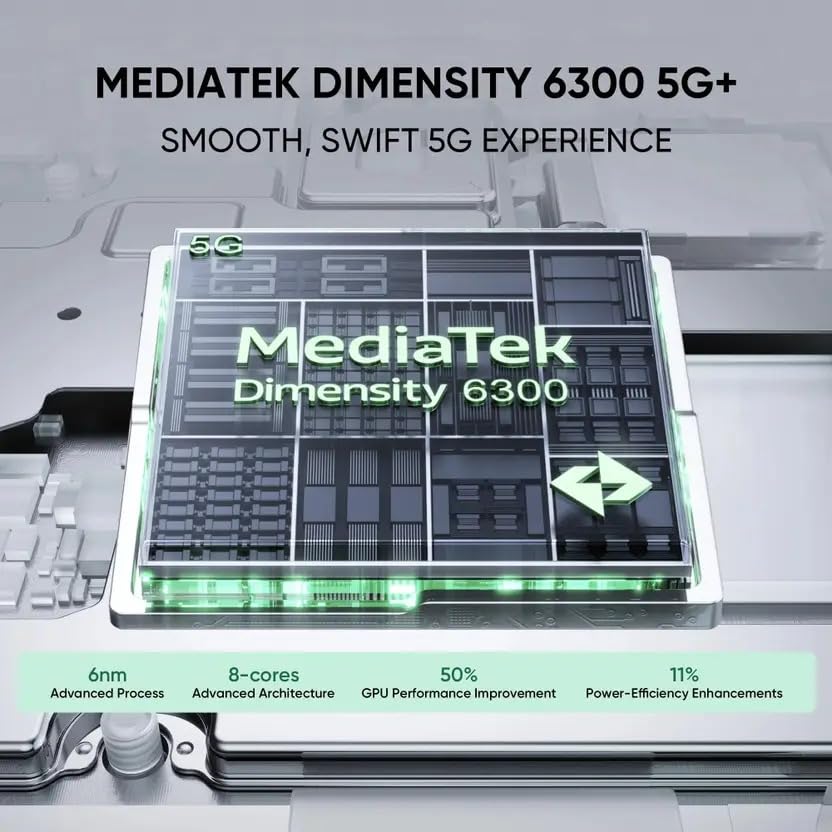
Image 6.1: Infographic highlighting the MediaTek Dimensity 6300 5G+ processor, its 6nm advanced process, 8-core architecture, and performance enhancements.
7. Warranty and Support
7.1 Warranty Information
Your realme C73 5G comes with a 1 Year Manufacturer Warranty for the Device and a 6 Months Manufacturer Warranty for Inbox Accessories from the date of purchase. This warranty covers manufacturing defects. Please retain your proof of purchase for warranty claims. The warranty does not cover damage caused by misuse, accidents, unauthorized repairs, or liquid damage (beyond IP64 rating). For detailed terms and conditions, please refer to the warranty card included in your product packaging.
7.2 Customer Support
For further assistance, technical support, or warranty claims, please contact realme customer service. You can typically find contact information on the official realme website or through the support section within your device's settings.
- Online Support: Visit the official realme support website.
- Service Centers: Locate authorized realme service centers in your region.


