
TOMASHI F-315B
TOMASHI F-315B Cassette Player Tape Recorder FM AM Radio User Manual
Model: F-315B
Introduction
This manual provides detailed instructions for the operation and maintenance of your TOMASHI F-315B Cassette Player Tape Recorder. This device combines classic cassette functionality with AM/FM radio, a built-in speaker, and a microphone for recording. Please read this manual thoroughly before use to ensure proper function and longevity of your unit.
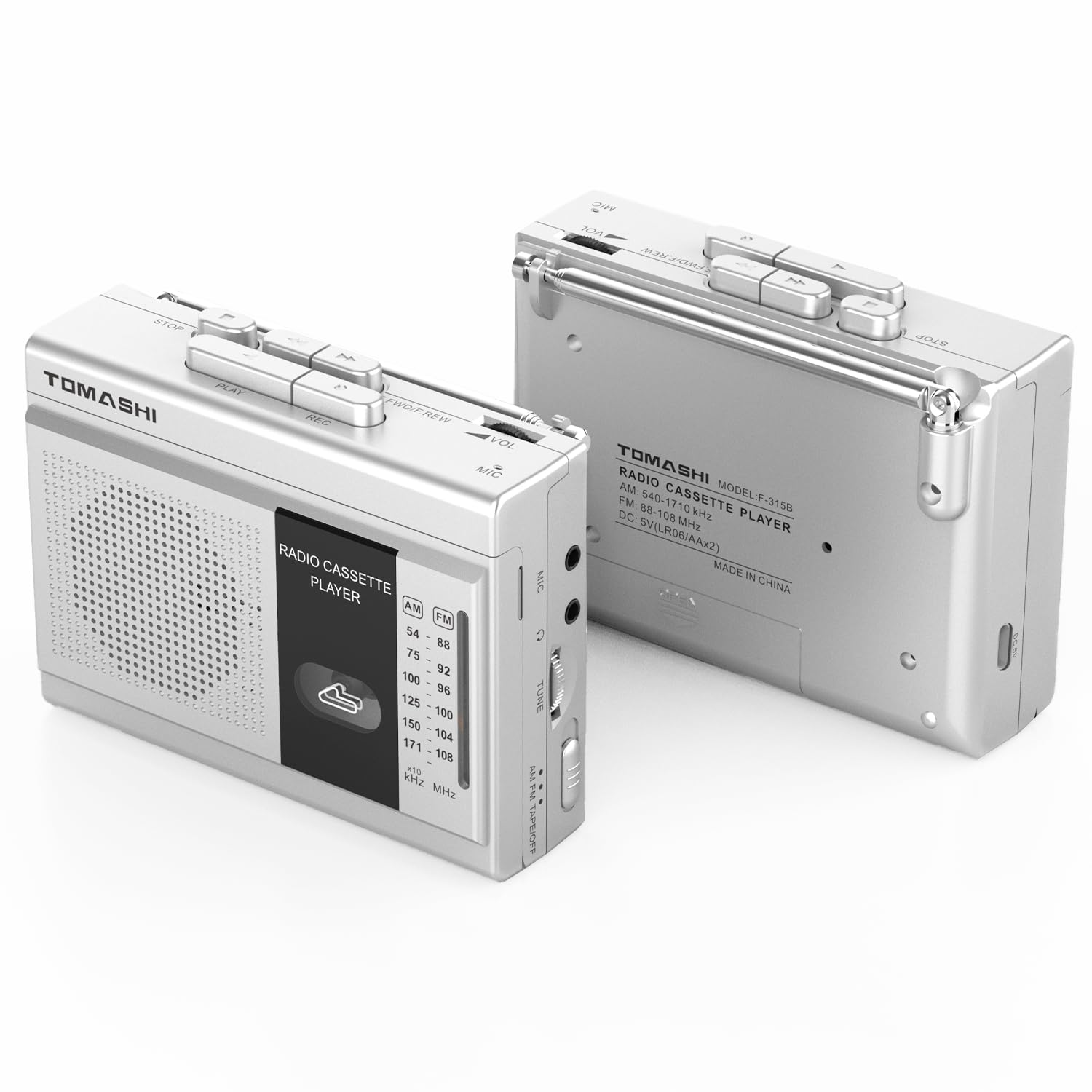
Image: Front view of the TOMASHI F-315B Cassette Player Tape Recorder, showing the speaker grille, cassette window, and radio tuning scale.
Product Features
- Classic Portable Cassette Player: Combines vintage design with modern convenience for on-the-go audio.
- Versatile Cassette Tape Player Functionality: Supports seamless cassette playback and recording via the built-in microphone.
- Dual AM/FM Radio: Integrated tuner for expanded listening options including news and music broadcasts.
- Flexible Connectivity Options: Includes a microphone jack for external recording, an earphone jack for private listening, and a Type-C USB power jack.
- Ultra-Portable Design: Compact dimensions (120x38x87mm) and dual power sources (AA batteries or USB) ensure easy portability.
- Built-in Speaker: Provides clear audio output for shared listening.
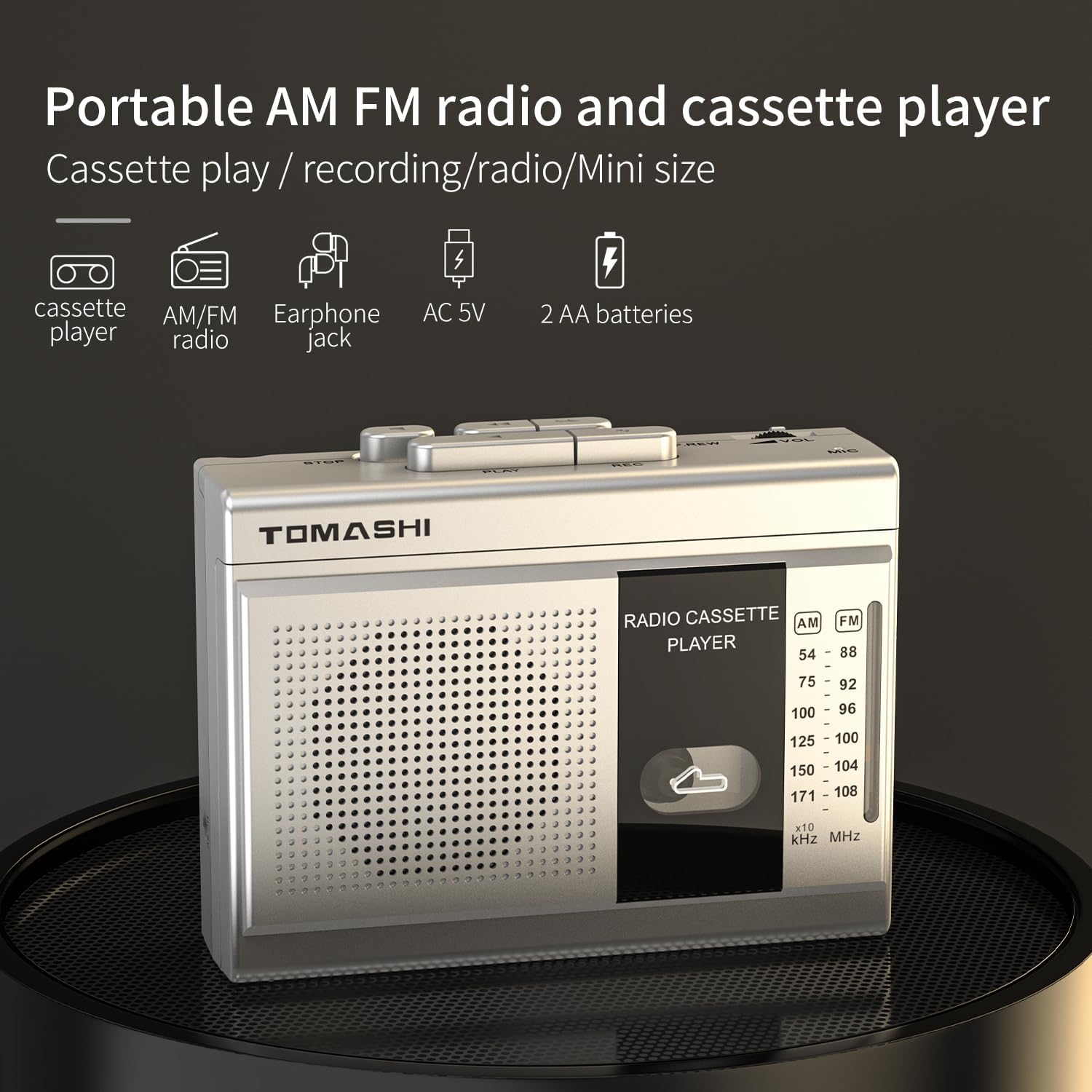
Image: The TOMASHI F-315B unit displayed with icons highlighting its key features: cassette player, AM/FM radio, earphone jack, AC power, and 2 AA batteries.
Package Contents
Verify that all items are present in the package:
- TOMASHI F-315B Cassette Player Tape Recorder
- Power Cable (USB Type-C)
- User Manual (this document)
Controls and Ports
Familiarize yourself with the various controls and connection points on your device.

Image: Side view of the TOMASHI F-315B unit, highlighting the volume control, microphone input, earphone jack, and USB Type-C power port.
- STOP Button: Stops cassette playback/recording.
- PLAY Button: Starts cassette playback.
- REC (Record) Button: Initiates cassette recording.
- FWD/REW (Fast Forward/Rewind) Buttons: Fast forwards or rewinds the cassette tape.
- VOL (Volume) Control: Adjusts the audio output level.
- MIC (Microphone) Input: For connecting an external microphone.
- Headphone Jack (3.5mm): For private listening with headphones.
- USB Type-C Power Jack: For connecting the power cable.
- AM/FM Switch: Selects between AM and FM radio bands.
- Tuning Dial: Adjusts radio frequency.
- Cassette Door: Opens to insert or remove cassette tapes.
- Built-in Microphone: For voice recording directly onto a cassette.
- Antenna: Extend for improved radio reception.
Powering the Device
Your TOMASHI F-315B can be powered by either AA batteries or via the included USB Type-C power cable.
Battery Installation
- Locate the battery compartment on the back of the unit.
- Open the battery compartment cover.
- Insert two (2) AA batteries, ensuring correct polarity (+/-) as indicated inside the compartment.
- Close the battery compartment cover securely.
AC Power Connection
- Connect the small end of the provided USB Type-C power cable to the USB Type-C Power Jack on the side of the unit.
- Connect the larger end of the USB cable to a compatible USB power adapter (not included) or a USB port on a computer.
- Plug the USB power adapter into a standard wall outlet.
Note: When using AC power, batteries are not required. Remove batteries if the unit will not be used for an extended period to prevent leakage.
Radio Operation
To listen to radio broadcasts:
- Extend the telescopic antenna for optimal reception.
- Slide the AM/FM switch to your desired band (AM or FM).
- Rotate the Tuning Dial to find your preferred radio station.
- Adjust the Volume Control to a comfortable listening level.
Tip: For better FM reception, fully extend and adjust the angle of the antenna. For AM reception, rotate the unit itself to find the best signal.
Cassette Playback
To play a cassette tape:
- Open the Cassette Door by gently pressing the "PUSH" area or sliding the door release mechanism.
- Insert a cassette tape with the exposed tape facing upwards and the side you wish to play facing you.
- Close the Cassette Door firmly until it clicks.
- Press the PLAY button.
- Adjust the Volume Control to your desired level.
- To stop playback, press the STOP button.
- Use the FWD/REW buttons to fast forward or rewind the tape.

Image: The TOMASHI F-315B unit with its cassette door open, revealing the tape mechanism and a cassette tape partially inserted.
Cassette Recording
You can record audio from the built-in microphone or an external microphone onto a cassette tape.
- Insert a blank or recordable cassette tape into the unit as described in the "Cassette Playback" section.
- Ensure the tape is at the desired starting point for recording.
- To record using the built-in microphone, simply press the REC (Record) button. The PLAY button will also engage automatically.
- To record using an external microphone, connect it to the MIC input jack before pressing REC.
- Speak clearly into the microphone or ensure the external audio source is active.
- To stop recording, press the STOP button.
Important: Ensure the cassette tape has its record-protection tabs intact if you intend to record over existing content. If the tabs are broken, the tape cannot be recorded on.
Maintenance
Proper care will extend the life of your cassette player.
- Cleaning: Use a soft, dry cloth to clean the exterior of the unit. Do not use liquid cleaners or abrasive materials.
- Tape Head Cleaning: Periodically clean the tape heads, pinch roller, and capstan with a cotton swab lightly dampened with isopropyl alcohol. This helps maintain sound quality.
- Storage: Store the unit in a cool, dry place away from direct sunlight and extreme temperatures. Remove batteries if storing for extended periods.
- Avoid Dust: Keep the cassette compartment closed when not in use to prevent dust accumulation.
Troubleshooting
If you encounter issues with your device, refer to the following common problems and solutions:
| Problem | Possible Cause | Solution |
|---|---|---|
| No power | Dead batteries or power cable not connected properly. | Replace batteries or ensure power cable is securely connected and power source is active. |
| No sound from speaker | Volume too low, headphones connected, or speaker malfunction. | Increase volume. Disconnect headphones. If problem persists, contact support. |
| Poor radio reception | Antenna not extended/positioned correctly, or weak signal area. | Fully extend and adjust the antenna. Try moving the unit to a different location. |
| Cassette tape not playing/recording | Tape not inserted correctly, tape heads dirty, or record-protection tab engaged. | Reinsert tape. Clean tape heads. For recording, ensure record-protection tab is intact. |
| Distorted audio | Dirty tape heads, worn tape, or incorrect volume level. | Clean tape heads. Try a different tape. Adjust volume. |
Specifications
| Feature | Detail |
|---|---|
| Brand | TOMASHI |
| Model | F-315B |
| Connectivity Technology | Auxiliary, USB |
| Color | Silvery |
| Speaker Type | Mono |
| Item Dimensions (L x W x H) | 3.94 x 0.79 x 2.36 inches |
| Power Source | Battery Powered (2x AA), USB Type-C |
| Compatible Devices | Earphone |
| Supported Standards | Cassette |
| Bluetooth Support | No |
| Supported Audio Format | Cassette Tape |
| Number of Speakers | 1 |
| Audio Output Mode | Stereo (via headphones) |
| Item Weight | 7.04 ounces |
Warranty and Support
The TOMASHI F-315B Cassette Player Tape Recorder comes with a 1-year warranty from the date of purchase, covering manufacturing defects.
For technical support, warranty claims, or further assistance, please contact TOMASHI customer service through your retailer or the official TOMASHI website.
Please retain your proof of purchase for warranty purposes.
Related documentsF-315B


Ask a question about this manual
Ask about setup, troubleshooting, compatibility, parts, safety, or missing instructions. Manuals+ will review the question and use this page’s manual context to help answer it.