
1. Introduction
The ATTACK SHARK X11SE is a high-performance wireless gaming mouse designed for precision and comfort. It features a lightweight design, advanced sensor technology, and versatile connectivity options to enhance your gaming and productivity experience.

Image: Overview of the ATTACK SHARK X11SE's key features including PAW3311 sensor, 63g lightweight design, 22000 DPI, HUANO switches, tri-mode switch, BK52820 chip, TTC encoders, and 65 hours of battery life.
Key Features:
- PAW3311 Gaming Sensor: Equipped with the flagship PixArt PAW3311 sensor, offering up to 22,000 DPI with 6 adjustable levels, 400 IPS tracking speed, 35G acceleration, and a 1000Hz/1ms polling rate.
- Ultralight 63g Design: Weighing only 63 ± 3g, this mouse features a minimalist, full-casing design optimized for reduced weight without compromising build quality.
- Tri-Mode Connectivity: Supports 2.4 GHz wireless, USB-C wired, and Bluetooth connections for versatile use across various devices.
- Durable Switches & Encoder: Features HUANO switches with a lifespan of 20 million clicks and an optimized TTC encoder for precise scroll wheel feedback.
- Ergonomic Design: Dimensions (128 x 64 x 40 mm) suitable for medium to large hands, accommodating palm, claw, and fingertip grip styles for extended comfort.
- Dual Driver Support: Compatible with Web Driver and proprietary ATTACK SHARK driver for advanced customization of buttons, DPI, polling rate, and macros.
2. Setup
Package Contents:
- ATTACK SHARK X11SE Wireless Gaming Mouse
- USB-C Cable
- USB Receiver (2.4GHz)
- Grip Tape
- User Manual
Charging the Mouse:
Connect the mouse to your computer using the provided USB-C cable. The mouse has a 300mAh battery, providing up to 65 hours of uninterrupted use on a full charge (2-3 hours charging time).

Image: The ATTACK SHARK X11SE mouse illustrating its efficient battery management, offering up to 65 hours of use from a 300mAh battery, fully charged in 2-3 hours.
Connectivity Modes:
The X11SE mouse supports three connection modes: 2.4GHz Wireless, Bluetooth, and USB-C Wired.

Image: The ATTACK SHARK X11SE mouse highlighting its lightning-fast 2.4G wireless connection, wired mode via USB-C, and Bluetooth 5.2 capabilities.
- 2.4GHz Wireless Mode:
- Locate the USB receiver, usually stored in a compartment on the underside of the mouse.
- Plug the USB receiver into an available USB port on your computer.
- Turn on the mouse using the switch on the bottom. Select the 2.4G mode.
- The mouse should connect automatically.
- Bluetooth Mode:
- Turn on the mouse and select the Bluetooth mode using the switch on the bottom.
- Press and hold the Bluetooth toggle button (often located near the mode switch) for 3 seconds to enter pairing mode. The indicator light will flash.
- On your computer or device, go to Bluetooth settings and search for new devices.
- Select "ATTACK SHARK X11SE" from the list to pair.
- USB-C Wired Mode:
- Connect the USB-C cable to the front port of the mouse and the other end to a USB port on your computer.
- The mouse will automatically switch to wired mode and begin charging.
3. Operation
Button Functions:
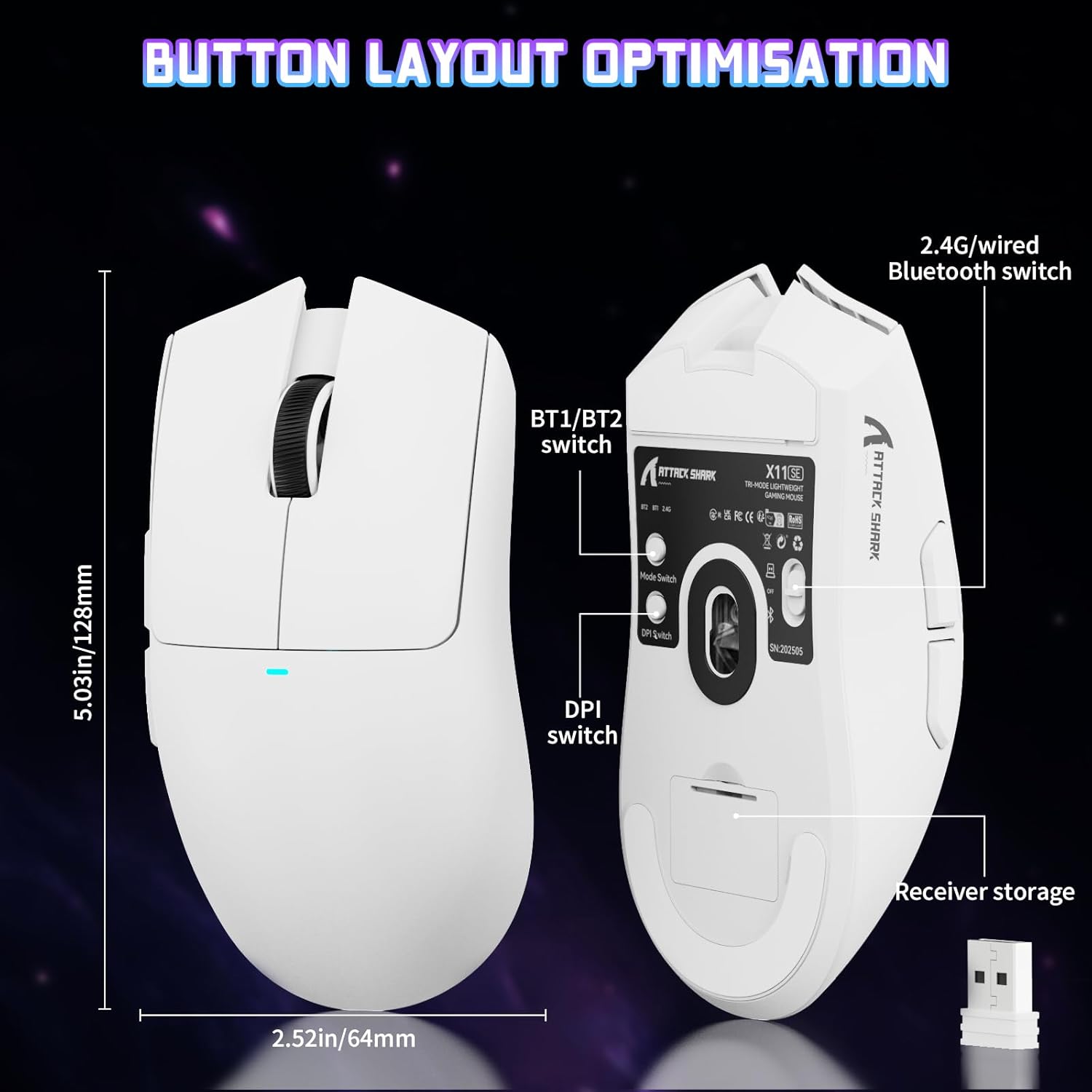
Image: The ATTACK SHARK X11SE mouse displaying its button layout, including the BT1/BT2 switch, DPI switch, and receiver storage, along with its dimensions (128mm length, 64mm width).
- Left Click: Primary action button.
- Right Click: Secondary action button, typically for context menus.
- Scroll Wheel: Scrolls up/down. Can also be pressed for a middle-click function.
- Side Buttons (Forward/Backward): Used for navigation in web browsers or in-game actions.
- DPI Switch: Located on the underside of the mouse, this button cycles through preset DPI levels.
- Mode Switch: Located on the underside, this switch allows you to select between 2.4G wireless, Bluetooth, and Off modes.
DPI Adjustment:
The X11SE features a PixArt PAW3311 sensor with up to 22,000 DPI. You can adjust the DPI sensitivity using the dedicated DPI switch on the bottom of the mouse. For more precise control and custom DPI levels, use the official software.
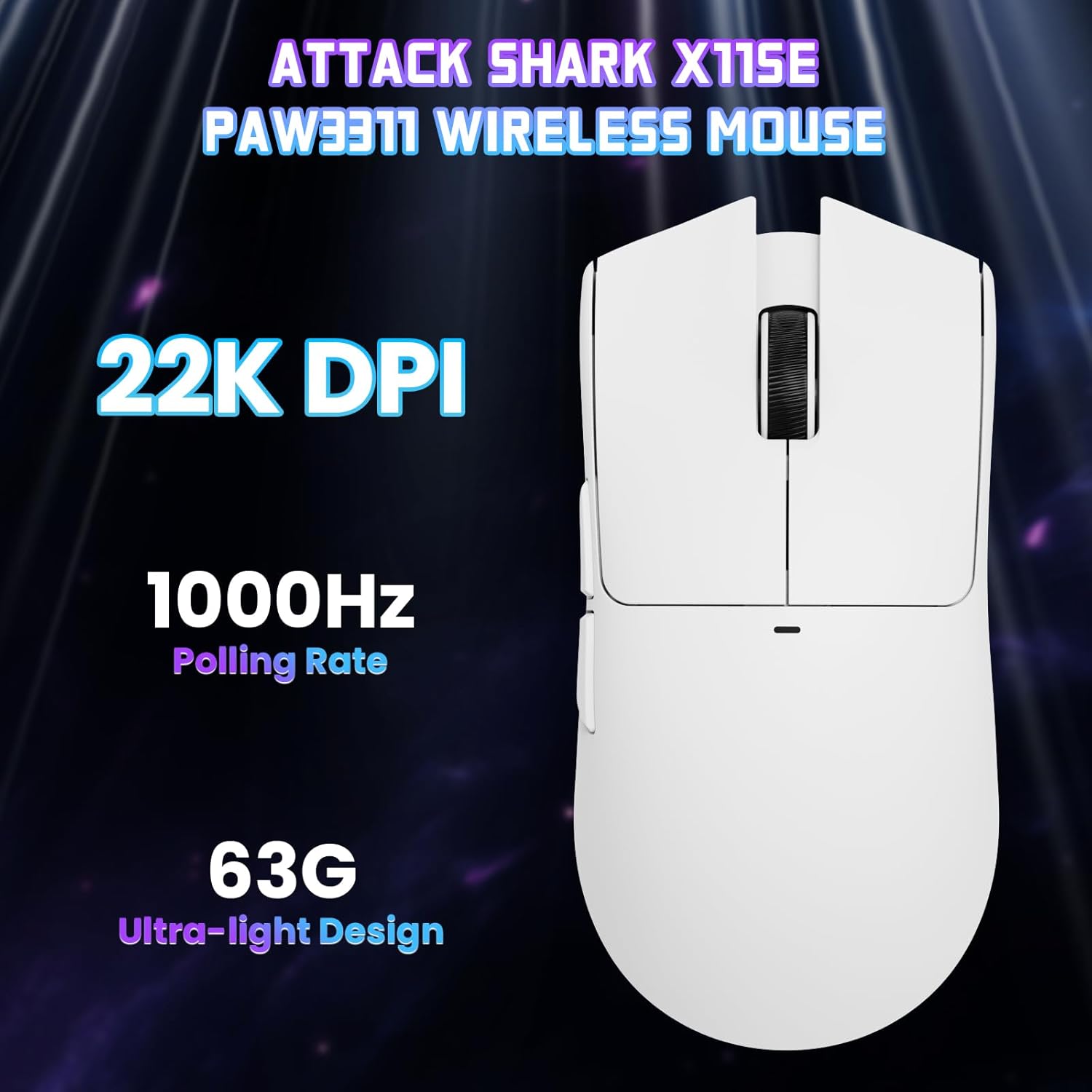
Image: A top-down view of the ATTACK SHARK X11SE mouse, emphasizing its 22,000 DPI capability and 1000Hz polling rate for high-performance gaming.
4. Customization
The ATTACK SHARK X11SE mouse offers extensive customization options through its dedicated software. This allows you to personalize button assignments, DPI settings, polling rate, and create macros.
Driver Installation:
The mouse supports two drivers:
- Web Driver: Access via http://szslxd-tech.com/#/
- ATTACK SHARK Proprietary Driver: Download from https://attackshark.com/pages/dirver-download
Download and install the preferred driver software on your Windows, macOS, or Linux system.
Software Features:

Image: The ATTACK SHARK X11SE software interface, demonstrating options for mouse settings, DPI adjustments, parameter settings, macro editing, and personal profiles.
- Button Programming: Reassign functions to any of the 5 buttons.
- DPI Settings: Create custom DPI profiles and adjust sensitivity levels.
- Polling Rate: Adjust the polling rate for optimal responsiveness.
- Macro Editor: Record and assign complex sequences of commands to a single button.
- Profile Management: Save and switch between different profiles for various games or applications.
5. Maintenance
Cleaning:
- Use a soft, dry cloth to wipe the surface of the mouse.
- For stubborn dirt, slightly dampen the cloth with water or a mild cleaning solution. Avoid harsh chemicals.
- Clean the optical sensor area on the bottom of the mouse with a cotton swab to ensure accurate tracking.
Battery Care:
- Avoid fully discharging the battery frequently to prolong its lifespan.
- Store the mouse in a cool, dry place when not in use for extended periods.
6. Troubleshooting
Common Issues and Solutions:
- Mouse not responding:
- Ensure the mouse is charged.
- Check the mode switch on the bottom of the mouse to ensure it's in the correct mode (2.4G, BT, or Wired).
- For 2.4GHz mode, ensure the USB receiver is securely plugged in. Try a different USB port.
- For Bluetooth mode, ensure Bluetooth is enabled on your device and the mouse is paired correctly. Try re-pairing.
- For wired mode, ensure the USB-C cable is properly connected.
- DPI not changing:
- Press the DPI switch on the bottom of the mouse.
- If using custom DPI settings, ensure the driver software is running and the correct profile is active.
- Lag or intermittent connection:
- Ensure the mouse is close to the USB receiver (for 2.4GHz) or your device (for Bluetooth).
- Avoid interference from other wireless devices.
- Ensure the mouse battery is sufficiently charged.
- Update mouse drivers if available.
7. Specifications
| Feature | Specification |
|---|---|
| Brand | ATTACK SHARK |
| Model Name | X11SE |
| Color | White |
| Connectivity Technology | 2.4 GHz Wireless/USB-C Wired/Bluetooth |
| Special Features | 63g ultralight, BK52820 Chip, TTC Encoder, Dual Driver |
| Motion Detection Technology | Optical (PixArt PAW3311) |
| Number of Buttons | 5 |
| Hand Orientation | Ambidextrous |
| Recommended Product Use | Computer Gaming |
| Compatible Devices | Desktop Computer, MAC |
| Operating System | Windows, macOS, Linux |
| Number of Batteries | 1 Lithium Polymer (included) |
| Power Source | Battery Powered |
| Maximum Mouse Sensitivity | 22000 DPI |
| Range | 300 centimeters |
| Style | Ergonomic |
| Material | Plastic |
| Country of Origin | China |
| Included Components | USB-C Cable, Manual, Grip Tape |
| UPC | 752010613663 |
8. Warranty and Support
Warranty Information:
The ATTACK SHARK X11SE Wireless Gaming Mouse comes with a six-month warranty from the date of purchase. Please retain your proof of purchase for warranty claims.
Driver Downloads:
For the latest drivers and software updates, please visit:
- Web Driver: http://szslxd-tech.com/#/
- ATTACK SHARK Driver: https://attackshark.com/pages/dirver-download
Related Product Video:
Video: An official seller video showcasing the ATTACK SHARK X11 Mouse, demonstrating its features and functionality. While specifically for the X11, it provides relevant insights into the X11SE's design and operation.


