
SIMO SolHero24
SIMO Solis Hero 4G LTE Portable Mobile Hotspot Instruction Manual
Model: SolHero24 | Brand: SIMO
1. Product Overview
The SIMO Solis Hero is a versatile 2-in-1 device designed to provide reliable global Wi-Fi connectivity and serve as a portable power bank. It offers seamless internet access in over 140 countries without the need for a SIM card or contract, automatically connecting to the strongest available network. Its robust design is suitable for various travel and remote work scenarios.
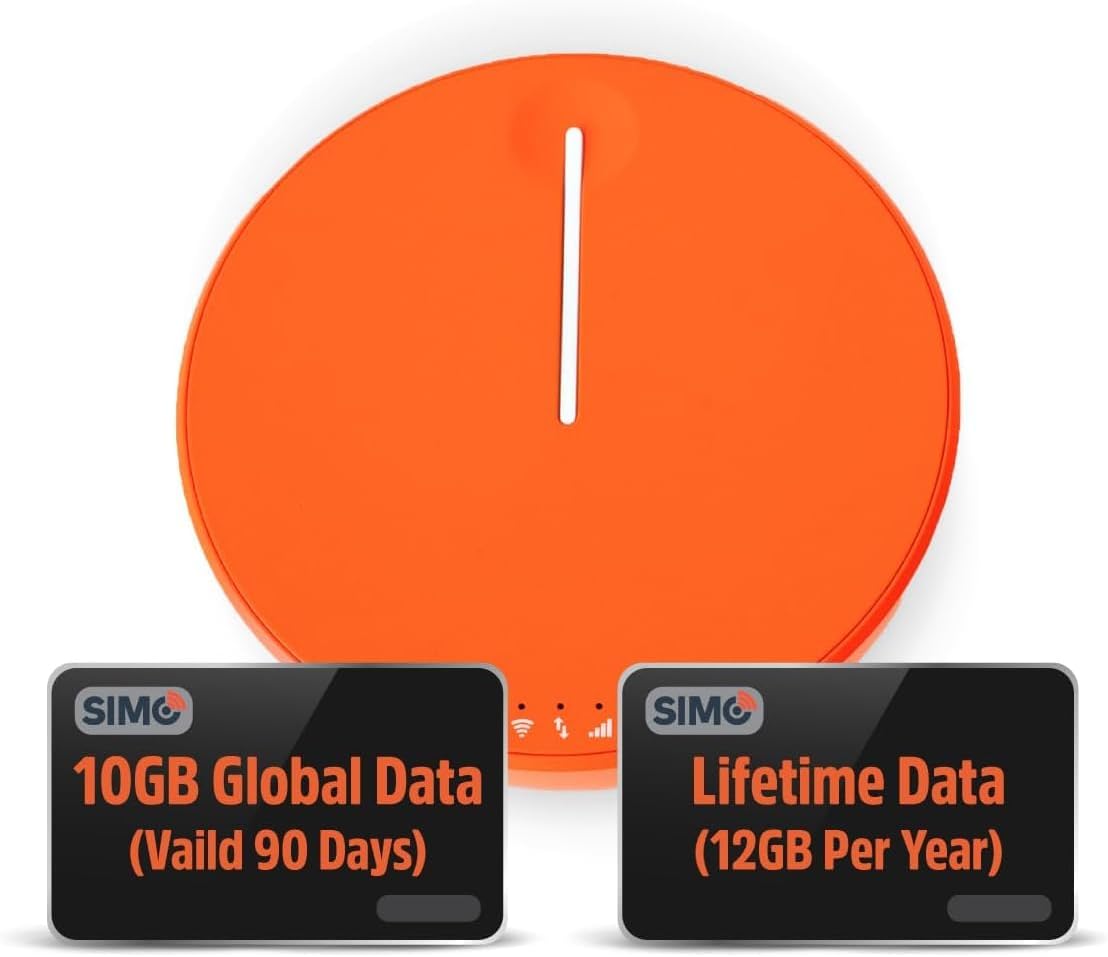
Figure 1.1: SIMO Solis Hero 4G LTE Portable Mobile Hotspot device.
Key Features:
- 2-in-1 Device: Functions as a mobile hotspot and a 5250mAh power bank.
- Global Connectivity: Access to 300+ mobile networks in 140+ countries with SignalScan technology.
- No SIM Card or Contract: Utilizes virtual SIM technology for hassle-free connection.
- Lifetime Data Plan: Includes 1GB of global data every month for the life of the device.
- Durable Design: IP68-rated for dust, water, and drop protection.
- Multi-Device Support: Connects up to 10 devices simultaneously.

Figure 1.2: Overview of Solis Hero key features.
2. What's Included in the Box
Upon opening your SIMO Solis Hero package, you will find the following components:
- SIMO Solis Hero Hotspot Device
- Carrying Case
- USB-C Charging Cable
- Quick Start Guide
- Registration & Support Card
Video 2.1: Official unboxing and setup guide for the SIMO Solis Hero. This video demonstrates the contents of the box and initial steps to get started.

Figure 2.1: Visual representation of the Solis Hero components and initial setup steps.
3. Setup Guide
3.1 Initial Device Activation
- Charge the Device: Before first use, fully charge your Solis Hero using the provided USB-C charging cable. Connect the cable to the device and a compatible USB power adapter (not included).
- Power On: Press and hold the power button on the device until the indicator lights illuminate.
- Download the Solis App: Scan the QR code on the Registration & Support Card or search for 'Solis Wi-Fi' in your device's app store (available for iOS and Android).
- Register Your Device: Open the Solis app and follow the on-screen instructions to create an account and register your Solis Hero using its serial number. This step is crucial for activating your Lifetime Data plan and any included global data.
3.2 Connecting to Wi-Fi
- Locate Wi-Fi Network: On your smartphone, tablet, or laptop, go to your Wi-Fi settings.
- Select Solis Hero Network: Find the Wi-Fi network name (SSID) broadcast by your Solis Hero device. The SSID and password are typically found on a sticker on the device or in the Quick Start Guide.
- Enter Password: Input the Wi-Fi password when prompted.
- Connect: Your device should now be connected to the Solis Hero's Wi-Fi network.
4. Operating Instructions
4.1 Wi-Fi Connectivity
- The Solis Hero automatically connects to the strongest 4G LTE network available in your location using SignalScan technology.
- You can manage connected devices and monitor data usage through the Solis app.
4.2 Power Bank Functionality
- The built-in 5250mAh battery allows you to charge other devices.
- Connect your device to the Solis Hero using a compatible charging cable.
- The Solis Hero can provide over 16 hours of battery life for its own operation, or it can be used to charge external devices.
4.3 Data Plans and Management
Your Solis Hero comes with a Lifetime Data plan (1GB per month) and an additional 10GB of global data (valid for 90 days). Additional data can be purchased as needed via the Solis app.

Figure 4.1: Flexible data plans are available through the Solis app to suit various usage needs.
5. Maintenance and Care
- Cleaning: Use a soft, dry cloth to clean the device. Avoid abrasive cleaners or solvents.
- Storage: Store the device in a cool, dry place away from direct sunlight and extreme temperatures.
- Battery Care: To prolong battery life, avoid fully discharging the device frequently. Charge it regularly, even if not in use for extended periods.
- Water and Dust Resistance: While IP68-rated, avoid intentional submersion or exposure to harsh environments to maintain device integrity.
6. Troubleshooting Common Issues
| Problem | Possible Cause | Solution |
|---|---|---|
| No internet connection | No data plan active or data exhausted. Weak signal. Device not powered on. | Check data plan status in Solis app. Move to an area with better signal. Ensure device is powered on and fully charged. |
| Device not charging | Faulty cable or adapter. Charging port obstruction. | Try a different USB-C cable and power adapter. Check charging port for debris. |
| Slow internet speed | Congested network. Data throttling after high usage. Too many connected devices. | Move to a less congested area. Check data plan details for speed limitations. Disconnect unused devices. |
| Cannot connect to Wi-Fi network | Incorrect Wi-Fi password. Device too far from hotspot. | Verify Wi-Fi password. Move closer to the Solis Hero device. |
7. Technical Specifications
| Feature | Detail |
|---|---|
| Model Number | SolHero24 |
| Battery Capacity | 5250mAh Lithium Ion (included) |
| Dimensions | 4.41 x 4.37 x 2.05 inches |
| Item Weight | 9.7 ounces |
| Connectivity | 4G LTE, Wi-Fi (connects to 300+ mobile networks) |
| Max Connected Devices | 10 |
| Durability Rating | IP68 (Dust, Water, Drop Protection) |
8. Warranty and Customer Support
SIMO products are backed by responsive customer service. For any inquiries, technical assistance, or warranty claims, please refer to the contact information provided on your Registration & Support Card or visit the official SIMO website.
You can also visit the SIMO Store on Amazon for more information and support resources.
Related documentsSolHero24


Ask a question about this manual
Ask about setup, troubleshooting, compatibility, parts, safety, or missing instructions. Manuals+ will review the question and use this page’s manual context to help answer it.