
ZMX Mix 87
MCHOSE Mix 87 Magnetic Switch Gaming Keyboard User Manual
Model: Mix 87 | Brand: ZMX
Introduction
Welcome to the user manual for your MCHOSE Mix 87 Magnetic Switch Rapid Trigger Gaming Keyboard. This keyboard is designed for high-performance gaming and efficient daily use, featuring Hall effect magnetic switches, adjustable actuation, and a compact TKL layout. This manual provides essential information for setting up, operating, maintaining, and troubleshooting your new keyboard.
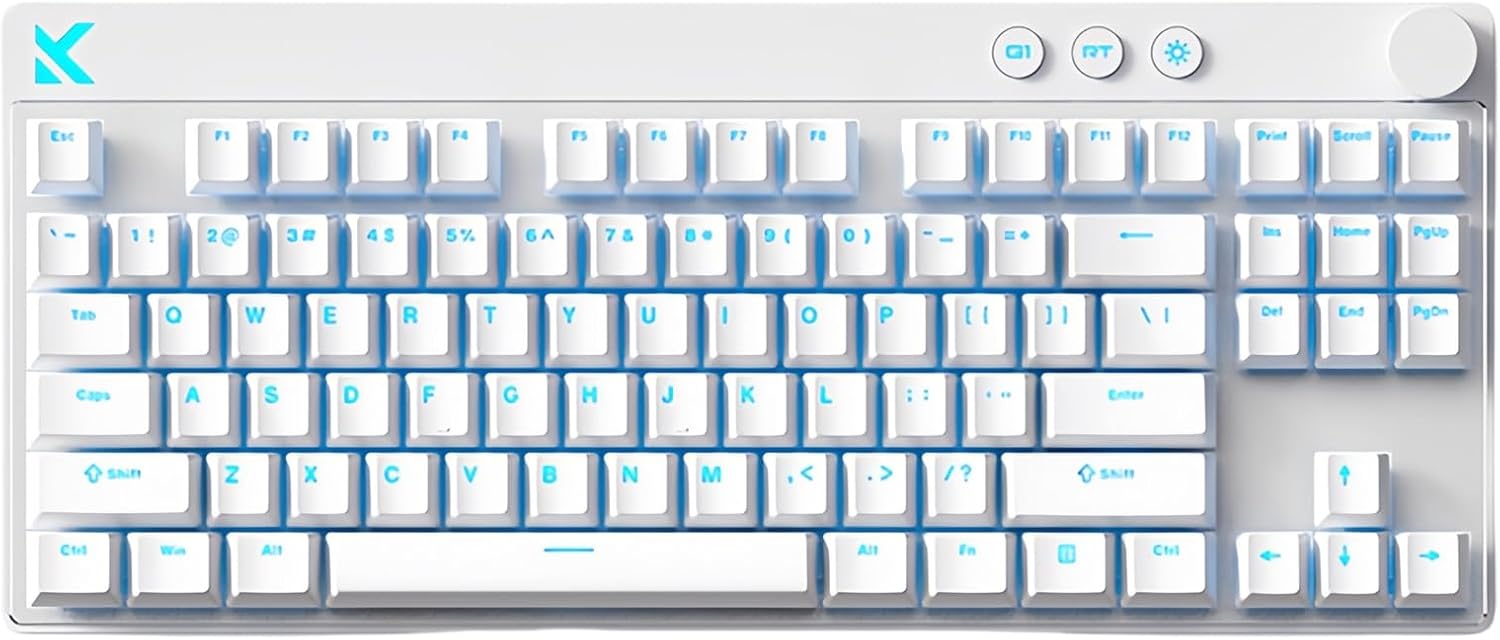
Image: The MCHOSE Mix 87 Magnetic Switch Gaming Keyboard in white, showcasing its 87-key layout and clean design.
What's in the Box
Upon unboxing your MCHOSE Mix 87 keyboard, please ensure all the following items are present:
- MCHOSE Mix 87 Gaming Keyboard
- USB Cable (Type-C)
- Keycap Puller
- User Manual (this document)
- Extra Switches (2 pieces)
Setup Guide
Follow these steps to set up your MCHOSE Mix 87 keyboard:
- Unpack: Carefully remove the keyboard and all accessories from the packaging.
- Connect: Locate the USB-C port on the keyboard and connect one end of the provided USB cable. Connect the other end of the USB cable to an available USB port on your computer (PC or Mac).
- Driver Installation (Optional): The keyboard is plug-and-play. For advanced customization and features, access the programmable web driver. No software download is required; simply visit the official MCHOSE HUB driver website.
- Placement: Position the keyboard comfortably on your desk.
- Initial Test: Open a text editor or any application and type to ensure the keyboard is recognized and functioning correctly.

Image: The MCHOSE Mix 87 keyboard shown in both an office setup (white keyboard) and a gaming setup (pink keyboard), demonstrating its versatility.
Operating Instructions
The MCHOSE Mix 87 keyboard offers a range of features for enhanced gaming and productivity.
Key Features:
- Magnetic Switches & Adjustable Actuation: Equipped with Hall effect Apollo magnetic switches, allowing for ultra-precise 0.001 mm adjustment. The trigger point is adjustable from 0.01-3.4 mm, providing customizable keystroke sensitivity.
- Rapid Trigger (RT) Mode: Supports rapid trigger functionality, enabling keys to reset instantly upon release, crucial for competitive gaming. The RT Smart Mode offers 1-15 levels of adjustment.
- Ultra-Low Latency & High Polling Rate: Features a 256K ultra-high scan rate and 0.08ms low latency, combined with an 8000 Hz polling rate for minimal input delay.
- Multi-Function Knob: The integrated knob allows for easy volume adjustment. Pressing the knob mutes/unmutes audio.
- Dedicated Function Keys: Includes three practical function keys for quick access to desktop, mode switching, and light brightness adjustment.
- RGB Backlighting: Features 16 million colors with north-facing LEDs. Customize lighting effects, brightness, and support music rhythm via FN shortcut keys or the web driver.
- NKRO (N-Key Rollover): Supports full N-Key Rollover, ensuring every keypress is registered accurately, even during simultaneous presses.
Function Key Combinations (FN):
Use the FN key in combination with other keys to access various functions. Specific combinations can be found in the web driver interface for full customization.
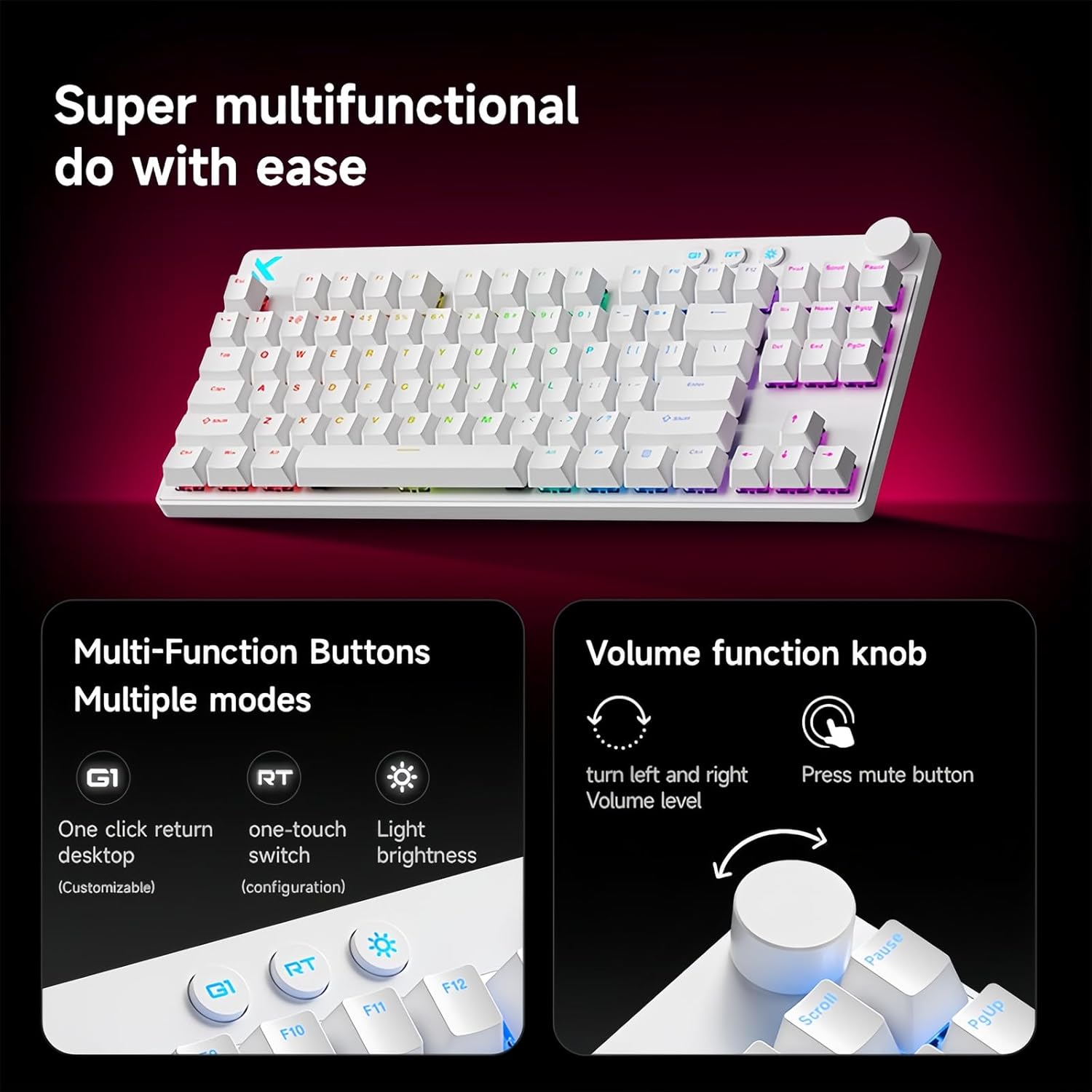
Image: Close-up of the MCHOSE Mix 87 keyboard highlighting the multi-function buttons (G1, RT, Light Brightness) and the volume control knob with mute function.
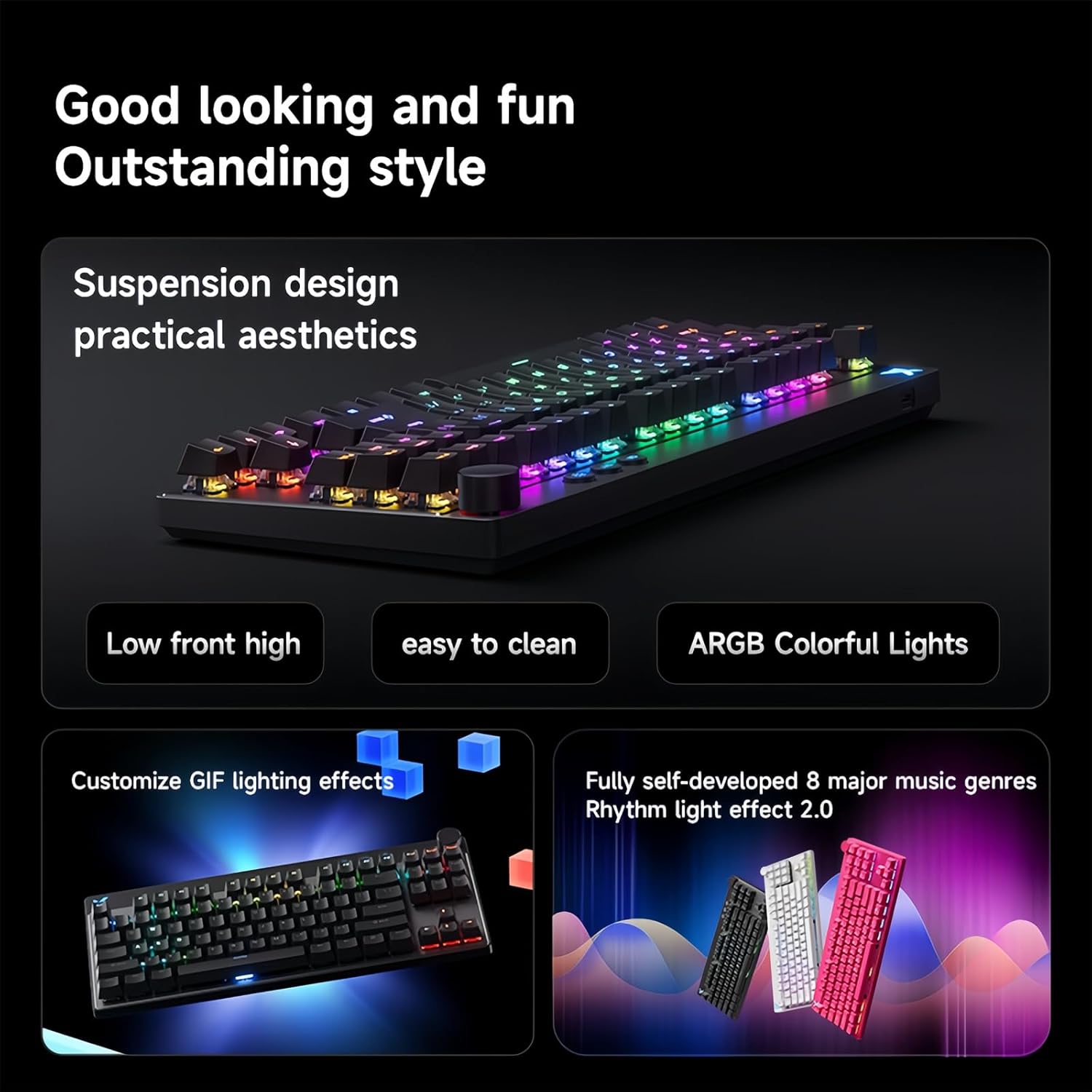
Image: The MCHOSE Mix 87 keyboard showcasing its RGB lighting effects and highlighting features like suspension design, easy cleaning, and customizable lighting effects.
Maintenance
Proper maintenance ensures the longevity and optimal performance of your keyboard.
- Regular Cleaning: Use a soft brush or compressed air to remove dust and debris from between the keycaps.
- Keycap Cleaning: For deeper cleaning, use the provided keycap puller to carefully remove keycaps. Clean them with a mild soap solution and a soft cloth, then ensure they are completely dry before reattaching.
- Surface Cleaning: Wipe the keyboard surface with a slightly damp, lint-free cloth. Avoid harsh chemicals or abrasive materials.
- Spill Prevention: Keep liquids away from the keyboard to prevent damage to internal components.
- Storage: When not in use for extended periods, store the keyboard in a clean, dry environment.
Troubleshooting
If you encounter issues with your MCHOSE Mix 87 keyboard, refer to the following common problems and solutions:
| Problem | Solution |
|---|---|
| Keyboard not responding |
|
| RGB lighting not working or incorrect |
|
| Keys not registering or double-typing |
|
| Rapid Trigger (RT) not functioning as expected |
|
Specifications
Detailed technical specifications for the MCHOSE Mix 87 Gaming Keyboard:
| Feature | Detail |
|---|---|
| Model Name | Mix 87 Keyboard |
| Connection Type | USB-C Wired |
| Number of Keys | 87 keys (TKL Layout) |
| Switch Type | Hall Effect Apollo Magnetic Switches |
| Adjustable Actuation Point | 0.01-3.4 mm |
| Sensitivity Reset Function | Supported |
| Delay Rate | 0.08ms |
| Scan Rate | 256K |
| Polling Rate | 8K Hz |
| RGB Backlight | 16 million colors, North-facing LEDs |
| Special Functions | SOCD, RS, DKS, MT, TGL, Macro, RT Smart Mode (1-15 levels) |
| NKRO | Supported |
| Structure | Gasket Mount Keyboard |
| System Compatibility | Windows, Mac, iOS, Android |
| Product Dimensions | 14.1 x 6 x 1.4 inches |
| Item Weight | 2 pounds |
| Manufacturer | MCHOSE |

Image: Diagram illustrating the MCHOSE | Gateron Joint Research and Development Apollo magnetic axis, detailing its 3.0mm short stroke, 35±10gf initial triggering force, and 100 million service life. Also compares with KTEK MAX and lightning magnetic axis.

Image: The MCHOSE Mix 87 keyboard displayed in three different colors (pink, white, black), highlighting its multifunctional magnetic axis and key features like 0.001mm precision and RT Smart.

Image: Visual representation of the MCHOSE Mix 87 keyboard's strong performance metrics: 0.001mm precision, 256K ultra-high scanning rate, 0.08ms event-level ultra-low latency, and 8K ultra-high polling rate. Also shows magnetic axis Algorithm 3.0, RT Smart (15 levels adjustable), and ADC Direct Link.
Warranty and Support
Your MCHOSE Mix 87 keyboard comes with a standard manufacturer's warranty against defects in materials and workmanship. For specific warranty terms and duration, please refer to the warranty card included with your product or contact the seller directly.
For technical support, troubleshooting assistance, or warranty claims, please contact the seller, ZMX-MALL, through the platform where you purchased the product. You may also visit the official ZMX brand store on Amazon for additional resources and contact information: ZMX Store.
Related documentsMix 87


Ask a question about this manual
Ask about setup, troubleshooting, compatibility, parts, safety, or missing instructions. Manuals+ will review the question and use this page’s manual context to help answer it.