
1. Product Overview
The AYANEO 3 LCD is a high-performance handheld gaming PC designed for portable gaming. It integrates an AMD Ryzen 7 8840U processor with a Radeon 780M GPU, providing robust power for gaming and demanding applications. The device features 32GB LPDDR5X RAM and a 1TB PCIe Gen4 SSD for fast loading and ample storage.
A key feature is its 7-inch 1920x1080 LCD display, offering a 120Hz refresh rate and Variable Refresh Rate (VRR) for smooth visuals. With up to 500 nits brightness and full sRGB coverage, the screen ensures clear and vibrant imagery. The AYANEO 3 also boasts a modular controller system, allowing users to swap joystick and button layouts between Xbox or Switch configurations. Hall effect joysticks and dual-stage analog triggers enhance precision and durability. Connectivity options include dual USB4 ports, OCuLink for external GPU support, Wi-Fi 7, and Bluetooth 5.3. The device runs on Windows 11 and utilizes AYASpace 3.0 for system customization and performance tuning.

Figure 1: Front view of the AYA NEO 3 LCD Handheld Gaming PC, showcasing its 7-inch display and integrated controls.
2. Setup
2.1 Initial Charging
Before first use, fully charge your AYANEO 3 LCD using the provided USB-C power adapter. Connect the adapter to one of the USB4 ports on the device and plug it into a power outlet. The charging indicator light will illuminate.
2.2 Power On/Off
To power on the device, press and hold the power button located on the front side until the screen illuminates. To power off, press and hold the power button, then select 'Shut down' from the Windows menu. A quick press of the power button will put the device into sleep mode.
2.3 First-Time Setup
Upon initial power-on, follow the on-screen prompts to complete the Windows 11 setup process. This includes selecting your language, region, connecting to a Wi-Fi network, and setting up your user account. Ensure you have an active internet connection for updates and software installations.
3. Operating the Device
3.1 Modular Controls
The AYANEO 3 features a modular controller system. The joysticks and button layouts can be magnetically swapped. To change a module, gently pull it off the device and replace it with your desired configuration (e.g., Xbox or Switch layout). Ensure the module clicks securely into place.

Figure 2: Close-up view of the modular controller system, showing swappable joystick and button modules.
3.2 Display and Touchscreen
The 7-inch LCD display is a multi-touch screen. You can interact with Windows 11 and AYASpace 3.0 directly using touch gestures. The 120Hz refresh rate and VRR are automatically managed by the system for optimal performance during gaming.
3.3 AYASpace 3.0 Software
AYASpace 3.0 is the central hub for managing your AYANEO 3. Access it from the Windows desktop to customize performance profiles, adjust fan speeds, remap controls, and update system software. It provides a touch-optimized UI for easy navigation.
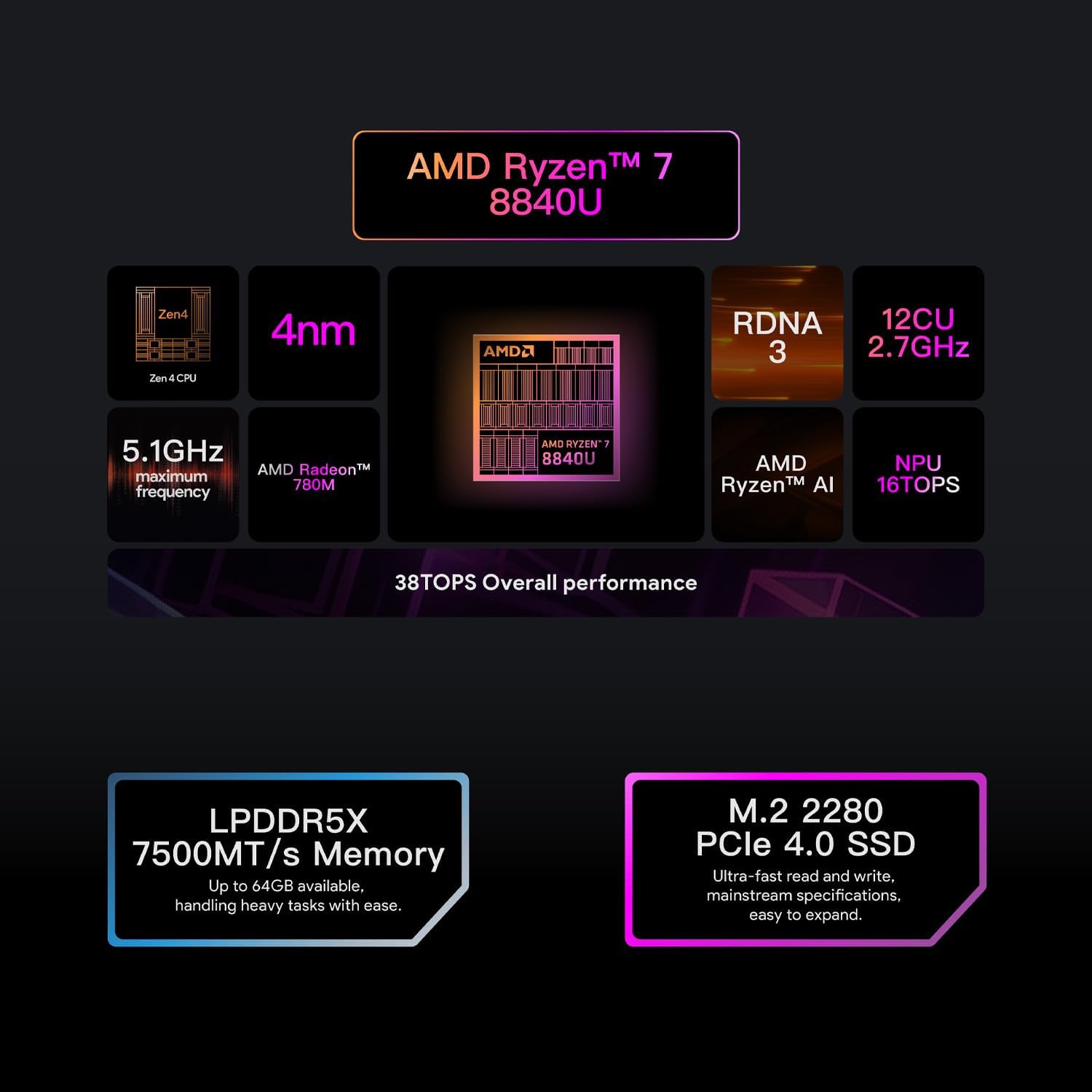
Figure 3: Screenshot of the AYASpace 3.0 interface, demonstrating its system control and customization options.
4. Connectivity
4.1 USB4 Ports
The AYANEO 3 is equipped with dual USB4 ports. These ports support high-speed data transfer, video output, and power delivery. They are also compatible with external GPUs (eGPUs) for enhanced graphics performance.
4.2 OCuLink Port
An OCuLink port is provided for direct connection to compatible eGPUs, offering a dedicated high-bandwidth connection for maximum graphics performance. This is ideal for desktop-class gaming experiences.
4.3 Wireless Connectivity
The device supports Wi-Fi 7 for high-speed internet access and Bluetooth 5.3 for connecting wireless peripherals such as headphones, controllers, and keyboards.
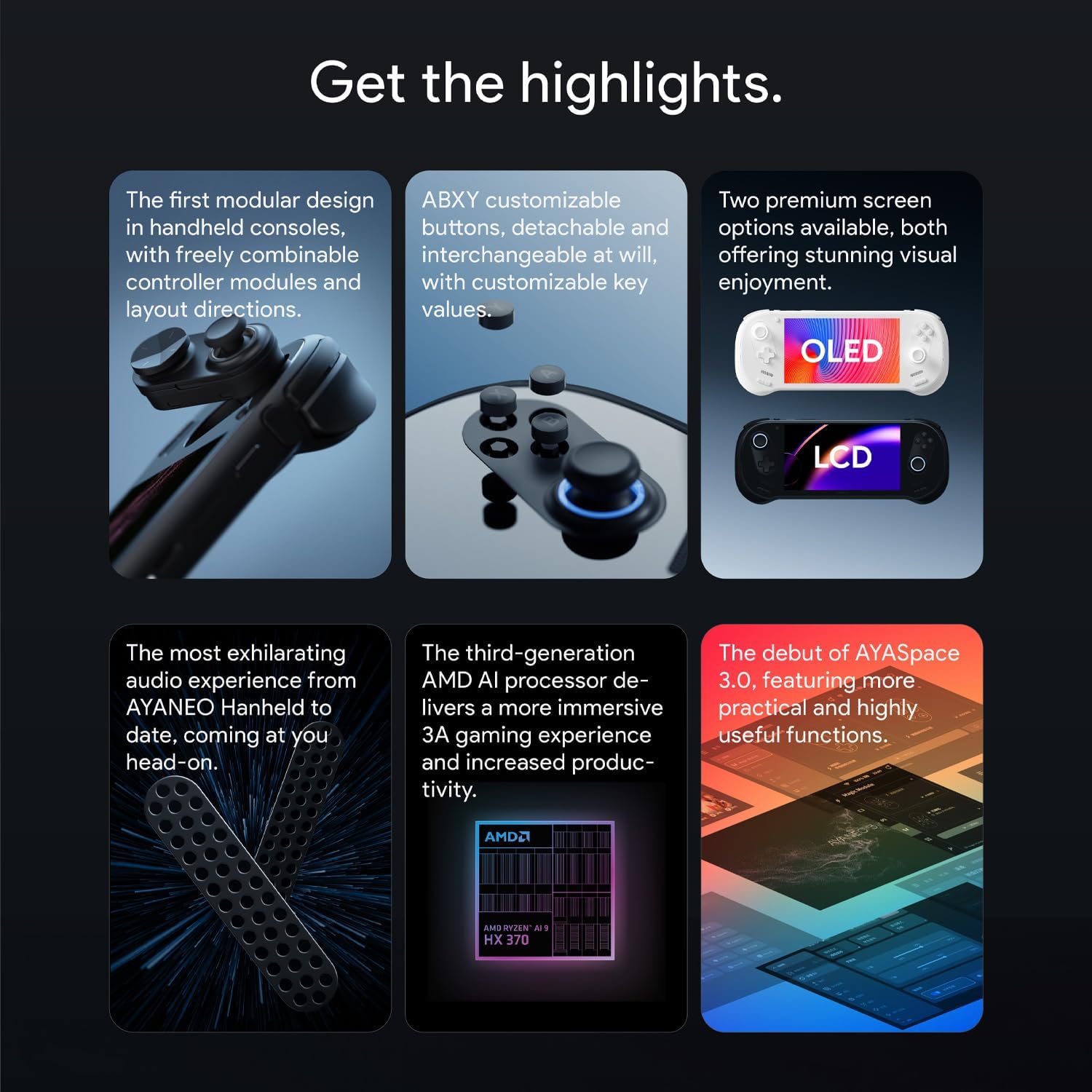
Figure 4: Side view of the AYANEO 3, highlighting the USB4 and OCuLink ports for external connectivity.
4.4 Official Product Video: Introducing the AYANEO 3
Video 1: An official introduction to the AYANEO 3, showcasing its design, features, and capabilities. This video provides a comprehensive overview of the product from the seller.
5. Specifications
| Feature | Specification |
|---|---|
| Processor | AMD Ryzen 7 8840U (5.1 GHz) |
| GPU | AMD Radeon 780M |
| RAM | 32GB LPDDR5X |
| Storage | 1TB PCIe Gen4 SSD |
| Display | 7-inch 1920x1080 LCD, 120Hz, VRR, 500 nits |
| Operating System | Windows 11 Home |
| Wireless | Wi-Fi 7, Bluetooth 5.3 |
| Ports | Dual USB4, OCuLink |
| Battery Life (Average) | 6 Hours |
| Dimensions (LxWxH) | 10.39 x 4.13 x 0.83 inches |
| Weight | 1.47 pounds |
6. Troubleshooting
6.1 Device Not Powering On
- Ensure the device is fully charged. Connect the power adapter and wait for the charging indicator.
- Press and hold the power button for at least 10 seconds to perform a hard reset.
6.2 Controller Input Issues
- Check if the modular controllers are securely attached. Re-attach them if necessary.
- Open AYASpace 3.0 and verify controller settings and calibration.
- Ensure game-specific controller settings are correctly configured.
6.3 Performance Issues (Low FPS, Lag)
- Open AYASpace 3.0 and select a performance profile suitable for gaming (e.g., 'Extreme' mode).
- Ensure the device is adequately cooled; avoid blocking air vents.
- Update graphics drivers and Windows 11 to the latest versions.
- Lower in-game graphics settings or resolution.
7. Maintenance
7.1 Cleaning
Regularly clean the device with a soft, dry cloth. For the screen, use a microfiber cloth specifically designed for electronics. Avoid using harsh chemicals or abrasive materials. Keep air vents clear of dust and debris to ensure proper cooling.
7.2 Battery Care
To prolong battery life, avoid fully discharging the device frequently. Store the device in a cool, dry place when not in use for extended periods. If storing for a long time, ensure the battery is charged to around 50-70%.
8. Warranty and Support
Your AYANEO 3 LCD comes with a standard manufacturer's warranty. Please refer to the warranty card included in your product packaging for specific terms and conditions. For technical support, driver updates, or further assistance, visit the official AYA NEO website or contact their customer service.
