
Introduction
This manual provides comprehensive instructions for the Romoss PRC Series 20000mAh 15W Power Bank. Please read this guide carefully before using the product to ensure safe and optimal performance.
The Romoss PRC Series 20000mAh 15W Power Bank is designed to provide a substantial power reserve for extended device usage. With a 20,000mAh capacity, it can charge multiple devices simultaneously through its various output ports. It supports 15W bidirectional fast charging for quick energy replenishment. Its sleek white design and portability make it suitable for everyday use and travel.
What's in the Box
- 1 x Romoss PRC Series 20000mAh 15W Power Bank
- User Manual (this document)
Product Overview
Power Bank Layout
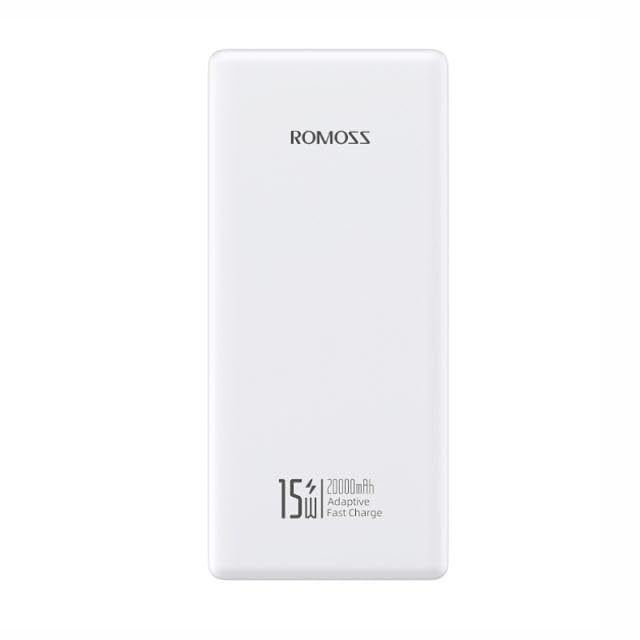
Front view of the Romoss PRC Series 20000mAh 15W Power Bank, showing the Romoss logo, 15W, 20000mAh, and Adaptive Fast Charge text, along with the power button on the side.
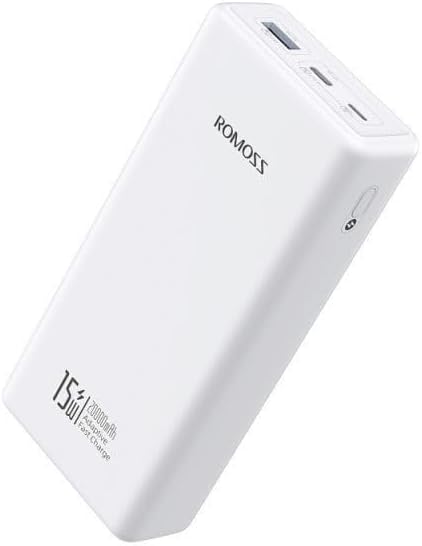
Angled view of the Romoss PRC Series 20000mAh 15W Power Bank, highlighting the USB-A output ports and the power button.

Rear view of the Romoss PRC Series 20000mAh 15W Power Bank, showing the integrated charging cables neatly stored within the device.

Top-down angled view of the Romoss PRC Series 20000mAh 15W Power Bank, displaying the Romoss branding and the various charging ports.
Key Components
- Power Button: Activates the power bank and checks battery level.
- LED Battery Indicator: Four LEDs display the remaining power.
- USB-A Output Ports: For charging external devices.
- Input Port (Micro USB): For recharging the power bank.
- Integrated Charging Cables: For convenient device charging.
Setup
Initial Charging
Before first use, fully charge your Romoss Power Bank. Connect the power bank to a suitable USB wall charger (not included) using a compatible charging cable. The LED indicators will illuminate to show the charging progress.
The 4-level LED battery indicator will show the current charge status. When all four LEDs are solid, the power bank is fully charged.
Operating Instructions
Charging Your Devices
- Connect your device's charging cable to one of the power bank's USB-A output ports.
- Connect the other end of the cable to your device.
- The power bank will automatically begin charging your device. If not, press the power button once to initiate charging.
- The LED indicators will show the remaining battery level of the power bank during discharge.
Checking Battery Level
Press the power button once. The LED indicators will light up to show the current battery level:
- 1 LED: 0-25%
- 2 LEDs: 25-50%
- 3 LEDs: 50-75%
- 4 LEDs: 75-100%
Bidirectional Fast Charging
The power bank supports 15W bidirectional fast charging. This means it can charge compatible devices quickly and can also be recharged quickly when connected to a 15W or higher power source.
Maintenance
- Keep the power bank dry and away from moisture.
- Do not expose to extreme temperatures (hot or cold).
- Clean the surface with a soft, dry cloth. Do not use harsh chemicals or abrasive materials.
- Store in a cool, dry place when not in use for extended periods.
- Recharge the power bank at least once every three months to maintain battery health.
Troubleshooting
Power Bank Not Charging
- Ensure the charging cable and wall adapter are functioning correctly and properly connected.
- Try a different charging cable or wall adapter.
- Verify the input port on the power bank is clean and free of debris.
Device Not Charging from Power Bank
- Ensure the power bank has sufficient charge (check LED indicators).
- Press the power button once to activate charging.
- Try a different USB-A output port.
- Try a different charging cable for your device.
- Ensure your device is compatible with the power bank's output specifications.
Slow Charging
- Ensure both the power bank and your device support fast charging.
- Check if the charging cable is suitable for fast charging.
- Avoid using your device while it is charging, as this can slow down the process.
Specifications
| Feature | Detail |
|---|---|
| Model Name | PRC20-141-1133H |
| Brand | Romoss |
| Battery Capacity | 20000mAh |
| Output Power | 15W |
| Special Feature | Fast Charging |
| Color | White |
| Item Weight | 540 g |
| Package Dimensions | 18 x 10.6 x 4 cm |
| Connector Type | Micro USB (Input) |
| Voltage | 5 Volts |
| Battery Cell Composition | Lithium Ion |
Safety Information
- Do not disassemble, modify, or repair the product.
- Do not expose to fire or high temperatures.
- Do not immerse in water or other liquids.
- Keep out of reach of children.
- Avoid dropping or subjecting the power bank to strong impacts.
- Dispose of the power bank according to local regulations. Do not dispose of with household waste.
Warranty and Support
Warranty
This Romoss Power Bank comes with a 12-month warranty from the date of purchase. The warranty covers manufacturing defects. It does not cover damage caused by misuse, accidents, unauthorized modifications, or normal wear and tear.
Customer Support
For technical support or warranty claims, please contact Romoss customer service through their official website or the retailer where the product was purchased. Please have your model number (PRC20-141-1133H) and proof of purchase ready.